
Image trend

Shinigami AI Photo: Check the Lighting Match

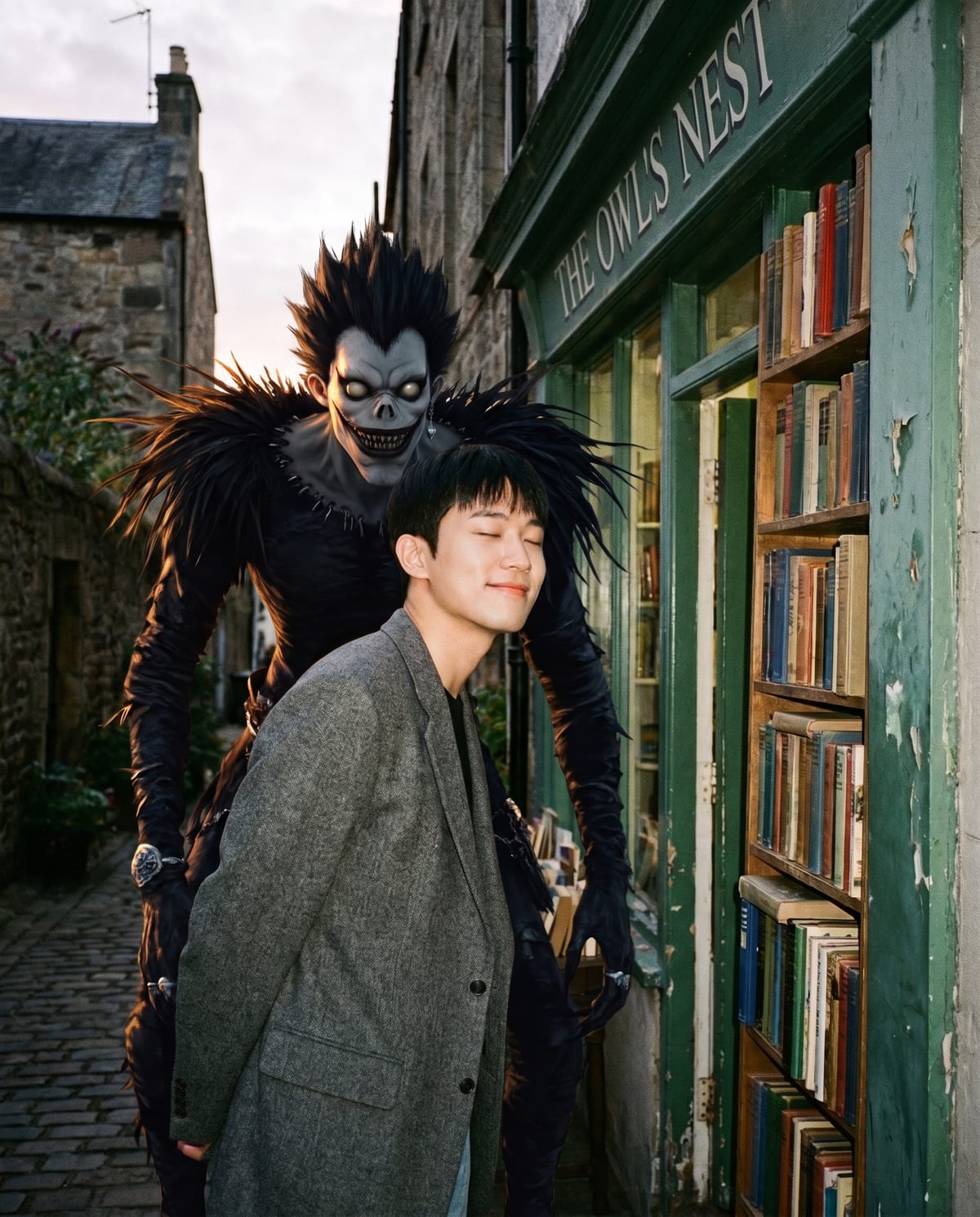
The effect only convinces if both of you look photographed in the same moment. A figure lit from a different direction or sharper than you gives the edit away at a glance. Check these three things at full size.

Final image
1 still
Your input
1 photo
Price
from 51 credits
Ryuk Spotted example result
Ryuk SpottedExample result

Does it read as one photograph?

01

Light direction and grain

Find where the main light hits your face, then check that his face and shoulders are lit from the same side. Shadows on the ground or wall should fall in one direction for both of you, and the grain should look the same across the frame. If he looks pasted on, a photo with simpler, softer light usually gives a better match.

02

Where he meets you

Zoom into the area where his arm, hair or ragged clothing passes near your shoulder. Edges should overlap naturally, with no halo, no missing piece of your outline and no hand fused into your jacket. These overlaps are where AI composites most often show seams.

03

You, unchanged

Compare your face, outfit and stance with the original. The template aims to keep them close, so a different jacket or a stranger's face means the photo did not carry over well. Try again with a sharper, front-facing upload, and keep the AI label on whichever version you post.

Explore the Ryuk Spotted trend

How to make it

Caught on camera with a shinigami over your shoulder. Add one clear photo; the look is already set.

The photo you add

  • 1. You

    A clear photo of you, facing the camera, in your own outfit.

  1. 01

    Upload your photo

    Pick a clear photo of you in your own outfit.

  2. 02

    We bring him in

    He appears beside or behind you, lit to match the scene, in about a minute.

  3. 03

    Download and post

    Save the image and share it anywhere.

01

Looks like a real photo

The light, shadows and grain on you and on him are matched, so it reads as one candid shot.

02

Still you

Your face, outfit and relaxed expression stay as in your photo.

03

Eerie, not gory

The mood is creepy and playful, with nothing violent.

Photo tips

  • Clear, front-facing photo
  • A relaxed, neutral expression works best
  • Leave some space beside you in the frame
  • Street, shop alley or night scenes look great

Questions & answers

Does this make a Ryuk-style selfie or turn me into a shinigami?

It creates an unofficial fan-style portrait of you with a shinigami beside or behind you. You remain the human subject in your own outfit; the template does not turn you into the creature. The intended composition is a candid street-style photograph with the figure looming over your shoulder.

Can I select an apple pose or a bedroom scene?

There is no pose or scene selector in this template. It uses a street or shop-alley composition with the shinigami beside or behind you. Other Ryuk-style examples may show an apple or a bedroom, but those are not selectable options in this one-photo flow.

How many photos do I need?

One: a clear photo of you.

Is my photo private?

Your photos are used to make your image. Only upload photos of yourself, or of people who have agreed to it.

Can I use the result commercially?

Check your plan's terms for what you can do with generated images. They apply to your result.

How long does it take?

About a minute. You can leave the page; the finished Ryuk Spotted image is saved to your assets.

Is this official?

No. It is an unofficial fan-style look and is not affiliated with the creators of Death Note.
Ideas for your next photo

Pick a premise, choose the right photo, and turn one finished image into a post worth sharing.

Explore the AI photo trend playbook →

Make your Ryuk Spotted image

One photo, about a minute. You stay calm. He stays behind you.

Make this image