
Video trend

How to Do the Jensen Huang Car Dance Trend

You do not need a car, a camera or any dance practice for this one. The template does the filming; you supply two photos and check the result. These are the steps from a blank tool to a posted video, including the parts people skip: the music rules and the AI label.

Final video
15 seconds
Your input
2 photos
Quality
720p
THE ORIGINAL15 SEC / 16 / 9
Jensen Huang Car DanceYour photo. This scene.

From two photos to a posted video

01

1. Open the template

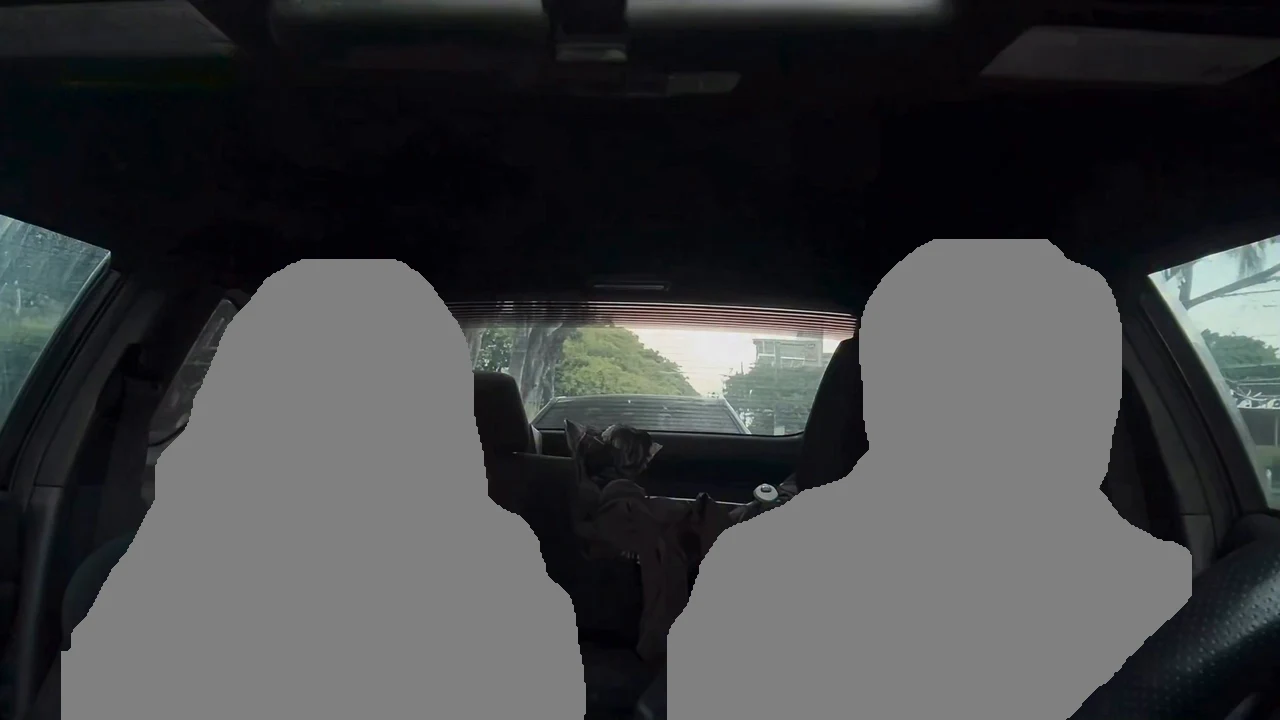
Go to the Jensen Huang Car Dance trend on Oakgen. It has two drop zones on a still of the car: Driver on the right and Passenger on the left. Both people in the still are plain grey shapes, because neither reference performer is reused.
02

2. Add the two photos

Drop a head-and-shoulders photo on each seat: face forward, hair visible, no hat, one person per photo. Use yourself and a friend who agreed, or a pet for one seat.

03

3. Pick the quality and check the quote

Choose 720p or 1080p. The quote covers the full 15 seconds, and you see it before anything is charged.

04

4. Generate and review

When the video is ready, watch it once for faces and once for hands. The claps and finger guns between about 6 and 8.5 seconds and the hand in front of the driver's face around 10 seconds are the moments worth a second look.

05

5. Mind the music

The download keeps the reference clip's soundtrack, a rap track with vocals that we could not identify. Oakgen does not license it for your posts, so check the platform's music rules, or mute it and add a sound from the platform's library.

06

6. Post it as a parody

Use the platform's AI label or say AI-made in the caption. If you mention the trend by name, make clear the video shows you and a friend, not Jensen Huang, and that it is not connected to NVIDIA.

07

7. Try the other versions

The same wave has a chrome music-video version, a missed-train dance and an aircraft carrier dance. Each has its own Oakgen template with the same no-likeness approach, linked below.

Explore the Jensen Huang Car Dance trend

How to make it

Add a photo for each role shown below. All roles need a photo.

The roles in the Jensen Huang Car Dance original reference
Passenger in the Jensen Huang Car Dance source video
Passenger
Driver in the Jensen Huang Car Dance source video
Driver
  1. 01

    Pick who sits where

    Choose the Driver, behind the wheel on the right, and the Passenger on the left. Use a head-and-shoulders photo for each, face forward, hair fully visible and no hat. Everyone pictured should have agreed to appear.

  2. 02

    Choose the quality

    Pick 720p or 1080p and review the quote. It covers the full 15-second video.

  3. 03

    Check the hands and post

    Watch the claps, the finger guns and the moments a hand passes in front of a face, then download your landscape 16:9 MP4 with the sound and label it as AI-made when you post.

01

Your face, not his

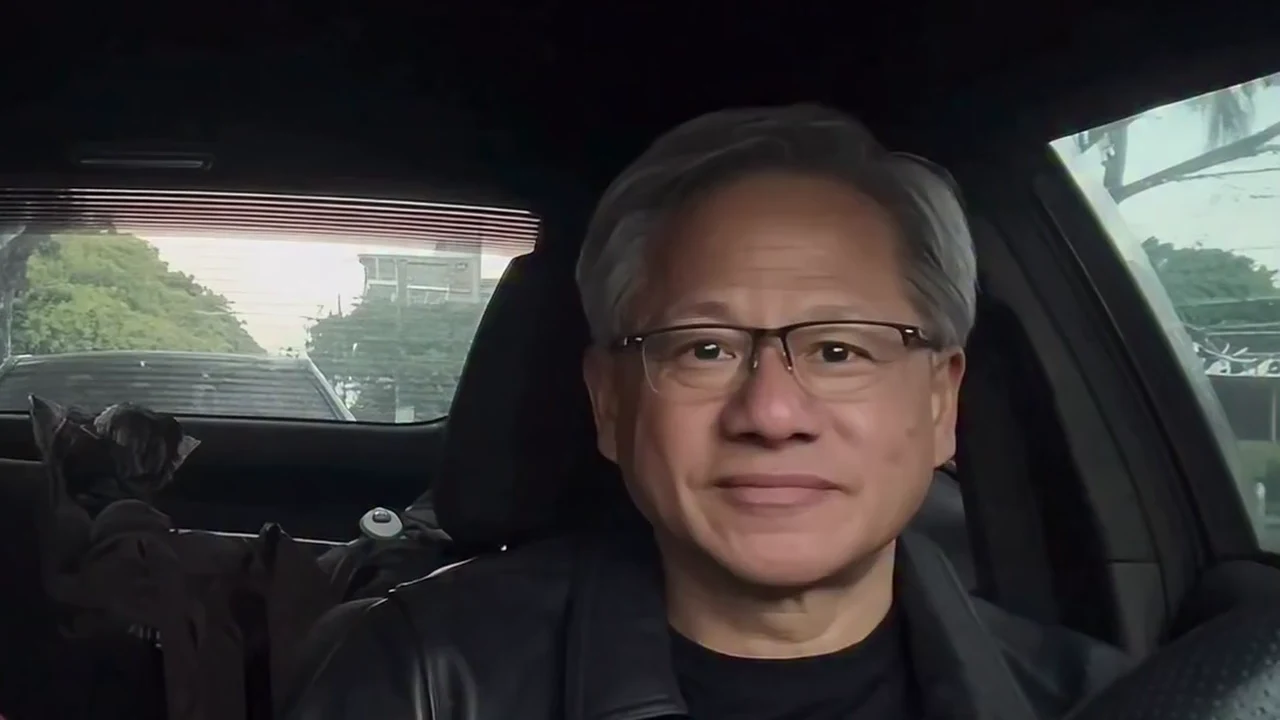
The template follows the parody clip's moves and camera, but the driver comes from your photo: face, hair, build and outfit. The grey hair, the glasses and the leather jacket are not kept, and no one's likeness is copied from the reference.

02

A two-seat singalong

15 seconds in one handheld shot from the dashboard: both of you sway, wave, clap, point finger guns at the lens, roll your hands to the beat and end up laughing with your elbows up.

03

The soundtrack stays

Your video keeps the reference clip's own soundtrack, a rap track with vocals. No audio is sent to the video model: the mouths follow the singing in the clip and the original sound is put back at the end.

04

A parody, labelled as one

The preview is an AI-made parody, not real footage of Jensen Huang. The trend is not affiliated with or endorsed by NVIDIA or Jensen Huang, and your finished video shows the two people from your photos, not him.

Photo tips

  • One person per photo
  • Face forward, hair visible, no hat
  • Put the loudest singer behind the wheel
  • Your own outfits stay
  • Use photos of people who agreed
  • Label it as an AI parody

Questions & answers

What is the Jensen Huang AI car dance trend?

An AI-made parody clip in which a driver who looks like NVIDIA's Jensen Huang sings along and dances with his hands in the front seat of a parked car, next to a passenger. Oakgen's template keeps the moves, the camera and the timing and puts the two people from your photos in the two seats, with YOUR photo behind the wheel.

Is the preview real footage of Jensen Huang?

No. The preview is an AI-made parody clip, not real footage of Jensen Huang, and he did not make, endorse or appear in it. Oakgen is not affiliated with or endorsed by NVIDIA or Jensen Huang, and your video does not show him: the driver is the person in your photo.

Is this the Jensen Huang car singing video?

Yes, it is one version of it. People search for it as Jensen Huang car dance, Jensen Huang singing in the car, Jensen Huang AI dance and car singalong AI video. Oakgen has one tool for this clip, Jensen Huang Car Dance.

Why does the preview only show the driver?

The preview on this page is the parody clip cropped to the driver's seat. Your finished video is the full 15-second two-shot, with your passenger in the left seat doing their own half of the dance.

What song is it?

The reference clip runs on a rap track with vocals that we have not been able to identify, so we do not name it. Your video keeps that soundtrack. Oakgen does not license it for your own posts, so check the platform's music rules when you share it, or swap in a sound from the platform's library.

Is the song sent to the AI model?

No. No audio is sent to the video model. The mouths follow the singing along shown in the reference clip, and the finished video gets the reference clip's original soundtrack back after generation.

Do I need two photos?

Yes. The Driver and the Passenger each need a photo, because the template replaces both people in the reference clip completely, so neither of them is kept in your video. A friend, a family member or a pet can take the passenger seat.

Do we have to wear a leather jacket?

No. There is no costume. Each person wears the outfit from their own photo, with their own hair and accessories, instead of the reference driver's glasses and black leather jacket.

Which moves are in it?

Swaying to the beat, a wave in the air, singing to the camera with a hand on the chest, flat-hand claps side by side, finger guns pointed at the lens, rolling hands towards the camera and a final dance with raised elbows and fists while you both laugh.

Can I put a pet in it?

Yes. A clear photo of a dog or cat works in either seat and dances with its own body, fur and markings. Check the paws in the quick clap and point moves before you post.

Whose photos can I use?

Your own, or photos of people who agreed to be in the video. Do not upload photos of celebrities, executives or anyone who has not consented, and label AI videos clearly when you share them.

How long is the video?

15 seconds in landscape 16:9, one continuous handheld shot, ready to post or crop for Reels, TikTok and Shorts.

Is the preview generated by Oakgen?

No. It is the AI parody reference clip the trend comes from, used as the motion and timing reference, not an Oakgen result. Neither of its performers is reused.

How much does it cost?

796 credits per 720p video. The quote covers the complete 15-second video. Check it before generating.

Ideas for your next video

Plan a story, keep your character recognizable, and make the finished clip your own.

Explore the video trend playbook →

Make your Jensen Huang Car Dance video

Upload 2 photos. Everything else is set.

Make this video