Oakgen.ai

Video trend

Around the Corner Trend Template: Every Shot Explained

The Around the Corner template is a 12-second portrait clip in three shots, and the joke depends on their order. This breakdown follows the reference second by second so you know what each role is doing at each moment, where the cuts and the pan fall, and what to look at when your video comes back.

Final video
11.67 seconds
Your input
3 photos
Quality
720p
REFERENCE RECREATION11.67 SEC / 9 / 16
Around the CornerSource: @vexm0vez · AI reel on Instagram

The template, second by second

01

0 to 1.8 seconds: the struggle

A wide handheld view along a pale blue metal wall with two doors and an air conditioner. On the left the calm one leans on the wall, one foot up and arms folded. On the right two friends, one in a black tee and one in an olive tee, hold back the hothead, who lunges forward. Check: the calm one and the hothead have different faces, and nobody else has either face.
02

1.8 to 3.6 seconds: the hothead close-up

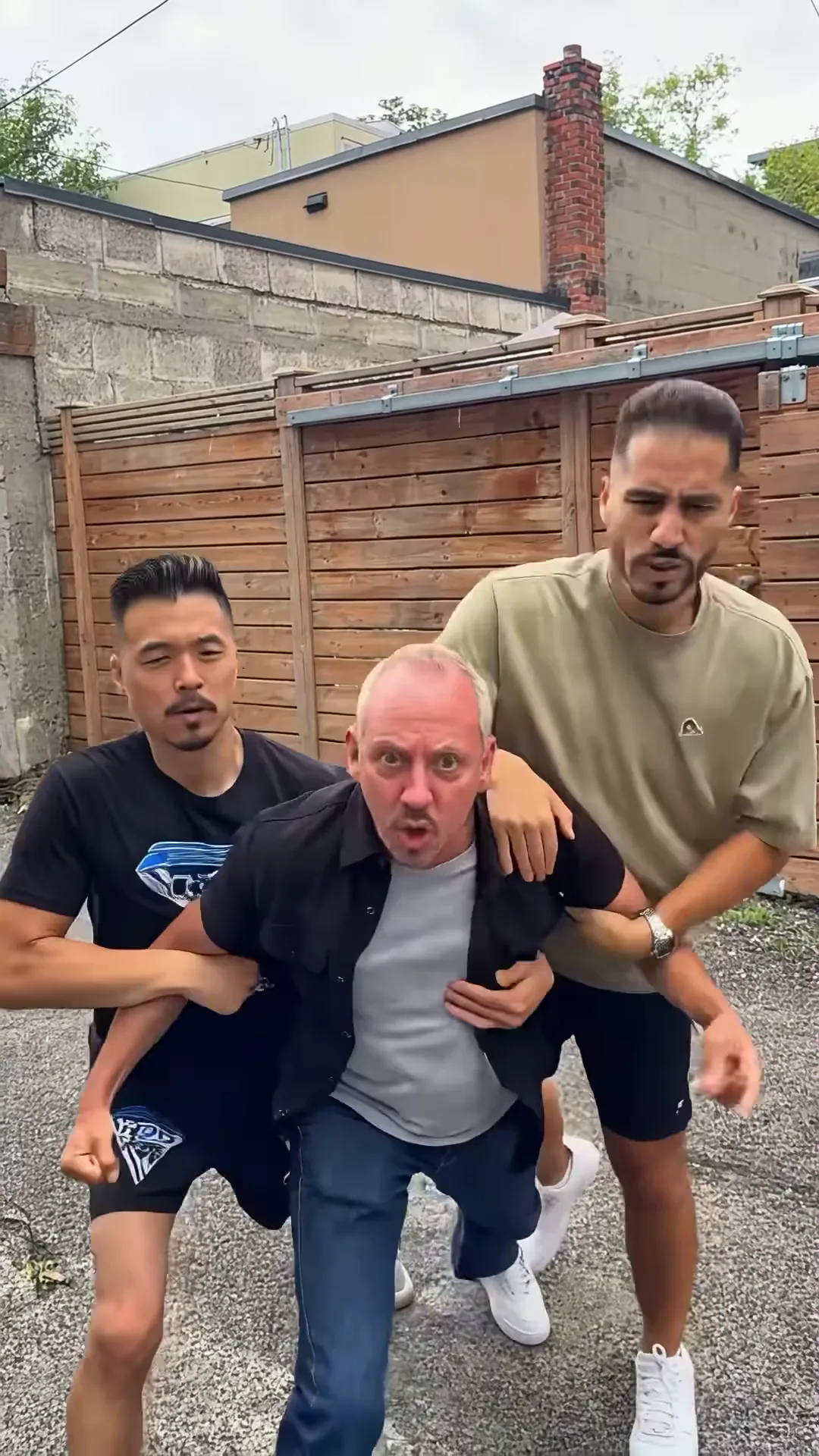
Cut to a closer view by a wooden fence. The hothead strains toward the camera between the two friends, shouting without words and pointing past the lens. Check: the friends' hands stay on the hothead's arms and the face holds through the shaking camera.

03

3.6 to 6.2 seconds: the calm one

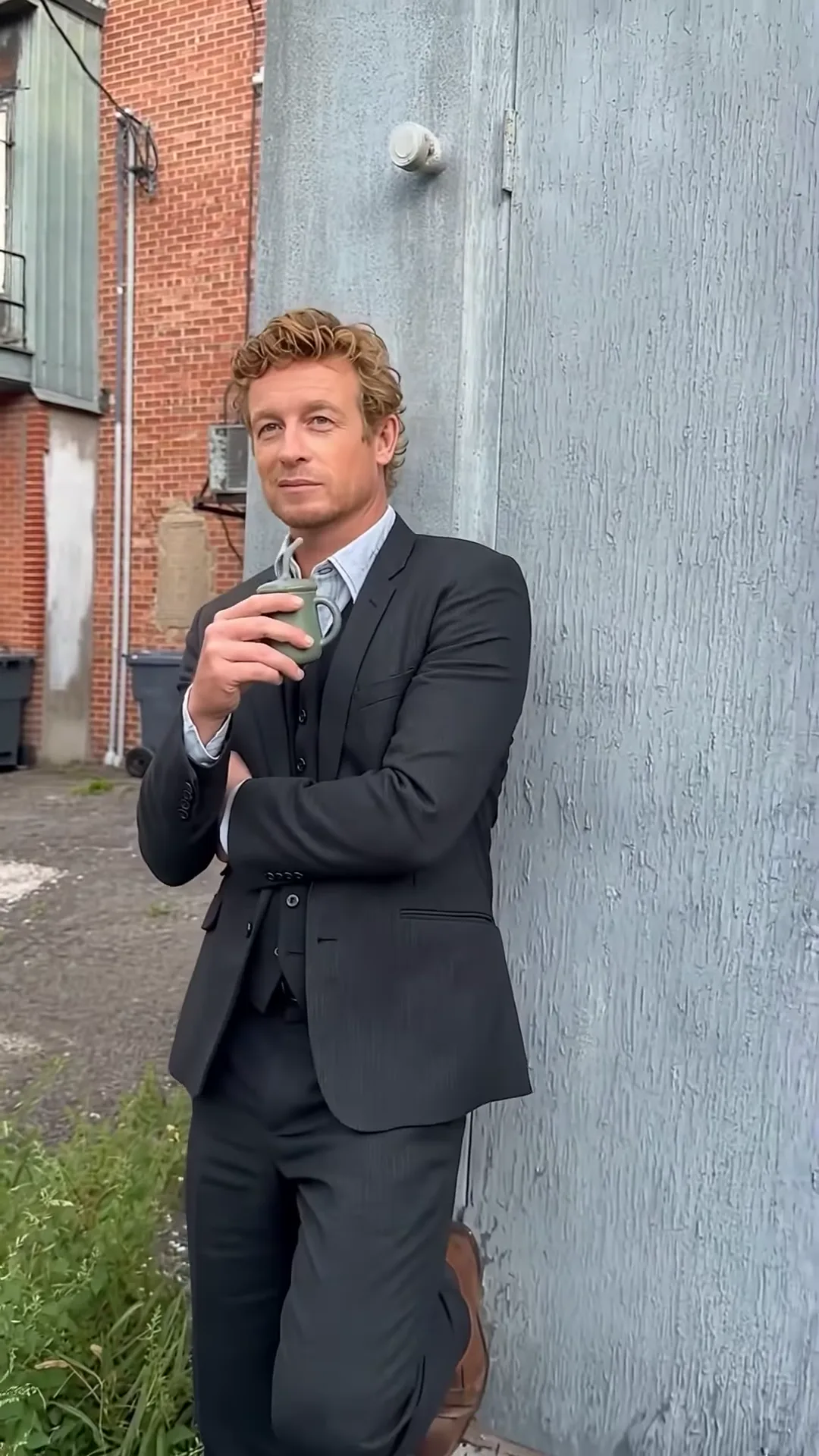
Cut to the calm one leaning at the corner of the blue wall, arms folded, sipping from a green mug and glancing around as if nothing is happening. This is the beat that sets up the joke. Check: one mug, held in one hand, and the face stays the calm one's face when the mug covers the mouth.

04

6.2 to 7 seconds: around the corner

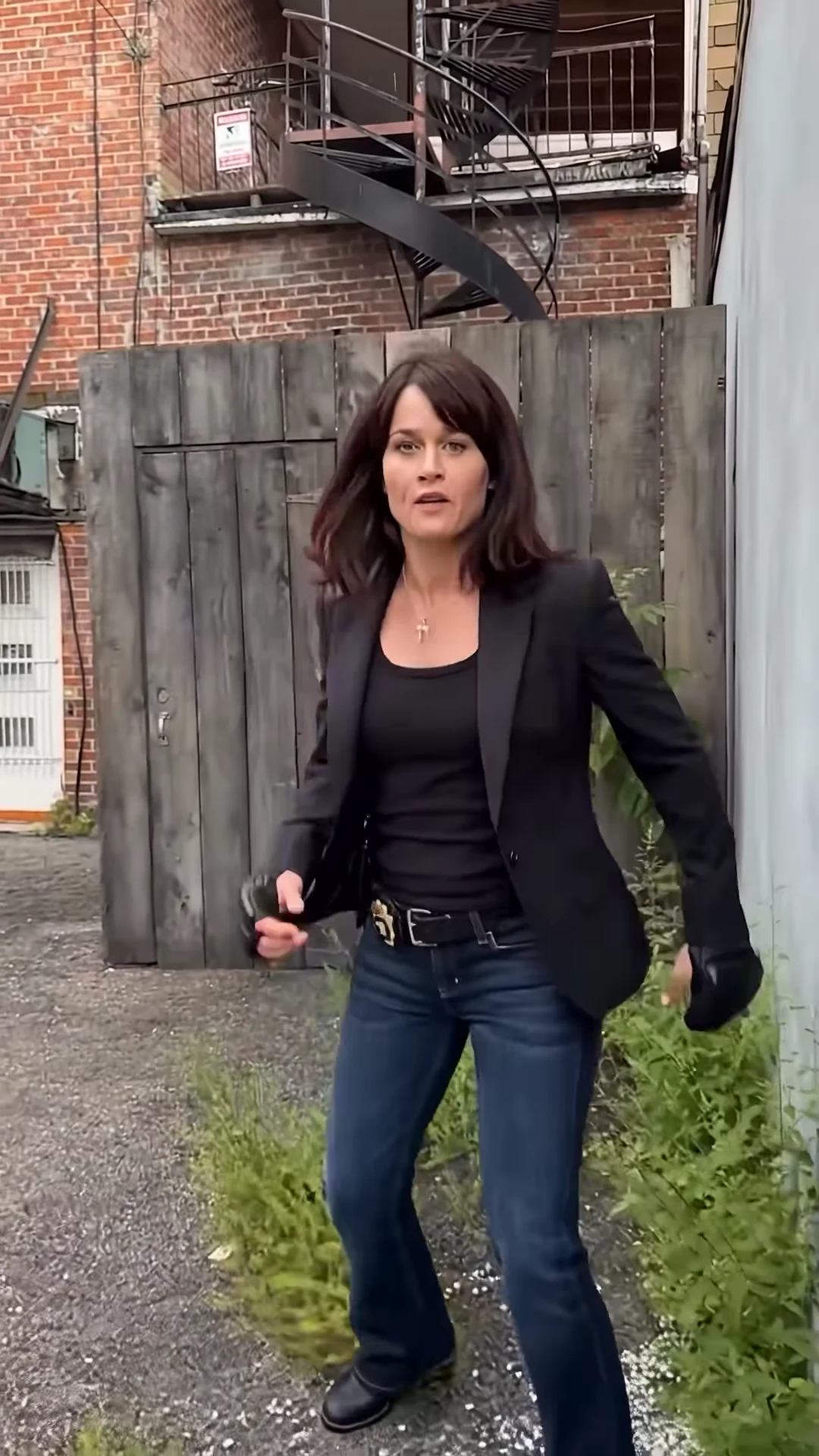
Without a cut, the camera pans right past the edge of the wall. The calm one slides out of frame on the left, and the fighter appears farther back in front of a grey wooden gate under a black spiral fire escape, already walking forward.

05

7 to 11.7 seconds: the fighter

The fighter walks up to a full-figure view, bounces on the feet with gloved fists low, opens both hands, puffs out the cheeks at about 10 seconds and shrugs. The clip ends there. Check: both gloves stay on, hands have five fingers, and nobody throws a punch.

06

What the template never changes

The shot order, the pan, the timing and the music. A new run cannot move the reveal earlier or add a punch at the end; to fix a flaw, change one photo and run the whole 12 seconds again at the quote the studio shows.

Explore the Around the Corner trend

How to make it

Add a photo for the hothead and calm one and fighter.

The roles in the Around the Corner reference recreation
Hothead in the Around the Corner source video
Hothead
Calm one in the Around the Corner source video
Calm one
Fighter in the Around the Corner source video
Fighter
  1. 01

    Pick your three people

    Upload a clear photo for the hothead, the calm one and the fighter, each of someone who agreed to appear. Full-body photos help the fighter, who walks up from a distance; waist-up photos suit the other two.

  2. 02

    Review quality and price

    Choose 480p, 720p or 1080p and review the quote. It includes the full video, all three photo preparations and four scene references.

  3. 03

    Check the reveal

    Watch that nobody swaps faces between the shots, the friends keep hold of the hothead and the fighter keeps both gloves on, then download your portrait MP4 with the original music.

01

Three roles, all yours

The hothead is held back shouting; the calm one leans on the wall sipping from a mug; the fighter walks out from around the corner. Each takes the face, hair and outfit from their own photo.

02

The whole reveal

The 12-second portrait clip keeps all three shots: the struggle in the alley, the close-up of the hothead, and the slow pan past the calm one around the wall to the fighter, with the original music.

03

Fight gloves, no fight

The fighter wears black fingerless fight gloves over their own outfit, squares up, bounces and puffs out their cheeks. Nobody throws a punch and nobody gets hurt.

04

An attributed AI source

The preview is an AI reel by @vexm0vez, made with @ausar.ai's template and shown for motion and timing. It is not an Oakgen result, and its people are never reused: all three roles come from your photos.

Photo tips

  • One person per photo
  • Full body for the fighter
  • Sharp, front-facing faces
  • Pick three visibly different people
  • Use photos of people who agreed
  • Check the gloves after the pan

Questions & answers

What is the Around the Corner trend?

It is a short AI clip in a back alley: two friends hold back a hothead who shouts and points, a calm friend leans on the wall sipping from a mug, and the camera pans around the corner of the wall to reveal the real fighter in black fight gloves, who squares up and puffs out their cheeks. The joke is that the one doing the shouting is not the one to worry about.

Why is it called Around the Corner?

That is the name the trend goes by on Instagram. The AI template app @ausar.ai and the creators who used it caption their versions "Around The Corner" trend, after the reveal at the end, and tag them #aroundthecorner.

Where does it come from?

The preview is an Instagram reel posted by @vexm0vez on 22 September 2026, made with @ausar.ai's "around the corner" template. @ausar.ai posted many versions the same week, each casting characters from a different TV show. The people in them are AI likenesses of real actors; Oakgen's template never keeps them, so all three photos are required.

Do I need three photos?

Yes. The hothead, the calm one and the fighter each need a photo, so none of the reference people appear in your video. The two friends holding the hothead stay as they are.

Which role is which?

The hothead is the one being held back by two friends, shouting and pointing. The calm one leans on the blue wall with arms folded, sipping from a green mug. The fighter is the one who walks out from around the corner at the end, wearing black fight gloves.

Does anyone get hurt?

No. The hothead never breaks free and the fighter only squares up, bounces and gestures. The template asks for no hits, injuries or blood.

Is anything said in the clip?

No. The soundtrack is instrumental music; our machine transcript found no words. Nobody on screen talks, so nobody lip-syncs in your video. We have not identified the track.

Whose photos can I use?

Use photos of yourself or of people who agreed to be in the video. Do not upload photos of celebrities, public figures or anyone who has not consented, and label AI videos clearly when you share them.

How long is the video?

About 12 seconds in portrait 9:16 format, matching the reference from the first shot to the fighter's shrug.

Is the preview generated by Oakgen?

No. It is the attributed AI reel used as the motion and timing reference, not an Oakgen result. Review faces, hands and the gloves in your video before sharing.

How much does it cost?

2,719 credits per 720p video. The quote includes all three photo preparations, four scene references and the complete video. Check it before generating.

Ideas for your next video

Plan a story, keep your character recognizable, and make the finished clip your own.

Explore the video trend playbook →

Make your Around the Corner video

Upload 3 photos. Everything else is set.

Make this video