
Video trend

What's the Move Meme: Caption Ideas and Placement

The original reel lands half its joke in the caption: "bro asked what the move was at a funeral", plus a skull emoji. Oakgen's version comes out without that caption, so you add your own when you post. This page covers why the original caption works, how to write a variation that keeps the joke, and where text can go without covering the faces.

Final video
10.67 seconds
Your input
2 photos
Quality
720p
THE ORIGINAL10.67 SEC / 9 / 16
What's the MoveSource: @kingbach · original reel on Instagram

Writing the caption

01

Why the original works

The caption tells the whole setup before anyone speaks: who asked, what they asked, and where. Viewers then watch the answerer's reaction knowing exactly how wrong the question was. It is written in lower case, as if a friend were reporting it, and the skull emoji does the rest. The video itself never explains the joke.

02

Variations that keep the joke

Keep the three parts: the person, the question, the place. For example "my brother asked what the move was at a funeral", "POV: you ask what the move is at the wrong event", or "when your friend asks what's the move and you're at a funeral". Naming the real friend you cast as the asker usually reads funnier than a generic "bro". Avoid captions that name or point to a real person who has died.

03

Where the text should go

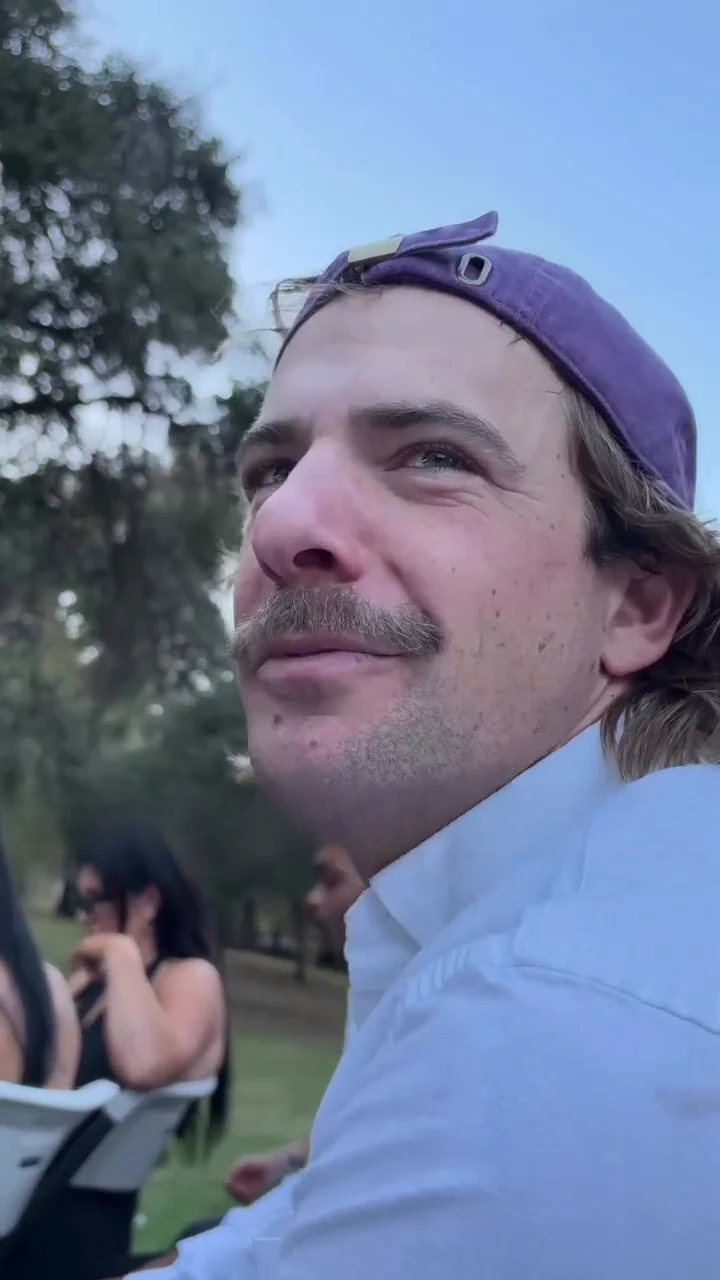
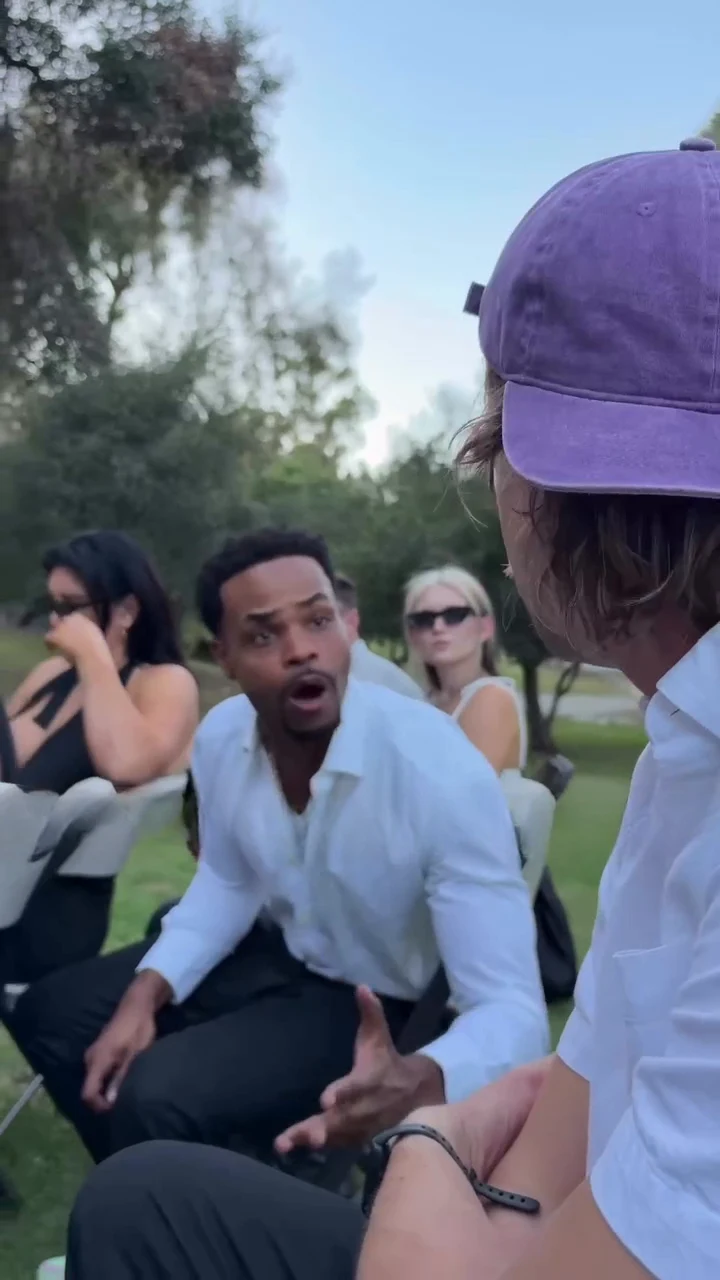
In the reference the caption sat across the middle of the frame. In your video the middle is busy: the asker's chin and shirt in the opening, the answerer's hands at about 5 seconds. The sky at the top of the opening close-up is empty, so a caption in the top third covers the least. Leave the bottom fifth clear for the app's own buttons and description.

04

Timing captions to the lines

If you add text per line instead of one caption, the question runs from about 0 to 1.6 seconds, the answer from about 2.8 to 8.4 seconds and the last off-camera line from about 8.7 to 10 seconds. One line of text per spoken line, shown a beat before it is said, keeps it readable at phone speed.

05

Keep the platform caption honest

Say the video is made with AI, and credit @kingbach for the original clip. Use photos only of people who agreed to appear, and do not tag them without asking. If you post in a week when a friend or follower has lost someone, consider waiting.

Explore the What's the Move trend

How to make it

Add a photo for the asker and answerer.

Asker in the What's the Move source video
Asker
Answerer in the What's the Move source video
Answerer
  1. 01

    Pick who asks and who answers

    Upload a clear photo for the asker and one for the answerer, each of someone who agreed to appear. Photos that show the face and the top half of the outfit work best.

  2. 02

    Review quality and price

    Choose 480p, 720p or 1080p and review the quote. It includes the full video, both photo preparations and the scene preparation.

  3. 03

    Check the mouths

    Watch that the asker only moves on the question and the answerer only on the reply, then download your portrait MP4 with the original sound.

01

Two roles, both yours

The asker is the one in close-up who asks the question; the answerer is the one in the next seat who explains there is no move. Each takes the face, hair and outfit from their own photo.

02

The whole exchange

The 11-second portrait clip keeps the close-up question, the swing over to the answerer, the long reply with both hands going, and the final pan to the front of the service with the original sound.

03

Everyone else stays

The other mourners, the speaker at the microphone, the casket and the memorial portrait are part of the scene, not roles. Only your two people change.

04

An attributed source

The preview is the original reel by @kingbach with its caption bar removed, shown for timing and framing. It is not an Oakgen result, and its people are never reused: both roles come from your photos.

Photo tips

  • One person per photo
  • Use sharp, front-facing faces
  • Show the top you want to wear
  • Pick two visibly different people
  • Use photos of people who consented
  • Check who talks when

Questions & answers

What is the What's the Move trend?

It is a short clip set at an outdoor funeral: one mourner asks the person in the next seat "what's the move now, bro?", and gets the answer that there is no move: the joke is that whoever is in the casket has already made the final move. What's the Move is Oakgen's name for it, taken from the question in the clip and the creator's caption.

What do they say in the clip?

Transcribed by machine, so the wording may differ slightly. The asker says "Yo, what's the move now, bro?" (the first word may be "hey"). The answerer repeats the question back in disbelief, then says "There's no move, bro, there's no move. He's in there, bro. That's the final move." A last "Are you freaking serious, bro?" is said off camera while the camera pans to the front.

Where does it come from?

From an Instagram reel posted by @kingbach on 20 October 2026, captioned "Bro asked what's the move at a funeral". We have not found an older version or another public name for it.

Do I have to replace both people?

Yes. The asker and the answerer each need a photo, so the people from the reference never appear in your video. Everyone else in the scene stays as it is.

Which role is which?

The asker is the one filmed in close-up at the start, in the backwards cap in the reference, and is later seen from behind. The answerer sits in the next seats and does most of the talking with both hands.

Whose photos can I use?

Use photos of yourself or of people who agreed to be in the video. Do not upload photos of public figures or anyone who has not consented, and label AI videos clearly when you share them.

What happens to the other people at the funeral?

They stay as they are in the reference, including the speaker with the white cane at the microphone. The template asks for them to be kept unchanged and never to take either of your faces, and for the memorial portrait to stay an unreadable photo.

What about the caption in the original?

The reel had a caption bar across the middle. Oakgen's reference copy has it removed and the template asks for no captions, so you can add your own text when you post.

How long is the video?

The output is about 11 seconds in portrait 9:16 format, matching the reference from the question to the last pan.

Does it keep the original sound?

Yes. The final MP4 keeps the reference's voices and room sound. Generated lip sync can vary, so check who is talking when.

Is the preview generated by Oakgen?

No. It is the attributed reference reel, not an Oakgen result. Review faces, hands and mouths in your video before sharing.

How much does it cost?

2,405 credits per 720p video. The quote includes both photo preparations, three scene references and the complete video. Check it before generating.
Ideas for your next video

Plan a story, keep your character recognizable, and make the finished clip your own.

Explore the video trend playbook →

Make your What's the Move video

Upload 2 photos. Everything else is set.

Make this video