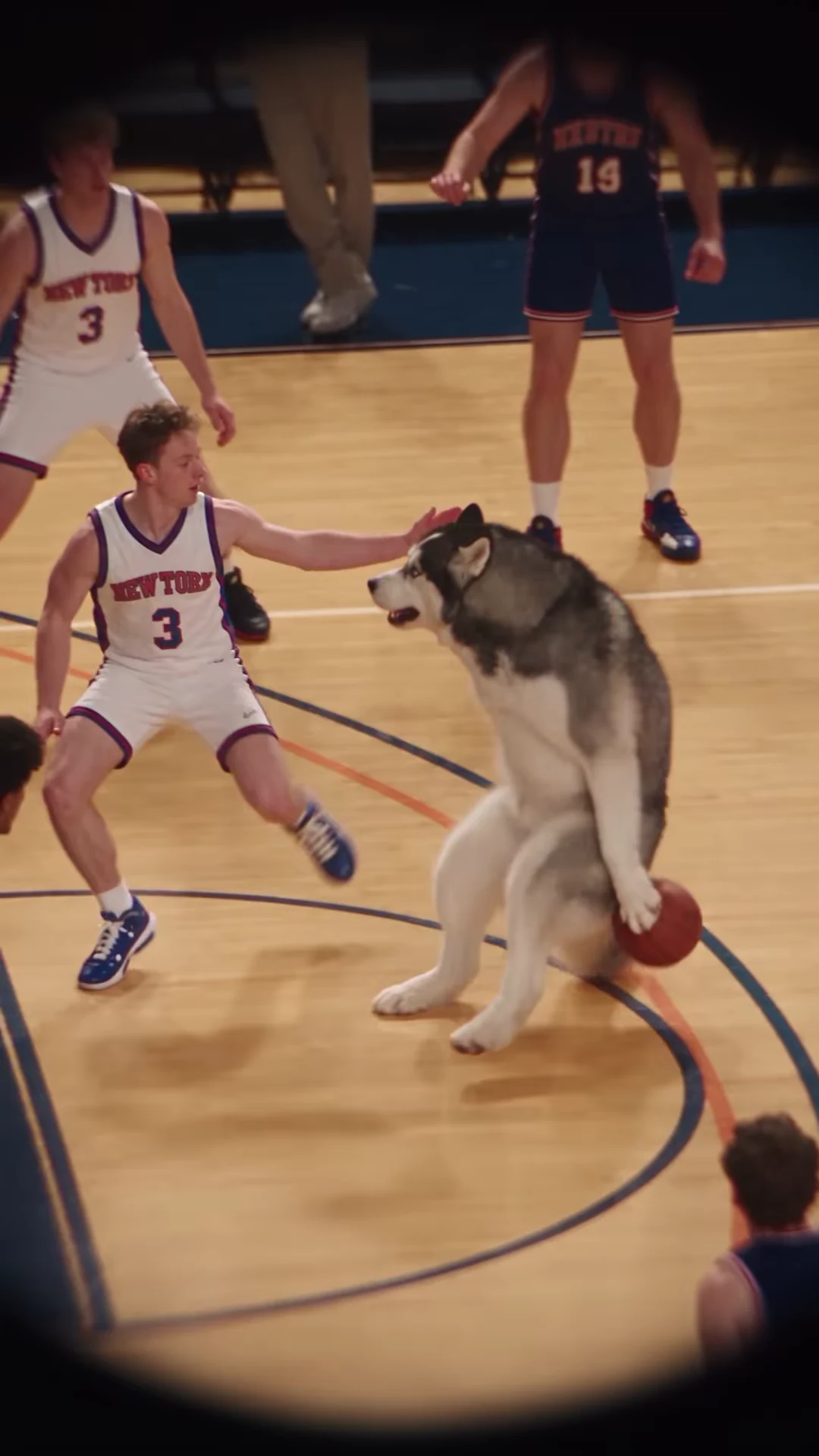
A basketball dunk AI video gives you a ready-made reversal: somebody who looks out of place on the court becomes the player everyone watches. The caption should establish that expectation early, then get out of the way when the play develops.
Oakgen's Basketball Dunk trend follows a roughly 19-second portrait reference with one replaceable performer. The supplied example shows a dog dribbling through human defenders before finishing at the hoop. Your photo supplies the featured identity; the fixed scene supplies the action. This guide plans the text and pacing you add in an external editor after downloading your result.
Read the entire play before writing the joke
The source is longer than a single jump. It spends time on the dribble, lets the defender pressure the ball, and leaves room after the finish. Treat those as different storytelling jobs. If every caption arrives during the finish, the setup and payoff compete for attention.
These approximate ranges come from reviewing the supplied reel at one-second intervals. They are editing landmarks, not frame-exact cut instructions; align text to the movements in your own finished clip.
| Approximate source time | Visible action | Caption's job |
|---|---|---|
| 0–6 seconds | Performer dribbles and feints in front of a defender | Introduce the underestimated character |
| 6–10.8 seconds | The drive develops through the defense | Let anticipation build; shorten the text |
| 10.8–13.8 seconds | Performer gathers and rises toward the hoop | Keep the ball, face and rim visible |
| 13.8–17.2 seconds | The ball lingers around the rim | Let the suspense play without covering the basket |
| 17.2–19 seconds | Ball drops and the performer moves away | Deliver a brief closing response |
There is a dark curved foreground obstruction in the supplied footage. Check where it sits before placing text; the useful image area is smaller than the rectangular frame suggests.
Script one: the friend who never plays
Opening caption: “We needed one more player.” During the drive: “He said he'd just help out.” After the finish: “We are changing the team captain.”
The escalating wording follows the visual evidence. The first line explains why the unlikely player is there. The second preserves the surprise. The final line reacts to the play instead of describing it again. Avoid a fourth sentence explaining that the character is unexpectedly good at basketball; the sequence has already made that point.
Cast someone your audience recognizes. A recognizable identity does more work here than a long biography in the caption. If the source photo is too small or obscured, choose a clearer one before deciding the story needs more text.
Script two: the quiet coworker
Use “The colleague who never joins office sports” at the opening, “Finally said yes” while the drive develops, and “New mandatory team event” after the finish. This version gives the protagonist an ordinary social role rather than pretending the video documents a real game.
Do not place a permanent name label above the head. The performer travels across the court and toward the basket; a static label can end up attached to a defender. Use a shared caption area that stays clear of the action, then watch the whole edit on a phone.
Script three: one household, one surprise athlete
Try “We bought a basketball for the garden,” then “Someone took it personally,” with “Practice is now at six” at the end. This also works as a playful pet-story concept, but the supplied dog preview does not prove a particular uploaded animal will reproduce cleanly. Review your actual result before building a recurring character around it.
The template does not add these lines as dialogue, change the court into your garden, or invent a new game. The captions provide context for the existing scene. Keep that distinction clear when planning the joke.
Finish the edit without losing the payoff
Start with the untouched download. Add captions as separate layers, check them at normal playback speed, then export once. Keep a copy without text so a typo or bad placement does not require another generation.
Watch the basket finish once with the sound off. You should still understand the setup and see the outcome. Then listen with the retained soundtrack and check that your external edit has not moved or duplicated it. For contact and identity checks, use the basketball result review guide. The song and source notes explain what is known about the supplied reel.
Cast the underdog
Choose the featured performer, inspect the reference and review the current quote before generating.
Evidence behind this storyboard
The timing map describes Mochi's supplied reel, posted by @joanna.golba91, inspected on October 18, 2026. The cover is a supplied recreation frame, not an Oakgen-generated demonstration. The caption scripts are original editorial examples; no paid generation was run for this guide.
Frequently asked questions
Can I change the basketball move with these captions?
No. Captions added after download change the story around the fixed play; they do not change the movement or create dialogue.
Should I cut immediately after the jump?
Watch the aftermath first. A short reaction caption can use that time, while an early cut may remove the resolution that makes the joke understandable.