ChatGPT
 Claude
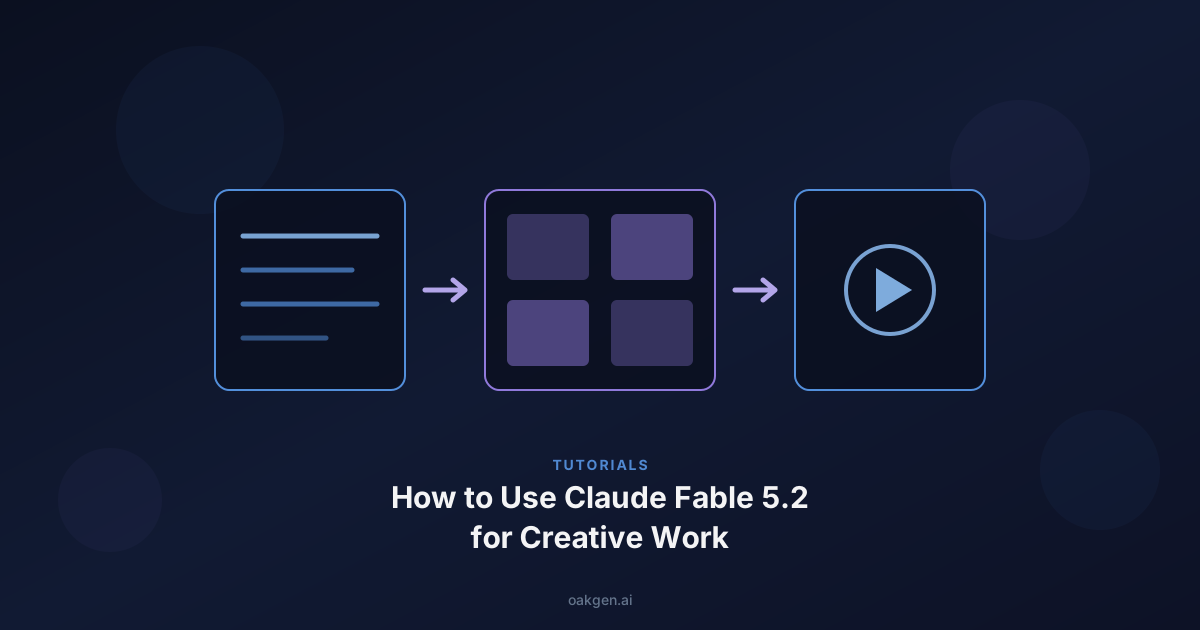
The way to use Claude Fable 5.2 for creative work is to make it the planner, not the renderer. Give it a tight brief and let it write the ad script, the storyboard beats, the shot list and the prompts for your image and video models. Then paste those prompts into the tools that make the pixels. Run it at Medium effort while you iterate and at High when it must keep 10 or more shots consistent. Edit everything it writes, because its prose has critics.
Oakgen does not offer Fable 5.2. You run Fable 5.2 in Claude, then make the assets in Oakgen, either by pasting prompts into its studio pages or by connecting Oakgen's MCP server to Claude, so Fable can check prices and start jobs after you approve the cost. All facts below were checked on 2026-11-11.
Disclosure. Oakgen is our product. We include it because it is where this workflow ends, and we say where Fable 5.2 or other tools are the better choice.
Connect Oakgen to Claude
Add Oakgen as a custom connector so Claude can find models, quote exact credit prices and start generations after you say yes.
Claude Fable 5.2 for creative work at a glance
| Creative job | What to hand Fable 5.2 | Effort I would start at | Where the asset is made in Oakgen |
|---|---|---|---|
| Ad scripts and hooks | One-page brief, proof you can show | Medium | UGC ads or your own footage |
| Storyboard and continuity pack | Approved script | Medium, High for 10+ shots | Image generator |
| Shot list | Storyboard plus model limits | Medium | A spreadsheet, then the next two rows |
| Image prompts for first frames | Shot list plus continuity pack | Medium | Image generator |
| Video prompts | Approved stills | Medium | AI video generator |
| Agent run that prices and starts jobs | Approved shot list | High | Oakgen MCP |
| Voice and music cues | Script and mood notes | Low or Medium | Music generator and speech models |
Who this is for
You make short ads, social video or a micro drama series, and you use Claude or are weighing it. You want a repeatable path from idea to shots without hand-writing forty prompts. If you only need one image, skip the planner.
Where Fable 5.2 fits, and where it does not
Anthropic released Claude Fable 5.2 on November 9, 2026. The API id is claude-fable-5-2. List price is $8 per million input tokens and $40 per million output tokens, against $4 and $20 for Claude Opus 5.5 and $2 and $10 for Sonnet 5.5, per Anthropic's pricing page.
Anthropic itself says Fable is best for the most ambitious, open-ended technical work and recommends starting with Opus 5.5 for most coding and knowledge tasks. Every benchmark on the launch page is coding, agents, science or computer use. None measures ad scripts or storyboards. Those scores are Anthropic's own runs, and I have not seen the full table independently checked.
So why use it for creative work? Two reasons. It follows long, written constraints closely, which matters when a shot list has to respect a video model's limits. And Anthropic says it can act as an orchestrator that delegates simpler tasks to smaller models, which suits a batch of 30 ad variants better than a single script.
Methodology and as-of date
I read Anthropic's launch post, its Fable 5.2 prompting, effort and pricing docs, and three outside write-ups on writing quality. On 2026-11-11 I used the Oakgen MCP to list models, read schemas and request price quotes, which spends nothing. I did not run Fable 5.2 on these prompts, so I make no claim about their output quality. They follow Anthropic's published guidance. Test them on one shot first.
Which effort level to use
Anthropic's launch post says Medium is the default in Claude apps and Claude Code. The effort docs say the API default is High, so set it on purpose there. The table pairs Anthropic's stated numbers with the only independent writing data I found, Towards AI's ToneBench (Nov 10, 2026). ToneBench has four AI judges score five drafts of ten YouTube scripts written in one creator's voice. It measures long scripted writing, not storyboards.
| Effort | What Anthropic says | ToneBench writing score, cost, time per script | My creative use |
|---|---|---|---|
| Low | Suits quick back and forth. On Humanity's Last Exam (with tools) it matches Opus 5.5's top score for under one-tenth of the cost per task | 84.1, $0.460, 1.4 min | Hook brainstorms, subagents |
| Medium | Suits interactive work. Chartography 66.4% beats Opus 5.5 at Max (64.4%) for under one-tenth of the cost | 84.3, $0.561, 1.8 min | Script drafts and edits |
| High | FrontierCode 2.0 45.3% against Opus 5.5 at Max 45.5%, for roughly half the cost per task | 84.8, $1.22, 4.0 min | Storyboards, long agent runs |
| Xhigh | FrontierCode 2.0 49.1%, the highest of any released model Anthropic tested. Docs say it raised scores slightly and used many more tokens | 85.6, $2.22, 7.4 min | Rarely |
| Max | Reserve for measuring the ceiling. Slow, many more tokens than Xhigh | 85.5, $5.75, 19.9 min | Not for this work |
The pattern is plain. For scripts, quality barely moves while cost rises about twelve times from Low to Max. Anthropic's own docs say most of the gain is already there at High.
What I would do. Draft and edit scripts at Medium. Switch to High for the storyboard and shot list when you have 10 or more shots to keep consistent. Skip Xhigh unless you tested a gain.
Three behaviors from Anthropic's prompting guide matter here. At Low and Medium it is more likely to stop early on long agentic tasks, so tell it to finish the whole task. At High and above it thinks before almost every reply, so quick hook ideas feel slow. Effort barely changes reply length, so set length and tone in the prompt.
Fable 5.2's writing needs an edit before you publish
Yiannis Antoniou wrote on November 10, 2026 that Fable 5.2 "remains a disappointing writer," and said an article he asked it for "read exactly like every other AI-written article." He also said his time with the model was short and called it a first impression. A BigGo write-up of Every's launch-day test rates its prose B to B-plus and says it buries the lead. I read that through BigGo, not the original podcast.
The evidence is not one-sided. ToneBench ranks Fable 5.2 second of 87 models through its Xhigh setting, and fifth of 151 configurations on hook strength at Medium. Those are AI judges scoring YouTube scripts, not proof about ad copy.
What I would do. Treat every Fable draft as a first draft. Give it your own past copy as a voice sample. Use Prompt 3 below, which adapts Anthropic's own "mannered prose" instruction. Do not add hard limits like "20 words per sentence," because Anthropic notes Fable 5.2 follows style rules closely and that can make prose choppy. Read the result aloud before it goes in a voiceover.
How to use Claude Fable 5.2 step by step
- Write the brief once. Audience, one promise, proof you can show, claims you must not make, ratio and runtime. Fable should not invent product facts.
- Get three scripts with different angles. Pick one and edit it by hand. See our UGC ad script hooks for angles to test.
- Build the storyboard and a continuity pack. Character, wardrobe, product details and palette, repeated word for word in every prompt. Our storyboard workflow covers the review step.
- Write the shot list inside real model limits. On 2026-11-11 the Oakgen MCP schemas showed Seedance 2.5 accepting 4 to 30 seconds in 9:16, Kling V4 image-to-video needing a start image and accepting 3 to 30 seconds, and Nano Banana 2.1 giving 9:16 stills at 1K, 2K or 4K. Put those limits in the prompt.
- Write one image prompt and one video prompt per shot. Stills first, then motion. Our Seedance 2.5 prompt guide shows what a good motion prompt looks like.
- Make and review the assets. Approve stills before you pay for video.
Generate the stills before the video
Paste your first-frame prompts into the image generator, approve the frames, then animate only the shots that earn it.
The Fable 5.2 creative prompt pack
Eight prompts, in order. Paste one per message in a fresh chat and keep the outputs. Replace anything in square brackets. They use plain labels, so they work in Claude, Claude Code or the API.
Prompt 1. Lock the brief
You are my creative director. Turn the notes below into a one-page brief.
Notes: [PASTE PRODUCT, AUDIENCE, OFFER AND ANYTHING YOU KNOW]
Use these headings only: Audience, Single promise, Proof I can show on camera, Claims I must not make, Format (ratio, length, platform), Tone in five plain words, Words to avoid.
If something needed is missing, ask me up to five questions first and wait.
Do not invent product facts, prices or results.
Prompt 2. Three scripts
Using the brief, write three 30-second ad scripts with different angles: problem first, proof first, story first.
For each give the hook for the first 3 seconds, the voiceover in short spoken sentences (about 75 words), on-screen text, and the call to action.
Write the way a person talks. Use literal words, no metaphors or slogans.
Use only facts from the brief.
End with one line on which script to test first and why.
Prompt 3. Edit pass
Edit script [NUMBER] so it sounds spoken, not written. Keep every fact and the structure.
Remove mannered prose. Mannered prose swaps direct statement for metaphor and flourish, such as "a dial worth turning" instead of "a parameter worth varying". When a literal phrase exists, use it.
Also cut throat-clearing openings, rhetorical questions, and any sentence that says why something matters instead of saying the thing.
Return the edited script, then list every change that affected meaning.
Prompt 4. Storyboard and continuity pack
Turn the approved script into a storyboard of [6 to 10] panels for a [9:16] video.
First write a continuity pack covering character look and wardrobe, product details that must not change, setting, palette and lens feel.
Then give a table with the columns Panel, Script line, What the viewer sees, Shot size, Why this panel exists.
One visible idea per panel. If two events share a panel, split it.
Flag any panel that needs readable text inside the image.
Prompt 5. Shot list
Convert the storyboard into a production shot list.
Columns: Shot, Duration in seconds, Start frame needed (yes or no), Camera move, Subject action, Audio, Risk.
Rules I must respect. Ratio [9:16]. Each clip [5] seconds, never above [MAX SECONDS] for my video model. One camera move and one subject action per clip.
Mark the three riskiest shots (hands, faces, text, fast motion) and give a safer alternative for each.
Prompt 6. First-frame image prompts
For each panel write one image prompt for a still I will use as the first frame of a video clip.
Order inside every prompt. Protected details for character and product first, then setting, the action frozen mid-moment, lens and light, then the ratio.
Repeat the continuity pack wording exactly so frames match.
Keep each prompt under [120] words. No text in the image unless the panel needs it, and then quote the exact words.
Return numbered blocks I can paste one at a time.
Prompt 7. Video prompts
For each approved still write one image-to-video prompt.
Say what moves and what must stay fixed. One camera move, one subject action, one sentence of ambient sound.
Open with the subject and action, not style words. Do not re-describe what the first frame already shows.
Return the shot number, the prompt, the duration, and a retry prompt with simpler motion for when the first take drifts.
Prompt 8. Agent run with Oakgen connected
You can use the Oakgen tools. Produce the assets for the approved shot list.
For each shot call search_models and get_model_schema, then get_pricing with the exact inputs. Put every quote in one table with a total in credits, then stop. Start nothing yet.
After I reply "approved", start the jobs one at a time with start_generation, set maxCredits to the quoted price, and use get_generation_status until each finishes.
If a job fails, tell me. Retry once at most and never raise maxCredits.
Please avoid stopping while you still owe work I asked for. Finish with a short recap and the links.
The closing sentence of Prompt 8 adapts Anthropic's "finish the whole task" text. Keep the price stop, because the model asks for approval less often when you tell it to keep going.
Make the assets in Oakgen
There are three routes, and you can mix them.
Paste into the studio. The simplest. Use the image generator for stills, the AI video generator for clips, and the music generator for a score. For a serialized story, the AI micro drama generator writes, casts and films episodes, and our micro drama script guide shows the beat sheet it expects.
Connect Oakgen to Claude. In Claude, go to Customize, then Connectors, choose Add, then Add custom connector, name it Oakgen, paste https://oakgen.ai/api/mcp and sign in. In Claude Code, run claude mcp add --transport http oakgen https://oakgen.ai/api/mcp. Fable can then run Prompt 8. Oakgen's MCP page lists nine tools, including get_pricing, which spends nothing, and start_generation, which needs a paid plan. Media inputs must be Oakgen-hosted URLs. A placeholder URL gave me a MEDIA_NOT_ALLOWED error, and I did not test feeding a generated still back in, so check that step on one shot.
Use Oakgen's own Agent Chat. The Agent Chat page offers Oakgen Auto, Max and Pro Max and can generate media in the same conversation. These are Oakgen's tiers, not Fable 5.2. The page does not say which underlying model each tier uses.
Prices below are Oakgen's on 2026-11-11. Single numbers come from get_pricing quotes. Rows marked "from" are the starting prices in Oakgen's model search.
| Asset | Model | Credits |
|---|---|---|
| 9:16 still, 1K | Nano Banana 2.1 | 14 |
| 9:16 still | Grok Imagine Image | 7 |
| 5 second clip, 1080p | Kling V4 text to video | 266 |
| Clip from a still | Kling V4 Image | from 266 |
| 5 second 9:16 clip, 720p, audio | Seedance 2.5 | 800 |
| 10 second 9:16 clip, 720p, audio | Seedance 2.5 | 1,599 |
| Short voice line | ElevenLabs V4 | 1 |
| Music | Lyria 3.5, Eleven Music | from 28, from 353 |
My arithmetic for a 6 shot, 5 second, 9:16 concept test. Six Nano Banana stills cost 84 credits. Six Kling V4 clips cost about 1,596. With voice lines that is roughly 1,700 credits. The same six clips on Seedance 2.5 alone would be 4,800. Quotes change, so ask for them again before you run.
Turn the shot list into clips
Pick the model that fits each shot, see the exact credit price, and animate only the frames you approved.
Decision framework
The mistake is choosing the model before the job. This matrix is my opinion, built from Anthropic's guidance and the ToneBench data above.
| Job | What I would plan with | Why |
|---|---|---|
| One 30-second script, three hooks | Opus 5.5 or Fable 5.2 at Medium | Opus 5.5 at low ranked above Fable 5.2 at Medium on ToneBench for about $0.243 against $0.561 per script, with overlapping ranges |
| 6 to 12 shot storyboard with continuity | Fable 5.2 at High | The one place I would pay for more planning depth |
| 20+ ad variants through MCP | Fable 5.2 at High as orchestrator | Anthropic says it can delegate simpler tasks to smaller models |
| A series bible across 10 episodes | Fable 5.2 at High, human edit | Long, constraint-heavy, easy to check |
| One image prompt | Yourself, or Agent Chat | A frontier planner costs more than the task |
For the costs side of that choice, see our Fable 5.2 pricing and cost per task post, and for the full head to head, Fable 5.2 vs Opus 5.5 vs GPT-6 Astra. For the background on earlier versions, read what Claude Fable 5 is.
Plan and make in one place
Prefer one tool for the whole job? Chat with Oakgen's models, then generate the images, video, voice and music in the same conversation.
Common mistakes
- Letting Fable invent facts. Put the allowed claims in the brief and say what it must not claim.
- Running Xhigh or Max for scripts. The ToneBench gain is small and the cost is not.
- Skipping the voice sample. Without your own copy you get its default voice, which is what critics object to.
- Hard word caps. Anthropic warns they can make prose choppy.
- Writing video prompts before approving stills. Fix frames first. Motion amplifies defects.
- Never stopping the agent at the price. Keep the quote stop in Prompt 8.
- Trusting the final recap. In Anthropic's coding tests the closing summary often left out small changes, so check the output itself.
- Treating community mood as evidence. Early r/ClaudeAI threads that showed up in my searches split between praise and disappointment, and I did not open each one. Test your own task. Our community reactions post sorts the claims.
What I would do
Draft at Medium, edit by hand, plan the board at High, and approve stills before paying for video. If you do not already have Fable in your Claude plan, try the same eight prompts on Opus 5.5 first. Use Fable when you want the longer agent run, not because a benchmark says so.
Run the whole workflow from Claude
Connect Oakgen, paste Prompt 8, and approve the credit total before anything is generated.
Frequently asked questions
How do I use Claude Fable 5.2 for creative work?
Use it as the planner. Give it a one-page brief, ask for three ad scripts, then a storyboard with a continuity pack, a shot list and one prompt per shot for your image and video models. Run it at Medium effort while you iterate and High when it has to keep many shots consistent. Edit its prose before you publish, then paste the prompts into the tools that make the pixels, such as Oakgen. This guide has eight prompts for that. Details checked on 2026-11-11.
Which effort level should I use for ad scripts and storyboards?
Start at Medium, which Anthropic's launch post calls the default in Claude apps and Claude Code. The API default is High, so set it yourself there. Use High when a storyboard or agent run must stay consistent across 10 or more shots. Xhigh is rarely worth it for creative planning. On Towards AI's ToneBench (Nov 10, 2026), Fable 5.2 scored 84.3 at Medium and 85.6 at Xhigh, at $0.561 versus $2.22 per script.
Can I use Claude Fable 5.2 inside Oakgen?
No. Oakgen's model catalog, checked through its MCP search on 2026-11-11, has image, video, speech, music and sound models and no Claude models. Oakgen's Agent Chat offers Oakgen Auto, Max and Pro Max, not Fable 5.2. You run Fable 5.2 in Claude, then either paste its prompts into Oakgen or connect Oakgen's MCP server to Claude so it can price and start jobs after you approve the cost.
Is Claude Fable 5.2 good at creative writing?
The evidence is mixed. Yiannis Antoniou wrote on Nov 10, 2026 that it still reads like generic AI prose. A write-up of Every's launch-day test rated its prose B to B-plus. Towards AI's ToneBench, which uses AI judges on YouTube scripts, ranked Fable 5.2 second of 87 models through its Xhigh setting. Treat every draft as a first draft and edit it.
Do I need Fable 5.2, or is Claude Opus 5.5 enough?
For most creative planning Opus 5.5 is probably enough. Anthropic recommends starting with Opus 5.5 for most coding and knowledge tasks, and on ToneBench Opus 5.5 at low effort ranked above Fable 5.2 at Medium for about $0.243 per script against $0.561, though their ranges overlap. Reach for Fable 5.2 when you want a long agent run or a planner that orchestrates other models.
How do I connect Claude to Oakgen to generate images and video?
In Claude, go to Customize, then Connectors, choose Add, then Add custom connector, name it Oakgen, paste https://oakgen.ai/api/mcp and sign in with your Oakgen account. In Claude Code, run claude mcp add --transport http oakgen https://oakgen.ai/api/mcp. Starting a generation needs a paid Oakgen plan. Searching models and checking prices works on a free account and spends nothing.
How much does the planning cost compared with making the video?
Planning is small. ToneBench measured about $0.561 per Fable 5.2 script at Medium, from roughly 13,000 tokens in and 11,000 out at API list prices of $8 and $40 per million tokens. Generation costs more. In Oakgen on 2026-11-11, a 5 second 9:16 Seedance 2.5 clip quoted 800 credits and a 5 second Kling V4 clip 266 credits. A 6 shot Kling test with stills is about 1,700 credits.
Can Fable 5.2 write prompts for image and video models?
Yes, if you give it the model's real limits. Paste the ratio, allowed durations and input rules from the model's schema into the prompt, and ask for one camera move and one action per clip. It follows written constraints closely, which Anthropic's prompting guide notes, so hard rules like a word cap can make output choppy. Test each prompt on one shot before you run the whole list.
Sources
- Anthropic, Introducing Claude Fable 5.2 and Claude Mythos 5.2, Nov 9 2026 (read 2026-11-11)
- Claude Platform docs, Prompting Claude Fable 5.2 (read 2026-11-11)
- Claude Platform docs, Effort (read 2026-11-11)
- Claude Platform docs, What's new in Claude Fable 5.2 (read 2026-11-11)
- Claude Platform docs, Pricing (read 2026-11-11)
- Claude Platform docs, Prompting Claude Fable 5.1, Writing density section (read 2026-11-11)
- Yiannis Antoniou, Fable 5.2 might win a Nobel prize, but still can't write, Nov 10 2026 (read 2026-11-11)
- Towards AI, ToneBench scorecard for Claude Fable 5.2 (medium), updated Nov 10 2026 (read 2026-11-11)
- BigGo, Claude Fable 5.2 scores S-plus on coding but is not at the frontier for writing, reviewer says, Nov 9 2026 (read 2026-11-11)
- Oakgen, MCP server setup and tool reference (read 2026-11-11)