The best AI UGC scripts do not sound like ads pretending to be casual. They sound like a person explaining one specific problem, showing one useful thing, and making one clear next step. The hook matters because short-form platforms do not give you a warm-up. If the first line is vague, the rest of the script may never be watched.
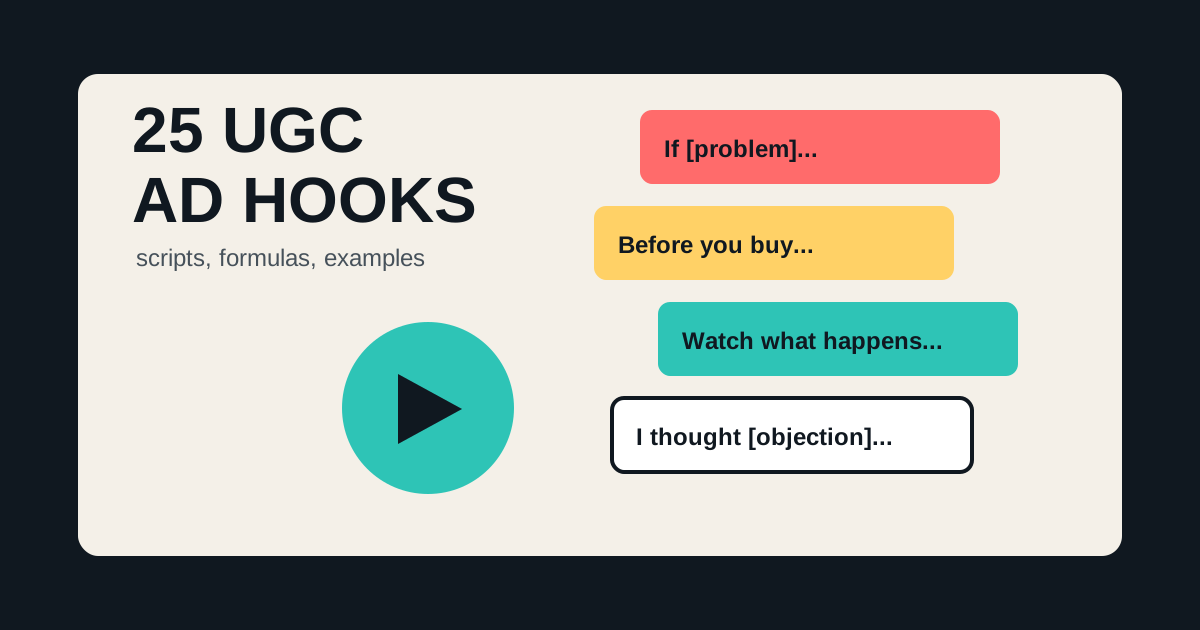
This guide gives you 25 UGC ad hooks, reusable formulas, safe-claim notes, and TikTok UGC ad examples you can adapt. To turn the scripts into creative, use Oakgen's UGC ads workflow or the AI UGC ad generator after you choose the angle.
Turn These Hooks Into AI UGC Ads
Paste a hook into Oakgen, generate UGC-style ad creative, and test multiple script angles for TikTok, Reels, and Shorts.
Quick Hook Library
Use this table as a swipe file. Replace the bracketed parts with your product, audience, problem, or offer.
| Hook Type | Script Hook | Best For |
|---|---|---|
| Pain callout | If [problem] keeps ruining [moment], this is the fix I would test first. | Problem-aware buyers |
| Mistake | Most people trying to [goal] make this one mistake. | Education-led products |
| Contrarian | You probably do not need a bigger [tool]. You need a better [workflow]. | Crowded categories |
| Before buying | Before you buy another [category], check these three things. | Comparison shoppers |
| Fast demo | Watch what happens when I use [product] for [specific job]. | Visual products |
| Objection | I thought [objection] too, until I saw [mechanism]. | Retargeting |
| Audience identity | If you are a [specific person] who hates [pain], this is for you. | Niche targeting |
| Hidden cost | The expensive part of [old way] is not the price. It is [hidden cost]. | B2B or premium products |
| Checklist | A good [category] should do these five things. | Buyer education |
| Shortcut | Here is the fastest way to get [outcome] without [annoying step]. | Direct response |
As of July 2026, platform best practices still reward native-feeling short-form creative: vertical format, clear audio, visible subject, and strong early context. TikTok's ad guidance specifically emphasizes TikTok-first creative, sound, vertical orientation, and visible content within safe zones. The script has to respect that environment.
Safe Claim Note Before You Use AI UGC
AI UGC is powerful because the format feels personal. That is also the risk. A synthetic presenter should not imply they personally used a product, got a medical result, made money, or had a customer experience unless that claim is real, substantiated, and legally reviewed.
Use AI UGC for demos, explainers, comparisons, buyer education, and product walkthroughs. Be careful with first-person testimonials, health claims, income claims, before/after promises, and endorsements.
The FTC's endorsement guidance is a useful baseline for U.S. advertisers: endorsements and testimonials should not mislead people, and material connections or atypical results may need disclosure. This article is not legal advice, but it is a good reason to put "safe claims" directly in your creative brief.
The Five-Part AI UGC Script Formula
Most useful UGC scripts follow this structure:
- Hook: stop the scroll with a specific problem or belief.
- Context: explain why the problem matters.
- Product bridge: introduce the product as the method, not magic.
- Proof or demo: show what changes, how it works, or why it is different.
- CTA: tell the viewer what to do next.
Here is the reusable version:
Hook: If [specific audience] struggles with [specific problem], this is what I would try.
Context: The annoying part is not [obvious pain]. It is [deeper pain].
Product bridge: [Product] helps by [mechanism].
Proof/demo: Here is what it does: [show feature, workflow, result, or comparison].
CTA: Try [product/workflow] if you want [specific outcome] without [old painful method].
For Oakgen's own workflow, that could become:
If your UGC ads keep dying because you only test one hook, this is what I would change.
The problem is not just the video. It is that every version has the same angle.
In Oakgen, start with one product or offer, generate five hook scripts, then create UGC-style variations for TikTok, Reels, and Shorts.
Test the hook, the setting, and the CTA separately so you know what actually moved performance.
Create the first batch in Oakgen instead of rebuilding the ad in separate tools.
25 AI UGC Hooks You Can Adapt
Problem And Pain Hooks
- "If [problem] keeps happening every time you [action], try this instead."
- "The reason [goal] feels hard is usually not [surface reason]. It is [deeper reason]."
- "Nobody tells you how annoying [specific task] gets until you do it every day."
- "I would stop buying [category] until it can handle [specific requirement]."
- "This is for anyone who wants [outcome] but hates [painful process]."
Education Hooks
- "Before you choose a [category], check these three things."
- "A good [product type] should make [task] easier, not add another step."
- "Here is how I would compare [option A] and [option B]."
- "Most [audience] look at the wrong feature first."
- "If I were starting from zero, I would use this workflow."
Demo Hooks
- "I am going to test [product] on [specific scenario]."
- "Here is the difference between doing this manually and using [product]."
- "Watch the before and after when [mechanism] is applied."
- "This is what [feature] actually does in practice."
- "I tried the simple version first, then the upgraded version."
Objection Hooks
- "I thought [objection], but the important part is [counterpoint]."
- "If you are worried about [risk], here is how to check it."
- "This is not for people who want [wrong fit]. It is for people who need [right fit]."
- "The cheap option works until [failure mode]."
- "You do not need this if [condition]. You do need it if [condition]."
Offer And CTA Hooks
- "If you need [result] this week, start with this."
- "Here is the fastest way to turn [input] into [output]."
- "Use this when you need [outcome] without hiring [resource]."
- "Save this if you are testing [campaign type]."
- "Try this workflow before you spend money on [expensive alternative]."
Three Complete TikTok UGC Ad Examples
Example 1: Ecommerce Product Demo
Hook: "If your desk is always a mess by lunch, watch this."
Context: "The problem is not that you own too much stuff. It is that everything has a different place."
Bridge: "This organizer keeps the daily items visible without spreading them across the whole desk."
Demo: "Phone here, notebook here, charger underneath, and the cup slot stays away from the keyboard."
CTA: "If you want a cleaner desk without rebuilding your setup, this is the version I would test."
Example 2: AI Creative Workflow
Hook: "If your ads all look the same, do not start by changing the budget."
Context: "Start by changing the creative angle. One product photo can become a product shot, a UGC ad, a short video, and a problem-solution frame."
Bridge: "Oakgen lets you generate those variations from one workspace."
Demo: "Create the image, turn the strongest one into video, then write a UGC script around the winning hook."
CTA: "Use Oakgen to create your first batch of AI UGC ads."
Example 3: Founder-Led Explainer
Hook: "The mistake is hiring for every ad before you know which angle works."
Context: "A shoot gives you assets, but it does not automatically give you a message that converts."
Bridge: "I would test the hook, visual scene, and CTA first."
Demo: "Generate five UGC scripts, three product visuals, and two short videos. Then scale the direction that gets attention."
CTA: "Build the test set in Oakgen before you commit to production."
How To Choose The Right Hook
Use the buyer's awareness level.
If the buyer does not know they have the problem, use a pain or mistake hook. If they know the problem but not the solution, use an education hook. If they are comparing options, use a checklist or objection hook. If they are ready to act, use a shortcut or offer hook.
The hook should not be clever at the expense of clarity. "This changed everything" is weaker than "I stopped remaking the same ad five times." Specific beats dramatic.
Hook Selection Matrix
Use this matrix when you are choosing which hooks to generate first.
| Buyer State | Best Hook Type | Example Direction |
|---|---|---|
| Unaware | Mistake or pain | Most people solve [problem] from the wrong end. |
| Problem-aware | Problem callout | If [pain] keeps happening during [moment], try this. |
| Solution-aware | Demo or checklist | Before you choose [category], check these three things. |
| Product-aware | Objection handling | If you are worried about [objection], here is the honest answer. |
| Ready to buy | Offer or shortcut | Use this when you need [result] without [old process]. |
For cold audiences, I would usually start with pain, mistake, and education hooks. For retargeting, I would use objection, comparison, and offer hooks. For a product that is visually obvious, I would test demo hooks early. For a product that needs explanation, I would use checklist and "before you buy" hooks first.
How To Adapt Hooks By Platform
The same hook can work differently on TikTok, Reels, and Shorts.
TikTok usually rewards the most native version. Start the line like a person interrupted their own thought: "Wait, do not make another ad until you test this." Keep the camera or product visible quickly.
Instagram Reels often tolerates slightly cleaner presentation, especially for brands, creators, and ecommerce. Use a clear first frame and captions that make sense with sound off.
YouTube Shorts can support a slightly more educational hook if the topic is search-adjacent. "Here is how to turn one product photo into five ad creatives" can work because viewers often arrive with learning intent.
For paid social, make sure the script still works when cropped, muted, or watched in a distracted context. The first line, first frame, and first caption need to agree with each other.
Mini Template For Generating Five Script Variants
Use this when moving from hooks to creative in Oakgen:
Product: Audience: Primary pain: Safe claim: Forbidden claims: Platform: Tone:
Generate five AI UGC scripts:
- Pain hook
- Before-you-buy hook
- Demo hook
- Objection hook
- Shortcut hook
Each script should be 20 to 30 seconds, use spoken language, include one clear proof or demo moment, and avoid fake personal experience.
This gives you a test set, not just a script. Once the five versions exist, use Oakgen UGC ads to generate the creative and compare which angle feels most believable.
Script QA Checklist Before You Generate Video
Before you spend time turning a hook into an AI UGC video, run the script through a quick QA pass. This is where most weak ads can be fixed in five minutes.
| Check | Question | What To Change |
|---|---|---|
| Audience | Can the exact buyer recognize themselves in the first line? | Replace broad labels like people or brands with a specific role, situation, or pain. |
| Claim | Can we prove what the script says? | Rewrite unsupported results as a demo, opinion, checklist, or comparison. |
| Spoken rhythm | Would a creator say this out loud without sounding awkward? | Cut filler, split long sentences, and remove polished brand language. |
| Visual moment | Is there something to show besides a face talking? | Add a product shot, screen step, before/after frame, or workflow cutaway. |
| One idea | Does the script try to sell three benefits at once? | Choose the strongest benefit and save the others for separate variants. |
| CTA | Does the next step match the viewer's awareness level? | Use learn/see for cold traffic and try/create for warmer traffic. |
For Oakgen campaigns, I would approve scripts in batches of five. Keep one pain hook, one checklist hook, one demo hook, one objection hook, and one shortcut hook. That gives you enough variety to learn without creating a messy set of unrelated ads.
If a script fails the claim check, do not try to fix it after video generation. Rewrite it first. AI UGC gets riskier when a synthetic presenter sounds like a real customer making a personal result claim. Demo language is usually cleaner: "Here is how it works" is safer than "This changed my results."
How To Turn One Hook Into A Full Test Set
Once you find a strong hook, do not immediately move on to a new idea. Expand it into controlled variants so the test teaches you what changed performance.
Use this structure:
Winning hook: Buyer: Product: Safe claim:
Create five variants:
- Same hook, different first frame
- Same hook, shorter script
- Same hook, stronger product demo
- Same hook, objection added before CTA
- Same hook, different CTA
Keep the core promise the same. Change only one major variable per variant.
Example:
Winning hook: If your ads all look the same, do not start by changing the budget.
Variant directions:
- First frame shows five nearly identical ads.
- Script cuts the setup and gets to the Oakgen workflow in 4 seconds.
- Product demo shows one brief becoming image, video, and UGC variants.
- Objection line: "This is not replacing every shoot. It is for testing the angle first."
- CTA changes from "try Oakgen" to "create your first ad batch."
This is the difference between a hook library and a testing system. A hook library gives you ideas. A test set gives you decisions.
Common Mistakes
The first mistake is writing the script like a landing page. UGC scripts need spoken rhythm. Short sentences. One idea at a time.
The second mistake is using fake urgency. "You need this now" is less believable than "Use this when you need five ad angles before Friday."
The third mistake is making every script a testimonial. Demos, checklists, and explainers are often safer and more useful.
The fourth mistake is generating the video before approving the claim. Write the safe claim list first, then generate.
Sources And Further Reading
- TikTok Ads Manager: Creative best practices
- TikTok for Business: Creative best practices for top-performing ads
- FTC: Endorsements, influencers, and reviews
- eCFR: 16 CFR Part 255 endorsement guides
- YouTube: Disclosing altered or synthetic content
Turn The Hook Into Creative
Do not stop at the script. The script only becomes useful when you test it in a real format. Pick five hooks, generate five UGC-style creatives, and compare which idea earns attention.
Start with Oakgen UGC ads or the AI UGC ad generator when you want to move from hook library to usable video creative.