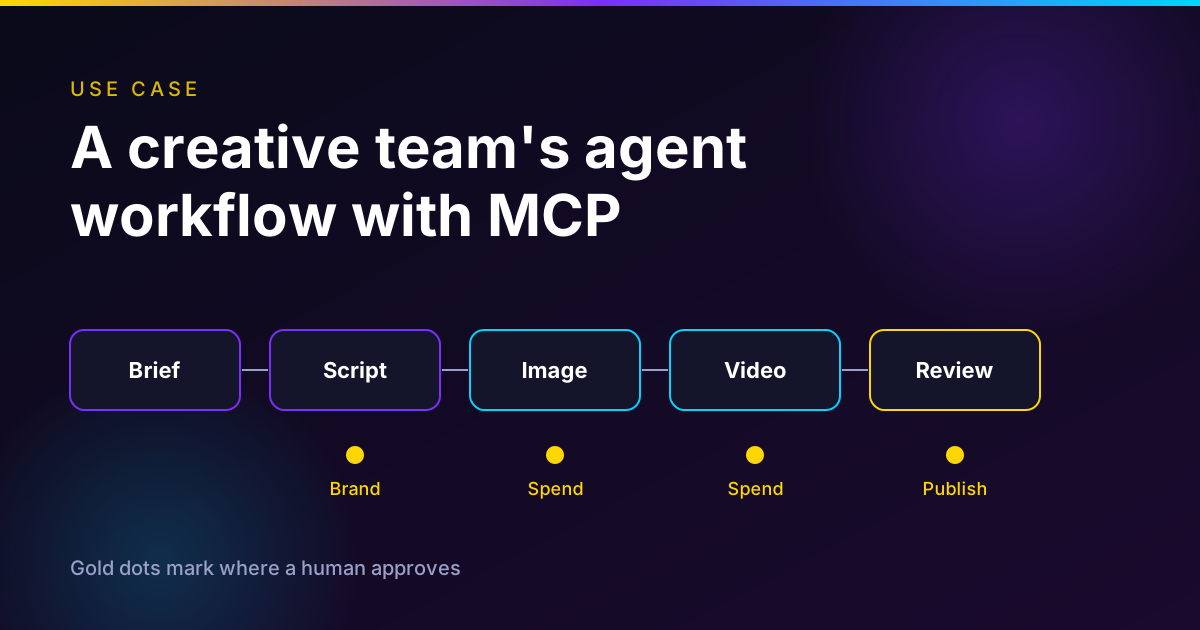
ChatGPT
 Claude
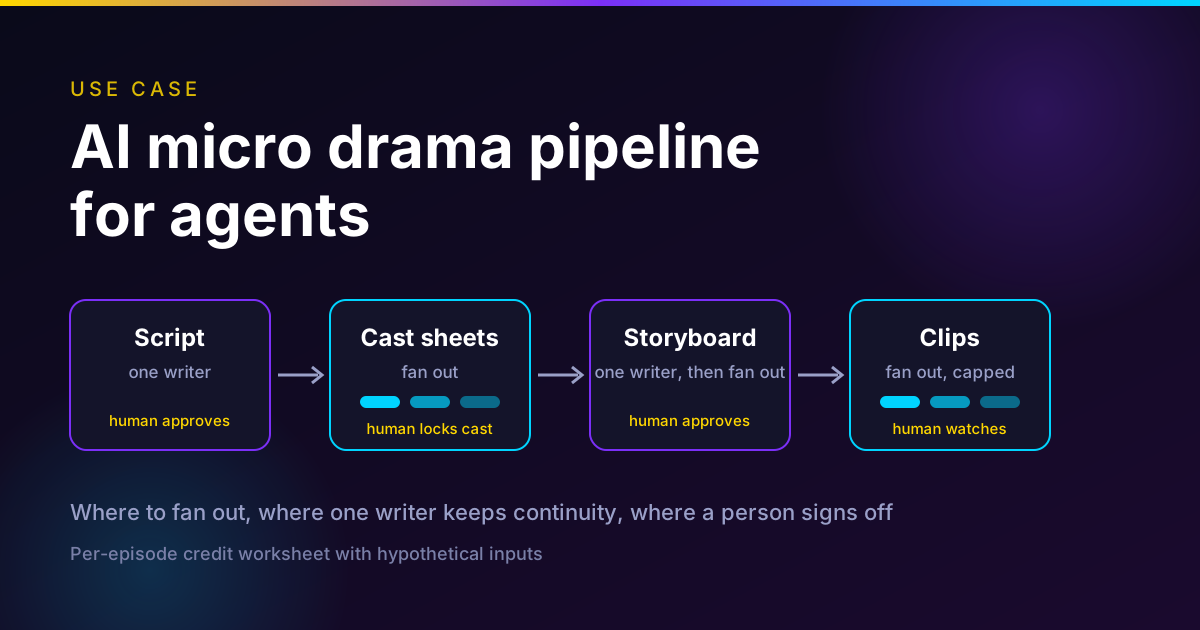
An AI micro drama agent pipeline moves each episode through fixed stages, with an agent doing the drafting and a person approving the gates. The stages are premise, story bible, character and location sheets, shot list, storyboard frames, video clips, voices, score, and edit with captions. Fan out the steps whose inputs are locked, such as sheets, frames and clips. Keep one writer on the bible, the shot list and the final cut, because those carry the facts that must agree across episodes.
Put a human at five gates. Approve the premise, lock the cast, sign off the storyboard before any video is paid for, watch each clip against its character sheet, and release with the platform's AI label. Below is the stage table, what six creators in our guides demonstrate, and a per-episode credit worksheet.
Run the pipeline in one studio
Oakgen's AI micro drama generator writes the series, locks the cast, draws the storyboard you approve and films each vertical episode. Oakgen is our product.
The episode pipeline at a glance
This is the original asset of the post. Each row is one stage, who does it, example tools, and the check that must pass before the next stage starts. Tool names are what the creators in our guides use plus the Oakgen models we verified in the code on 2026-11-12.
| Stage | Agent or human | Tool (examples) | Check before moving on |
|---|---|---|---|
| 1. Premise and season map | Agent drafts, human picks | An LLM chat. Claude in Andy Lo's and Stacy La's workflows, ChatGPT in BigWiz Media's | You can state the hook, the secret and the cliffhanger of every episode in one line each |
| 2. Story bible | One writer agent, human signs | The same LLM, saved as a file | Every recurring person, place and prop has an entry, and one style line is fixed |
| 3. Character and location sheets | Fan out, one worker per sheet. Human locks | GPT Image 2.5 in Oakgen Micro Drama, Nano Banana in BigWiz's flow | Same face in every view, neutral expression, plain background, approved before any video |
| 4. Voices | One decision per character | ElevenLabs V4 in Oakgen Micro Drama | Each character has one voice recorded in the bible |
| 5. Shot list per episode | One writer agent | The LLM, with the bible in context | Shots fit the video model limit, one location per episode, each line fits its clip length |
| 6. Storyboard frames | Fan out. Human reviews | An image-edit model fed the sheets | Face, outfit and room match the sheets. Fix frames here, they cost far less than clips |
| 7. Video clips | Fan out with a cap. Agent retries, human watches | MiniMax H3 reference-to-video in Oakgen | Each clip matches its frame and sheet, and the spoken line is complete |
| 8. Lip sync repair (optional) | Agent, only on flagged shots | VEED Fabric lipsync (face image plus audio) | Speech matches the mouth on close-ups where native audio drifted |
| 9. Score | One agent | Eleven Music in Oakgen | Music sits under the dialogue |
| 10. Assembly and captions | One agent assembles, human trims | Oakgen Compose, CapCut, or the Micro Drama studio's own cut | Captions clear of the app's buttons, cliffhanger frame held, total length on target |
| 11. Release gate | Human | The platform's upload screen | AI label set, episodes in order, episode 1 first |
Disclosure: Oakgen is our product, and we include it because it is the tool we can verify in code. The creators in this post use a mix of other tools, and most of the pipeline works with any of them.
Who this is for
You are a creator, a small studio or an agency that wants an AI agent to do the repetitive production work on a vertical series. You may already be running Claude or ChatGPT with a skill or a long prompt and wondering what to automate next. You have probably already hit the usual failure, a lead whose face changes between shots.
If you have not made an episode yet, start with our step-by-step guide to making an AI micro drama. This post assumes you know the format and want to structure the work.
How we checked this
On November 12, 2026 we read the Micro Drama code in the Oakgen repository, quoted prices through Oakgen's own pricing tool, and opened the Anthropic and Cognition posts below. We also read the summaries in Oakgen's AI micro drama hub, which holds 17 video guides.
One limit matters. The creator claims below come from those summaries, which Oakgen generated from the videos. We tried to re-check three of them with a video analysis tool on November 12 and the tool failed on an invalid API key, so we did not re-watch them. We quote only what the summaries say and attribute each claim to the creator and channel. We did not make an episode with this pipeline and we report no view counts or earnings.
What the creators in our guides actually demonstrate
Six creators show parts of this pipeline. None of them shows the whole thing run by agents without a person in it.
CyberJungle (YouTube, July 7, 2026) builds a series with InVideo's Agent One and Seedance 2.0. The base is a "bible" file that tells the agent the filmmaking rules, aspect ratio, visual style and pacing. The agent builds character reference sheets, and the summary says it can make those in parallel for the protagonist, love interests and antagonists. The narrative then goes into 3x3 storyboard grids with dialogue under each panel before any video is rendered. For a full season, the creator starts a new agent thread per episode, and the summary says the thread keeps the characters and the previous cliffhanger.
Andy Lo (YouTube, October 31, 2026) writes a Claude skill file. The workflow starts with Claude interviewing the creator from a one-line premise, then validates scripts against five story rules, builds reference sheets, lays out a storyboard grid and pauses for human review. The rule in that workflow is to approve no video generation until the static storyboard passes quality control, because images cost cents and video costs real money. Claude also keeps a running show-notes file of plot state, what each character knows and which props are in play. The video also advises spending the largest budget on episode 1.
Make Money with Stacy La (YouTube, October 25, 2026) connects Claude to the Pollo AI video tool over the Model Context Protocol. That lets Claude request sheets, voices and clips inside one chat. Claude splits a 60-second episode into roughly a dozen five-second clips. The creator approves the character outlines first, then each storyboard frame, before Claude asks for the video. A failed clip is retried through chat. The video recommends posting two or three test episodes before committing to a long series.
Creating with Conor (YouTube, October 1, 2026) supplies the continuity rule that matters most for orchestration. Every generation cites the original character sheets and environment plates, never the last frame of a previous video, because errors compound when you chain frames. The same video keeps one location per episode and places a hard cliffhanger at roughly 28 seconds of a 30-second episode.
BigWiz Media (YouTube, October 18, 2026) uses a five-phase ChatGPT master prompt for the script, builds sheets in Google Flow and films in Grok Imagine. The practical finding is about dialogue. Default clips of about six seconds cut a sentence off, and lengthening the clip to 10 or 15 seconds fixed it. He regenerates awkward takes rather than salvaging them.
Higgsfield AI (YouTube, October 22, 2026) gives the sheet recipe. Use a plain gray background, three views, and erase the head on the full-body front view so the video model reads identity from the face close-up only.
Put together, the creators converge on one structure. A single document defines the show. Sheets are locked before motion. A storyboard is the cheap place to catch mistakes. Video is the expensive step, and a person is in the loop before it runs. Our guides on character consistency across drama episodes and writing a micro drama script cover the craft behind steps 2 and 3.
Which steps fan out and which need a single writer
Two vendor posts frame the choice. Anthropic's engineering post of June 13, 2025 says its multi-agent research system used about 15 times more tokens than chat, against about 4 times for a single agent compared with chat. That is Anthropic's own data on a research workload. It also says some domains where all agents must share the same context or depend on each other are a poor fit, and that most coding tasks have fewer truly parallelizable parts than research.
Cognition's June 12, 2025 post gives the failure mode. Split a Flappy Bird clone between two subagents and one builds a Super Mario style background while the other builds an unrelated bird. In its words, actions carry implicit decisions, and conflicting decisions carry bad results. Swap the bird for a heroine and the background for her apartment and you have a micro drama that cuts between two different women.
Cognition's April 22, 2026 follow-up narrows the advice. Its summary is that multi-agent systems work best today when writes stay single-threaded and the additional agents contribute intelligence rather than actions. Its example is a clean-context review agent that catches bugs the coding agent missed. That maps well to a clip reviewer. For the general patterns, see our posts on orchestration patterns and when to split a task across agents.
Here is how I would apply it to each stage.
| Stage | Parallel or single | Why |
|---|---|---|
| Trope and reference research | Fan out, read only | Independent reads, nothing is written into the show |
| Premise, season map, bible | Single writer | Every later decision is checked against it |
| Sheets for different characters | Fan out after the style line is fixed | Independent once style is fixed. Before that, each worker invents its own look |
| Per-episode shot list | Single writer per episode | Eyelines, props, who knows what and which room a scene is in |
| Storyboard frames | Fan out | Independent given sheets and a shot list |
| Clips | Fan out with a cap | Independent if every clip cites the sheets, as Creating with Conor does |
| Clip review | Separate clean-context reviewer, read only | Matches Cognition's reviewer pattern. It needs the sheets and the clip, nothing else |
| Assembly | Single | Order, timing and captions are one decision |
Two caveats. First, fan-out costs tokens and credits, and the clip step is where credits go, so cap the worker count in code. Second, a reviewer agent is only as good as what it can see. Oakgen's own automatic checks do not judge faces. The code says its pass is basic, that a take is the right kind of media and a clip is within a second of its planned length, and that it cannot judge faces or sets. A vision-model reviewer or a person has to do that.
Where a human approves
Our post on what a creative AI agent should automate gives the general rule, which is that human control should rise with cost, ambiguity and irreversibility. In a micro drama those land in five places.
- Premise and season map. A weak premise costs nothing yet and everything later. This is the cheapest gate.
- Cast lock. After the sheets, you freeze faces, outfits and voices. Changing them later means redoing every shot they appear in. Oakgen's studio makes this explicit, with a free "Keep the cast" step that locks faces, outfits, voices and places for all episodes.
- Storyboard sign-off. This is the gate Andy Lo and Stacy La both use before any video. Check the face, outfit and room in every frame.
- Clip review. Watch every clip against its sheet. Listen for voice changes and cut-off lines, which BigWiz Media flags.
- Release. Check the AI label, the order of episodes and the first-episode pin. Our guides on labeling AI videos and setting up a YouTube Shorts series cover this gate.
Approve policies for the cheap steps, not each action. Reserve item-level review for the gates above.
Price each shot before you generate it
Oakgen's AI video generator shows the credit price of a model and a clip length before it runs, so you can cost a pipeline stage by stage.
What Oakgen's Micro Drama studio does, verified in code
Oakgen is our product, so here is exactly what I checked on November 12, 2026 and what I did not.
The studio writes a whole series in one pass. The code's own description is "the premise, cast and continuity rules, then each episode's script," which is the single-writer bible step. It supports up to 4 characters, up to 8 episodes, and a series of up to 300 seconds. Each episode has at most 16 shots of 5 to 15 seconds, with at most 3 speakers per shot.
The orchestration is ordinary job-queue code, not an agent swarm. Work runs against an approved credit quote. At most two media generations of one series run at once, which is a real cap on fan-out. A failed piece of work is retried up to three times before the run stops for the owner. Where I read the dialog text, it says "Never over the limit. If it runs out, we pause and ask."
Voices are handled in the clip, not as a separate stage. Each shot's spoken lines are voiced with ElevenLabs V4 and sent to the MiniMax H3 video model as audio references, up to three per clip. Oakgen's model listing describes H3 as generating video and native audio from character, scene and performance references. So the studio does not run a lip sync step. For a close-up that drifts, Oakgen also has a lip sync tool, described on its lip sync page, where VEED Fabric takes one face image and one audio track.
What I did not verify. I found no Agent Chat tool in the repo that drives Micro Drama, so I do not claim that you can run it from chat. Oakgen's MCP server exposes generation to an outside agent. The tools we could see are search_models, get_model_schema, get_pricing, start_generation, get_generation_status, list_generations, cancel_generation, get_account and upload_media. Its instructions say to quote the price first, then pass maxCredits and a fresh idempotency key to start_generation, and that MCP generation needs a paid plan. Compose editing tools exist in the code behind a setting that I could not confirm is on in production. For how MCP itself is changing, see our explainer on the MCP 2026-07-28 spec.
Here is the model choice for the planning steps. Our post on using Claude Fable 5.2 for creative work covers the writer, and agentic creative pipelines shows the same approve-then-spend shape for ad campaigns.
Per-episode budget worksheet
The inputs below are hypothetical. The prices are real and dated. Replace the inputs with your own and keep the unit prices as a starting point.
Hypothetical inputs. One 60-second episode. Two characters. One location. Eight shots, four of 7 seconds and four of 8 seconds. Eight spoken lines of about 90 characters. A 60-second score. A retake rate of 20% of clips, with 40% as a bad day.
Unit prices. Oakgen converts provider cost at 1 US dollar to 260 credits plus a 30% platform fee, rounded up once. I got the sheet, spoken line and score prices from Oakgen's pricing tool on 2026-11-12. The clip and lip sync prices come from the rates in the code, and the frame price is dated in the table.
| Item | Credits per unit | Source and date |
|---|---|---|
| Character sheet or location plate, GPT Image 2.5, 864 x 1536, high quality | 14 | Oakgen pricing tool quote, 2026-11-12 |
| Storyboard frame, GPT Image 2.5 edit, 5 reference images | 41 | Oakgen's cost per episode post, quoted 2026-10-30, not re-quoted today |
| Clip, MiniMax H3, 768p, 7 seconds | 142 | Code rate of US$0.06 a second, computed 2026-11-12 |
| Clip, MiniMax H3, 768p, 8 seconds | 163 | Same |
| Spoken line, ElevenLabs V4, about 90 characters | 3 | Oakgen pricing tool quote, 2026-11-12 (a 423-character text quoted 12) |
| Score, Eleven Music, 60 seconds | 118 | Oakgen pricing tool quote, 2026-11-12 (30 seconds quoted 59) |
| Lip sync repair, VEED Fabric, per second of audio | 27.04 at 480p, 50.7 at 720p | Code rates of US$0.08 and US$0.15 a second, computed 2026-11-12 |
I could not re-quote the storyboard frame today, because a quote needs an Oakgen-hosted image and I did not want to upload media to an account just to price it. Treat 41 as a date-stamped figure.
The worksheet.
| Line | Arithmetic | Credits |
|---|---|---|
| Cast sheets | 2 x 14 | 28 |
| Location plate | 1 x 14 | 14 |
| Storyboard frames | 8 x 41 | 328 |
| Clips | 4 x 142 + 4 x 163 | 1,220 |
| Spoken lines | 8 x 3 | 24 |
| Score | 60 seconds | 118 |
| Base, episode 1 | 1,732 | |
| Retakes at 20% of clips | 0.20 x 1,220 | 244 |
| Episode 1 with retakes | 1,976 | |
| Episode 1 on a bad day | 40% of clips adds 488 | 2,220 |
| Each later episode, cast reused | 1,976 minus the 42 for sheets and plate | 1,934 |
| Optional lip sync repair | 15 seconds of close-ups at 480p, 15 x 27.04 rounded up | 406 |
Three things stand out. Clips are 74% of the episode with retakes (1,464 of 1,976), so every retake you prevent upstream matters. The storyboard is the second line at 328, and it is where you catch the mistakes that would otherwise cost 142 or 163 credits a clip. And lip sync is a repair, not a stage. Running VEED Fabric across the whole 60 seconds at 720p would be about 3,042 credits, about two and a half times the clip bill.
Writing the script is a separate priced step in the studio and is not in the worksheet. The studio's own estimate, shown before it spends, is the figure that counts.
Against a plan. The plan catalog in the code, read on 2026-11-12, lists Basic at 2,000 credits a month for $9, Pro at 5,000 for $19 and Creator at 40,000 for $99. Plans are managed from an admin dashboard, so check the pricing page. With this worksheet, Basic covers episode 1 with 24 credits to spare, Pro covers two episodes (1,976 plus 1,934 is 3,910, and a third would pass 5,000), and Creator covers 20 episodes. On Pro that is about $7.51 for episode 1 by simple division, which is arithmetic and not a quote. Our cost per episode guide explains how the studio builds its own estimate.
See your own episode estimate
Pick episodes and length in Micro Drama and the filming estimate appears before anything is made. Oakgen is our product.
Decision framework
Match the amount of orchestration to the number of episodes you will make.
- One pilot or a test of two or three episodes. Use one agent and one document. Add no subagents. Approve at the five gates. This fits the advice in Stacy La's video to post two or three test episodes first.
- A season of ten or more episodes. Keep one writer on the bible and the show notes. Fan out sheets, frames and clips. Add a clean-context clip reviewer, and keep a person on the cast lock and the storyboard.
- A daily series. Write the pipeline down as a skill file, as Andy Lo's workflow does, and give it a credit ceiling per episode. Spend most of the budget on episode 1, as that workflow advises.
- Branded or client series. Add the release gate for rights and labels, and share storyboards before any video is generated.
If one tool covers the stages, use it. Oakgen Micro Drama does that for the studio path, and our comparison of AI tools for micro drama covers the alternatives, some of which are better at specific steps.
What I would do
I would start with one agent, one bible and no fan-out. I would make three episodes, with the cast locked after episode 1's sheets and the storyboard approved by me every time. I would add fan-out for frames and clips only after I knew my retake rate from those three episodes, because that rate, not the agent count, drives the bill.
I would not let an agent decide whether a face is the same face. I would listen to every clip for voice drift. And I would keep the release gate human, which is where the AI label and the episode order live.
Fix a drifting close-up
When a talking shot's speech drifts, Oakgen's AI lip sync tool takes a face image and an audio track and returns a synced clip. Oakgen is our product.
Common mistakes
- Fanning out before the style line is fixed. Parallel sheet workers invent different looks. Fix the style in the bible first.
- Chaining clips from the last frame. Creating with Conor's reference chain points every generation back to the original sheets, because errors compound.
- Generating video before the storyboard passes. The storyboard is the cheap gate. The storyboard-first rule in Andy Lo's workflow exists for a reason.
- Letting a pipeline score its own faces. Oakgen's automatic checks do not compare faces. Review them with a person or a vision model that sees the sheet.
- Cutting clips shorter than the dialogue. BigWiz Media's dialogue was cut off at the default clip length until he extended it to 10 or 15 seconds.
- Building the whole season first. Post two or three episodes and read the response before you commit.
- Treating worksheet totals as a quote. The inputs here are hypothetical and prices change. Use the studio's own estimate.
Start your own pipeline from the AI micro drama video guides, which cover all 17 creator workflows, and use the table at the top as your checklist.
Watch how the creators build it
Oakgen's AI micro drama hub summarizes 17 video guides by chapter, so you can compare the workflows before you pick yours.
Frequently asked questions
What is an AI micro drama agent pipeline?
It is a production line where an AI agent or a small set of agents moves an episode through fixed stages. The stages are premise, story bible, character and location sheets, shot list, storyboard frames, video clips, voices, score, and edit with captions. A person approves at the gates that cost money or fix the look of the show. The creators in Oakgen's micro drama video guides run versions of this with Claude, ChatGPT or InVideo Agent One, and none of them hands the whole show to an agent unattended.
Which micro drama steps can run in parallel?
Steps whose inputs are already locked and that do not depend on each other. Character sheets for different characters, location plates, storyboard frames, video clips and spoken lines all qualify once the story bible and the sheets are fixed. Creating with Conor builds every episode from the original sheets rather than the last frame of the previous episode, which is what makes clips independent. Even then, Oakgen's Micro Drama studio caps one series at two media generations at once in the code we read on 2026-11-12.
Which steps need a single writer?
The story bible, the season map, each episode's shot list and the final assembly. These carry the decisions that must agree across the whole series, such as what a character knows, what they wear and which room a scene is in. Cognition's April 22, 2026 post says multi-agent systems work best today when writes stay single-threaded and the extra agents contribute intelligence rather than actions.
Where should a human approve in an AI micro drama pipeline?
Five places. After the premise and season map, before the cast is locked, after the storyboard and before any video is paid for, when watching each clip against its character sheet, and before publishing with the platform's AI label. Andy Lo's Claude workflow pauses for human review at the storyboard for the same reason. Images cost cents and video costs real money.
How much does one AI micro drama episode cost on Oakgen?
In our worksheet, which uses hypothetical inputs and Oakgen prices read on 2026-11-12, a 60-second episode with two characters, one location, eight shots and a 20% retake allowance comes to about 1,976 credits for episode 1 and about 1,934 credits for each later episode. The clips are 1,220 of that. Your own numbers will differ, and the Micro Drama studio shows its own estimate before it spends anything.
Do I need a separate lip sync step?
Often not. Oakgen's Micro Drama studio gives each shot's spoken lines to the MiniMax H3 video model as audio references, so the clip comes back with speech and no separate lip sync stage. A lip sync tool is a repair for close-up talking shots where the speech drifts. VEED Fabric on Oakgen takes a face image and an audio track, and at its code rates a full 60 seconds at 720p would cost about 3,042 credits, so use it on a few seconds only.
Can Oakgen Agent Chat run the whole micro drama pipeline?
We did not verify that, so we do not claim it. In the code we read on 2026-11-12, the Micro Drama studio has its own server-side runner and we found no Agent Chat tool that drives it. Oakgen's MCP server does expose generation tools to an outside agent, including price quotes and a credit ceiling on each generation, and MCP generation needs a paid plan. Oakgen is our product, so check the current docs before you build on either.
Should I make the whole season before posting?
No. Make Money with Stacy La advises generating and posting two to three test episodes first, and Andy Lo advises spending the largest budget on episode 1 because it has to hook the audience. A pipeline that ends in a human approval makes this easy, because you can stop after the pilot.
Sources
- Anthropic Engineering, How we built our multi-agent research system, Jun 13 2025 (read 2026-11-12)
- Cognition, Don't Build Multi-Agents, Walden Yan, Jun 12 2025 (read 2026-11-12)
- Cognition, Multi-Agents: What's Actually Working, Walden Yan, Apr 22 2026 (read 2026-11-12)
- CyberJungle, How to Build Your Own Short Drama Series with AI (Full Workflow), YouTube, Jul 7 2026 (as summarized in Oakgen's guide, read 2026-11-12)
- Andy Lo, Micro Dramas Made $11B. Make One a Day With Claude, YouTube, Oct 31 2026 (as summarized in Oakgen's guide, read 2026-11-12)
- Make Money with Stacy La, Create AI Micro Dramas with ONE Claude Skill, YouTube, Oct 25 2026 (as summarized in Oakgen's guide, read 2026-11-12)
- Creating with Conor, How to Make Micro Dramas Better than 99% of People, YouTube, Oct 1 2026 (as summarized in Oakgen's guide, read 2026-11-12)
- BigWiz Media, How to Make AI Micro Dramas From Scratch (Full FREE Workflow), YouTube, Oct 18 2026 (as summarized in Oakgen's guide, read 2026-11-12)
- Higgsfield AI, 5-Step Workflow: How to Make Viral AI Short Dramas, YouTube, Oct 22 2026 (as summarized in Oakgen's guide, read 2026-11-12)
- Oakgen, AI micro drama video guides hub (17 guides, read 2026-11-12)
- Oakgen pricing page (plan credits here come from the plan catalog in Oakgen's code, read 2026-11-12, not the live page)