ChatGPT
 Claude
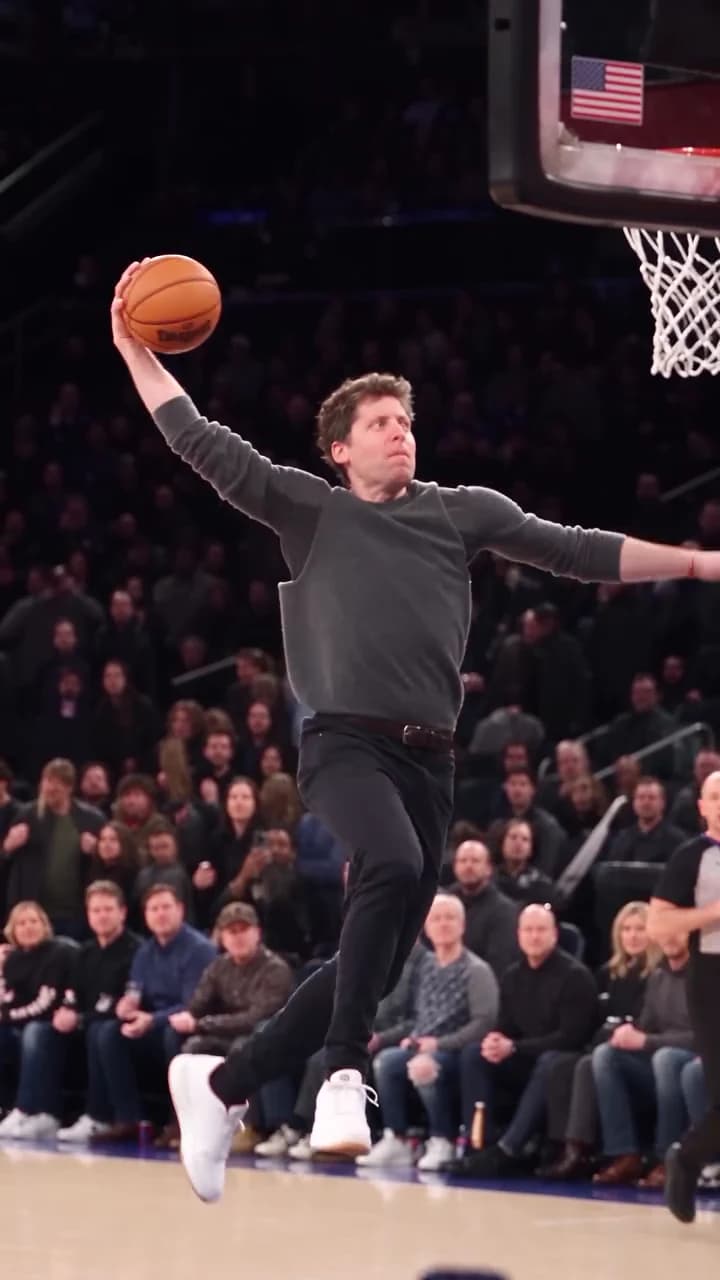
Your Forever Dunk video is back. This guide is for checking it, not making it: what to look at in each stretch of the 15 seconds, which photo choice can sit behind a flaw, and the one change to try next. The clip is one long following shot with a jump, a foreground occlusion and a close-up at the end, so those are where identities slip. How to make it in the first place is in the how-to guide.
Not made it yet?
Add one photo of the player, review your credit quote and make the 15-second clip with the original song.
How to watch your result
Watch it three times. First with the sound off, looking only at the player's face and outfit. Then once looking only at the ball and the hands. Then once more ignoring the player and looking at everyone and everything else in the arena. Keep the reference reel from the trend page open next to yours. It is an AI reel, not an Oakgen output, so it shows what the scene should do, not the quality to expect. Times below are rounded and describe your 15-second video; the reference reel runs about 20 seconds, so do not expect its timings to match yours.
What to check at each timestamp
0 to about 5 s: the catch and the run
The player reaches up and catches the ball near centre court, then from about 1 second dribbles at speed along the sideline past the courtside fans. They are small in the frame here.
Look for your outfit from top to shoes, a hair shape that matches your photo, and one ball that bounces back into the hand instead of sticking to it. The large logo on the floor in the reference should be a plain painted circle in yours.
About 5 to 9.5 s: the drive
The player drives toward the basket with a referee running behind, keeps the dribble low, then gathers the ball and squares up. This is the first time the face is easy to read; it should already be clearly you.
About 9.5 to 11.5 s: the take-off and the dunk
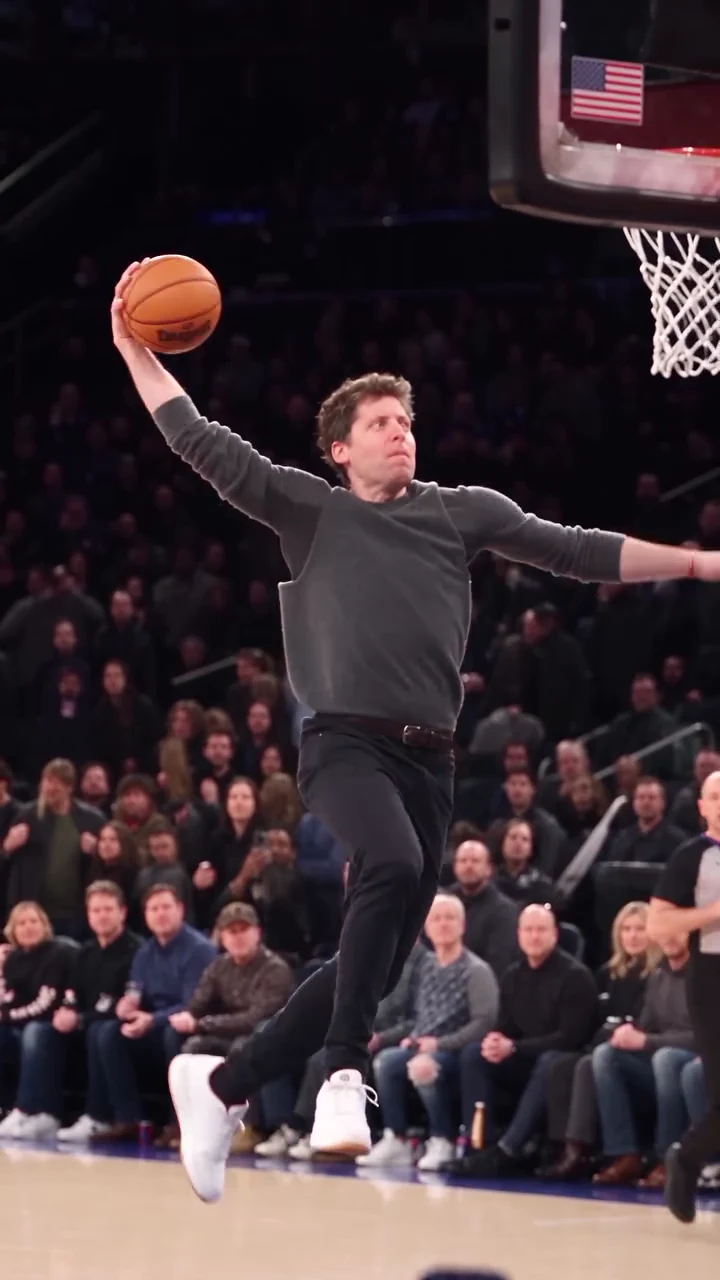
The take-off at about ten and a half seconds, in the reference reel. This is not an Oakgen output.
The camera tilts up as the player rises with the ball high in one hand and throws it through the rim at about 11 seconds. Check that the ball stays in the hand until the rim, goes through the net once and drops away, that the arm has a normal elbow and the right number of fingers, and that the sleeve matches your photo.
About 11.5 to 12.5 s: the landing
The player lands under the basket, the ball bounces away and the camera eases down. Check that there is still only one ball as it bounces off, that the legs and feet land cleanly, and that the face is still yours as the camera comes down to it.
About 12.5 s to the end: the close-up scream and the fan's arm
The roar starts at about 12.5 seconds and is the closest shot of the clip: chest-up to the camera, mouth wide open, a pro player in a white uniform behind. From about 13.5 seconds a courtside fan's arm and hand swing into the lower foreground and partly cover the player, and the clip ends mid-roar at 15 seconds.
Look for a mouth that stays wide in a roar rather than forming words, and teeth and jaw that stay steady. The arm is a separate object in front of the player: check that the face does not show through it, that the hand does not merge with the player or turn into a second ball, and that there is no flicker between faces around it. Nobody in the crowd or on the floor should have your face.
Photo-choice mistakes to look for
These are the problems we would expect from the way the template works. We have not measured how often each one happens.
| Photo choice | What it can look like | Where to look |
|---|---|---|
| Head-and-shoulders crop only | Trousers and shoes invented, outfit changing during the run | 0 to 5 s |
| Sunglasses or a hand near the mouth | A weak or changing scream | 12.5 s to the end |
| A sports kit in the photo | The joke lost: you look like one of the players | Whole clip |
| Heavy filter or overlay in the photo | Texture lingering on the face in the close-up | The scream |
| Another person in the photo | A second face appearing on a fan or player | Whole clip |
Fix it with one change
Change one thing, then re-run, so you learn which change helped. Each run is charged at the quote the studio shows.
| What is wrong | One change to try |
|---|---|
| The face drifts during the scream | Use a sharper, front-facing photo with the mouth and jaw clearly visible |
| The outfit changes during the run | Use a full-body photo in the outfit you want |
| The player mouths the lyrics | Re-run once; the template asks for no lip-sync |
| A logo, team name or number appears | Re-run once; plain uniforms are the template's job, not your photo's |
| A fan or player has your face | Re-run once; if it persists, use a photo with a plain background |
Before you post
Say that the video is AI-made and use only photos of people who agreed to appear. If you show the reference next to yours, label which clip is yours. Do not present it as real game footage and do not tag real players or teams. The song contains strong language. Captions and cover for the scream ending has caption ideas and the best cover frames, and which line plays under each move helps if you want to time your text to the hook. For where the clip comes from, see the source page; for another two-player basketball result check, see checking a 1v1 Dunk result.
Checking another October trend? See checking a Studio Neutral Zone result and checking a Beer Spill Kick result.
Frequently asked questions
How do I know my Forever Dunk video is ready to post?
Check four stretches: the run from 0 to about 5 seconds, the drive and dunk from about 5 to 11.5 seconds, the landing from about 11.5 to 12.5 seconds and the scream, with a fan's arm in the foreground, to the end at 15 seconds. If the face stays yours throughout, there is one ball, the dunk goes through the rim and nobody else has your face, it is ready.
Should the player sing along to the song?
No. The song plays over the clip and nobody lip-syncs. The mouth stays set during the run and opens wide for the scream. A player who mouths lyrics has followed the music instead of the reference.
Why are there no team logos in my video?
The template asks for plain uniforms, a plain centre circle and an unprinted ball, so a real team's marks are left out. If a logo or number does appear, re-run once.
Can I regenerate just one part of the clip?
No. The template makes the whole 15-second take in one pass, so any fix is a new run of the full video at the quote the studio shows. Change one thing at a time.
Is the preview video made by Oakgen?
No. It is the AI reel shown as the reference. We have not published an Oakgen result for this template, so compare your video with the reference rather than assuming they will match.