

 ChatGPT
 Claude
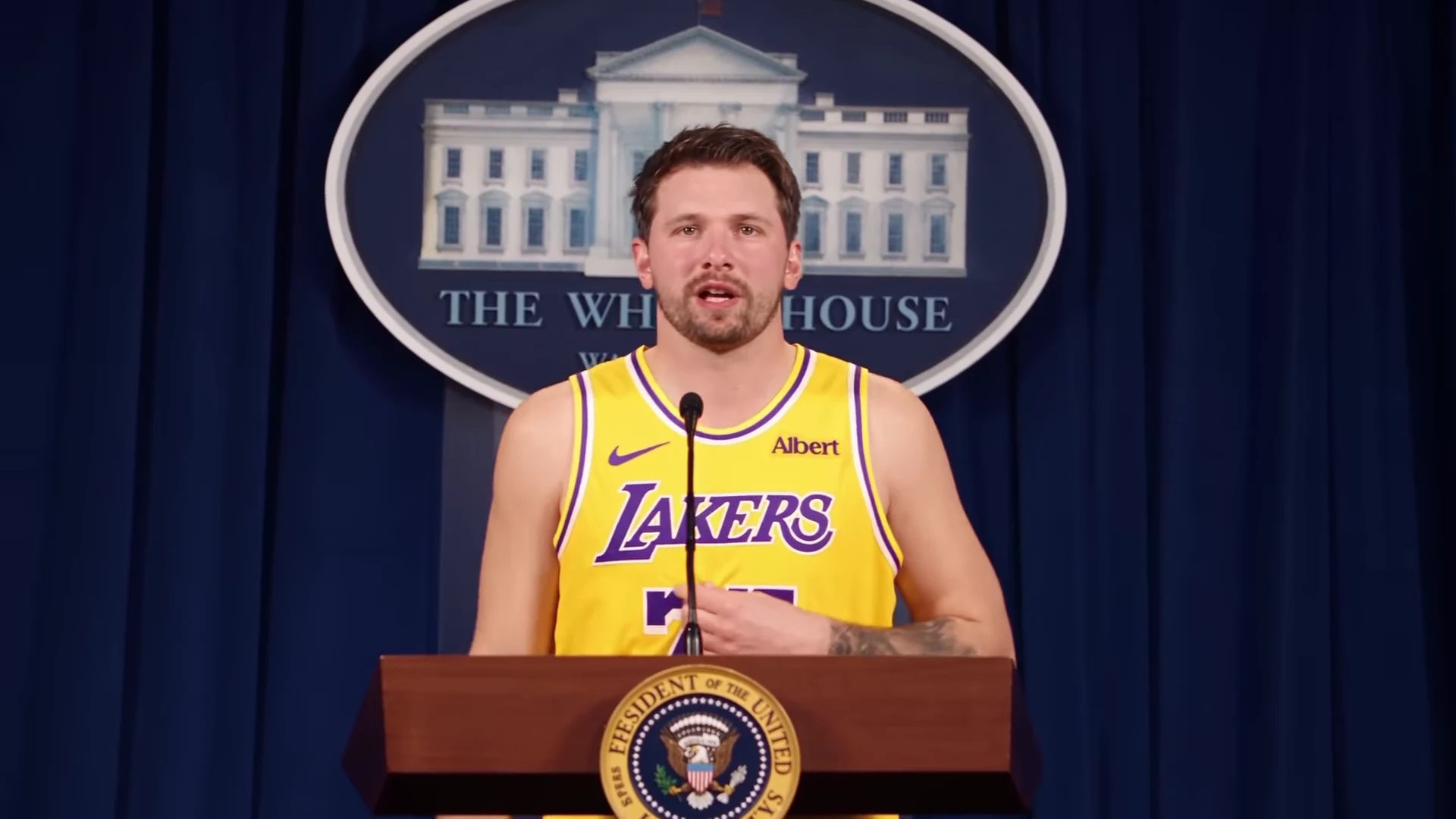
To make The Box AI trend video, open The Box trend on Oakgen, upload one clear photo of yourself, pick 720p or 1080p, read the credit quote and generate. You get a 20-second landscape clip in which you sit at a cash-stacked table, dance in a night lot while two cars collide behind you, and tap your chest at a press-room podium. The template is a Kling V4 edit of the real reference clip, so the moves, the camera, the cuts and the timing stay, and the lead rapper changes into the person in your photo. If you also add an optional Background photo, all three scenes move to that place. Roddy Ricch's "The Box" plays over it.
Take the seat at the cash table
Add one photo for the lead rapper, read the credit quote and make the 20-second The Box AI video with the original song.
Disclosure: Oakgen is our product. This guide covers our own template, and it says where the template can fall short.
What you get
One landscape 16:9 clip, 20 seconds long, at 720p or 1080p. In the AI-made reference reel the lead is a look-alike of NBA player Luka Dončić in a yellow number 77 basketball kit. Oakgen's template never keeps the look-alike. It asks for no team lettering, numbers, seals or logos, and uses the face, hair and outfit from your photo.
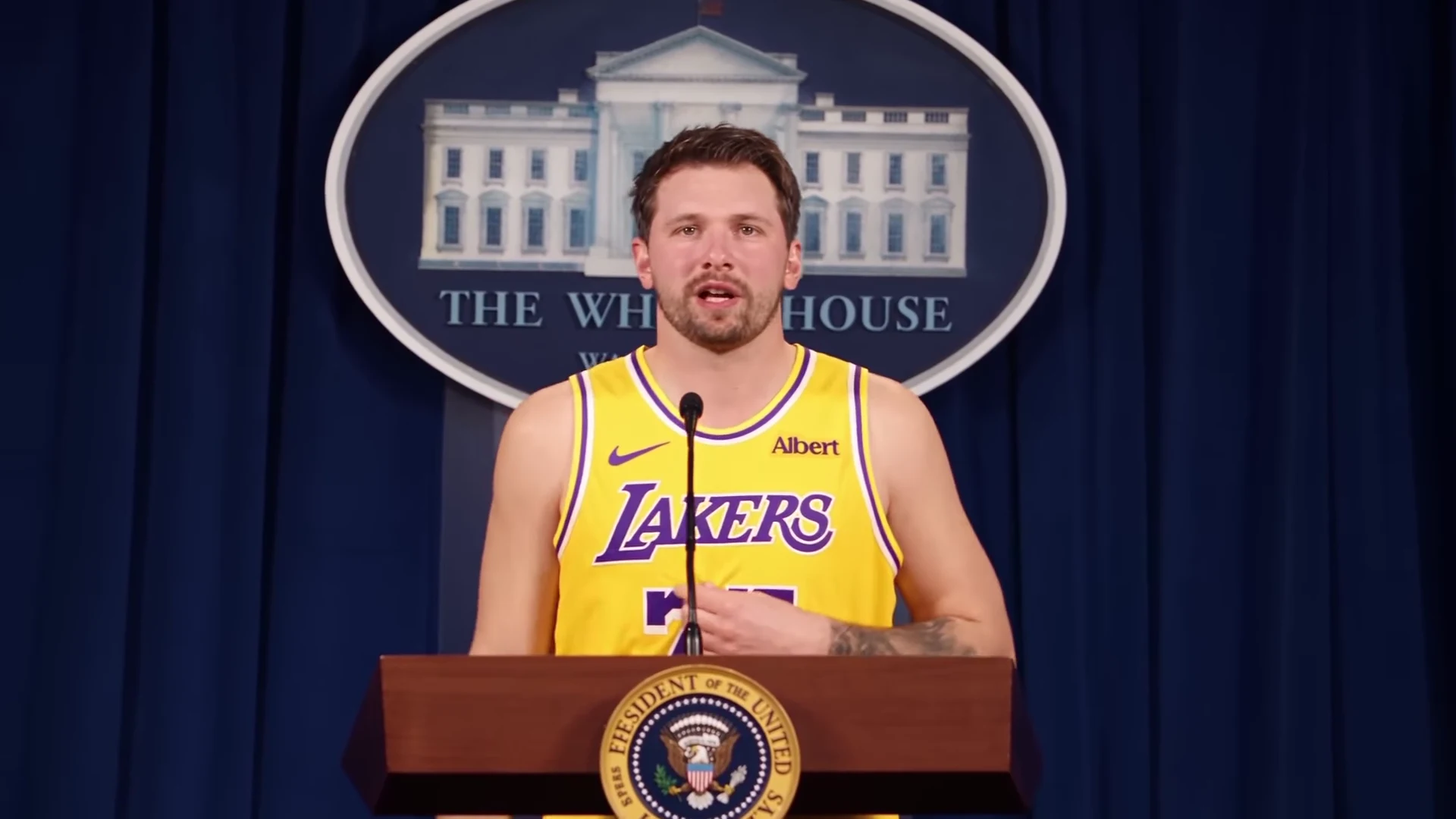
The trend poster, taken from the AI-made reference clip. It is not an Oakgen output and not real footage.
| Time (about) | Scene | What to check in your result |
|---|---|---|
| 0 to 4 s | Dim room. The lead sits at a glass table stacked with banded cash and lip-syncs "I been movin' 'em out". A man in a grey hoodie counts money, with a short close-up of him. | Your face at the table, mouth moving with the line |
| 4 to 5 s | An old CRT TV shows an empty lot | Nothing to fix here, it is a cutaway |
| 5 to 16 s | Night industrial lot. The lead, in narrow black visor glasses, dances and shadowboxes. Two cars race in from both sides and collide behind them around 10 to 12 s. One flips in a fireball in slow motion while the lead walks toward the camera without looking back. | Face still yours in the wide shot, normal hands, outfit consistent |
| 16 to 20 s | Press-room podium in front of a blue curtain. The lead taps their chest on "I'm a 2020 president candidate". | Lip sync on the line, no seal or logo on the podium |
The background to each scene, and how it lines up with Roddy Ricch's 2020 music video, is in The Box AI trend explained.
Step 1: Choose the photo
Use a sharp, front-facing photo from the chest up. Light the face evenly. Keep the hair fully in frame and the mouth uncovered. Skip hats, masks and heavy filters.
Here is where this breaks. The night lot is a wide shot, and the lead is small in the frame for a lot of it. A soft or side-on photo gives the model too little to hold the face at that distance, and the face drifts toward a generic one.
Your outfit comes from the photo too. If you want the sports-kit feel of the reference, wear a plain jersey or a bright vest with no team name, number or crest. A plain dark hoodie or a jacket works just as well. If you normally wear glasses, a photo without them shows the eyes the model needs to match.
Only use a photo of yourself or of someone who agreed to appear. Do not upload a photo of a public figure. More photo advice is in The Box AI trend photo guide.
Optional: Choose a background photo
Leave the Background slot empty and you get the original settings: the dim room, the night lot and the press room. Add a location photo there and the template tries to rebuild all three scenes in that one place. The table of cash, the man counting it, the old TV, the two cars and the fireball, and the podium with its microphone all stay. It is a rebuild of the place, not a paste, so results vary more than with the original settings.
Pick the photo with the car scene in mind, because that is the scene that needs the most room:
- Wide and landscape. A wide shot taken across the place, not a close-up of a wall.
- Open floor or ground. Enough empty ground for two cars to collide and one to flip. An indoor photo becomes a large open floor of that room, so a bigger room works better.
- No people. The template adds nobody from the photo, and a crowd in it only gives the model something to fight.
- No readable signs. Shop names, posters and logos are asked to stay unreadable, so a place without them looks cleaner.
- Even light. All three scenes use the same time of day and light from your photo, so a clear daytime or evenly lit night photo is easiest.
A background photo adds no cost. If a result looks off, try a wider, emptier photo of the same place before you change anything else.
Step 2: Choose the quality
Open The Box trend, add the photo and pick 720p or 1080p. The page shows the credit quote for your choice before you generate. Plans and credit packs are on the pricing page.
What I would do is run 720p first to judge the face at the table, the face in the lot and the mouth on the podium. If those hold, make the 1080p version you post. The night lot gains the most from 1080p, because the small figure and the fireball need detail.
Step 3: Generate and wait
The template edits the reference clip with Kling V4. The model sees your photo and the silent reference clip. It does not get the song. Oakgen puts the original soundtrack back on the finished file afterwards.
So the mouth follows the reference performer's mouth, not the audio. The reference lead was already lip-syncing, so the mouth should land close to the words, but sync is not guaranteed.
Step 4: Check the result
Watch it twice. Once with sound for timing, once muted for faces and hands.
- The cash table. The face should be clearly yours in the opening seconds. Look for leftover features from the look-alike, such as a beard shape or hairline you do not have.
- The grey hoodie close-up. The money counter stays from the reference. If your face shows up on him, the model mixed the two people. Generate again.
- The wide lot shot. This is the hardest shot. Pause between 6 and 9 seconds, before the crash. Your face should still read at that size, and your outfit should match the table scene.
- The crash and the walk. Around 10 to 12 seconds the cars hit. Check that the lead keeps walking forward and that the hands look normal during the shadowboxing.
- The podium. The last four seconds are the punchline. The mouth should hit "I'm a 2020 president candidate" and the chest tap should land on the beat. The podium and the curtain should show no seal or readable logo.
Fixes for common problems
| Problem | Likely cause | Fix |
|---|---|---|
| Face looks like someone else in the lot shot | Soft, small or side-on photo | Use a sharper front-facing photo with the face larger in frame |
| Hair or beard from the reference leaks in | Hair cropped or hidden in your photo | Use a photo with the full hairline visible |
| Outfit changes between scenes | Busy or partly cropped outfit | Use a photo that shows a simple top clearly |
| Number or lettering appears on the shirt | Your own shirt had print on it | Use a photo in a plain top |
| Mouth off on the podium line | The mouth follows the reference, not the audio | Generate again, or cut the post to end on the chest tap |
| Fingers look wrong while shadowboxing | Fast hand moves are hard for video models | Generate again; if it repeats, post the version with the cleaner podium |
For a face problem, change the photo before you generate again. The same soft photo gives the model the same thin information.
Step 5: Post it with an AI label
The file is landscape 16:9. For Reels, TikTok and Shorts, post it letterboxed or crop to 9:16. Crop advice that keeps your face and the crash in frame is in The Box AI trend captions, along with 40 caption lines sorted by scene.
Label it as AI. TikTok requires a label on realistic AI-generated content and has an AI-generated content setting under More options (TikTok Support, read 18 November 2026). YouTube requires disclosure, through the "AI use" setting in YouTube Studio, when AI shows a realistic scene that did not happen (YouTube Help, read 18 November 2026). A car crash at night is one.
Do not suggest that Roddy Ricch, his label, an NBA player or a team took part. Oakgen is not affiliated with or endorsed by any of them. The song is a commercial recording and Oakgen does not license it for your posts, so check each platform's music rules for your account.
Make your version of The Box
One photo, 20 seconds, the original soundtrack. The credit quote shows before you generate.
How we put this together
On 18 November 2026 we inspected the reference file used by the template: 20.04 seconds, 24 frames per second, landscape. The scene timings are measured on that file and rounded. The photo slot, the two qualities and the audio handling come from the template's launch specification, written by the Oakgen team that built it. We did not generate a video for this guide, so the checks and fixes describe what to look for, not results we measured, and nothing shown here is an Oakgen output. The TikTok and YouTube labelling rules were read on their help pages on the same day.
Related reading
For the song and the 2020 video behind each scene, read The Box AI trend explained. For a scene-by-scene look at the music video set pieces the reel echoes, see The Box music video scenes as an AI remake. To choose between rap templates, see AI rap video trends compared and Solo, duo or squad AI rap trends.
The Box AI video generator is the quick version of these steps. The Roddy Ricch The Box AI trend covers the song. The podium punchline has its own page at 2020 president candidate AI video, and the crash scene at car crash walk away AI video. If you came here searching for the look-alike, Luka Dončić The Box AI video explains why the template uses your face instead.
FAQ
How many photos do I need for The Box AI trend?
One is required. It replaces the lead rapper in every scene, from the cash table to the podium. The look-alike in the reference reel is never kept. You can add a second, optional Background photo that moves all three scenes to your place.
Does my video keep the Roddy Ricch song?
Yes. The original soundtrack is put back on the finished file after generation and is never sent to the video model. Oakgen does not license the song for your posts, so check each platform's music rules.
How much does it cost?
The template page shows the credit quote for your chosen quality before you generate. Plans and credit packs are listed on the Oakgen pricing page.
Will I look like Luka Doncic in the result?
No. The reference lead is an AI look-alike of the NBA player, but the template never keeps that likeness and asks for no team lettering, numbers, seals or logos. Your photo's face, hair and outfit are used.