
 ChatGPT
 Claude
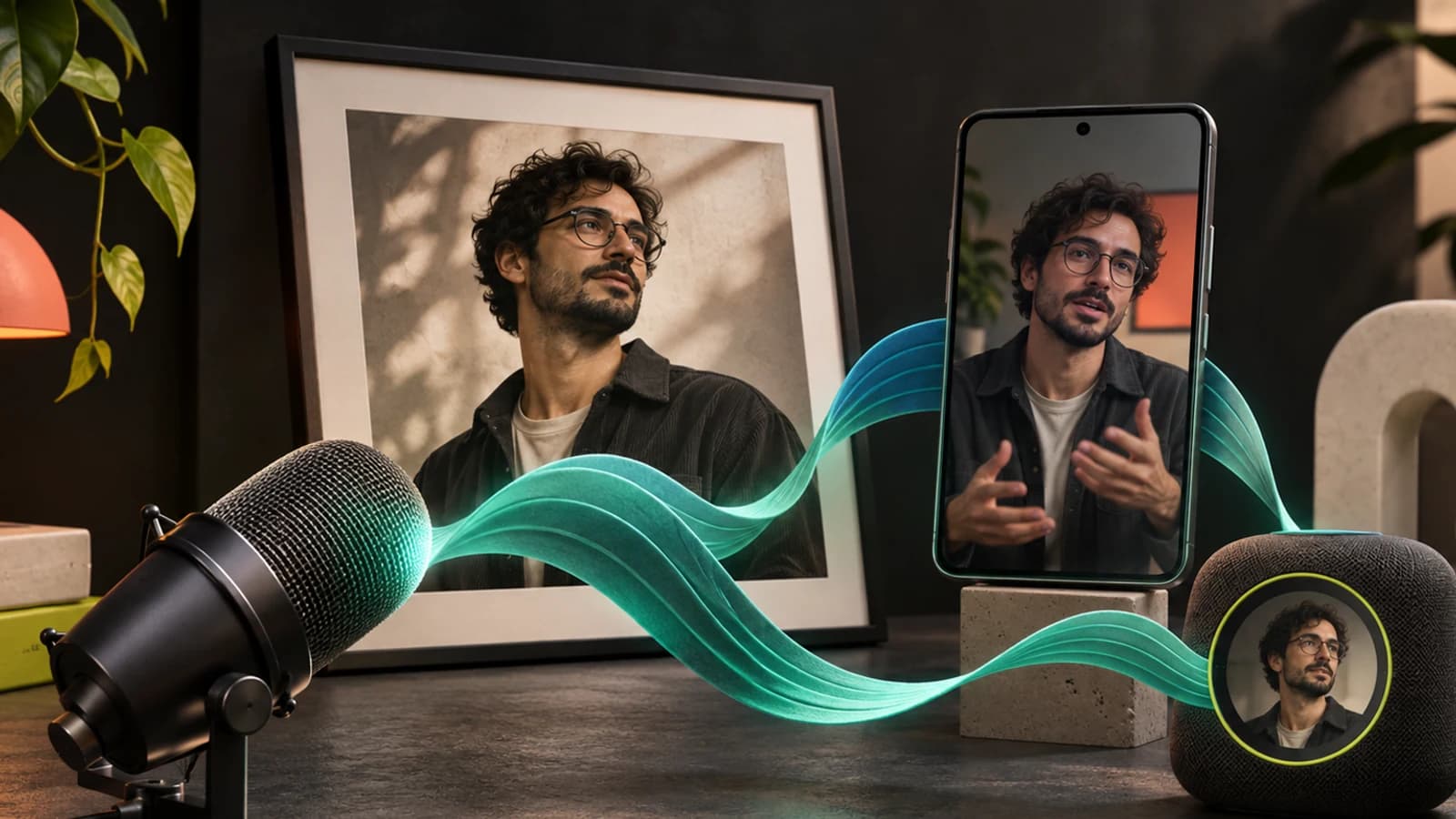
An AI influencer voice stays consistent when it lives in one place: a single saved voice ID that every spoken line comes from. Pick or design that voice once, generate each line as speech from it, and then hand the audio to the video model so the lips follow it. Do not let a video model with native audio invent the voice, because it will invent a different one each time. Clone a real voice only if it is yours or you have the owner's consent, and label realistic AI voices on Meta, TikTok and YouTube.
Oakgen has a stake here. Our AI Influencers studio saves one voice per character, and the steps below describe how it works from the code we read on November 4, 2026. We also say where a separate voice tool is the better choice.
Give your AI influencer a voice
Pick an ElevenLabs voice, hear it read a line as your character, and save it so every voiceover uses it.
Which voice route fits your AI influencer?
There are five ways to get a voice, and four of them give you a voice you can call again by ID. The table compares them.
| Route | Best for | Strength | Weakness | Consent risk | Reusable by ID |
|---|---|---|---|---|---|
| Library voice (ElevenLabs list) | Fictional influencers, fast start | Many ready voices, preview before you pick | Other accounts can use the same voice | Low | Yes |
| Designed voice (ElevenLabs Voice Design) | A voice nobody else has | Described from a text prompt, three options per run | ElevenLabs calls it experimental, quality varies | Low | Yes, once saved |
| Clone of your own voice | Faceless creators who are the voice | Sounds like you, and you hold the rights | Ties the persona to a real person | Low if it is yours | Yes |
| Clone of someone else | A brand ambassador with a real voice actor | A real performer's sound | Needs written consent, some tools block it | High | Yes, if allowed |
| Native audio from the video model | Quick tests, no dialogue that matters | No extra step | A new voice in every clip | Low | No |
The last row is the one that breaks consistency. It is fine for a silent-feeling clip with ambient sound. It is wrong for anything where your influencer speaks.
Who this guide is for
This is for three kinds of operator:
- A creator who already has a consistent face and now wants the influencer to talk in Reels, talking photos and ads.
- A small team running several personas, where two characters on similar voices start to sound like one narrator.
- A brand or agency that wants a voice actor's real voice on a virtual ambassador and needs the consent side right.
If the face is not settled yet, start with how to create an AI influencer that stays the same person. If you run a roster, the hub post on running an AI influencer agency covers persona bibles, where the voice is one field.
How we checked this
On November 4, 2026 we read the voice and label rules on their official pages: Meta's help page on identifying AI content, TikTok's Integrity and Authenticity guidelines, YouTube's GenAI disclosure page, and ElevenLabs' docs on Voice Design, voice cloning and Instant Voice Cloning. We read Mashable's October 2026 report on the AI creator business. We read the Oakgen code for characters, the voice chooser and the talking-video step the same day.
We did not run a listening test or measure lip-sync accuracy for this article. Where we describe a test, it is a method you can run yourself.
Should you design a voice or clone one?
Design or pick a voice for a fictional influencer, and clone only when the persona is meant to be a real person. That one rule settles most cases.
Operators often stack separate tools for this. Mashable's October 2026 report on AI influencers describes HeyGen offering talking avatars while ElevenLabs "supplies AI-generated speech", and says together they let an operator create "the appearance of a person who can pose, move, and talk". That stack works. The cost is that the voice lives in one account and the face in another, so keeping them paired is your job.
Using an influencer AI voice generator to design a voice
ElevenLabs' Voice Design makes a voice from a text description. Its docs, read on November 4, 2026, say each run generates three voice options and you save the one you like, which takes a voice slot. The docs suggest a prompt format that names the language, gender and age range, a short persona, two or three emotions, and a sentence about timbre and pacing.
Two cautions from the same docs. Voice Design "is still experimental", and voices made with it "may be less performative" on Eleven v4 than on earlier models. ElevenLabs recommends a Professional Voice Clone from its library if one fits, for the most consistent quality.
A designed voice is the best answer when you want nobody else's influencer to share the sound. A library voice is the faster answer, and the risk is that another creator picks the same one.
Cloning your own voice
If you are the person behind a faceless account, cloning your own voice is the cleanest route on rights. ElevenLabs' docs describe two kinds. An Instant Voice Clone uses short samples and does not train a custom model. A Professional Voice Clone trains a dedicated model, needs the Creator plan or above, and usually takes 3 to 6 hours to fine-tune. The docs stress consistency in the recording: keep it either animated or subdued throughout, and keep one accent, or the clone "can become unstable".
Our post on cloning your voice for faceless content goes through recording and ethics in more detail.
Cloning someone else's voice
Get written consent first, and expect some tools to refuse anyway. ElevenLabs asks you to "confirm that you have the right and consent to clone the voice" before you save an Instant Voice Clone. For Professional Voice Clones it goes further: "Even with their consent, you cannot clone someone else's voice." The voice owner has to create and verify the clone on their own account and share it with you.
A celebrity, a creator you admire or a friend's voice notes are not yours to clone. Oakgen's voice cloning form also requires you to confirm consent before it runs.
How do you give your AI influencer the same face and the same voice in Oakgen?
You attach the voice to the character once, and every later @mention uses it. This is the part we read from Oakgen's code, so it describes the product as of November 4, 2026.
Choosing the voice. After the photoshoot, the character flow asks "How does Maya sound?" (with your character's name). It lists voices from Oakgen's ElevenLabs voice list, with filter pills for gender, age and accent built from the voices' own labels. If your character description says "woman" or "man", the list starts filtered to that gender. You can play each voice's stock preview.
Hearing it as your character. Before you save, you can press "Hear [voice] as [name]". Oakgen generates a short first-person introduction in that voice with Eleven v4, the default ElevenLabs model on Oakgen. The line is "Hi, I'm [name]. Thanks for stopping by...", about 12 to 15 seconds long. The button shows the credit price before you press it.
Saving it. Saving stores two things on the character: the ElevenLabs voice ID and that sample clip, copied into the character's own storage. The character page then shows "Voice: [name]" and the sample length, and a health panel flags "No voice yet" or "No voice sample" if either is missing. A character is marked "Ready everywhere" only when it has a main photo, a voice and a sample. You can press Change voice later. Changing it clears the old sample, so the sample never disagrees with the voice.
Using it in a voiceover. In Create, pick an ElevenLabs speech model and type @ and the character's name. Oakgen fills in the saved voice ID and sends only your script. The app's own note says "the portrait and personality are not sent" and that "Delivery can vary between models." If you @ the character in a speech model that is not ElevenLabs, Oakgen refuses and explains that voice IDs are provider-specific. Music models refuse too, because a voice description does not keep the same singer.
That is the practical meaning of same face, same voice in one library: the face references and the voice ID sit on the same record, and one @name brings both.
Keep the face and the voice together
Save the voice on the character, then type @Name in a supported image, video or ElevenLabs speech model to bring it in.
How does AI influencer lip sync work with a saved voice?
Make the audio first and the picture second. A video model that generates its own audio has no idea what your influencer sounded like yesterday. Give it a recording and ask it to follow that recording.
Oakgen's talking-video step does this in two parts. On the character page, choose Talking video, write the scene and put the spoken line in quotes, for example sits at a cafe window and says "Okay, three things I wish I knew before I started." Create opens on Seedance 2.0 with the character attached. When you generate:
- Oakgen speaks the quoted line in the character's saved ElevenLabs voice.
- It sends that clip to the video model as reference audio, with the face shots that fit the scene, and adds an instruction that the character "speaks the exact audio" in the clip, "word for word, with lips synced to it."
The composer shows both steps and their prices before you send. A toggle labelled with the character's "exact voice" can turn the speech step off, and the app says what happens then: "Off: the model invents the voice."
Three models in Oakgen's code take the line this way: Seedance 2.0, Seedance 2.5 Reference and MiniMax H3 Max Reference. If you pick another video model and quote a line, Create warns that the model "can't take" the character's voice and offers to switch you to Seedance 2.0. Oakgen's Seedance 2.0 model page notes that its text workflow accepts up to 3 reference audio clips.
The app also states the limit. Its guidance says reference audio "alone does not guarantee exact speech or lip-sync." Watch every clip with sound on. Our audio and lip sync diagnosis guide shows how to find where a mismatch starts.
Talking photos and ads
For a talking photo, the talking photo tool animates a still image to speak a recorded or generated line of up to 120 seconds. Generate the line in the saved voice first, or upload one, so the photo speaks in the same voice as the Reels. For product ads with a presenter, the same rule applies in the AI UGC ad generator: settle the voice before you make variations, or each variation will sound like a different person.
Why do video models with native audio drift?
Because each generation starts fresh. A video model with native audio produces a plausible voice for the person on screen from the prompt and the image. Nothing in that request pins down the exact voice from your last clip, so pitch, accent and pace move between generations. Image references fix the face. Only an audio reference, or audio laid on afterwards, fixes the voice.
You can see this yourself with a quick test. It costs a few generations and settles the question for your account.
- Write one line of dialogue and one scene.
- Generate it three times on a video model with native audio switched on and no audio reference.
- Generate the same line once as speech in your saved voice, then three times on a model that takes it as reference audio.
- Listen to all six with your eyes closed. Count how many sound like the same person.
If the first three already sound alike to you, your use may not need the extra step. Most operators will hear the difference in step 4.
The voice spec sheet for an AI influencer
Write this once per influencer and keep it next to the persona bible. It is the record that stops a voice drifting when someone new takes over production. The example is fictional.
| Field | What to write | Example (fictional) |
|---|---|---|
| Voice source | Library, designed, own clone or licensed clone | ElevenLabs library voice |
| Voice name and ID | The exact name and ID in the tool | The voice name shown on the character page, plus its saved ID |
| Speech model | The one model every line uses | Eleven v4 |
| Settings | Stability, similarity, any style values you set | Default settings, unchanged |
| Reference line | One sample line kept as the benchmark | The 15-second intro saved on the character |
| Pace and energy | Words per minute or a plain description | Calm, unhurried, slight smile in the voice |
| Words to avoid | Phrases off-brand for this persona | "Hey guys", heavy slang |
| Pronunciation | Brand names and how they are said | Oakgen as "oak-gen" |
| Consent record | Where the written consent lives, if cloned | Not needed, library voice |
| Label rule | Platform label used on voiced posts | Meta AI label on Reels, TikTok AI label |
Two fields do most of the work. The speech model line stops someone switching to a different model mid-campaign, and the reference line gives you something to compare every new clip against. For keeping delivery steady across scripts, our guide to AI voice pronunciation covers names, acronyms and numbers.
Make your first talking clip
Write a line in quotes, let Oakgen speak it in the saved voice, then sync the lips on Seedance 2.0.
Do you have to label an AI influencer's voice?
On the big platforms, usually yes, and the voice alone can trigger it. The rules, read on November 4, 2026:
- Meta (Instagram, Facebook, Threads). Meta "may require an AI label when content has photorealistic video or realistic-sounding audio that was digitally created, modified or altered". Its examples of content that needs a label include "A reel narrated with a realistic AI-generated voiceover". It warns that "There may be penalties for content shared without a label when it is required."
- TikTok. The guidelines effective September 24, 2026 say TikTok requires creators "to label AI-generated or significantly edited content that shows realistic-looking scenes or people", and unlabeled content "may be removed, restricted, or labeled".
- YouTube. Creators must disclose realistic AI content, including content that "Generates a realistic scene that didn't actually occur". One detail matters for faceless creators: YouTube lists "Cloning one's own voice to create voice overs or dubs" as an example that does not need disclosure. A fictional influencer on screen is a different case.
The platform-by-platform table is in our AI influencer disclosure rules. A sponsored post still needs its ad disclosure as well, which our post on AI influencer brand deals covers.
Common mistakes with an AI influencer voice
- Letting the video model pick the voice. It sounds fine in one clip and wrong in the series.
- Changing speech models mid-campaign. Even the same voice ID can sound different on another model. Oakgen's own note says delivery can vary between models.
- Two personas on near-identical voices. Followers notice a shared voice faster than a similar face.
- Cloning a voice without written consent. It breaks tool rules and, in many places, the law.
- No benchmark clip. Without a saved reference line, nobody can say whether this week's clips drifted.
- Skipping the label because the face is obviously AI. Meta's rule names realistic audio on its own.
- Long lines in one clip. Short lines are easier to check for lip sync and cheaper to redo.
When does another tool fit better?
Oakgen keeps the face and the voice on one character and handles the speech-then-video step for you. It is not the best answer for every voice job.
- If you need a designed or professionally cloned voice, ElevenLabs' own app has Voice Design and Professional Voice Cloning. As of November 4, 2026, Oakgen's character voice picker uses its ElevenLabs voice list and does not take an upload or a clone. Oakgen's separate voice cloning tool makes a clone with a consent check, and you can use its recordings as audio in a talking photo, but that is a manual step.
- If your persona is a talking-head presenter only, a dedicated avatar tool such as HeyGen is built around that one format. Mashable's report shows operators pairing it with ElevenLabs for speech.
- If you are comparing all-in-one influencer tools, our breakdown of Higgsfield Genjutsu alternatives looks at what each bundles.
For long scripts, voice settings and audio tags, start in the Oakgen voice generator and read the Eleven v4 model page, then bring the finished line to the character.
If your influencer already has a face, the next step is a voice saved on the same record. Open the AI Influencers studio, choose a voice, save its sample, and make one talking clip before you plan a week of them.
Give your character one voice everywhere
Save a voice on your AI influencer once, then use @Name for voiceovers and lip-synced video.
Frequently asked questions
How do I give my AI influencer a voice that stays the same?
Pick one voice, save it as a fixed voice ID, and generate every spoken line from that ID with a speech model. Then feed that audio into the video model as a reference instead of letting the video model invent a voice. On Oakgen, you choose an ElevenLabs voice for the character once, and typing @ and the character's name in an ElevenLabs speech model fills in that voice.
Should I design a new voice or clone a real one for an AI influencer?
Design or pick a library voice if the influencer is fictional. Clone only your own voice, or a voice whose owner has agreed in writing. ElevenLabs asks you to confirm you have the right and consent before saving an Instant Voice Clone, and says you cannot make a Professional Voice Clone of someone else's voice even with their consent.
Why does my AI influencer sound different in every video?
Video models with native audio generate a new voice each time unless you give them audio to follow. The fix is two steps: generate the line as speech in the saved voice first, then pass that clip to a video model that accepts reference audio and ask it to sync the lips to it.
Do I have to label an AI influencer's voice on Instagram?
Often, yes. Meta's help center, read on November 4, 2026, says Meta may require an AI label on realistic-sounding audio that was digitally created or altered, and lists a reel narrated with a realistic AI-generated voiceover as an example. TikTok and YouTube also require labels for realistic AI content.
Can I use my own cloned voice for an Oakgen AI influencer?
Not as the character's saved voice. As of November 4, 2026, the character voice must be an ElevenLabs voice from Oakgen's voice list. Oakgen's voice cloning is a separate tool with a consent check. You can generate a line with your clone there and use the recording as audio in a talking photo or a reference-audio video, which is a manual step.
Sources
- Mashable, Fake influencers, real money: Inside the AI creator business, October 2026 (read 2026-11-04)
- Meta Help Center, How to identify AI content on Meta products (read 2026-11-04)
- TikTok Community Guidelines, Integrity and Authenticity, effective September 24, 2026 (read 2026-11-04)
- YouTube Help, Disclosing use of GenAI content (read 2026-11-04)
- ElevenLabs Documentation, Voice Design (read 2026-11-04)
- ElevenLabs Documentation, Voice Cloning (read 2026-11-04)
- ElevenLabs Documentation, Instant Voice Cloning (read 2026-11-04)