
 ChatGPT
 Claude
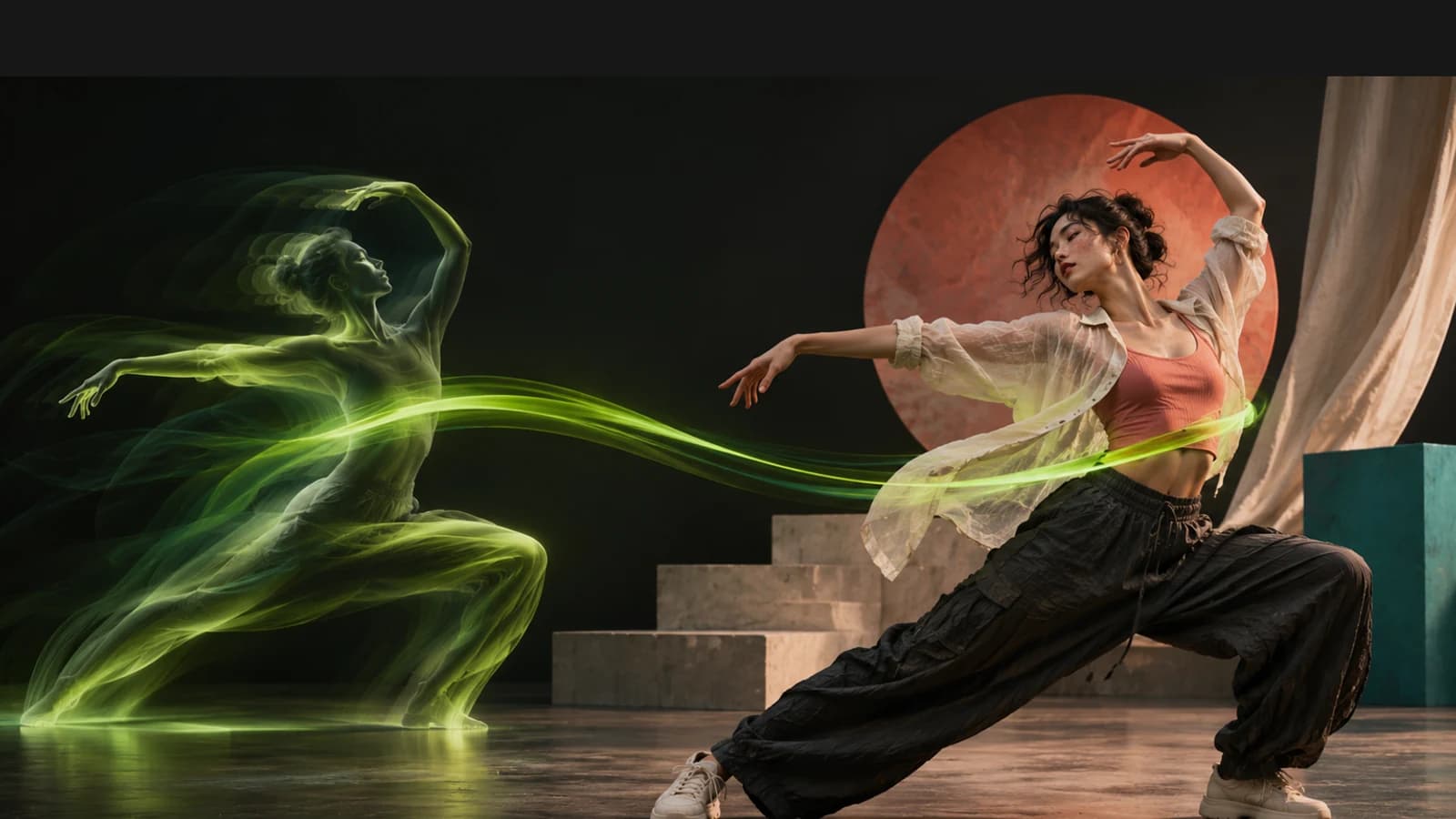
The best Higgsfield Genjutsu alternatives for putting your own AI influencer into a trending video are Oakgen (a saved character plus Kling V3 Pro Motion Control), Runway Act-Two for acted performances, and Viggle for cheap meme remixes. Genjutsu is still the most complete single tool. It does motion transfer, object swap and restyle, and Higgsfield's AI Influencer page sends a character into it in one click. Pick an alternative when you care more about cost per usable clip, a character you reuse across images, video and voice, or tighter control over what goes into the clip.
Disclosure: Oakgen is our product. We include it because it covers this workflow, and the post also says where Genjutsu and the other tools are better.
Build the character first
Create your AI influencer once, with reference shots and a voice, before you put them into any video.
Which Higgsfield Genjutsu alternative fits which job?
This table uses each vendor's own pages, read on November 4, 2026. Prices are list prices for one take. "Not stated" means the page we read did not say.
| Tool | Best for | Inputs | Price per take, as listed | Where it is weaker |
|---|---|---|---|---|
| Higgsfield Genjutsu | One tool for transfer, swap and restyle | 1 clip of 4 to 30 s, up to 30 images | 105 credits for 15 s at 720p, 300 at 1080p | 1080p costs about 3x 720p |
| Higgsfield Genjutsu Lite | Short, cheaper runs | 1 clip, up to 10 images | 96 credits for 15 s at 720p on one Higgsfield page, 32 on another | Higgsfield's own pages disagree on price and length |
| Oakgen, Kling V3 Pro Motion Control | A saved AI influencer driven by a reference clip | Motion clip of 3 to 30 s, 1 character image, optional face elements | 284 credits for 5 s | No object swap or restyle presets, no @name hookup in this model |
| Oakgen, Seedance 2.5 Reference | Calling your character by @name with a video as a guide | Reference images, up to 10 reference videos, audio | Shown before you generate | Reference-guided, not frame-locked transfer |
| Runway Act-Two | Acted performance with face and voice | A driving video and a character image or video | 5 credits per second, 3 s minimum | Face-led, 720p-class output sizes |
| Viggle | Meme remixes at low cost | A character image and a motion video | API Mix at $0.01 per output second | Web plan credit costs per clip not stated |
If you only want to try the format once, Genjutsu Lite's free generations are the cheapest start. If you are building an account around one recurring character, the character library matters more than the transfer model, because the transfer model will change every few months.
Who is this comparison for?
It is for three kinds of reader:
- A creator running an AI influencer account who wants that character dancing, walking or reacting in the same formats real creators post.
- A small agency making the same character perform across client clips, where "we need 10 versions by Friday" is the brief.
- Anyone who searched "Genjutsu AI" after seeing a re-skinned viral clip and wants to know what it costs before paying for a plan.
If you have not built the character yet, start with how to create an AI influencer that stays the same person. Motion transfer magnifies drift, so a weak reference set shows up in every clip.
What did Higgsfield actually launch, and when?
Higgsfield built this in four steps over two months, per its changelog read on November 4, 2026:
- Genjutsu, September 1, 2026. Motion Transfer and Object Swap, one input video of up to 30 seconds, up to 30 reference photos, output up to 1080p, 30+ presets.
- Genjutsu Restyle, September 30. Redraws a whole clip in one of 20+ styles while keeping the original motion, timing and camera.
- AI Influencer, October 2. A Character Builder with 19 categories. Its "Use in Genjutsu" button puts the character into an existing video.
- Genjutsu Lite, October 19. A lighter version with a lower credit cost, 720p or 1080p, and up to 10 reference images.
Higgsfield kept going. On November 3 it added Shorts, which takes a character from AI Influencer and a motion reference of 10 to 120 seconds and writes the script for you. Both Genjutsu and Shorts accept characters made in the Higgsfield AI Influencer studio.
Higgsfield's blog post on the new AI Influencer says one character generation costs 1.12 credits and returns a close-up and a full-body shot. That part is cheap. The video step is where the money goes.
What does one usable Genjutsu clip cost?
The listed price is per take, and the price that matters is per usable clip. Higgsfield's Genjutsu page, with prices it says were checked on November 2, 2026, lists these for a 15-second clip:
| Mode | 480p | 720p | 1080p |
|---|---|---|---|
| Motion Transfer | 45 credits (about $2.21) | 105 (about $5.15) | 300 (about $14.70) |
| Object Swap | 48 (about $2.35) | 112 (about $5.49) | 320 (about $15.68) |
| Genjutsu Lite | Not offered | 96 (about $4.70) | 192 (about $9.41) |
The dollar figures are Higgsfield's own, at $49 per 1,000 credits. The page also says your account may show a lower price.
Three warnings before you budget from this table:
- The September numbers are stale. Many write-ups still quote 40, 104 and 144 credits from the launch table. At 1080p the current figure is more than double that.
- Lite's price is unclear. The Genjutsu page says 96 credits for 15 seconds at 720p. Higgsfield's own video editing guide lists 32 credits for the same settings. The changelog gives Lite inputs of 4 to 15 seconds, while the Genjutsu page says 4 to 30. Check the Generate button.
- Free generations are plan-bound. On the pricing page we read, Starter had no free Genjutsu runs, and Plus and Ultra had 3 at 720p. All three plans had 5 free Genjutsu Lite runs at 1080p. Higgsfield says free and unlimited generations work only on higgsfield.ai, not through MCP, the CLI, Canvas or Supercomputer.
Plans on that page were Starter at $19 a month billed annually for 270 credits, Plus at $47 billed annually for 1,200 credits, and Ultra from $99 billed annually for 3,000 credits, as of November 2026. For the wider picture see our Higgsfield alternatives for 2026.
How do you put your AI influencer into a trending video on Oakgen?
There are two routes. They are built for different jobs, and the difference matters.
Route 1. Kling V3 Pro Motion Control for frame-by-frame transfer
This is Oakgen's dedicated motion-transfer model. On its Kling V3 Pro Motion Control page, read on November 4, 2026, the inputs are:
- Motion reference. Required. A clip of 3 to 30 seconds, up to 500 MB.
- Character. Required. One image. The character should have clear body proportions and fill more than 5% of the frame.
- Character orientation. "Match Video" allows up to 30 seconds and suits complex motion. "Match Image" allows up to 10 seconds and suits camera moves.
- Description. Optional, up to 2,500 characters, for lighting, setting or clothing.
- Keep Original Sound. On by default. Turn it off unless you own the audio.
- Elements. Optional. Add a frontal face image to hold identity on long or fast clips.
The list price is 284 credits for 5 seconds. Oakgen prices this model by the length of the motion reference, so a 15-second reference comes to about 852 credits (our arithmetic). Basic was $9 a month for 2,000 credits and Creator was $79 a month billed annually for 40,000 credits on our pricing page, read November 4, 2026. That puts one 15-second take at roughly $3.83 on Basic and $1.68 on Creator. Our Kling motion control guide covers reference clip hygiene in more detail.
Here is where this breaks. Your saved character does not plug into this model by name. As of November 4, 2026, Oakgen's code does not attach a saved character to any operation that requires a source video, and motion control requires one. So you export or pick one of your character's reference shots and upload it as the Character image. Use the front-facing shot, and add a second angle under Elements.
Transfer a trend onto your character
Upload a motion clip and your character's front shot, then set orientation and sound before you generate.
Route 2. Seedance 2.5 Reference when you want @name
In the AI Influencers studio you create someone once and bring their face and voice into supported models by typing @ and their name. Oakgen's code and tests list Seedance 2.5 Reference among the video models that accept a saved character. The same model takes up to 10 reference videos, and its prompt hint reads "@Image1 dances with the moves from @Video1, synced to @Audio1." See the Seedance 2.5 model page for limits.
This is reference-guided generation. The model reads your video as a guide, not as a skeleton to copy frame by frame. We have not compared it with Kling V3 Pro Motion Control on the same clip. I would use Route 1 when the choreography has to match the trend beat for beat, and Route 2 when the character's identity and voice matter more than exact steps.
Want both in one place? Start in the AI influencer studio, build the reference set, then run the trend through motion control.
Is Oakgen a Higgsfield Soul ID alternative?
For keeping one face across a feed, yes, with a caveat. Soul ID is Higgsfield's identity system for its own image models. Its changelog describes Photodump sets of 15 images built on one Soul ID. Oakgen's character library is model-agnostic in a different way. The same saved references go to supported image models, to video models such as Seedance 2.5 and Kling V3 Pro image to video, and the saved voice goes to ElevenLabs speech.
The caveat is the one above. A character library helps most where it can attach itself, and motion control is not one of those places on Oakgen yet. On Higgsfield, "Use in Genjutsu" does connect AI Influencer to motion transfer directly. That is a real convenience Higgsfield has and we do not.
For voice, read our sibling guide on giving an AI influencer one consistent voice. If you run several personas, the Foxy AI alternatives post covers tools that allow more than one character per account.
What about Runway Act-Two and Viggle?
Runway Act-Two animates a character from a driving performance video. Runway's help page says it costs 5 credits per second with a 3-second minimum, runs up to 30 seconds, and needs a Standard plan or higher. It transfers expression, speech and gestures, and with a character image it adds environmental motion. Output sizes top out around 1280x720 for 16:9. Runway also lists Kling 3.0 Motion Control at 13 credits per second at 720p and 17 at 1080p. Pick Act-Two when your influencer has to act a line, not dance.
Viggle is built for meme remixes. Its developer page lists Mix at $0.01 per output second for one character image plus a motion video, and Viggle-Animate at $0.06 to $0.08 per driving-video second. The web app's plan page lists credits per month but not a per-clip cost. Viggle is the cheapest way to test whether a format is worth doing well somewhere else.
If your end goal is ads rather than trends, compare Higgsfield Marketing Studio and Runway Ads instead.
A worksheet for cost per usable clip
This is the asset to keep. Motion transfer rarely lands on the first take. Hands merge, faces drift on a fast turn, or the outfit changes mid-spin. Budget per keeper, not per take.
Cost per usable clip = price per take x takes per keeper.
The example below is illustrative. The prices are list prices from November 4, 2026, and the 3-takes-per-keeper rate is an assumption, not a measurement. Your rate depends on the clip.
| Option, 15-second clip | Price per take | Takes per keeper (assumed) | Cost per usable clip |
|---|---|---|---|
| Genjutsu Motion Transfer, 720p | 105 credits | 3 | 315 credits, about $15.45 at Higgsfield's rate |
| Genjutsu Motion Transfer, 1080p | 300 credits | 3 | 900 credits, about $44.10 |
| Oakgen Kling V3 Pro Motion Control | About 852 credits | 3 | About 2,556 credits, about $11.50 on Basic or $5.05 on Creator |
| Runway Act-Two | 75 credits | 3 | 225 credits |
Credits are not worth the same on each site, so compare dollars at your own plan's rate. To find your real takes-per-keeper, run five different trend clips once each and count how many you would post. Then do the math before you commit to a month of content.
Ways to cut the multiplier:
- Trim the reference to the 5 to 10 seconds that carry the move. Shorter clips fail less and cost less.
- Match aspect ratio. A 9:16 reference with a 9:16 character image.
- Use a front-facing character shot with the full body visible and no props crossing the face.
- Draft at the lowest resolution, then rerun only the keeper at full resolution.
The rights checklist before you re-skin someone else's video
The fastest way to get a trend is to download the viral clip and swap your character in. It is also the riskiest. The motion, framing, edit and soundtrack in that clip came from someone else, and the person in it never agreed to anything.
Both platforms put this on you. Higgsfield's Terms of Use, section 4.2, make you represent that your content does not infringe copyright, trademark, publicity or privacy rights. They also say Higgsfield does not run clearance searches on your inputs or outputs. Oakgen's Terms, section 4.4, make your right to use an output depend on the rights in your inputs. Oakgen's own studio says "Only use people who agreed" when you start a character from a photo.
Distribution is a separate problem. Instagram said in April 2026, per TechCrunch, that accounts mostly posting content they did not create or materially edit lose recommendations. Low-effort edits such as watermarks or speed changes do not count. Instagram has not said whether a motion-transferred re-skin counts as a material edit. We could not find a rule either way, so treat it as unknown.
Run this checklist on every source clip:
- Did you film it, license it, or get written permission from the person who did?
- Is a real person's face or body recognisable in the result? If so, do you have their consent?
- Is "Keep Original Sound" off, or do you have rights to that audio? Use the platform's licensed sound library instead.
- Did you change more than the face? New setting, new outfit, new framing all move it further from a copy.
- Is the post labelled as AI? See our AI influencer disclosure rules by platform.
- Would you be comfortable if the original creator saw it and tagged you?
The cleanest version of this workflow is boring. You or a friend film the dance, then the AI influencer performs it. You own the motion and the audio choice, and the recommendation question goes away. Our guide to making an AI dance video from a photo covers the filming side.
Film the move, then cast your influencer
Record your own motion clip, save your character's reference shots, and run motion transfer with the original sound off.
Common mistakes with motion transfer
- Budgeting per take. The listed price is the floor. Multiply by your real retry rate.
- Quoting launch prices. Genjutsu's 1080p price moved from 144 to 300 credits between the launch table and November 2026.
- Leaving source audio on. Oakgen's motion control keeps the reference sound by default. That is useful for your own clip and a problem for anyone else's.
- Using a stylised character with a cluttered reference. One subject, one continuous take, no cuts.
- Assuming the character library reaches every model. On Oakgen, @name does not reach motion control yet. Upload the image.
- Copying a viral clip whole. Even with a new face, it is still someone else's footage.
When is Genjutsu the better pick?
Genjutsu is better in these cases, going by Higgsfield's own pages:
- You need Object Swap, such as changing a product, outfit or prop while the rest of the shot stays. Oakgen's motion control does not do this. Kling 4.0 has a video edit mode on Oakgen that changes a clip from text and references, but it is a different tool.
- You want Restyle's 20+ animation styles on an existing clip.
- You want up to 30 reference images in one run.
- You want the one-click path from a Higgsfield AI Influencer character into a video, or the Trending Genjutsu feed of formats.
- You are on Plus or Ultra and still have free Genjutsu runs.
Runway Act-Two is better when the clip is a performance with dialogue. Viggle is better when you want the lowest cost per test. Oakgen fits when your influencer's face, reference set and voice need to live in one place and go into images, video and voiceovers, and you are fine uploading the character image for motion control.
How we checked this
On November 4, 2026 we read Higgsfield's changelog, Genjutsu page, pricing page, AI Influencer post, video editing guide and Terms of Use. We also read Runway's Act-Two help page and model pricing, Viggle's developer page, and TechCrunch's report on Instagram's original content change. Each is listed in the sources. Oakgen facts come from Oakgen's code (the character model projection and the Kling V3 Pro Motion Control and Seedance 2.5 configs) and the live motion control and pricing pages, read the same day.
We did not run the same clip through every tool, and we make no claim about which looks better. The cost-per-usable-clip table uses an assumed retry rate. Prices in this space change monthly, so check each Generate button before you commit. If you would rather add one photo than build the clip yourself, Oakgen's Red Eye Verse rap trend is a fixed template of one AI rap reel, with the cuts and sound supplied.
Start your AI influencer on Oakgen
Save one character with reference shots and a voice, then use them across images, video and voiceovers.
Frequently asked questions
What is Higgsfield Genjutsu?
Genjutsu is a Higgsfield video tool that launched on September 1, 2026, per Higgsfield's changelog. It takes one existing clip of 4 to 30 seconds plus up to 30 reference images. Motion Transfer keeps the clip's motion and builds a new scene or character around it. Object Swap changes one element and keeps the rest of the shot. Output goes up to 1080p.
How much does Genjutsu cost per clip?
Higgsfield's Genjutsu page, with prices it says were checked on November 2, 2026, lists a 15-second Motion Transfer clip at 45 credits at 480p, 105 at 720p and 300 at 1080p. Object Swap costs 48, 112 and 320. Earlier coverage quoted 40, 104 and 144 credits from the September launch table, which is out of date. The Generate button shows the live price.
What is the best Genjutsu AI alternative for an AI influencer?
If you want a saved character plus a dedicated motion-transfer model, Oakgen pairs its AI Influencers library with Kling V3 Pro Motion Control, listed at 284 credits for 5 seconds on November 4, 2026. Runway Act-Two is the pick for acted performances with facial expression. Viggle is the cheapest for meme-style remixes. Genjutsu itself is still the most complete one-tool option on Higgsfield.
Can I use my AI influencer in Oakgen's motion control with @name?
Not as of November 4, 2026. Oakgen's code does not attach saved characters to operations that require a source video, and Kling V3 Pro Motion Control requires one. Upload one of your character's reference images as the Character input instead. The @name binding does work in Seedance 2.5 Reference, which also accepts reference videos.
Is it legal to put my AI influencer into someone else's viral video?
We cannot give legal advice. The source clip, its audio and the person in it belong to other people. Higgsfield's Terms of Use make you warrant that your inputs do not infringe copyright, publicity or privacy rights, and Oakgen's Terms make your right to use an output depend on the rights in your inputs. The safe route is footage you filmed, licensed or have written permission to use.
Sources
- Higgsfield, Creator Hub changelog (read 2026-11-04)
- Higgsfield, Meet Higgsfield Genjutsu: How It Works and What You Get (read 2026-11-04)
- Higgsfield, Pricing plans (read 2026-11-04)
- Higgsfield, Introducing the New AI Influencer (read 2026-11-04)
- Higgsfield, How to Edit Videos with AI (read 2026-11-04)
- Higgsfield, Terms of Use Agreement, sections 4.2 and 4.4 (read 2026-11-04)
- Runway Help Center, Performance Capture with Act-Two (read 2026-11-04)
- Runway Academy, Credits and available models (read 2026-11-04)
- Viggle, API developers page and pricing (read 2026-11-04)
- TechCrunch, Instagram cracks down on content aggregators, 30 April 2026 (read 2026-11-04)
- Oakgen, Kling V3 Pro Motion Control page (read 2026-11-04)
- Oakgen pricing (read 2026-11-04)
- Oakgen Terms of Service, section 4.4