

 ChatGPT
 Claude
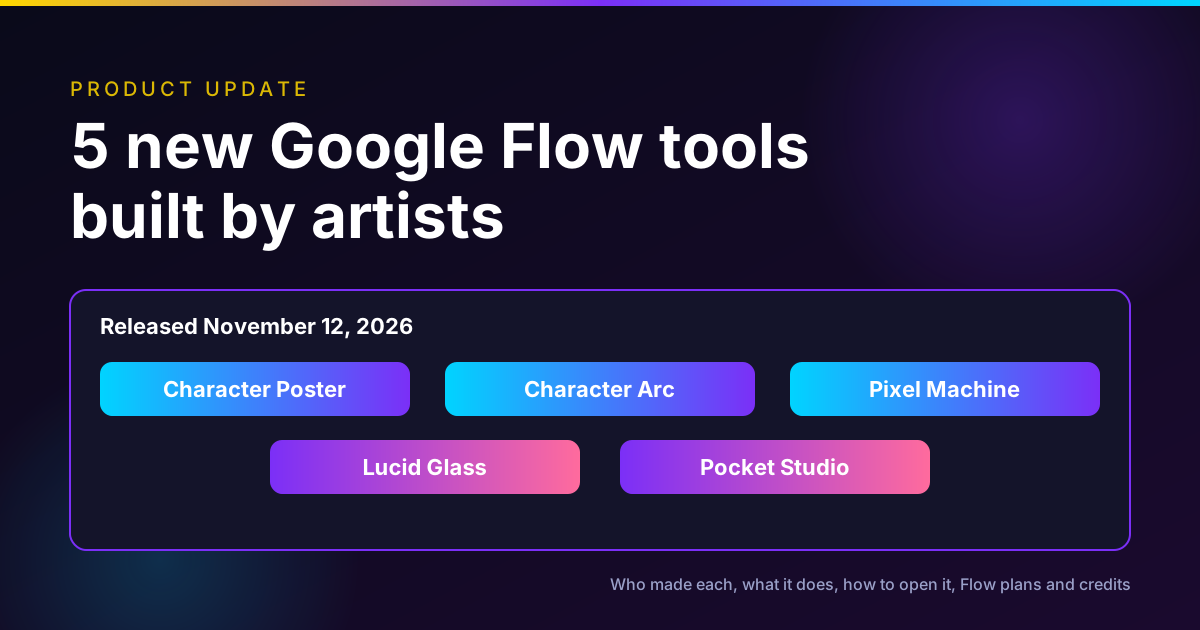
On November 12, 2026, Google added five new Google Flow tools, each designed by a working visual artist: Character Poster (James Gerde), Character Arc and Pixel Machine (both Anurag Tiwari), Lucid Glass (Ezra Paulekas) and Pocket Studio (Ryan McCoy). Two help with characters, two are visual effects, and one turns phone footage into polished multi-angle shots.
You open them from the links in Google's announcement or from the Tools panel inside a Flow project. As of November 13, 2026, Flow's free plan includes using tools and 50 credits a day. Anything a tool generates spends those credits, and building your own tool needs a paid Google AI plan.
Disclosure: Oakgen is our product. It is not part of Google Flow, and we say plainly below what Oakgen does and does not offer next to these tools.
Need the character, not the tool?
Generate a character sheet or a stylized image in Oakgen across several image models, then animate it.
The five tools at a glance
Everything in this table comes from Google's November 12 post, read on November 13, 2026. "Best for" is our reading of Google's description, not a test result.
| Tool | Designed by | What it does, per Google | Best for |
|---|---|---|---|
| Character Poster | James Gerde, artist and filmmaker | Turns a simple story concept into a polished, designed poster with a consistent style | Social creators who post a series with one look |
| Character Arc | Anurag Tiwari, filmmaker and visual storyteller | Shows the same character across ages and life stages without losing the core look | Pre-production for biopics, documentaries, flashbacks |
| Pixel Machine | Anurag Tiwari | Converts images into bitmap, ASCII, CRT, pixel art and glitch styles | Title treatments, transitions, music video looks |
| Lucid Glass | Ezra Paulekas, artist and creative director | Recreates light passing through glass: prisms, halos, refractions, optical blooms | Stylized product and portrait shots, music visuals |
| Pocket Studio | Ryan McCoy, visual development artist and filmmaker | Turns one phone take into multiple camera angles at higher fidelity, keeping the actor's performance | Short films and ads shot on a phone |
Who this is for
You make visuals for social, ads, music or short film, and you saw "five new Flow tools" in your feed. You want to know which ones are worth a click, whether you can use them on a free account, and how far 50 credits go. If you build your own creative tools, you also want to know what the artist tools show about what Flow can do.
How we checked
On November 13, 2026 we read Google's announcement of November 12, Flow's help page on tools, Flow's plans page and Flow's credit cost page. We used Firecrawl, Exa, Perplexity, Parallel Search and the built-in search together. We did not run the five tools, so we do not describe their output quality, run times or the model each one uses, because Google's post does not say. Where we suggest a use, it is our reading of Google's description.
The tools one by one
1. Character Poster, by James Gerde
Character Poster turns a short story idea into a finished poster. Google says Gerde treats his social feeds "like curated galleries where visual consistency is everything," and built the tool to keep one signature style across a series of social stories. Google's example is a cinematic "let's go to the beach" poster.
Use it when you post an ongoing character or series and want every cover to look like it belongs to the same set. Google says it "can save hours of production work," which is Google's claim.
2. Character Arc, by Anurag Tiwari
Character Arc shows how one character changes over time. It renders the same person at different ages and life stages while keeping their core look, so you can settle casting and makeup notes before production.
Google gives a real use. Tiwari is using it on his documentary "Children of the Sun," which features present-day interviews about events from 1974, to trace the protagonist from childhood to adulthood. If you write flashbacks or a biopic, this is the tool in the set most likely to save a real step.
3. Pixel Machine, also by Anurag Tiwari
Pixel Machine is a style converter. It turns images into bitmap, ASCII, CRT, pixel art and glitch looks. Google says Tiwari wanted "a playground that goes beyond polished AI visuals," and positions it for title treatments, transitions and music video visuals.
This is the one to try first on a free account. A style pass on an image you already have is a small, cheap job, and the retro look is hard to get from a plain prompt.
4. Lucid Glass, by Ezra Paulekas
Lucid Glass simulates how light passes through glass: prisms, halos, refractions and optical blooms. Google calls it an "impossible lens" that gives photographers and filmmakers effects "they could never capture with glass alone."
Think of it as a lens kit you do not own. It fits beauty shots, perfume and jewelry product images, and music artwork, where a prism flare reads as craft rather than a filter.
5. Pocket Studio, by Ryan McCoy
Pocket Studio is the most ambitious of the five. Google says McCoy drew on more than two decades in previsualization and visual effects to build a tool that takes "a single take" of phone footage and "generates multiple camera angles and upgrades the visual fidelity, all while keeping the actor's original performance intact."
If that holds up, it changes how a solo filmmaker covers a scene: shoot one take and get a wide, a medium and a close-up. It is also the tool most likely to spend real credits, since it generates video. We did not test it, so treat the performance claim as Google's until you try your own footage.
How to open the tools
Google's help page on Flow tools gives the steps. As of November 13, 2026, tools work on web and PC only, not on mobile.
Open a shared tool link
- Go to Google Flow and sign in with a Google account.
- Select the project you want to open the tool in, or start a new one.
- Open the shared tool link, such as one of the five links above.
Open a tool you already saved
- Open a project in Flow.
- On the left, select Tools.
- At the top, select My Tools, then pick the tool.
Keep a tool handy or make it yours
Open the tool and use the actions at the top right. Favorite makes it available in every project. Pin keeps it close inside the current project. Remix creates a personal copy you can edit by describing changes.
Two details from the help page are easy to miss. A shared link shows the tool as it was when the link was made, so later edits by the author do not reach you. And to stop sharing a tool you made, you have to delete it.
Turn the poster into a moving shot
Oakgen is our product. Take a still from any tool, then animate it with Kling 4.0 or Seedance 2.5.
What it costs: Flow plans and credits
The tools themselves have no separate price. They spend Flow credits on whatever they generate, and Flow shows a warning banner when a run might use credits. Google's help page says agent queries do not currently cost credits.
Here are Flow's plans, as listed on the Flow plans page on November 13, 2026. Prices for Plus, Pro and the lower Ultra tier were not shown in the page text we read, so we leave them out rather than guess.
| Plan | Flow credits | Tools | Other video limits |
|---|---|---|---|
| No Google AI subscription | 50 a day | Usage only | Omni 1.2 Flash up to 10 s, Veo 3.1 Lite |
| Google AI Plus | 50 a day plus 200 a month | Usage and creation | Omni 1.2 Flash 11 to 15 s, video extension, 720p and 1080p upscaling |
| Google AI Pro | 50 a day plus 1,000 a month | Usage and creation | Everything in Plus, plus top-up credits |
| Google AI Ultra | 50 a day plus 10,000 a month | Usage and creation | 4K image and video upscaling |
| Google AI Ultra, $199.99 a month | 50 a day plus 25,000 a month | Usage and creation | Everything in Ultra |
For scale, Flow's credit cost page lists Omni 1.2 Flash video at 1 credit per second at 360p and 3 credits per second at 720p for clips up to 10 seconds, and Veo 3.1 Lite at 10 credits per clip for most users. So one free day buys about one 10-second 720p clip with credits to spare, or several still-image style passes, depending on which model a tool calls.
Three limits matter on the free plan. Daily credits do not roll over. Non-subscribers may be unable to generate video between roughly 2 pm and 5 pm UTC. And building your own tool needs Plus, Pro or Ultra, with a daily cap on how many you can create.
How this batch fits Flow's tool program
This is not the first artist batch. On September 23, 2026, Google Labs released six tools built with creatives from architecture, sound design and digital content, including CaptionCast and ThumbnailForge by Jay Pirabakaran and CollageMotion Pro by Hashem Al-Ghaili. Flow also ships Google-made tools such as Type Overlays, Video Resizer, Image Editor, Storyboard Studio, Shader Effects and Mockup.
The pattern is clear. Flow is becoming a place where creators publish small, single-purpose apps on top of Google's models, and other creators run them. The November batch leans further into film work: aging a character, covering a scene from one take, and optical effects.
The models underneath matter too. Google made Gemini Omni 1.2 Flash generally available a week earlier, on November 5, and listed Flow as one place to direct scenes and multi-turn edits with it. Google's tool post does not say which model each new tool calls. We compare Omni with Kling 4.0 and Seedance 2.5 by shot type in our three-way comparison.
Which tool to try first
If you are on the free plan, start with Pixel Machine or Lucid Glass on an image you already have. They are style passes, so they are the cheapest way to learn how tools spend credits.
If you write characters, try Character Arc next. Aging a face consistently is a hard prompt problem, and a dedicated tool is a fair bet to beat a single prompt. Our character consistency workflow covers the same problem across video models.
If you shoot on a phone, test Pocket Studio with a short, well-lit take of one actor. Keep it under 10 seconds the first time so a bad result costs little.
If you post a series, use Character Poster to fix the look of your covers, then keep the same style notes for every episode.
Common mistakes
Expecting the tools on mobile. They are web and PC only for now.
Running a video tool at the afternoon peak on a free account. Video can be unavailable for non-subscribers from about 2 pm to 5 pm UTC.
Assuming a shared link updates. It shows the tool as it was when shared. Ask the creator for a new link after they change it.
Reading Google's claims as test results. "Keeps the actor's original performance intact" is Google's description. Try your own footage before you plan a shoot around it.
Spending a whole day's credits on the first try. Start at 360p or with a still image, then move up.
Where Oakgen fits
Oakgen is our product, and it does not offer a way to build and share custom mini tools from a prompt, the way Flow does. If you want that, Flow is the better place.
Where Oakgen helps is the job around the tool. You can make a character sheet or a stylized still in the image generator with several image models, then animate it in the video generator with Kling 4.0 or Seedance 2.5, on one credit balance. Agent Chat can plan a sequence of shots and generate them from one brief. For a full pipeline, see our storyboard workflow from script to video and the character sheet to launch video workflow.
For more of this week's creative launches, read the AI creative news roundup for November 9.
Plan the shots, then make them
Oakgen is our product. Give Agent Chat one brief and get a shot plan, stills and clips in one thread.
Frequently asked questions
What are the five new tools? Character Poster, Character Arc, Pixel Machine, Lucid Glass and Pocket Studio.
Who designed them? James Gerde, Anurag Tiwari (two tools), Ezra Paulekas and Ryan McCoy.
Are they free? Using them is part of the free plan, but what they generate spends Flow credits.
How do I open a shared tool? Open Flow, pick a project, then open the tool link.
Can I edit one? Remix makes a personal copy. Building and editing tools is a paid-plan feature.
What does a run cost? It depends on what the tool generates, at Flow's normal credit rates.
Does Oakgen have them? No. Oakgen covers some of the same jobs through prompts and models instead.
Frequently asked questions
What are the five new Google Flow tools?
Google released Character Poster, Character Arc, Pixel Machine, Lucid Glass and Pocket Studio on November 12, 2026. Character Poster turns a story idea into a styled poster, Character Arc shows one character at different ages, Pixel Machine converts images into bitmap, ASCII, CRT, pixel art and glitch styles, Lucid Glass simulates light passing through glass, and Pocket Studio turns phone footage into multiple polished camera angles.
Who designed the new Google Flow tools?
Google's post credits artist and filmmaker James Gerde with Character Poster, filmmaker Anurag Tiwari with both Character Arc and Pixel Machine, artist and creative director Ezra Paulekas with Lucid Glass, and visual development artist and filmmaker Ryan McCoy with Pocket Studio.
Are the new Flow tools free to use?
Opening and running them is included in Flow's free plan, which lists Google Flow Tools for usage only and 50 daily credits, as of November 13, 2026. Any image or video a tool generates spends Flow credits, and Flow shows a warning banner when a run may use them. Building your own tools needs a Google AI Plus, Pro or Ultra plan.
How do I open a shared Google Flow tool?
Google's help page says to go to Google Flow, select a project to open the tool in, then open the shared tool link. The links in Google's November 12 post go straight to each tool. Tools work on web and PC only, not on mobile, as of November 13, 2026.
Can I edit one of the artist tools?
You can make a personal copy with Remix, which Google's help page describes as a copy you can edit conversationally. Building and editing tools is listed as a paid-plan feature on Flow's plans page, so expect editing a remix to need Google AI Plus or higher. We did not test this on a free account.
How many Flow credits does a tool run cost?
Google does not publish a per-tool price. A tool spends credits on whatever images or video it generates, at Flow's normal rates. For example, Flow's help page lists Omni 1.2 Flash video at 1 credit per second at 360p and 3 credits per second at 720p for clips up to 10 seconds. Check the cost Flow shows before each run.
Does Oakgen have the same tools?
No. Oakgen is our product, and it does not let you build and share custom mini tools from a prompt the way Flow does. Oakgen offers image and video generation across several models, an image editor and Agent Chat, which cover some of the same jobs, such as character sheets and stylized images, through prompts instead of dedicated tools.
Sources
- Google, 5 new Google Flow Tools designed by visual artists, Nov 12 2026 (read 2026-11-13)
- Google Labs Help, Create and manage Tools in Google Flow, undated page (read 2026-11-13)
- Google Flow, plans and features, undated page (read 2026-11-13)
- Google Flow Help, credit costs per generation, undated page (read 2026-11-13)
- Google, six new Google Flow tools built by creatives, Sep 23 2026 (read 2026-11-13)
- Google, Gemini Omni 1.2 Flash: Fast and cost-effective with longer clips, Nov 5 2026 (read 2026-11-13)


