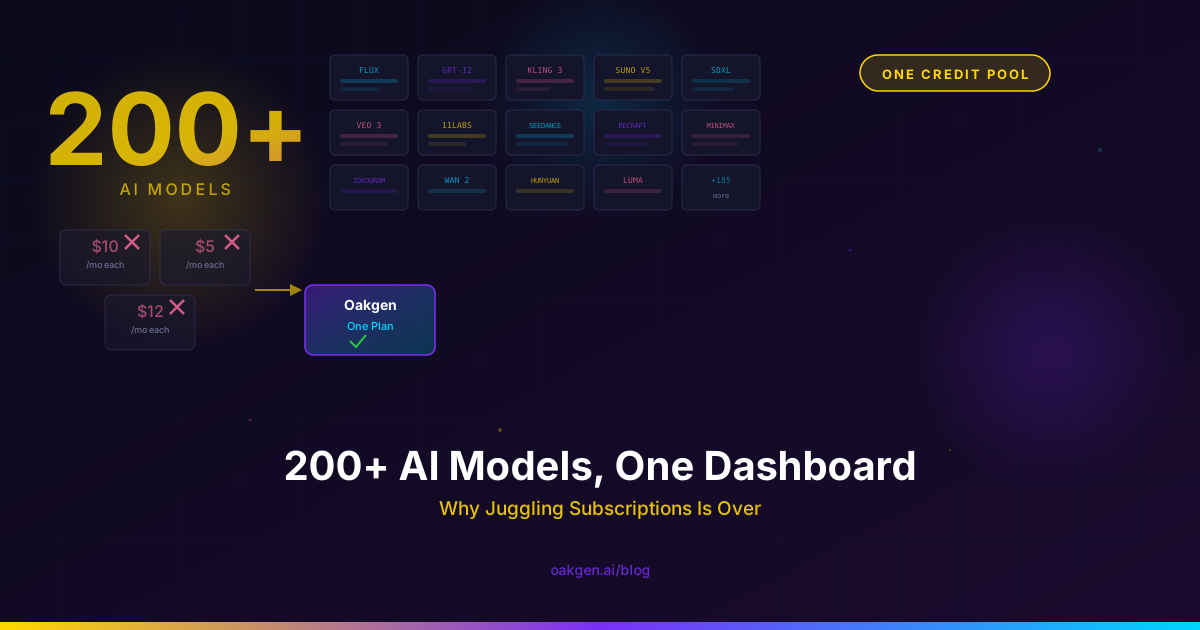
You're probably paying for Midjourney ($10/month), ElevenLabs ($5/month on Starter), Suno ($10/month), and maybe Runway ($12/month on Lite). That's $37/month minimum -- and you're managing four separate dashboards, four billing cycles, four credit balances, and four different interfaces. Scale up to the plans you actually need to get real work done, and the number climbs past $100/month easily.
Here's the alternative: one platform, one credit pool, 200+ models across image, video, audio, music, and chat. No per-model subscriptions. No juggling.
This is what Oakgen does. You can see the full tool catalog right now. This post breaks down exactly how it works, what models you get, and why the math makes the old multi-subscription approach look irrational.
The Subscription Math Nobody Wants to Do
Let's lay out what a typical multi-modal creator stack actually costs in mid-2026:
| Tool | What You Get | Monthly Cost |
|---|---|---|
| Midjourney (Standard) | Image generation, 15 fast-hours | $30 |
| ElevenLabs (Creator) | 100K characters TTS, voice cloning | $22 |
| Suno (Pro) | 500 song generations | $10 |
| Runway (Standard) | 625 credits (~40 video gens) | $28 |
| ChatGPT Plus | GPT-4o, DALL-E, limited usage | $20 |
| Total | 5 tools, 5 logins, 5 bills | $110/month |
That's $1,320/year. And the moment you exceed any single tool's cap -- which happens regularly on Runway and ElevenLabs -- you're paying overage on top.
Now compare that to Oakgen:
| Plan | Credits | Monthly Cost |
|---|---|---|
| Basic | 2,000 credits (~666 images or ~105 videos) | $9 |
| Pro | 5,000 credits (~1,666 images or ~263 videos) | $19 |
| Ultimate (most popular) | 10,000 credits (~3,333 images or ~526 videos) | $29 |
| Creator | 40,000 credits (~13,333 images or ~2,105 videos) | $99 |
The Pro plan at $19/month covers the same kinds of work as all five subscriptions above, using Oakgen's own model lineup (Midjourney and Suno themselves are not included; GPT Image 2, FLUX 2, Lyria 3 Pro, and Eleven Music cover those jobs). You get access to every model category -- image, video, audio, music, and chat -- from a single credit balance. The credits are fungible: spend them on a Kling 3.0 video generation, then an ElevenLabs voiceover, then a FLUX 2 Pro image, then an Eleven Music track. One pool, zero switching cost.
See the full breakdown on pricing.
What "200+ Models" Actually Means
The number isn't padding. Here's what the model library looks like across each modality, with specific highlights.
Image Generation (100+ Models)
The image generator is the deepest bench on the platform. Highlights include:
- GPT Image 2 -- OpenAI's latest. Best-in-class text rendering on images, fast (~3 seconds), strong for marketing materials and diagrams.
- Imagen 4 Ultra -- Google's top-tier model. The strongest all-rounder for artistic styles and complex multi-subject scenes.
- FLUX 2 Pro / FLUX 2 Pro Max -- Black Forest Labs. The production workhorse for photorealistic skin, materials, and product photography.
- Nano Banana Pro -- High-fidelity, prompt-obedient, excellent for editorial and creative work.
- Recraft V3 -- Vector-style output and design-focused, text-heavy graphics.
- Stable Diffusion variants -- SD 3.5, SDXL, and community fine-tunes for specialized styles.
- Specialized tools -- Image upscaling (4K), background removal, style transfer, image-to-image, inpainting.
You don't pick one image model and hope it handles everything. You pick the right model for the specific shot, then switch to a different model for the next shot. Same dashboard, same credit pool.
Video Generation (50+ Models)
The AI video generator covers every major provider:
- Kling 3.0 -- 4K 60fps with native audio. Strong lip-sync and voice alignment for dialogue.
- Seedance 2.5 -- ByteDance's newer cinematic model for polished, camera-aware shots.
- Seedance 2.0 -- Top-ranked on motion quality benchmarks. Excellent for dynamic, high-energy scenes.
- HappyHorse 1.0 -- Alibaba's #1-ranked video model. 1080p with native audio and 7-language lip-sync.
- Runway Gen 4 Turbo -- Runway's image-to-video model.
- Hailuo 2.3 Pro / 2.3 Fast Pro -- Image-to-video tier for fast iteration with solid quality.
- Vidu Q3, Grok Imagine Video -- Additional options for different motion styles and speed/quality tradeoffs.
- Lipsync, Draw-to-Video, Sketch-to-Video -- Workflow-specific tools for performance, concepting, and storyboarding.
Audio / Text-to-Speech
The audio workspace includes:
- ElevenLabs -- Full voice library plus voice cloning. The same engine you'd pay $22/month for separately.
- MiniMax Speech HD -- High-definition speech synthesis with multilingual support.
- Chatterbox TTS -- Open-source option for budget-conscious voice work.
- Inworld TTS 1.5 -- Optimized for game and interactive character voices.
Music Generation
The music generator covers:
- Lyria 3 Pro -- Google's music model. Full track generation from text prompts.
- Eleven Music -- ElevenLabs' music engine with different stylistic strengths.
- AI background music -- Purpose-built for content creators who need royalty-free tracks for videos, podcasts, and streams.
Chat / LLM Access
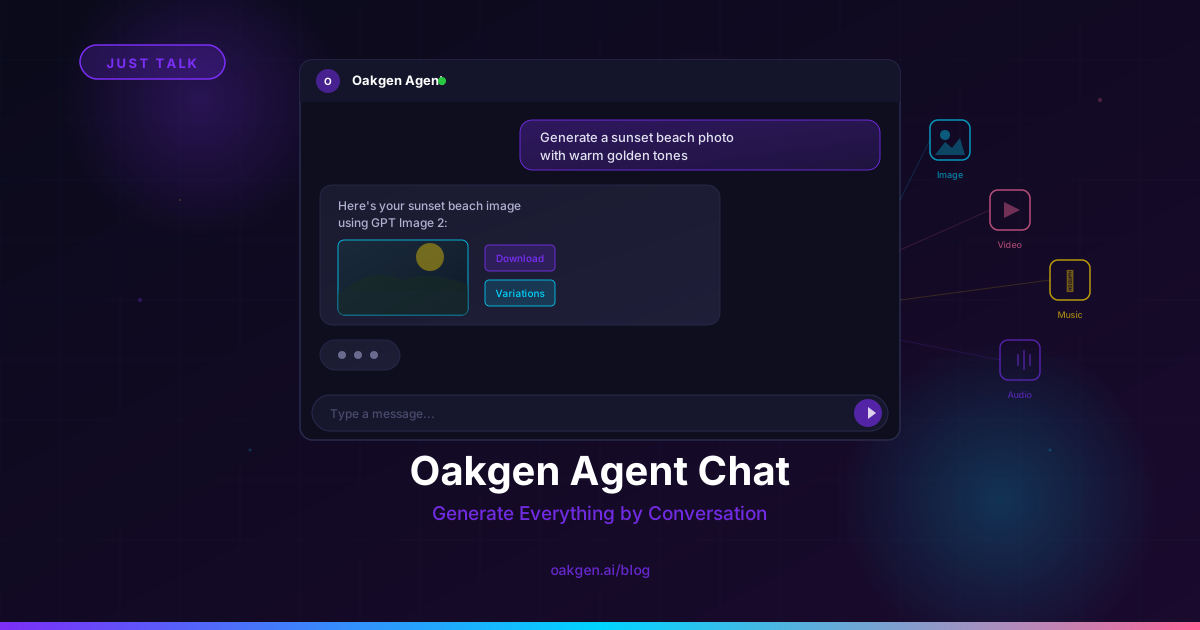
Agent Chat gives you conversational access to:
- Claude Sonnet / Opus -- Anthropic's reasoning models.
- GPT-4o / GPT-4.5 -- OpenAI's multimodal models.
- Gemini 2.5 Pro -- Google's long-context model.
- DeepSeek -- Cost-efficient reasoning.
- Grok -- xAI's conversational model.
All accessible through one chat interface that can route to the right model for your query.
Why One Credit Pool Changes Your Output Quality
This is the part that surprises people.
The obvious benefit of consolidation is cost savings. The non-obvious benefit is better creative output, and it comes from a behavioral shift: when every model costs credits from the same pool, you actually experiment.
On a multi-subscription stack, you use the tool you pay for. You paid for Midjourney, so you use Midjourney. You paid for Runway, so you use Runway. Even when a different model would produce a better result for a specific prompt, the friction of switching tools -- logging in, managing a separate balance, learning a different interface -- prevents you from trying.
On Oakgen, trying a different model is a dropdown change. Same interface, same credit pool. So you start doing what professional photographers do with lenses: you pick the right tool for the specific shot.
We covered this in depth in why we stopped paying for four AI subscriptions. The short version: when our team consolidated and started A/B testing prompts across models, Midjourney was winning less than 40% of image comparisons. Runway was the weakest performer on most of our video prompts. We'd been paying for tools we were over-indexing on out of habit.
The credit pool doesn't just save money. It eliminates the sunk-cost bias that locks you into inferior models.
The Workflow Friction Tax
Beyond model quality, there's a pure productivity argument. Every multi-tool workflow involves:
- Context switching -- Tabbing between 4-5 browser windows, each with different UI patterns and keyboard shortcuts.
- Copy-pasting -- Moving prompts, scripts, URLs, and outputs between tools that don't share state.
- Credit tracking -- Monitoring 4-5 separate balances with different refill dates and overage rules.
- History fragmentation -- Your image generations are in Midjourney's gallery, your videos are in Runway's projects, your audio is in ElevenLabs' speech history. Nothing is searchable from one place.
- Learning multiple interfaces -- Each tool has its own settings, presets, and generation parameters to learn.
On Oakgen, all of this lives in one dashboard. Your generation history across every modality is in one place. Your credit balance is one number. Your settings persist across tools. Your prompts can reference outputs from other modalities without copy-pasting between apps.
When we tracked this, the consolidated workflow saved roughly 90 minutes per video project compared to the multi-tool approach. Over a month of regular content production, that's 15-20 hours of pure friction tax eliminated.
Who This Is Actually For
Not every creator needs 200+ models. Here's an honest breakdown:
Multi-modal content creators -- If you produce content that touches 3+ modalities (image + video + audio, or video + music + voice), consolidation is a clear win. The cost savings alone justify it, and the workflow improvements compound from week one.
Creators who experiment across models -- If you want to run the same prompt on GPT Image 2, FLUX 2 Pro, and Imagen 4 Ultra to pick the best output, a multi-model platform is the only rational approach. Subscribing to three separate image tools for comparison purposes is economically absurd.
Small teams and agencies -- Unified billing, unified credit management, and unified generation history across an entire team beats managing shared accounts across five platforms.
Solo creators with focused needs -- If you only generate images and nothing else, and you're happy with one model, a single-tool subscription may still make sense. But even here, having the option to try a different model for a specific project -- without a new subscription -- has value.
Browse the full model library on our Explore page to see what's available across every category.
The fastest way to know if consolidation works for you is to choose the smallest paid plan that fits, run a recent production brief through the equivalent Oakgen tools, and compare the output and total cost against your current stack.
How the Credit System Works
One question we get often: if everything runs on credits, how do I know what things cost?
The system is transparent. Every model shows its credit cost before you generate. A few examples:
- A standard image generation on FLUX 2 Pro costs
3 credits ($0.01) - A GPT Image 2 generation costs
26 credits ($0.10) - A 5-second Kling 3.0 video costs
19 credits ($0.07) - An ElevenLabs voiceover costs credits proportional to character count
- A Lyria 3 Pro or Eleven Music track shows its credit cost before you generate
The credit cost maps directly to the underlying provider cost. There's no markup beyond the provider's price. The platform margin is zero -- you pay what the model costs to run, denominated in credits instead of dollars.
For a detailed pricing analysis, see our real cost of AI generation breakdown.
Full pricing details, including credit-per-generation tables for every model, are on the pricing page.
How Oakgen Compares to Other Multi-Model Platforms
Oakgen isn't the only platform trying to consolidate AI tools. But the model count, the modality coverage, and the credit economics differ significantly across platforms. We've written a detailed comparison in Oakgen vs Higgsfield vs Krea, but the short version:
- Most "multi-model" platforms cover 1-2 modalities (usually image + video). Oakgen covers five: image, video, audio, music, and chat.
- Most platforms offer 10-30 models. Oakgen offers 200+.
- Most platforms charge per-model premiums or restrict top-tier models to higher plans. Oakgen's Pro plan ($19/month) unlocks every model.
- Most platforms don't include TTS or music generation at all.
The gap isn't subtle. A platform with 15 video models and no audio is not the same product as a platform with 200+ models across every creative modality.
What We Don't Do (Honest Limitations)
Full transparency on where dedicated tools still have edges:
Community features -- Midjourney's Discord community, the prompt-sharing ecosystem, and the social gallery are real value-adds that Oakgen doesn't replicate. If community is a core part of your creative workflow, you may want to keep Midjourney alongside Oakgen.
Day-one model access -- When a provider releases a brand new model, it sometimes hits their own platform before partner integrations. Oakgen typically adds new models within days, not hours.
Hyper-specialized workflows -- Runway's motion brush, ElevenLabs' professional voice cloning at the highest tier, and Midjourney's image remixing each have specific UX advantages in their dedicated apps. For most creators, the consolidated workflow is better. For specialists who live in one tool's advanced features 90% of the time, the dedicated tool may still win.
These are real tradeoffs. For 90%+ of multi-modal creators, the consolidation math overwhelms them. For the remaining 10%, the right answer might be one specialty subscription plus Oakgen for everything else.
Earn 25% recurring on every referral.
Share Oakgen, get paid every month they stay.
FAQ
What does "200+ AI models" actually include?
Oakgen provides access to 200+ models spanning five creative modalities: image generation (GPT Image 2, FLUX 2 Pro, Imagen 4 Ultra, Nano Banana Pro, and 100+ more), video generation (Kling 3.0, Seedance 2.0, Seedance 2.5, HappyHorse 1.0, and 50+ more), audio/TTS (ElevenLabs, MiniMax Speech HD), music (Lyria 3 Pro, Eleven Music), and chat/LLM (Claude, GPT-4o, Gemini, DeepSeek, Grok). Every model is accessible from a single dashboard with a unified credit pool.
How much does Oakgen cost compared to separate subscriptions?
A typical multi-tool stack (Midjourney Standard + ElevenLabs Creator + Suno Pro + Runway Standard + ChatGPT Plus) costs roughly $110/month. Oakgen's Pro plan at $19/month covers the same kinds of work with its own model lineup from one credit balance. It does not include Midjourney or Suno themselves; GPT Image 2, FLUX 2, Lyria 3 Pro, and Eleven Music fill those roles. Even the Creator plan at $99/month, with 40,000 credits, costs less than the five-subscription stack while offering dramatically more generation capacity.
Can I use all models on the cheapest plan?
The Basic plan ($9/month) gives access to a curated selection of models. The Pro plan ($19/month) and above unlock every model on the platform, including the latest and most capable options. There are no per-model upcharges on any plan.
Do credits expire?
Credits are allocated monthly with your subscription. Unused credits carry forward while your subscription is active, and you need an active subscription to spend them. If you need a burst of extra credits for a specific project, credit add-on packs are available without changing your plan.
Is the output quality the same as using the tools directly?
Yes. Oakgen calls the same underlying APIs -- ElevenLabs, fal.ai (for models like FLUX, Kling, Seedance), Replicate, and others. The output is identical to what you'd get using each provider's own interface. The difference is that you access all of them from one dashboard with one credit pool instead of managing separate accounts.
Can I use Oakgen output commercially?
Eligible output generated on paid Oakgen plans may be used commercially, subject to Oakgen's Terms, applicable provider terms, and your rights in the source material. See pricing and the model documentation for current details.
What to Read Next
- Why We Stopped Paying for 4 Separate AI Subscriptions -- the full story of our team consolidating from a $80/month multi-tool stack to one platform.
- Oakgen vs Higgsfield vs Krea: Platform Comparison -- a direct comparison of multi-model AI platforms in 2026.
- The Real Cost of AI Generation: Pricing Breakdown -- credit-by-credit analysis of what each generation type actually costs across providers.
One Dashboard. Every AI Model. Done.
200+ models across image, video, audio, music, and chat. One credit pool starting at $9/month. Stop paying for 5 subscriptions when one covers everything.