Oakgen does not make AI models. It runs image, video, voice and music models made by other companies, through named providers such as fal, Replicate, WaveSpeed, ElevenLabs and Google. It shows the credit price before you generate, refunds credits automatically when a job fails, and writes every balance change to a ledger.
This article explains how that works, using our own code and policy pages as they stood on October 25, 2026. We publish no quality benchmarks of our own and make no claims about which model looks best. It covers who runs each model, how we add and remove models, how prices are set, what happens when something breaks, and what we refuse to do.
What does Oakgen actually do, and what does it not do?
Oakgen is a paid workspace that sits between you and the companies that run AI models. You write a prompt or upload a reference. Oakgen checks the request, prices it, takes the credits, and sends the job to a provider. It then stores the output and shows it in your library.
Oakgen does not train or build generation models. Every model in the catalog comes from another company. That has two consequences you should know about. First, output quality is the model maker's work, not ours, so we do not claim one model is better than another without a source. Second, each provider's own terms also apply to what you make, which is why section 4.4 of our Terms ties your right to use an output to "the terms and policies of the model or provider used for the generation".
The same section says Oakgen "does not guarantee that any Output is original, non-infringing, protectable by intellectual property law, or cleared for a particular use". Oakgen does not claim ownership of your inputs or eligible outputs. Whether you can use a given output commercially depends on the Terms, the law, the provider's terms and the rights you hold in what you put in.
Which providers run which models on Oakgen?
Most generation on Oakgen runs through fal, but not all of it. The table lists the first provider each model uses and any second provider configured, read from the model configs and the generation workers on October 25, 2026.
| First provider | What it runs on Oakgen | Second provider configured |
|---|---|---|
| fal | Images: FLUX 2 Max, GPT Image 2, GPT Image 2.5 Flare and Sunburst, Grok Imagine Image, Topaz Upscale, Meshy V6 image-to-3D. Video: Kling v3 Pro, Kling O3 Pro Video Edit, Grok Imagine Video, MiniMax H3 Max, Seedance 2.0, Seedance 2.0 Fast and Seedance 2.5. Voice: MiniMax Speech and voice cloning | OpenAI for GPT Image 2 and 2.5. WaveSpeed, then xAI, for Grok Imagine Image. WaveSpeed for Seedance 2.0 Fast. None for the rest |
| Google Cloud (Vertex AI) | Nano Banana Pro, Nano Banana 2 and Nano Banana 2.1, including their edit versions | Google AI Studio, then fal |
| Google (Gemini API) | Gemini Omni Flash text-to-video, image-to-video and reference-to-video, and Lyria 3.5 music | None |
| Google Cloud (Vertex AI) | Gemini Omni Flash video edit | None |
| ElevenLabs | ElevenLabs text to speech and Eleven Music | None outside ElevenLabs |
| Replicate | Background Remover | None |
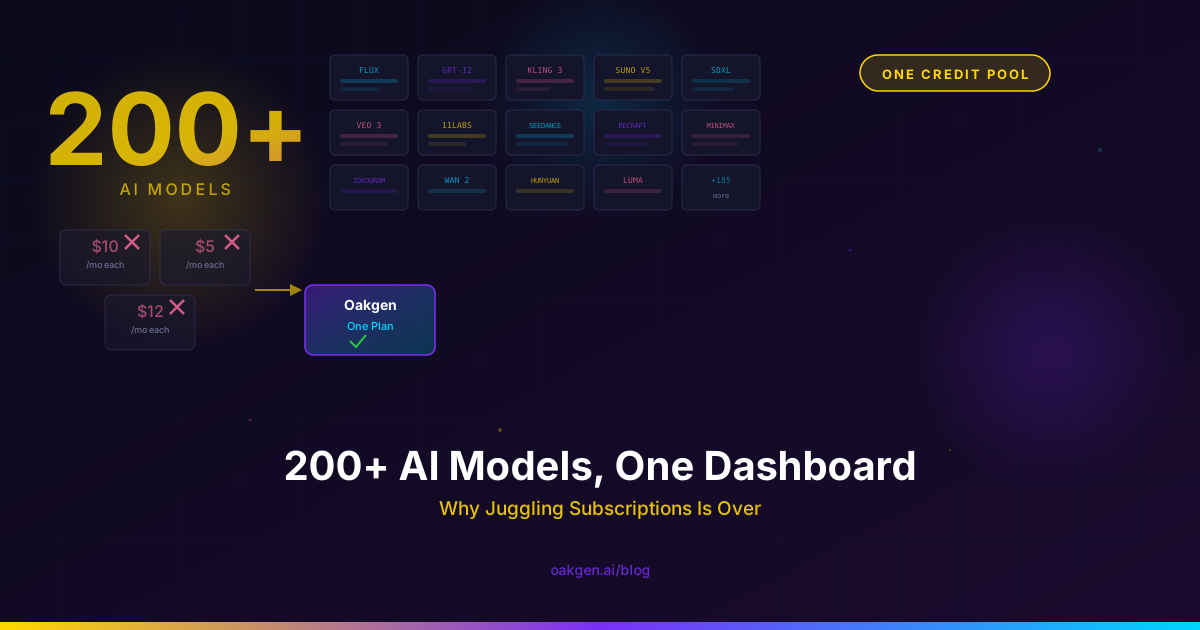
The image catalog lists 19 entries, including edit versions and two utilities. The video catalog lists 27 entries, including tools such as subtitles and video editing. Voice has 3 entries and music has 2. See the full list on the models page.
What happens when a provider fails?
Oakgen can move a job to the next provider in the model's list when the first one fails for a reason that is not about the request. The order lives in each model's config, and today most models list one provider. The orchestrator tries the first provider, and on an error it marks as retryable it tries the next one.
It stops at once for errors that would fail the same way everywhere. The video failover rules name those families. They are bad or unsupported input, content-policy or safety blocks, and storage-side faults. Sending a blocked prompt to a second provider would only repeat the refusal, so Oakgen does not do it.
While a video job moves between providers, it stays in the "processing" state. No credit change happens until the job ends. A comment in the video worker puts it this way: "credits are still deducted-once / refunded-once."
Images have one extra rule. The Nano Banana models move from Vertex AI to AI Studio to fal when a step fails. But when a submission to fal or Replicate errors, Oakgen does not resubmit it or send it to another provider. The reason is in our provider retry-safety record. If a provider errors before it returns a request ID, Oakgen cannot tell whether the provider accepted the job. Sending it again could run, and bill, the same image twice. So a failed image submission ends as a failure and the credits come back, which the refund section below covers.
Failover is also limited by price. Our model-removal notes say provider fallback "must preserve exact settled customer pricing or be disabled". A second provider is only allowed when it does not change what you pay.
How does Oakgen add a new model?
A model goes live when its price and its execution path are both ready. GPT Image 2.5 is a recent example you can trace in our history. The integration went in as a staged change on September 18, 2026, and the launch commit followed on September 26, 2026. A release switch in the code sits next to a comment that reads "Release only after the pricing matrix and both execution workers qualify."
The same rule held when video models came back after a catalog cut. On September 27, 2026, Oakgen restored Seedance 2.0, Seedance 2.5 and several utility tools under the commit title "Restore video models with measured billing guards". For models billed by the length of an uploaded file, the server has to measure that file before it reserves credits. If it cannot measure it, the request fails and nothing is charged.
Some integrations stay built but switched off. Our notes say two background-removal integrations are "staged internally until their variable provider charges can be quoted and settled exactly". A face-swap integration also exists in the code and stays retired, because the published Acceptable Use policy and Trust and Safety page exclude face-swap services.
How does Oakgen retire a model, and what do you see?
Oakgen keeps one list of retired model IDs, and the rest of the app checks it. On September 26, 2026, Oakgen removed a large part of its catalog in one change, titled "Retire Oakgen-only model integrations". As of October 25, 2026, the list holds 67 image, 71 video and 7 audio IDs.
Here is what a retired model means for you.
- It disappears from the model pickers and the agent's model choices.
- A request that names it is refused. Our code says retired IDs "must not be silently rerouted", so you never get a different model under the old name. A video job that reaches the worker with an unknown model fails with the message "This video model is no longer available. Choose a current model." Failed jobs are refunded.
- Old model URLs redirect. A retired video model page under the AI video generator sends you to the generator. A retired page under /models sends you to the models index.
- Your history stays. Our removal notes say generation records, credit ledgers and output metadata from before the removal "remain readable", and no customer assets or receipts are deleted.
The removal notes do not give one reason for every model, so we will not invent one here.
How are credit prices set, and when do you see them?
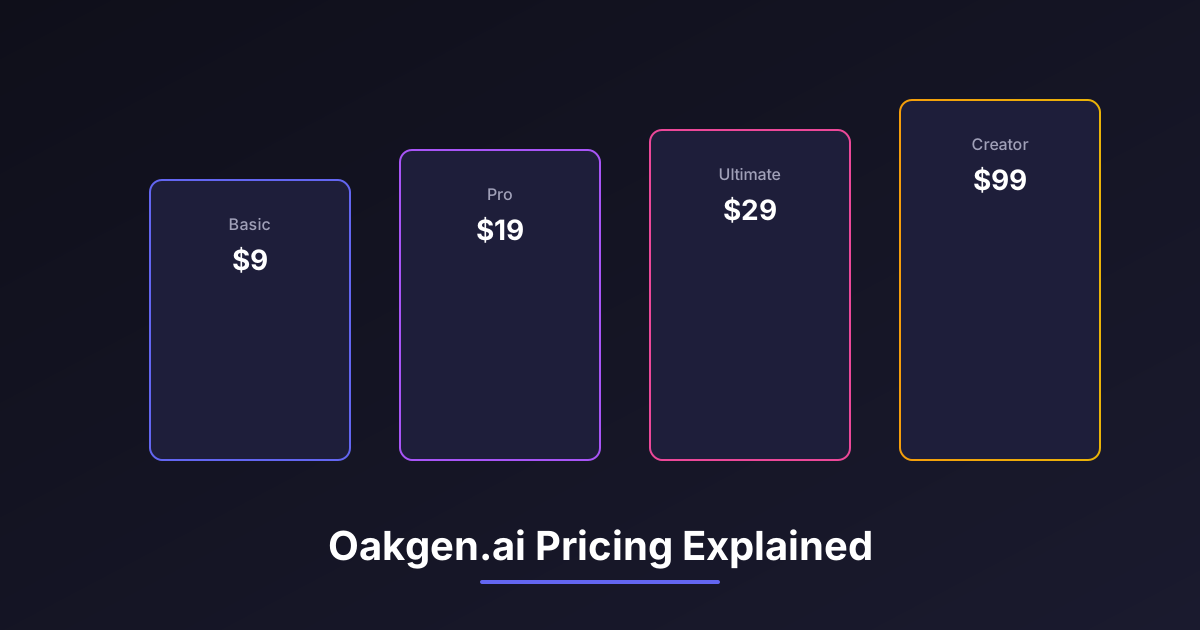
Every model with a provider cost is priced by one fixed rule. Oakgen takes the provider's cost for your exact settings and converts it to credits. Every model uses the same function in the pricing code. Flat-price tools keep a fixed credit price. For current plans and what credits cost, see pricing.
You see the price before you run. In the AI video generator, the Generate button shows the exact charge, written out in full ("1,120", not "1.1K"). Our pricing rules require the browser and the server to call the same price functions, so the number on the button is the number you pay. There are two exceptions. For a few reference-video models, the button says "Price calculated when you generate", because the price depends on media the server has to measure. And if a calculator returns no positive price, the button shows the price as unavailable, never as free.
Three guards sit behind the number.
- The server measures billing inputs itself. For models billed by the length of an uploaded file, a duration sent by the browser is never used.
- A zero price on a paid generation is blocked. If pricing comes out at zero and the generation is not free on purpose, the job is refused with "This generation could not be priced. No credits were charged." and the event is logged for us to fix.
- Measured overruns are settled. Some work, such as an agent run that uses language-model tokens, web research or sandbox time, is only known after it finishes. Oakgen reserves credits first, then settles to the measured cost. Unused credits go back to you. If the measured cost is higher, the difference is charged, and the balance can go below zero. A user with a negative balance cannot start a new generation until they top up.
For runs that started before this pricing rule existed, the code settles at the original reservation and Oakgen absorbs any difference.
What happens to your credits when a generation fails?
They come back automatically. When a job ends as failed, the job service works out how many credits were charged and not yet refunded, and returns them through the credit service. You do not have to ask.
If the refund itself does not go through, the job is marked "refund pending" and the refund is retried. A job that fails again later is checked for an unrefunded charge so it cannot slip through.
Some requests never cost anything because they are stopped before a job exists. The content check, a pricing error and a source file that cannot be measured all refuse the request before credits move.
Can a retry charge you twice?
The ledger is built so it should not. Every credit change writes a row to a separate ledger collection, with the balance before and after, the amount, and the type of change, such as a usage charge, a refund or a subscription credit. The model file describes it as a "double-entry bookkeeping style ledger".
Charges and refunds can carry an idempotency key, and the ledger stores that key with a unique index. If the same request arrives twice with the same key, the second one returns the first result. It does not write a second debit. Jobs work the same way. A repeated submit with the same idempotency key returns the existing job instead of creating and charging a new one.
How does Oakgen handle moderation and safety?
Oakgen checks requests before it sends them anywhere. The image and video generation routes run a content check on the prompt and on reference images before the job is dispatched, and the code notes that this check cannot be bypassed by user-level exemptions. Providers also run their own safety controls, which our Privacy Policy describes in section 3.
The Trust and Safety page lists what Oakgen does not allow. That includes adult content, child exploitation, non-consensual intimate imagery, face-swap services, deceptive impersonation, fraud, malware and hate content. Depending on severity, Oakgen may block a request, refuse an output, restrict tools, or suspend or end an account. Reports go to [email protected], and child-safety and intimate-imagery reports are handled as high priority.
Voice cloning has its own check. The Trust and Safety page allows cloning only of your own voice or a voice whose owner gave explicit consent. The voice-cloning request must include a consent confirmation set to true. Without it, the server rejects the request with "You must confirm that you own this voice or have explicit permission to clone it." Celebrity, political, fraudulent and sexual impersonation is banned outright.
The Privacy Policy also covers human review. Authorized staff or trusted service providers may review flagged inputs or outputs to investigate a violation or a report. Safety logs may be kept longer than the content itself.
How do payments, refunds and support work?
New payments go through Stripe checkout. Section 5 of the Privacy Policy says payment details are collected and processed directly by the provider shown at checkout.
The Refund Policy is strict, and we would rather say so here than have you find out later. Subscription fees and credit purchases are "generally non-refundable", except where the law, the merchant of record's buyer terms or an express offer says otherwise. Mandatory consumer rights still apply, including rights about faulty or misdescribed services and unauthorized charges. To ask for a refund, email [email protected] with your account email, the receipt or transaction ID, the purchase date and the reason. If a refund is approved, the matching credits may be removed.
Cancelling stops future renewals. It takes effect at the end of the paid period and does not by itself refund that period. You can cancel in your billing settings, through the subscription link on your receipt, or by asking support.
Automatic refunds for failed generations are separate from this policy. They return credits, not money, and they happen without a request.
For anything else, the contact page and [email protected] reach the team. The company address on the Privacy Policy is 30 N Gould St Ste N, Sheridan, WY 82801, USA.
When is Oakgen the wrong choice?
If you use one model and nothing else, going straight to the company that makes it removes a layer. Oakgen exposes the settings in its own model config, and those can be fewer than the maker's own app or API offers. A new option from the maker reaches Oakgen only after we add it.
If you need a refund-on-request guarantee for unused credits, our Refund Policy does not give one beyond what the law requires. And if you need a guarantee that outputs are original or cleared for use, nobody in this chain gives one, and our Terms say so.
Oakgen fits best when you want several model families behind one balance, one price shown before each run, and refunds you do not have to chase.
How we checked this
Every fact in this article comes from Oakgen's own code and public policy pages, read on October 25, 2026. We read the provider registry, the failover orchestrator and the video failover rules. We also read the retry-safety policy, the model configs and catalogs, the retired-model list and its commit history, and our internal model-removal notes. On pricing and credits we read the pricing spec, the job service, the credit service, the ledger schema, the video cost estimate and the voice-cloning schema. For policy we read the Terms, Privacy Policy, Refund Policy, Trust and Safety page and Acceptable Use policy.
We did not run test generations or quality comparisons for this article, and we publish no benchmarks of our own. We describe how the code is written, not measured uptime or refund rates. Models, prices and policies change. The models page and the pricing page show the current state.
Frequently asked questions
Is Oakgen legit?
Oakgen is a paid web app that runs AI image, video, voice and music models made by other companies. As of October 25, 2026, it takes payment through Stripe checkout, shows the credit price before you run, refunds credits automatically when a generation fails, and records every balance change in a ledger. Its Terms, Privacy Policy, Refund Policy, Trust and Safety page and Acceptable Use policy are public, and support answers at [email protected].
Does Oakgen make its own AI models?
No. Oakgen does not build or train generation models. Every model in its catalog, such as Kling v3 Pro, Seedance 2.5, GPT Image 2 or Eleven Music, is made by another company and runs on a provider's servers. Oakgen chooses which models to offer, sets the price in credits, checks requests, and handles storage, billing and refunds.
What happens to my credits if a generation fails?
Oakgen refunds them automatically. When a job ends in a failed state, the job service returns the credits that were charged and not yet refunded. If the refund itself cannot complete, the job is marked as refund pending and the refund is retried. This applies to failures after the job was created. A request refused before it is created, for example by the content check or by a pricing error, is never charged.
Can Oakgen charge me twice for the same generation?
The system is built so a retry does not create a second charge. Each charge and refund can carry an idempotency key, and the credit ledger stores that key with a unique index, so a repeated request with the same key replays the first result instead of writing a new debit. A request whose price comes out as zero is blocked unless the generation is free on purpose.
What happens when Oakgen removes a model?
The model leaves the picker, and a request that names it is refused. Oakgen does not quietly swap in a different model. Old video model pages redirect to the AI video generator, and old model pages under /models redirect to the models index. Records of past generations and their credit receipts stay readable. As of October 25, 2026, the retired list holds 67 image, 71 video and 7 audio model IDs.
Can I use Oakgen outputs commercially?
Oakgen does not claim ownership of your inputs or eligible outputs. Under section 4.4 of the Terms, your right to use an output, including commercially, depends on following the Terms, the law, the terms of the model provider used, and the rights you hold in anything you upload or reference. Oakgen does not guarantee that any output is original, non-infringing or cleared for a particular use.