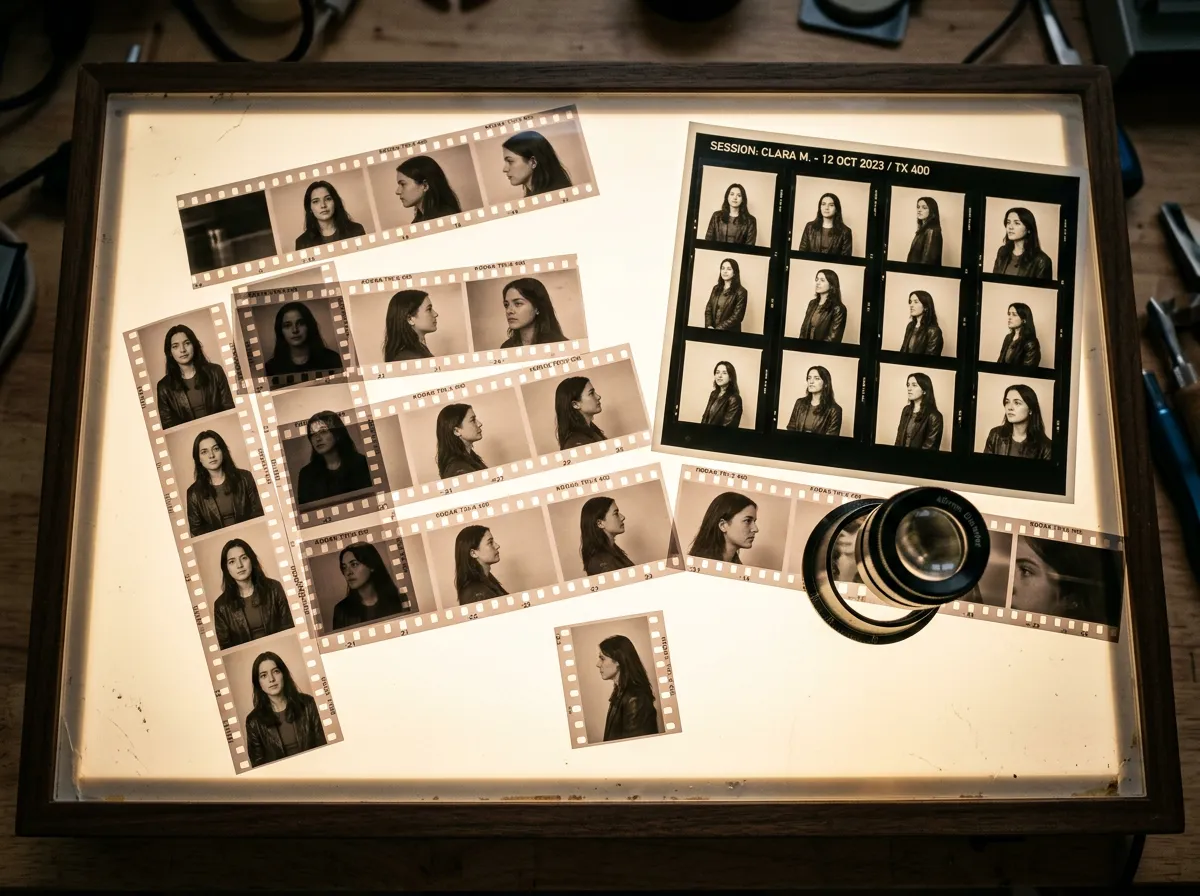
The fastest way to create consistent AI characters is to stop treating each ad as a fresh prompt. Treat the character like a small brand system: face, wardrobe, voice, behavior, lighting, camera rules, approved claims, and examples of what not to do.
Text prompts alone are not enough. As of July 2026, character-reference features are much better than they were two years ago, but AI video still drifts when faces are small, motion is aggressive, lighting changes, or the model has too much freedom. The workflow below is built for ads, UGC videos, AI video generation, talking photos, and repeatable product demos.
Use Oakgen when one character needs to show up across AI image generation, video generation, talking-photo clips, and UGC ad variations without the team rebuilding the identity every time.
Build AI Characters Into Ad Variations
Use Oakgen to turn one character brief into product images, talking-photo videos, AI video clips, and UGC-style ad variations.
The Short Version
Use this workflow when character consistency matters more than one-off novelty.
| Step | What You Create | Why It Matters |
|---|---|---|
| Character bible | Written identity, wardrobe, voice, constraints | Prevents each prompt from reinventing the person |
| Reference set | 3 to 8 approved images | Gives the model visual anchors beyond text |
| Shot pack | Reusable angles, expressions, lighting, backgrounds | Keeps ads visually connected |
| Motion rules | Simple gestures, stable camera, short clips | Reduces face drift and identity swaps |
| Review rubric | Face, hair, wardrobe, voice, claim, disclosure | Catches drift before publishing |
The mistake is asking for "the same woman from before" and hoping the model remembers. It will not. Build the memory yourself.
Why AI Character Consistency Breaks
AI models are probabilistic. A prompt like "a friendly 28-year-old fitness creator" describes a category, not a person. The model can generate many plausible people who fit that phrase. If you want the same character across ads, the model needs stronger anchors.
The common failure modes are predictable:
- The face changes slightly in every shot.
- The hairline, eye shape, or jaw changes during motion.
- Wardrobe mutates between cuts.
- The voice sounds like a different person after localization.
- Product scenes look consistent, but the presenter does not.
- The character becomes too polished and loses UGC realism.
- The prompt adds more detail, but the identity gets worse.
This is why the best workflow starts before video. Lock the character in still images first, then move into video.
For ad work, generate and approve the character as still images first. Then animate those images. Image-to-video gives the model a stronger starting point than text-to-video.
Character Bible Template
Copy this before creating a consistent AI influencer, presenter, founder-style spokesperson, or UGC ad character.
Character name: Role in ads: Audience relationship:
- Founder / creator / product expert / customer-style guide / educator
Visual identity:
- Apparent age:
- Face shape:
- Hair:
- Skin tone:
- Distinctive features:
- Avoid:
Wardrobe:
- Core outfit:
- Approved alternates:
- Colors to avoid:
- Jewelry / accessories:
Voice and delivery:
- Accent:
- Pace:
- Energy:
- Tone:
- Words they would use:
- Words they would never use:
Behavior:
- Hand gestures:
- Facial expression range:
- Camera comfort:
- Humor level:
- Credibility signals:
Ad constraints:
- Can say:
- Cannot say:
- Disclosure line:
- Product claims requiring proof:
Reference assets:
- Hero face image:
- Profile image:
- Full-body image:
- Talking-head crop:
- Product-holding shot:
This may look like too much structure for a short ad. It is not. It is the difference between a character and a random face generator.
Workflow: From Character Bible To UGC Ad
Here is the production flow I would use for a repeatable AI UGC character.
| Stage | Oakgen Path | Output |
|---|---|---|
| 1. Define identity | Write the character bible | A consistent written spec |
| 2. Generate references | Use the image generator | Hero face, profile, full-body, product shot |
| 3. Pick the canon | Select 3 to 8 approved images | A reference set for future prompts |
| 4. Create talking clips | Use talking photo for short scripts | Stable presenter-style UGC assets |
| 5. Generate video scenes | Use AI video generator | Product demos, lifestyle clips, transitions |
| 6. Build UGC variations | Use UGC ads workflow | Multiple hooks, CTAs, and platform cuts |
| 7. Review drift | Compare against the character bible | Approve, regenerate, or reject |
Use Oakgen's image generator to get the identity right. Use talking photo when the ad needs a stable presenter. Use the AI video generator for product movement and scene context. Use UGC ads when the job is variation: hooks, scripts, captions, and platform-ready edits.
How To Prompt The First Reference Set
Do not begin with a complex scene. Your first prompt should isolate the character.
Create a realistic UGC-style presenter for a skincare product ad. Woman in her early 30s, warm expression, natural skin texture, shoulder-length dark brown hair, simple cream sweater, minimal jewelry, soft bathroom daylight, front-facing talking-head framing, smartphone creator style, realistic proportions, no beauty-filter plastic skin, no exaggerated makeup, no text.
Then generate variations with controlled changes:
- same person, side angle
- same person, holding product
- same person, brighter kitchen setting
- same person, full-body mirror shot
- same person, neutral background for talking-photo video
Do not change age, hair, wardrobe, setting, and lighting all at once. You will not know what caused drift.
The Shot Pack
A shot pack is the visual equivalent of a script template. It gives your character repeatable places to appear.
For ads, I would build these seven shots:
- Front-facing talking-head intro.
- Product held next to face.
- Over-the-shoulder product use.
- Product close-up with hand interaction.
- Reaction shot after using product.
- Lifestyle cutaway without direct speech.
- Final CTA talking-head shot.
The shot pack lets you create ten ads without reinventing the character every time. Swap hook, product angle, offer, and CTA. Keep the person stable.
Turn One Character Into A UGC Shot Pack
Generate the reference images, talking clips, and product video scenes for one repeatable AI presenter inside Oakgen.
Failure Modes And Fixes
Character consistency is mostly a review discipline. Here is where it breaks.
| Failure | Likely Cause | Fix |
|---|---|---|
| Face changes between clips | Text-only prompting or weak reference | Use approved reference images and image-to-video |
| Looks too polished | Beauty-ad language, studio lighting, vague realism | Ask for phone-shot UGC, natural texture, modest lighting |
| Wardrobe changes | Prompt did not lock clothing | Name exact outfit and colors in every prompt |
| Voice mismatch | Different voice setting per clip | Define voice profile and pace in the character bible |
| Product warps | Too much motion or no product reference | Use product image reference and simpler movement |
| Identity drifts during video | Long clip or dramatic camera move | Shorter shots, stable camera, less face rotation |
If you are making performance ads, do not chase cinematic complexity first. Chase recognizability. A stable, slightly simple ad is more useful than a beautiful clip where the character becomes someone else.
The Consistency Review Rubric
Before exporting, score each asset from 1 to 5.
Face match: Hair match: Wardrobe match: Voice match: Gesture/personality match: Product accuracy: Disclosure present: Claim safety: Platform fit:
Reject if:
- Face match is under 4
- Product is inaccurate
- Synthetic person makes fake personal-experience claims
- Disclosure is missing where required
- Voice or lip sync distracts from the message
This rubric is a backlink-worthy asset because it gives teams a shared language. "Looks off" is hard to fix. "Face match is 3/5 because jaw, hair part, and eye shape changed" is fixable.
Operating Cadence For A Character-Based Ad Set
If the character will appear in more than one campaign, do not manage the workflow as isolated generations. Manage it like a creative system.
On day one, create the character bible and reference set. Approve the face, wardrobe, voice, and disclosure language before making ads. This is the slowest step, but it prevents the same identity debate from happening on every output.
On day two, build the shot pack. Generate the repeatable talking-head intro, product hold, product use, reaction shot, cutaway, and CTA frame. Do not write ten scripts yet. First prove that the character can survive the core visual situations.
On day three, write the first script batch. Keep the testing variable clean: five hooks for the same product angle, or three product angles with the same hook style. If every ad changes hook, offer, wardrobe, scene, and CTA, you will not know what caused a winner.
On day four, review drift and claims. Reject any asset where the face moved too far from the approved reference, the product changed, the voice feels mismatched, or the character implies a personal experience you cannot support.
After launch, update the character bible with actual learning. Add the hooks that worked, the scenes that looked fake, the phrases that felt off-brand, and the wardrobe choices that held up best. A useful character bible gets sharper after every campaign.
Prompt Controls That Reduce Drift
Character prompts work better when they include both positive anchors and negative boundaries. The positive anchor tells the model what to preserve. The negative boundary tells it what not to invent.
Useful positive anchors:
- same face as the approved reference
- same hair length, part, and color
- same cream sweater and small gold earrings
- natural skin texture
- front-facing smartphone UGC framing
- soft bathroom daylight
- calm, friendly product educator tone
Useful negative boundaries:
- do not change age, jaw shape, hair color, or eye shape
- no beauty-filter skin
- no new jewelry
- no extra logos
- no dramatic studio lighting
- no exaggerated influencer pose
- no invented product claims
Use the approved reference character as the identity anchor. Preserve the same face shape, hairline, eye spacing, skin texture, wardrobe, and calm creator energy. Do not make the character younger, more glamorous, more stylized, or more studio-polished. Keep the product and script relationship educational, not a fake customer testimonial.
This kind of add-on will not guarantee perfect consistency, but it gives reviewers a clearer standard. If an output violates the anchor, reject it instead of trying to explain away the drift.
Model And Tool Notes As Of July 2026
Character consistency is improving across tools, but each tool solves a different part of the workflow.
Midjourney's character reference feature helps recreate a character across images by using a reference image to preserve traits like hair, face, and clothing. Runway has published guidance around character references and consistent sequences, with a strong focus on references for video storytelling. Adobe Firefly's style and structure references are useful when the problem is brand look and composition, not just face identity.
The practical lesson is not "choose one model forever." It is "choose the right anchor." For UGC ads, the anchor is usually a clean face reference plus a repeatable script and shot pack. For product videos, the anchor may be the product image. For brand campaigns, the anchor may be a trained style or approved visual system.
The useful part is continuity: create the character images, turn them into talking-photo clips, build AI video scenes, and produce UGC-style ad variations without rebuilding the campaign from scratch.
What I Would Do
If I needed a consistent AI presenter for ecommerce ads, I would not start with a 30-second video. I would create the character bible, generate 30 stills, approve 5, make 3 short talking-photo hooks, then create 5 product B-roll clips. Only after that would I assemble full UGC ads.
That approach is less glamorous than typing a cinematic prompt. It is also how you get ads you can actually ship.
The Character Consistency QA Pass
Run this pass before turning a character into a full ad set.
Face match. Compare the reference and output at the same scale. Look at jaw shape, eye spacing, eyebrow thickness, nose bridge, lip shape, hairline, and age. If the face only matches "roughly," do not use it as the anchor for more ads.
Wardrobe match. Clothing drift is less obvious than face drift, but it changes the character. Define a small wardrobe system: one casual outfit, one expert outfit, one product-demo outfit. Do not let every generation invent a new look.
Voice match. If the character speaks, the voice becomes part of the identity. A consistent face with a mismatched voice feels fake. Save the chosen voice, pace, energy, and accent in the character bible.
Scene match. Some scene changes are fine. Others rewrite the person. A creator who starts in a kitchen, then appears in a luxury studio, then appears in a futuristic lab no longer feels like the same persona.
Claim match. Keep the character's relationship to the product consistent. Are they a founder, educator, reviewer, customer-style presenter, or narrator? Do not let one variation imply personal use and another imply expert endorsement unless that is intentional and supportable.
The character bible is not only for generation. It is for rejecting outputs quickly.
When To Break Consistency On Purpose
Consistency does not mean every shot should look identical. Some variation is useful.
Change the scene when the ad needs to show different use cases. Change wardrobe when the character is moving from casual UGC to expert explanation. Change framing when the hook needs intimacy and the product demo needs clarity.
Do not change identity signals at the same time. If the outfit changes, keep the face, voice, and lighting stable. If the scene changes, keep wardrobe and product handling stable. If the voice changes, do not also change the face. Controlled change keeps the character believable while still giving the ad set range.
FAQ
How do you make consistent AI characters? Start with a character bible, generate a small set of reference images, keep wardrobe and lighting stable, use image-to-video where possible, control one variable per shot, and compare every output against the reference before exporting.
Why do AI characters change between shots? AI characters drift when the prompt relies only on text, the reference image is weak, lighting changes too much, the face is too small, the camera movement is aggressive, or the workflow switches models without a locked visual anchor.
Can I make a consistent AI influencer for ads? Yes, but treat the character like a brand asset. Define face, age, wardrobe, voice, personality, disclosure rules, and approved claims before generating ads.
Is text prompting enough for character consistency? Usually no. Text helps, but consistent AI characters need visual references, a character bible, controlled prompts, and review. Image-to-video is usually more stable than pure text-to-video for ad characters.
Where does Oakgen fit in the workflow? Use Oakgen to generate reference images, product scenes, AI videos, talking-photo clips, and UGC-style ad variations from one character brief instead of rebuilding the identity across separate tools.