ChatGPT
 Claude
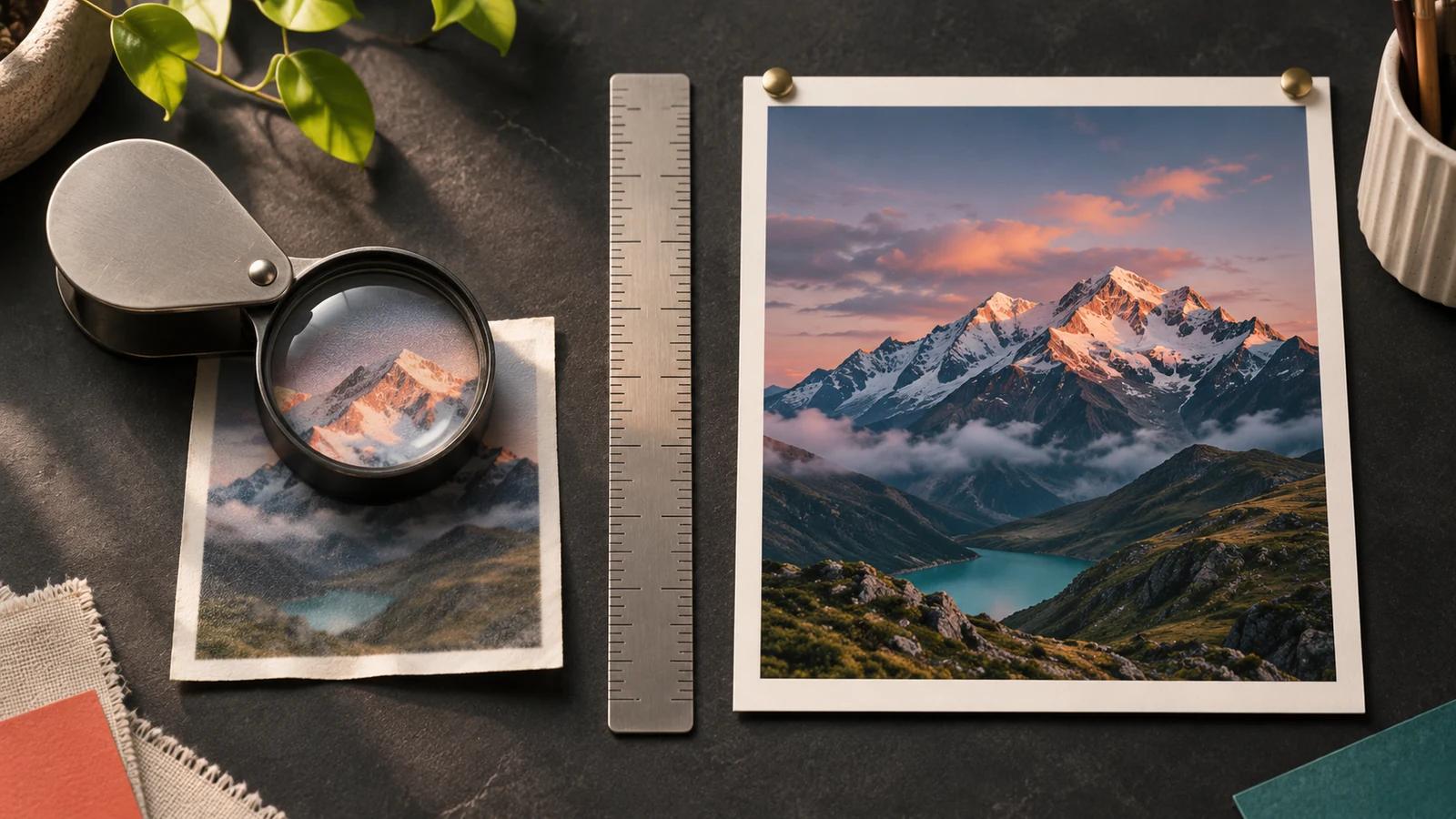
The best Magnific AI alternative depends on which Magnific mode you relied on. For Creative-style reinterpretation, the closest matches as of November 2026 are Topaz Bloom 2 in Topaz for Web, Krea, and Clarity AI's Clarity Upscaler. For faithful, Precision-style enlargement, Topaz Gigapixel ($29 a month or $149 a year, list price) is the desktop pick, Photoshop's Generative Upscale suits layered edits, and Oakgen's Topaz Upscale works in the browser next to image generation. Upscayl is still the free local option.
One change matters more than any price. Adobe completed its purchase of Topaz Labs on September 23, 2026, according to Adobe's blog. Topaz models now run inside Photoshop and Firefly as well as in Topaz's own apps, so several "alternatives" share the same engine.
Oakgen is our product and one of the entries. Every price below is a list price read on the vendor's page on November 19, 2026, with Black Friday sale prices left out.
How do the Magnific AI alternatives compare in November 2026?
| Alternative | Closest Magnific mode | Where it runs | Largest output the vendor states | List price as of November 2026 | Watch out for |
|---|---|---|---|---|---|
| Topaz for Web, Image (Bloom 2, Wonder 4) | Creative | Browser and iPhone | 32 MP on Image, 256 MP on Pro | Image $19 a month, Pro $59 | Image plan: limited commercial use with a revenue cap; read the Topaz licence summary first |
| Krea Enhancer | Creative | Browser | "Up to 22K" on the pricing page, "up to 8K" on the upscaler page | Free with limits, Basic $9 a month | Free use capped at 2,048 px |
| Clarity AI | Both: Clarity is Creative, Crystal is Precision | Browser and API | Crystal 1.5 gigapixels, Clarity 178 MP | Starter $19 a month, API from $0.005 per MP | Cost climbs fast with size |
| Leonardo Pro Upscaler | Both: Precise and Creative modes | Browser | 105 MP | Essential $12 a month on the pricing page | Token cost per upscale not stated |
| Topaz Gigapixel | Precision | Desktop, with cloud rendering | "Upscale almost any image 6x" on the page, "up to 16x" in Topaz's product menu | $29 a month, or $149 a year | Personal licence: limited commercial use; read the Topaz licence summary first |
| Photoshop Generative Upscale | Both: Topaz Gigapixel and Topaz Bloom | Desktop | Gigapixel 56 MP, Bloom 9 MP | Photoshop alone $22.99 a month, annual plan billed monthly | Topaz models need a premium subscription and cost 10 to 35 generative credits by model and size |
| Let's Enhance | Precision | Browser | 256 MP on Starter. Max card says 512 MP, FAQ says 256 MP on personal plans | Starter $12 a month, $9 billed yearly | Ultra costs 1 to 10 credits by output size; free output watermarked |
| Upscayl | Precision | Your own computer | "Up to 16x" | Free desktop app, AGPL-3.0 | Needs a Vulkan GPU |
| Oakgen (Topaz Upscale) | Precision | Browser | 1x to 4x scale factor | Paid plans, see the pricing page | Modes, not prompts; no free plan |
Run a faithful Topaz pass in the browser
Upload a hard source, pick an enhancement mode and a 1x to 4x scale, then check faces and text at full size.
What does Magnific offer now, and what did it change?
Magnific's upscaler still has two modes. Magnific's Image Upscaler docs describe Creative mode with the words "Reimagines and adds detail", with Creativity, HDR and Resemblance sliders and optional prompts. The docs disagree on Creative's scale: the step-by-step guide says 2x or 4x, while the comparison table lists 16x. Precision mode is for "faithful reproduction" and goes up to 16x with Sublime mode.
The plans moved in 2026. Freepik is now Magnific: the title of Magnific's pricing page calls the company "Magnific (formerly Freepik)", and Magnific's plans docs now say "Premium+ is now Plus". On November 19, 2026, the pricing page listed:
- Premium at $20 a month, or $14.50 a month billed annually, with 20,000 credits a month according to the plans docs (240,000 a year on annual billing).
- Plus at $45 a month, or $33.75 billed annually, with Relax mode and both Magnific and Topaz upscalers.
- Pro at $110 a month, or $82.50 billed annually.
Its pricing table puts Magnific Precision at 90 credits per 2K image and Magnific One, its own image model, at 180 credits per 2K image in High quality. One conflict: the Premium card says "Top up credits anytime", while the plans docs say extra credits need a Plus or Pro plan.
Our rebrand explainer covers the rename, and the 2026 edition of this guide shows the October field.
How we checked this
On November 19, 2026 we read each vendor's pages listed in the sources. We did not run any upscales, so nothing here describes output quality. Where a vendor contradicts itself, we quote both statements. Oakgen is our product, and its upscaler facts come from Oakgen's live image upscaler page, checked the same day.
Which alternative replaces Magnific's Creative mode?
Four tools now sell an upscale that deliberately adds new detail, the job Magnific Creative does.
Topaz for Web with Bloom 2: closest creative match in the browser
The Topaz for Web Image page lists "Creative Upscale" and "Bloom", described as "Reimagines texture & detail". The plan card lists Bloom 2 and Wonder 4 among its image workflows, with unlimited image rendering.
The limits are the catch. The Image plan, $19 a month on the plan card, exports up to 32 MP, and Pro, at $59 a month, exports 256 MP. Their commercial rights differ, so read the Topaz licence summary before client work.
Choose Topaz for Web when you want a creative pass without installing anything and your deliverables fit under 32 MP, or you can justify Pro.
Krea: best for fast creative iteration
The Krea upscaler page offers 2x, 4x or 8x and says it "redraws the detail the larger size needs". Free use is "capped at 2048 pixels on the longest side" and "limited to a few images".
On November 19, 2026, Krea's pricing page listed Basic at $9 a month with 5,000 compute units, and estimated about 625 Enhancer images from that allowance. Its FAQ says Basic and higher plans include a commercial license, while Krea's terms of use tie commercial rights to your plan and let Krea change them at any time. Krea contradicts itself on size: the pricing page says "Image upscaling up to 22K", while the upscaler FAQ says "paid plans upscale up to 8K". Check the size in the app before paying.
Choose Krea when the upscale is one step in a wider loop of generation, editing and realtime sketching. Our Krea pricing guide explains how compute units turn into images.
Clarity AI: best if you want both modes priced per megapixel
Clarity AI's pricing page splits its engines the same way Magnific does. The Clarity Upscaler is labelled Creative, Clarity Pro is "Creative+", and the Crystal Upscaler is labelled Precision.
Starter costs $19 a month, or $13 billed annually, for 1,200 credits. A 4K creative upscale costs 8 credits, so Starter covers about 150 of them. Developers can skip the plan: the API charges $0.005 per megapixel for Clarity, while Crystal is billed in output-size steps, $0.20 for an image up to 16 MP and $0.016 per megapixel above 200 MP. The stated ceilings are 178 MP for Clarity and 1.5 gigapixels for Crystal.
Choose Clarity when you want Magnific's Creative and Precision split under one account, or you need to price upscaling into your own app.
Leonardo Pro Upscaler: a creative mode inside a generator
Leonardo's upscaler page describes its Pro Upscaler with a Precise mode for "strict fidelity" and a Creative mode with "subtle, balanced, or strong" creativity strength, up to "a true 105-megapixel resolution". Leonardo's pricing page lists Essential at $12 a month with 8,500 fast tokens, but neither page states how many tokens an upscale uses.
Choose Leonardo when you already generate there and want the upscale in the same place.
Which alternative replaces Magnific's Precision mode?
If you only used Precision, the field is wider and cheaper.
Topaz Gigapixel: best for desktop photo finishing
The Topaz Gigapixel headline says "Upscale almost any image 6x", while Topaz's product menu on the same page says "Image upscaling up to 16x pixels". The plan lists "Unlimited local rendering" and "Unlimited cloud image rendering". Models include High Fidelity, Text & Shapes, Recover and Face Recovery, with "Cloud access to: Wonder 1 and 4". Topaz's developer documentation describes Text & Shapes as designed "for images dominated by typography, logos, UI elements, and geometric shapes", which makes it the model to try first on labels.
List prices on November 19, 2026 were $29 a month with no commitment, $19 a month on an annual commitment, or $149 a year for Personal. Pro was $54 a month on an annual commitment or $499 a year. Commercial rights differ by plan, as set out below.
Choose Gigapixel when you process folders of photos, need local rendering for confidential files, or print large.
Topaz licence summary
Topaz's End User License Agreement and plan cards, read November 19, 2026, cover Gigapixel, Topaz for Web and Topaz's other apps bought from Topaz. If you reach Topaz models through another platform, check that platform's terms too.
- Personal licence, such as Gigapixel Personal: the EULA says it is for "personal purposes only" and may not be used for commercial use by employees of organisations whose consolidated annual revenue exceeds $1 million. The plan cards word it as "Personal and commercial use for orgs under $1M USD annual revenue." Above that, you need a Professional licence.
- Topaz for Web: commercial rights depend on the plan. Image carries "Limited commercial use" with the same $1M wording, and Pro carries "Full commercial use".
- On every plan: you may not resell the apps or make them available to others as a hosted service, and you may not use the outputs to train AI models. Providing live, automated processing to third parties through Topaz's API requires Topaz's prior written consent.
This is a summary, not legal advice. The licence has further conditions and use restrictions; read the Topaz EULA in full before any commercial use.
Photoshop Generative Upscale: best when the upscale needs editing
Adobe's Generative Upscale help page lists three models. Firefly Upscaler goes up to 6,144 by 6,144 pixels. Topaz Gigapixel "Preserves existing detail" up to 56 megapixels, and Topaz Bloom "Adds new, creative detail" up to 9 megapixels. Both Topaz models need a premium subscription.
Adobe's partner models page, updated November 10, 2026, prices Gigapixel at 10 generative credits up to 25 MP and 20 credits from 25 to 56 MP, and Bloom at 35 credits for 1 to 9 MP. On November 19, 2026, Adobe's Photoshop plans page listed Photoshop alone at $22.99 a month on an annual plan billed monthly.
Choose Photoshop when the upscaled file still needs masks, layers or type replaced from approved artwork.
Let's Enhance: best for browser batches of mid-size files
Let's Enhance's pricing page says "1 image = 1 credit", but its help page on credit costs says that holds only for small images with basic settings. Its Ultra model costs 1 credit up to 8 MP, 4 up to 32 MP, 8 up to 128 MP and 10 up to 512 MP, and extras such as Tone Enhance add more.
Starter is $12 a month, or $9 billed annually, for 100 credits and output up to 256 megapixels. That is 100 small Ultra upscales, 25 at up to 32 MP, or 10 near the 256 MP ceiling. Max is $45 ($34 billed annually) for 500 credits, and its plan card says 512 megapixels, but the same page's FAQ says output reaches 256 megapixels on personal plans, which include Max, and 500 on business plans. Unused credits roll over on personal plans, up to six months' worth. The free tier gives 10 credits, output up to 8 megapixels and a watermark.
Choose Let's Enhance when you run browser queues of small and mid-size files and check the credit cost on the Enhance button before each run.
Upscayl: best free and local option
Upscayl is "Free and Open Source" under AGPL-3.0 and claims upscaling "up to 16x" on Linux, macOS and Windows. The GitHub repository warns: "You'll need a Vulkan compatible GPU (Graphics Card) to upscale images." Upscayl also sells a cloud version: on Upscayl's pricing page, Pro is $24.99 a month for 300 credits, up to 256 MP.
Choose Upscayl when cost and privacy lead the decision and you have a suitable graphics card.
Oakgen: Topaz Upscale in the browser, next to generation
Oakgen's image upscaler page describes Topaz Upscale with a 1x to 4x scale factor and eight Topaz enhancement modes: Standard V2, Low Resolution V2, High Fidelity V2, CGI, Text Refine, Recovery, Recovery V2 and Redefine. It also lists face enhancement with adjustable strength and JPEG or PNG output. You choose a mode and a scale rather than write a prompt, so it replaces Precision-style enlargement, not prompt-steered Creative upscaling.
It fits when your images are already made on Oakgen. You generate with a model such as Nano Banana Pro in the image generator, then upscale on the same account and credit balance. The credit cost shows before you run it, and credits for a failed generation go back to your balance. Oakgen has no free plan, signup credits or trial, and current plan prices are on the pricing page.
Generate and upscale on one account
Make the image with a current model, then upscale it with Topaz Upscale on the same account and credit balance.
Which tool should replace each Magnific job?
Find your Magnific job, then check the hard limit before you commit.
| What you used Magnific for | Magnific setting | Closest replacement | Hard limit to check first |
|---|---|---|---|
| Adding texture to AI concept art | Creative, high Creativity | Topaz Bloom 2, Clarity Upscaler | Topaz Image plan exports 32 MP |
| Pushing 3D renders past their resolution | Creative, Resemblance high | Clarity Pro, Krea | Krea free use stops at 2,048 px |
| Restoring a soft photo faithfully | Precision, Photo model | Topaz Gigapixel, Oakgen Topaz Upscale | Oakgen stops at 4x |
| Huge print enlargements | Precision, Sublime up to 16x | Clarity Crystal, Let's Enhance Max | Let's Enhance Max card 512 MP, personal-plan FAQ 256 MP; confirm before buying. Clarity and Let's Enhance Ultra bill by output size |
| Upscaling inside a layered edit | Either, then export | Photoshop Generative Upscale | Bloom tops out at 9 MP |
| Product shots with labels | Precision | Gigapixel Text & Shapes | Replace type from source artwork |
| Free experiments | Free plan | Upscayl, Krea free | Upscayl needs a Vulkan GPU |
Pick the least creative tool that reaches your delivery size.
What does each image really cost? A worksheet
Judge cost per accepted image, not cost per click:
Cost per accepted image = monthly plan price divided by (images the plan covers times your acceptance rate)
The table below is illustrative arithmetic on list prices read on November 19, 2026, using monthly billing and an assumed 60 percent acceptance rate. Your rate will differ, so swap in your own.
| Plan | Monthly list price | Images covered, as the vendor prices them | Cost per image | Cost per accepted image at 60% |
|---|---|---|---|---|
| Magnific Premium, Precision 2K | $20 | 20,000 credits divided by 90 = 222 | $0.09 | $0.15 |
| Clarity Starter, Creative 4K | $19 | 1,200 credits divided by 8 = 150 | $0.13 | $0.21 |
| Clarity API, Crystal 4K | Pay as you go | $0.20 per image | $0.20 | $0.33 |
| Let's Enhance Starter, Ultra up to 8 MP (1 credit) | $12 | 100 credits = 100 | $0.12 | $0.20 |
| Let's Enhance Starter, Ultra up to 32 MP (4 credits) | $12 | 100 credits divided by 4 = 25 | $0.48 | $0.80 |
| Krea Basic, Enhancer | $9 | About 625, Krea's own estimate | $0.01 | $0.02 |
| Topaz Gigapixel Personal | $29 | Unlimited rendering | Falls with volume | Falls with volume |
Flat-rate tools such as Gigapixel win at volume, while per-megapixel pricing and size tiers punish large outputs.
Compare upscaling options before you pay
See how Oakgen's upscaling features work for images and video, and where each one fits.
How do you choose? A decision framework
- Use Topaz Bloom 2 or Clarity if you want a creative upscale and can live with Topaz's 32 MP Image-plan cap or Clarity's per-credit pricing.
- Use Krea if upscaling is one step in fast creative iteration.
- Use Topaz Gigapixel if you finish photos on a workstation, need local rendering, or print large and often.
- Use Photoshop if the upscale is one step in a layered edit and you already pay for a premium Adobe plan.
- Use Let's Enhance if your files are small or mid-size and you want a browser queue.
- Use Upscayl if you want no cost at all and have a compatible GPU.
- Use Oakgen if you already generate images on Oakgen and want a faithful 1x to 4x upscale on the same account.
- Stay with Magnific if you use its Creative sliders on most jobs, or you also rely on its stock library and video models.
Where does Oakgen fit, and where does it not?
Oakgen is a creative studio, not an upscaling specialist. Its strength is one account for image, video, voice and music models, with the credit cost shown before each generation. For video there is a separate Video Upscaler with 720p to 4K output, covered in our guide to upscaling AI videos to 4K. Eligible outputs can be used commercially under Oakgen's Terms and provider terms.
Here is where another tool is the better choice:
- Creative reinterpretation. Oakgen's upscaler page offers enhancement modes and a scale factor, not a text prompt. Magnific Creative, Topaz Bloom, Clarity and Krea do this job and Oakgen does not.
- Free or local processing. Oakgen has no free plan or trial and runs in the cloud. Upscayl is free and keeps files on your machine.
- Very large prints. Oakgen stops at 4x. Magnific Precision goes to 16x and Clarity Crystal lists 1.5 gigapixels.
- Desktop batch work on confidential files. Topaz Gigapixel renders locally with no per-image cost.
For the generation side, see our guides to OpenArt alternatives and Nano Banana 2 alternatives.
What mistakes do people make when switching from Magnific?
- Buying a faithful tool to replace Creative mode. A Precision-first tool such as Oakgen's Topaz Upscale will not reinterpret an image the way Magnific Creative does. Check that a tool has a creative mode before you switch.
- Running a creative pass on product labels. Invented letters on packaging are a defect. Use a text-preserving model, then rebuild type from the approved file, as our practical Topaz upscaling workflow explains.
- Skipping the licence check. Topaz Personal and Image plans carry limited commercial use (read the Topaz licence summary), and Magnific's free plan is personal use only, with attribution.
- Picking a factor before the print size. Work out the pixels the printer needs first, as our guide to upscaling AI images for print shows.
When is Magnific itself still the better choice?
Stay if Creative mode is the reason you subscribed. Its Creativity, Resemblance and HDR sliders, 13 "Optimized for" categories and prompt support are the most detailed creative controls in the documentation we read. Stay too if one credit pool for stock, video and upscaling replaces other subscriptions, or if most of your outputs already pass review.
Switch if you only use Precision, need local processing, or want upscaling next to the rest of your generation work.
Check current Oakgen plans
One credit balance covers image, video, voice and music. See what each paid plan includes before you upscale.
Frequently asked questions
What is the best Magnific AI alternative in 2027?
It depends on the Magnific mode you use. For Creative-style reinterpretation, Topaz Bloom 2 in Topaz for Web, Krea and Clarity AI's Clarity Upscaler are the closest matches as of November 2026. For faithful Precision-style enlargement, Topaz Gigapixel on the desktop, Photoshop's Generative Upscale and Oakgen's Topaz Upscale in the browser fit better. Upscayl is the free local option.
Is there a free alternative to Magnific AI?
Yes. Upscayl is free and open source under AGPL-3.0 and runs on Windows, macOS and Linux, but it needs a Vulkan-compatible GPU. Krea lets you upscale a few images for free, capped at 2,048 pixels on the longest side. Let's Enhance gives 10 free credits with a watermark. Oakgen has no free plan, signup credits or trial.
Did Adobe buy Topaz Labs?
Yes. Adobe's blog says it completed the acquisition of Topaz Labs on September 23, 2026. Adobe says Topaz stays a standalone brand and its apps remain available as standalone products. Topaz Gigapixel and Topaz Bloom also appear as model choices in Photoshop's Generative Upscale, according to Adobe's partner models page updated November 10, 2026.
How much does Magnific cost in November 2026?
Magnific's pricing page listed Premium at $20 a month, Plus at $45 and Pro at $110 on monthly billing on November 19, 2026, or $14.50, $33.75 and $82.50 a month billed annually. Premium includes 20,000 credits a month, and Magnific's Precision upscaler costs 90 credits per 2K image. Plus is the plan formerly called Premium+.
Does Oakgen have a creative upscaler like Magnific?
Not a prompt-driven one. Oakgen's image upscaler page describes Topaz Upscale with a 1x to 4x scale factor, eight Topaz enhancement modes, face enhancement and JPEG or PNG export. You pick a mode and a scale; the page lists no prompt or creativity setting. So it suits enlargement, not a replacement for Magnific's Creative mode. For prompt-guided reinterpretation, use Magnific Creative, Topaz Bloom, Krea or Clarity AI instead.
Which Magnific alternative gives the largest output?
On the vendor pages read on November 19, 2026, Clarity AI lists the biggest ceiling: its Crystal Upscaler goes to 1.5 gigapixels and its creative Clarity Upscaler to 178 megapixels. Let's Enhance's Max plan card lists 512 megapixels, but the FAQ on the same page caps personal plans, which include Max, at 256 megapixels. Leonardo lists 105 megapixels. Krea's pricing page says up to 22K, while its upscaler page says paid plans reach 8K.
Can an AI upscaler recover real detail from a small image?
No. A creative upscaler invents plausible detail, and even a faithful one estimates pixels the camera never recorded. That is fine for concept art and renders. For product labels, faces, archival photos or anything used as evidence, compare the result against the original source, and replace generated text with the approved artwork.
Sources
- Topaz Labs developer docs, Text & Shapes model page (read 2026-11-19)
- Magnific, Pricing plans (read 2026-11-19)
- Magnific Docs, Image Upscaler (read 2026-11-19)
- Magnific Docs, Plans and pricing (read 2026-11-19)
- Adobe Blog, Adobe completes acquisition of Topaz Labs, Sep 23 2026 (read 2026-11-19)
- Adobe Help, Enhance image quality with Generative Upscale in Photoshop (read 2026-11-19)
- Adobe Help, Partner models in Adobe products (read 2026-11-19)
- Topaz Labs, November 2026 Product Updates: Wonder 4 (read 2026-11-19)
- Topaz Labs, Topaz Gigapixel (read 2026-11-19)
- Topaz Labs, Topaz for Web Image (read 2026-11-19)
- Topaz Labs, End User License Agreement (read 2026-11-19)
- Krea, Terms of Use (read 2026-11-19)
- Krea, Pricing (read 2026-11-19)
- Krea, AI Image Upscaler (read 2026-11-19)
- Clarity AI, Pricing (read 2026-11-19)
- Leonardo.Ai, AI Image Upscaler with Pro Upscaler (read 2026-11-19)
- Leonardo.Ai, Pricing (read 2026-11-19)
- Let's Enhance, Pricing (read 2026-11-19)
- Let's Enhance Help, Why did my image cost more than 1 credit? (read 2026-11-19)
- Upscayl, AI Image Upscaler (read 2026-11-19)
- Upscayl, GitHub repository (read 2026-11-19)
- Upscayl, Pricing (read 2026-11-19)
- Adobe, Compare Photoshop plans (read 2026-11-19)