ChatGPT
 Claude
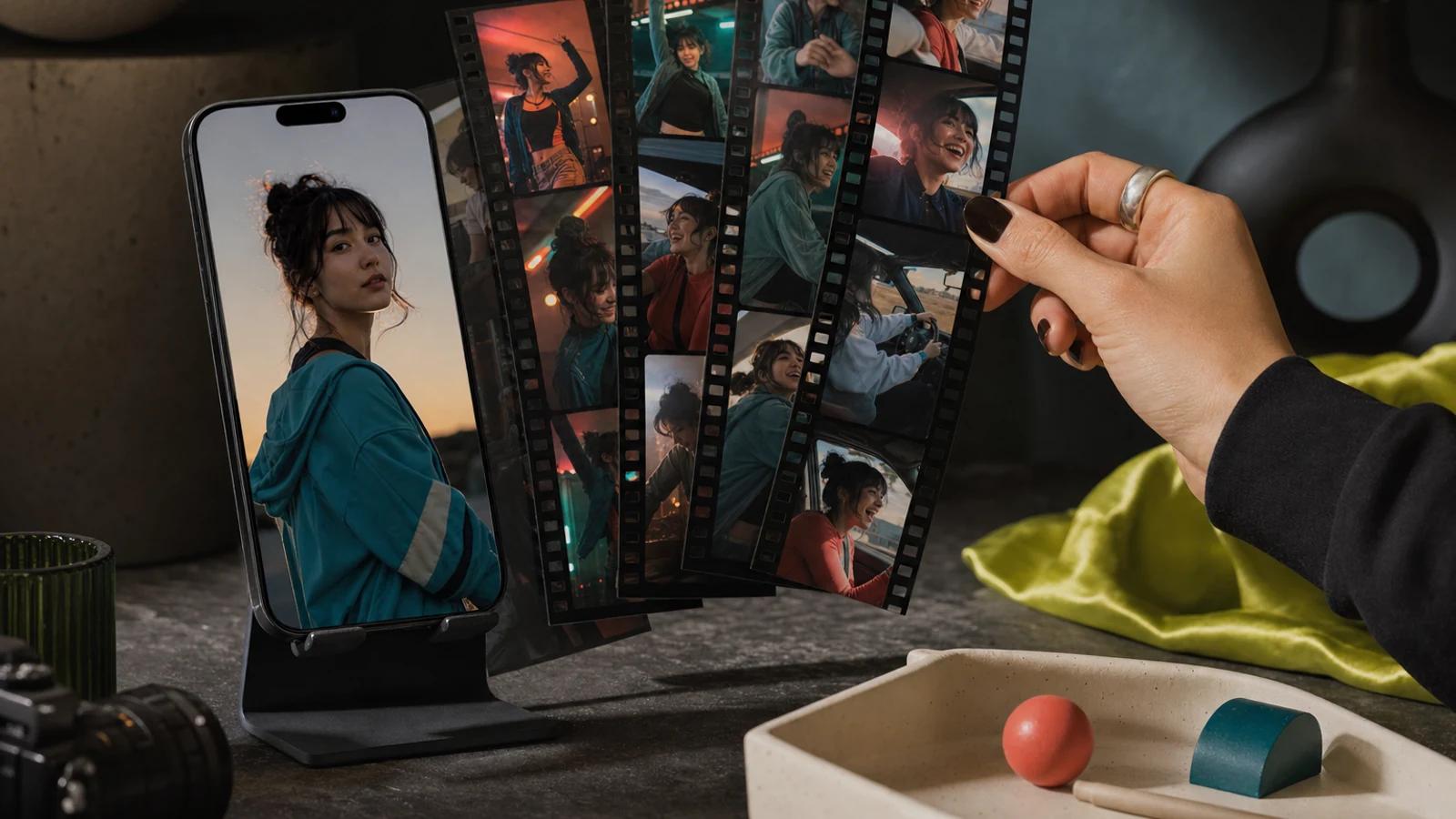
The best AI trend video generator for most people going into 2027 is PixVerse: its app page lists 500+ templates and effects with new one-tap effects every week and free iOS and Android apps, and its free plan gives 30 credits a day. Viggle has the largest stated library, with 10,000+ free meme templates you swap yourself into. Pollo AI lists 200+ effects with pet and duo categories.
Oakgen Trends, our product, is number 4. It fits when you want one specific viral clip remade with your own cast, including two or more people, and it has no free tier.
And yes, AI can turn a photo into a video. Every tool below does it. The question is which one already has the trend you saw.
Last updated: November 19, 2026. Every price and limit below was read that day on the vendor page linked beside it, and can change.
Which AI trend video generator fits which job?
| Rank | Tool | Best for | Free access | Entry paid price | Main limit |
|---|---|---|---|---|---|
| 1 | PixVerse | Trying new viral effects on your phone | 60 credits at sign-up, 30 a day, up to 540p | Standard $10 a month | Watermark-free output is a paid benefit |
| 2 | Viggle | Swapping yourself into meme clips | Free credits refresh daily | Pro listed at $7.99 a month | Meme clips run about three seconds. Free Mix videos carry a watermark |
| 3 | Pollo AI | Pet, duo and dance presets in one list | 20 credits | Lite at $12 a month on annual billing, during a sale | Small free allowance |
| 4 | Oakgen Trends | Remaking one specific viral clip with two or more people | None. Paid plans only | Basic $9 a month with 1,500 credits, less than the median trend's 1,931 | No free tier. 106 video trends, not thousands |
| 5 | Higgsfield | One-click presets next to many video models | Free plan with no monthly credits | Starter $19 a month billed yearly, during a sale | No stated template count |
| 6 | Hailuo AI | A scrolling feed of photo templates, including pets | New users receive free credits | Site header says from $9.99 a month | Plan page did not load for us |
| 7 | Kling AI | Effects plus motion control from the model maker | Free credits at sign-up and by monthly login | 660 credits a month at $8.8 after an intro offer | Popular effects can queue for over an hour |
| 8 | Vidu | Hug, kiss and trend templates from photos | Free plan at 540p | Standard $10 a month | No stated template count |
| 9 | CapCut | Edit templates, then finishing the post | Free plan with free templates | Pro $19.99 a month | Editable templates, not a photo recast tool |
See the Trend Before You Upload
Browse 106 video trends on Oakgen, watch each reference clip, and check how many photos the trend needs.
Who is this guide for?
It is for people who saw a clip and want their own version:
- A casual poster who says "I saw that dance trend and I just want to drop in one selfie."
- A couple or a friend group who says "The trend has two people in it. Which app takes two photos?"
- A pet owner who says "Will this work with my dog, or only with people?"
- A creator who says "I need three trend clips a week without burning a budget on retries."
How did we rank these tools?
Disclosure: Oakgen is our product. We include it because it is relevant to this workflow, but the comparison also covers where standalone tools may be better.
We ranked in two steps:
- Tools that state a countable template library come first. The search is for a ready-made trend, so a vendor that says how many photo-in templates it has ranks above one that does not. That puts PixVerse, Viggle, Pollo AI and Oakgen in the first group.
- Inside each group, access decides. We weighed whether you can make a clip without paying, how long a clip runs, the entry price, and coverage of group and pet templates.
Viggle states the biggest library, but PixVerse ranks first. Its free plan refills every day and its creator docs set template length at 5 to 15 seconds, while Viggle's meme clips run about three seconds. Oakgen ranks last in its group because it has no free tier: every trend needs a paid plan.
What we did not test. We did not run any photo through these apps, so this guide does not rank face likeness, motion quality or speed. It maps what each vendor documents. Run your own photo on two finalists before you pay for a year.
Which are the best AI trend video generators for 2027?
1. PixVerse: best overall for trying viral effects
PixVerse is built around one-tap effects. Its app page describes "One-tap viral effects, refreshed every week", lists 500+ templates and effects, and says the app is free to use on iOS and Android with 50M+ downloads.
On its pricing page on November 19, 2026, the free Basic plan gave 60 credits at sign-up and 30 a day, at up to 540p. Standard was $10 a month for 1,200 credits, up to 720p and watermark-free output.
PixVerse also documents harder jobs. Its entertainment page describes templates that take "one or more image inputs", a two-person social format, and action imitation from a reference video for people, pets and groups.
Choose PixVerse when you want to try this week's effect on a phone without paying first.
2. Viggle: best for swapping yourself into meme clips
On Viggle you pick a real clip, add a photo, and it swaps you in. Its Mix page says it "keeps the moves and the background". The meme page lists a "library of 10,000+ free meme templates" and says "Each clip is about three seconds."
Free credits refresh daily and no card is needed. On the pricing page on November 19, 2026, free Mix videos carried a watermark, and Pro was listed at $7.99 a month, marked down from $9.99, with 80 credits a month and no watermark.
Choose Viggle when the trend is a short meme or dance clip and you want your character doing the exact same moves. It is the wrong pick for a 15-second story trend.
3. Pollo AI: best spread of pet, duo and dance presets
Pollo AI titles its effects page "200+ Fun AI Video Effects". Its categories include Viral, Pet Show, Mimic for dance moves, Interaction for two-person effects such as AI Hug, plus Persona Switch and Festival.
On Pollo AI's pricing page on November 19, 2026, the free plan had 20 credits. In the annual plan comparison, Lite was $12 a month for 400 credits during a 50%-off sale, with watermark-free output listed on paid plans.
Choose Pollo AI when you want one list that covers pets, couples and dance presets. Twenty free credits is a short test.
4. Oakgen Trends: best for remaking one specific viral clip with your own cast
On Oakgen Trends, each video trend remakes one specific viral clip. You watch the reference, add photos to the template's slots, and the template keeps the scene, the moves and, for all but one trend, the reference clip's audio.
Counted from the trend definitions on November 19, 2026, there are 106 video trends and 20 image trends. Of the video trends, 47 have one photo slot and 59 have more than one. In 50 of those, two or more performer photos are required, of people or of pets on pet trends. In the other nine, the extra slots are optional or hold a car or location photo. Baby Lip Sync requires eight. Clips run from 6 to 51 seconds, with a median of 15. Templates run on Seedance and Kling video models chosen per trend, and you do not pick the model.
Here is where this breaks. Trends are on paid plans only. On Oakgen's pricing page on November 19, 2026, Basic was $9 a month with 1,500 credits and Pro was $19 a month with 4,000. Quoted with Oakgen's own billing code, a trend costs 372 to 6,673 credits at its default resolution with every slot filled, and the median across all 106 is 1,931.
So the median trend costs more than a month of Basic credits. Only 44 of the 106 fit inside 1,500 credits. Most trends need Pro or add-on credits, sold at 180 credits per $1. The Oakgen AI Video Index 2026 found the median completed trend cost 1,912 credits, about $10.62 at that add-on rate (n = 364, September 26 to November 10, 2026).
Trends also fail more than plain video. The same index found 62.1% of trend jobs completed and 19.5% of 585 trend jobs were blocked by a content or copyright filter. Failed generations are refunded. The median completed trend took at most 676.6 seconds, about 11 minutes (n = 367).
Choose Oakgen when the trend you saw is on the wall and has more than one person in it. A page such as Unforgettable Car plays the original reference clip, labelled as the original and not as an Oakgen render, and lists the input as 1 to 3 photos before you sign up. For a cheap first try of a five-second effect, the three tools above are stronger.
5. Higgsfield: best when you also want model choice
Higgsfield describes its Apps as "One-click AI effects that transform any content into professional ads, viral trends, or artistic masterpieces". Its Trending Templates page listed 25 templates on November 19, 2026, such as Roller Coaster, Comic Book and Mugshot. It states no total.
Its pricing page FAQ says the Free plan has "limited access to selected AI models, no monthly credits, and one generation at a time". Starter was $19 a month billed yearly for 270 credits during a Black Friday sale.
Choose Higgsfield when presets are the start and you expect to move on to prompting video models yourself.
6. Hailuo AI: best for scrolling a feed of photo templates
Hailuo's trend feed is a scrolling list of templates, and each card says what to upload: "Upload a photo to generate your own viral dance video", a pet photo for a pet clip, or "Upload two photos of people to generate a Polaroid video". Categories include PetPal and LoveFrame.
The same page says new users receive free credits, and its header showed plans from $9.99 a month. The plan page did not load for us on November 19, 2026, so we give no credit amounts.
Choose Hailuo when you want to browse and copy.
7. Kling AI: best for motion control from the model maker
Kling's Effects tool holds one-click presets. Kling's own Bullet Time guide, dated July 10, 2026, calls it "a dedicated one-click preset" with no motion prompt, and warns that queue times "can run well over an hour during busy periods".
On November 19, 2026, the membership page listed 660 credits a month at $6.5 a month for the first three months, then $8.8. Kling's site says new users receive free credits and that watermark-free downloads may require a paid membership. Kling also promotes Motion Control and lip-synced dialogue.
Choose Kling when no template matches and you are willing to write a prompt or supply a motion clip.
8. Vidu: best for hug and kiss style templates
Vidu's templates page invites you to "create kissing, hugging, trend, and effect videos from photos without complex prompts".
On Vidu's pricing page on November 19, 2026, the free plan listed 540p generation. Standard was $10 a month, or $8.25 a month billed yearly as $99, for 800 credits and commercial use.
Choose Vidu when you want classic two-person photo effects at a low entry price.
9. CapCut: best for edit templates and finishing
CapCut's templates are a different product: editable designs across "video, photo, poster, invitation, and social media designs" that you personalize with your own media.
On CapCut's plan list on November 19, 2026, the free plan included "Free templates to start fast" and basic editing tools. Pro was $19.99 a month or $179.99 a year with all premium templates, and the yearly card listed 1,200 AI credits a month.
Choose CapCut when the trend is a cut, a transition or a text style, or when a clip from another tool needs captions and a trim.
Two tools we checked and did not rank
Pika. Its FAQ says: "Open Pikaffects, upload a photo, choose an effect, and generate." On its pricing page on November 19, 2026, every plan exported without a watermark, the Free plan had no monthly credits, and Starter was $10 a month for 600. It states no effect count.
DomoAI. Its pricing page lists style templates. It restyles video and does not remake a specific trend.
Which trend app covers which job?
This matrix shows what each vendor documents on the linked pages, read on November 19, 2026. "Not documented" means we did not find it there, not that the app cannot do it.
| Tool | One-photo trends | Two-person or group | Pet photos | Dance or motion transfer | Lip-sync | Free tier | Watermark on free output |
|---|---|---|---|---|---|---|---|
| PixVerse | Yes, 500+ templates and effects | Yes, one or more image inputs | Yes, pet motion mimic | Yes, motion mimic from a reference video | Yes, Lip Sync tool | 30 credits a day | Watermark-free is paid |
| Viggle | Yes, 10,000+ meme templates | Yes, multi-character sessions | Not documented | Yes, its core job | Not documented | Daily credits | Yes on free Mix videos |
| Pollo AI | Yes, 200+ effects | Yes, Interaction category | Yes, Pet Show category | Preset dances in Mimic | Not documented | 20 credits | Watermark-free is paid |
| Oakgen Trends | Yes, 47 trends with one photo slot | Yes, 50 trends require two or more performer photos, up to 8 | Yes, on trends written for pets | Fixed moves from the template | Yes, in singing and rap templates | None | No free tier |
| Higgsfield | Yes, 25 trending templates seen | Not documented | Not documented | Motion-control models listed | Yes, Lipsync Studio | No monthly credits | Not documented |
| Hailuo AI | Yes, template feed | Yes, two-photo templates | Yes, PetPal category | Preset dance templates | Not documented | Sign-up credits | Not documented |
| Kling AI | Yes, Effects tool | Not documented | Not documented | Yes, Motion Control | Yes | Sign-up and monthly credits | May need a paid plan to remove |
| Vidu | Yes, templates | Yes, hug and kiss templates | Not documented | Not documented | Not documented | Free plan, 540p | Removal listed as a plan feature |
| CapCut | Edit templates | Not documented | Not documented | Not documented | Not documented | Free plan | Not documented |
Need a Trend With More Than One Person?
50 Oakgen video trends require two or more people. Open one, see which photos it requires, and check the credit price before you generate.
A photo checklist that survives a trend template
Oakgen's trend pages and Kling's effect guide give the same photo advice:
- One subject per photo. Kling says a "busy, multi-person, or partially obscured photo" gives a weaker result.
- A sharp, uncovered face in even light. No sunglasses, masks or heavy shadows.
- Full body for dance and sports templates. Legs, hands or paws must be visible.
- Nothing you would not want a filter to check. Examples of inputs that may trigger a check: a celebrity, a logo, a film still or a child.
- For pets, show the face, legs and tail. Use a template written for animals, such as Dog Elevator Prank or Wizard Cat Dance.
To pick between two candidates, use our AI trend photo side-by-side test.
How should you choose?
Start with the trend, not the app.
- You saw a new effect and want to try it free. Open PixVerse first, then Pollo AI, and look for the effect by name.
- The trend is a three-second meme or dance. Use Viggle and swap yourself in.
- The trend has two or more people, or a named song and scene. Check Oakgen Trends and Hailuo's feed. Check which photos are required before paying.
- It is your pet. Pick a pet category: Pollo AI's Pet Show, Hailuo's PetPal, or an Oakgen trend written for animals.
- No template matches. Use Kling or Higgsfield with a prompt, or an AI video generator where you pick the model yourself.
- The trend is really an edit. Use a CapCut template.
What we would do: test the free tools with the exact photo you plan to post, and pay only once a tool has the specific trend at the resolution you need.
If you post weekly, cost per usable clip matters more than the plan price. Our retry budget guide shows how to cap retries.
What mistakes should you avoid?
- Choosing the app before finding the trend. A huge template library is no use if it lacks the one you saw.
- Retrying a blocked photo unchanged. Swap the photo instead. Our data on why AI video trends get blocked shows how often filters stop a trend.
- Treating a template as a license. It gives you no rights to the song, scene or person it copies.
- Posting with no hook. A clean render still needs a first second that earns the watch. See AI trend video hooks with examples.
A note on labels, music and other people's photos
YouTube and TikTok both require creators to label realistic AI video. The Oakgen AI Video Index 2026 lists those rules, plus Meta's and the EU's, with a link to each policy.
A song inside a template belongs to its rights holders, so do not reuse a trend clip in an ad or on a brand account unless the music is cleared. Use your own face, your own pet, or people who agreed to appear. See our posting checklist for labels, music and consent. None of this is legal advice.
How we checked this
On November 19, 2026 we fetched the vendor pages listed in the sources. Hailuo's plan page did not load, so we give no credit amounts for it. Higgsfield, Pollo AI, PixVerse, Viggle and Kling were running promotions that day, so their prices may differ when you look.
Oakgen's facts come from its trend definitions, trend billing code and live pricing page, read the same day. Failure, cost and timing figures come from the Oakgen AI Video Index 2026: 585 trend jobs from September 26 to November 10, 2026.
Make the Trend You Saw, With Your Own Cast
Pick a trend on Oakgen, add one photo per role, and review the clip before you post. Trends need a paid plan.
Frequently asked questions
What is the best AI trend video generator?
For most people it is PixVerse. On November 19, 2026 its app download page listed 500+ templates and effects with new one-tap effects every week and free iOS and Android apps, and its pricing page listed a free plan with 30 credits a day. Viggle's meme page stated the largest library that day, 10,000+ meme templates, and said each clip is about three seconds. Oakgen Trends fits when you want one specific viral clip remade with two or more people in it.
Can AI turn a photo into a video?
Yes. Every tool in this guide takes a photo and returns a short video. Template tools such as PixVerse, Pollo AI, Higgsfield and Oakgen Trends need no prompt: you pick the trend, upload the photo and generate. Model-first tools such as Kling also accept a photo plus a written prompt when you want a clip that is not a ready-made trend.
Which AI trend video app is free?
Several are free to try. On November 19, 2026, PixVerse's pricing page listed a free plan with 60 credits at sign-up and 30 a day at up to 540p. Viggle's pricing page listed free credits that refresh daily, with a watermark on free Mix videos. Pollo AI's pricing page listed a free plan with 20 credits. Vidu, Kling, Higgsfield, Hailuo and CapCut also described some free access on their own sites. Oakgen Trends has no free tier: trends need a paid plan.
Which app works for two-person or group trends?
Check the template before you pay, because many effects accept one photo only. On Oakgen, 59 of 106 video trends have more than one photo slot, and 50 of those require two or more performer photos. In the rest, extra slots are optional or hold a car or location photo. On November 19, 2026, Hailuo's trend feed listed two-photo templates, Pollo AI's effects page had an Interaction category with duo effects, and Viggle's pricing page listed unlimited multi-character sessions on paid plans.
Can I use a photo of my pet in an AI trend video?
Often, but only in templates built for it. On November 19, 2026, Pollo AI's effects page had a Pet Show category, Hailuo's trend feed had a PetPal category, PixVerse's entertainment page described pet motion mimic, and Oakgen has trends written for pets such as Dog Elevator Prank and Wizard Cat Dance. On templates written for people, an animal photo may run but the result is unpredictable, and several Oakgen trend pages say so directly.
Why did my AI trend video get blocked?
Usually a content or copyright filter stopped it. In the Oakgen AI Video Index 2026, 19.5% of 585 trend jobs run between September 26 and November 10, 2026 were blocked by a content or copyright filter, and 62.1% completed. Oakgen did not inspect the photos, so the data does not show what triggered each block. A celebrity, a logo, a film still or a child in the photo are examples of inputs that may trigger a check. Swap the photo instead of retrying the same one.
Can I post a trend video that uses a famous song or a celebrity scene?
A template that plays a song or copies a famous scene does not give you rights to the song, the person or the brand. For personal posts, use the platform's own rules and label realistic AI video. For ads or brand accounts, use music you have cleared and people who agreed to appear. This is general guidance, not legal advice.
Sources
- PixVerse app download page
- PixVerse pricing and subscription plans
- PixVerse entertainment solutions
- PixVerse platform overview (Template, Lip Sync)
- PixVerse Creative Studio, Create a Template
- Viggle meme generator and templates
- Viggle pricing
- Viggle Mix
- Pollo AI video effects
- Pollo AI plans and pricing
- Higgsfield Apps, Trending Templates
- Higgsfield pricing
- Hailuo AI trend feed
- Kling AI, Bullet-time effects with AI (Effects tool)
- Kling AI membership plans
- Kling AI pricing plans overview and FAQ
- Kling AI membership plans, pricing details and FAQ
- Kling AI home page
- Vidu templates
- Vidu pricing
- CapCut templates
- CapCut AI video generator and plans
- Pika FAQ
- Pika pricing
- DomoAI pricing
- Oakgen AI Video Index 2026 (AI video generation statistics)
- Oakgen Trends