ChatGPT
 Claude
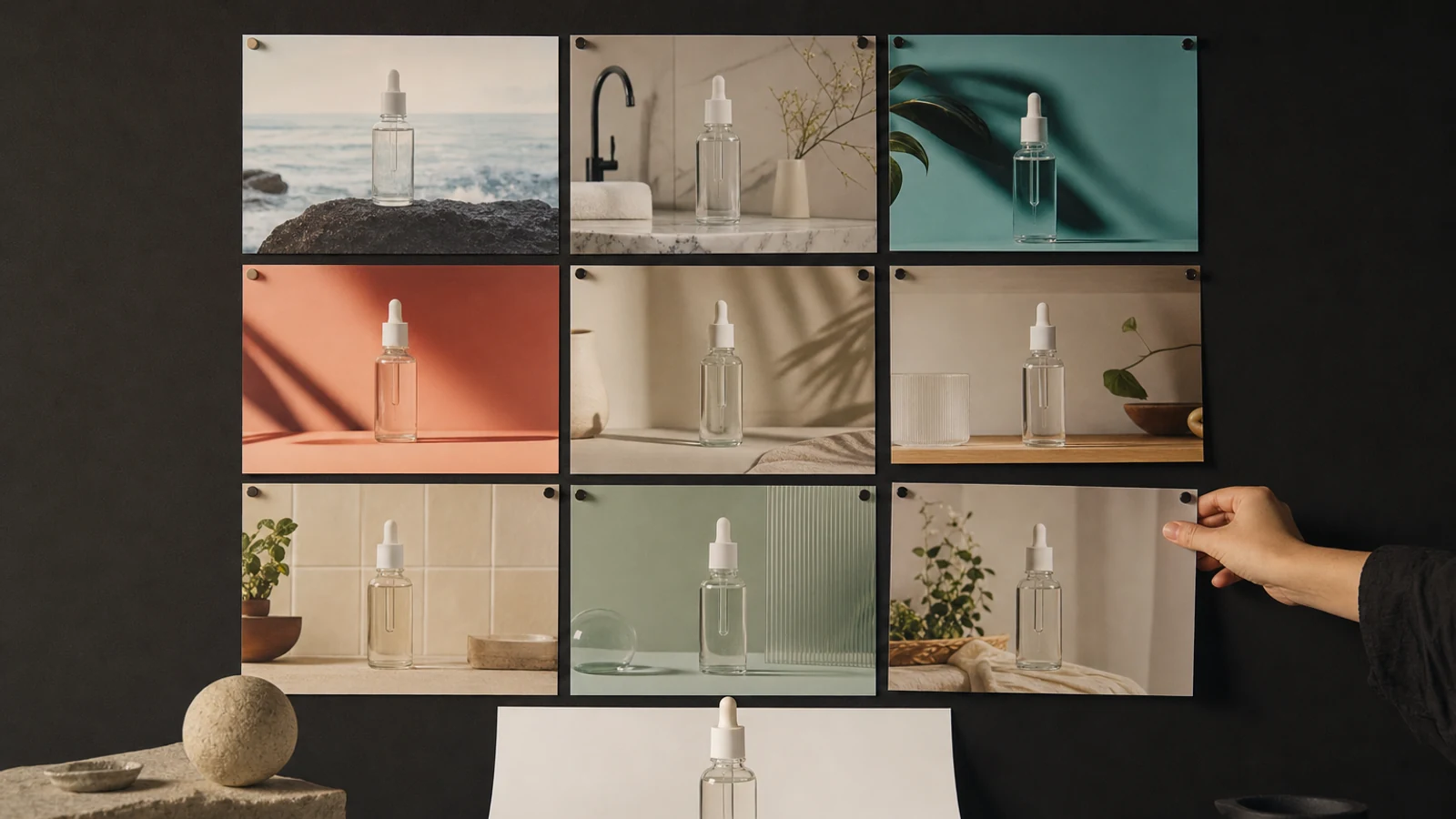
The best AI product photo generator for most ecommerce sellers going into 2027 is Photoroom, because it was the only one of the nine tools we compared whose own pages documented all six common product photo jobs: white-background cutouts, lifestyle scenes, on-model fashion, batch editing, video from a photo and Shopify publishing. Two of those six, video and Shopify publishing, need Photoroom's Max plan at $20.99 a month billed yearly, not the $7.50 Pro plan (Photoroom pricing, November 19, 2026). Claid is the closest alternative for catalog and fashion teams, Pixelcut suits phone-first sellers, and Pebblely is the simplest scene generator for a small catalog.
Last checked: November 19, 2026. Every price and limit below was read on the vendor's own page that day.
Disclosure: Oakgen is our product. It is one of the nine entries and ranks last on the criteria below. We compared documentation and pricing pages and did not run these tools on the same product, so this guide names no image quality winner.
Which AI product photo generator should you pick?
Each tool name links to the pricing page we read on November 19, 2026. Where a feature needs a higher tier, the price column names that tier.
| Rank | Tool | Best for | Published price | Free way to test |
|---|---|---|---|---|
| 1 | Photoroom | Cutouts, scenes, on-model images and batch in one app, with video and Shopify publishing one tier up | Pro $7.50 a month billed yearly: 8,000 AI credits, 1,000 exports. Video and Shopify need Max at $20.99 a month billed yearly | Free trial on paid plans |
| 2 | Claid | Catalog and fashion teams that want per-operation credit prices | Essentials listed at $9 a month for 500 credits (see the billing note below). Batch processing needs Pro, listed at $35. The API is priced separately | 50 free credits |
| 3 | Pixelcut | Phone-first sellers who want unlimited background removal | Pro $10 a month, or $8 billed yearly: 600 AI credits, 1,000 batch exports | Free plan with limited tools |
| 4 | Flair | Brand-styled scenes and on-model shots built on a canvas | Pro $10 a month, or $8 with the annual discount. The page does not say which plan includes on-model shots | Free plan with 5 generated images |
| 5 | Canva | Teams that drop product photos straight into ads and listing graphics | Pro US$18 a month for one person | Free plan with limited AI |
| 6 | Presti | Larger catalogs that need a brief, batch runs and team approval | Pro $49 a month for 500 credits and one user. More users need Business at $999 a month | Free plan with 60 credits a month |
| 7 | Adobe Firefly | Brands that want Adobe's commercial-use position and a Photoshop handoff | Standard US$9.99 a month for 2,000 credits. Photoshop on web and mobile comes with Pro, regularly US$19.99 | Free plan with limited daily generations |
| 8 | Pebblely | Small catalogs that want themed scenes with almost no setup | Lite US$9 a month for 30 images. Bulk generate needs Basic at US$19 | Not confirmed on the pricing page |
| 9 | Oakgen | Sellers who need the same product photo turned into video, voice and music | Basic $9 a month for 1,500 credits | No free plan |
Prices are US dollars before tax. Confirm at checkout.
Plan the Whole Product Creative Set
Oakgen's AI Product Creative Studio starts from a product brief, then opens separate image, video and audio workflows that you review one at a time.
Who is this guide for?
It is for people choosing a product photo tool for a 2027 catalog:
- A Shopify, Amazon or Etsy seller who says "I have 60 SKUs and phone photos on a kitchen table."
- A marketer who says "I need lifestyle images for ads this week, and I cannot book a shoot for every test."
- A fashion brand that has flat lays and needs on-model images.
Unsure whether AI images belong in your store at all? Read AI product photography vs photoshoots first.
How did we rank these tools?
We ranked by three things, in this order:
- Job coverage. How many of six product photo jobs the vendor documents as a dedicated feature on any self-serve plan: white-background cutout, lifestyle scene, on-model fashion, batch volume, video from a photo, and store or marketplace publishing.
- Published entry price. Ties go to the lower monthly entry price.
- Clarity of limits. If price is tied too, the tool with clearer published limits goes first.
This favors suites over specialists, and a job can sit on a higher tier than the entry price. Read the "best for" and price columns before the rank.
We dropped Mokker from the candidate list. On November 19, 2026 its site said "Mokker AI is now soona's AI Studio".
The 9 best AI product photo generators for 2027
1. Photoroom: best all-round choice for sellers
Photoroom's pricing page listed three self-serve plans on November 19, 2026, each billed yearly: Pro at $7.50 a month (8,000 AI credits, 1,000 exports), Max at $20.99 (25,000 credits, 3,000 exports) and Ultra at $82.50. It showed no month-to-month price.
On the same page, Background Remover, Retouch, AI Fill, AI Expand and preset shadows are included on every paid plan with no credit cost, within fair-use limits. Pro's 8,000 credits cover up to 4,000 basic AI background generations or up to 1,600 AI Fashion Model images at 1K.
Two limits matter. Video and the Shopify integration start at Max, so all six jobs cost $20.99 a month billed yearly, not $7.50 (pricing page, November 19, 2026). And every saved image counts as an export, and exports pause at the monthly cap. Photoroom's batch page says its AI tools run "on one image or up to 250 images at once".
Choose Photoroom when you want one tool for main images, scenes, apparel and batch work. Budget for Max if you need video or Shopify publishing.
2. Claid: best for catalog and fashion teams
On November 19, 2026, Claid's pricing page priced every operation in credits: 1 for background removal, 4 for an AI Photoshoot scene, 4 for an AI Fashion on-model image, 2 for AI shadows and 60 for a 5-second AI video. The free trial gives 50 credits. Batch processing comes with Pro and Business, not Essentials, and the API has its own pricing.
Billing note: the pricing page listed Essentials at $9 a month for 500 credits and Pro at $35 a month for 2,000 credits. Claid's help center lists monthly prices of $15 and $49 for the same credit amounts. We could not confirm which is the yearly-billed rate, so check the toggle before you pay.
Claid's home page says its AI "preserves logos, branding and product shapes". That is the vendor's claim. Test it on your hardest label.
Choose Claid when you want predictable per-image costs and on-model fashion. Plan on Pro if you need batch runs.
3. Pixelcut: best for phone-first sellers
Pixelcut's pricing page listed, on November 19, 2026, a free plan with limited background removal and upscaling. Pro was $10 a month, or $8 a month billed yearly, with 600 AI credits, unlimited background removal and 1,000 batch exports a month.
On the same page, AI Backgrounds are capped at 300 a day on Pro, and credits pay for third-party image and video models. Pixelcut says Pro works on iPhone, Android and in the browser.
Choose Pixelcut when most of your work is cutouts and quick backgrounds, and you edit on a phone.
4. Flair: best for brand-styled scenes and on-model shots
Flair builds scenes on a drag-and-drop canvas with props and templates. Its site also documents On Model Photography, a custom AI human builder, bulk content generation and product video.
Flair's pricing page listed, on November 19, 2026, a free plan with 5 generated images, one custom model and one video generation. Pro was $10 a month ($8 with the annual discount) with 2 video generations, Pro+ $35 ($26) with 80 generated images, and Scale $55 ($38) with 150. The Pro card showed no image quota, and the page does not say which plan includes on-model or bulk generation.
Choose Flair when the look of the scene matters more than volume. Confirm the plan and the image quota before you commit.
5. Canva: best when the photo goes straight into a design
Canva is a design platform, not a photo specialist. Its AI Background Generator replaces the backdrop of an uploaded product photo from a text prompt. Its Pro page says Pro includes Background Remover and Magic Resize, and its background remover page documents bulk removal.
Canva's pricing page listed, on November 19, 2026, Free at US$0 and Pro at US$18 a month for one person. AI tools such as Image to Video share a monthly allowance, and the page gives no image count.
Choose Canva when your team already builds ads and listing graphics there. I would not buy it for catalog photography alone.
6. Presti: best for larger catalogs with approvals
Presti works from a written brief. Its agent builds a production plan, runs batches in the background, and your team approves, rejects or reruns each image. Its site lists lifestyle staging, packshots, 360-degree spins and image to video.
On November 19, 2026, Presti's pricing page listed a free plan with 60 credits a month, Pro at $49 a month for 500 credits and one user, and Business at $999 a month for 10,000 credits and unlimited users. It says a 1K image "starts at 1 credit" and unused credits roll over up to twice the plan amount.
Choose Presti when several people must sign off on hundreds of SKUs. Team review needs Business, so it is priced for teams, not solo sellers.
7. Adobe Firefly: best for teams already on Adobe
Adobe's Product Shot Generator page describes uploading a product image and prompting for the angle, lighting and background. Adobe says Firefly models are "trained on licensed and public-domain content".
Firefly plans listed, on November 19, 2026, a free plan with limited daily generations, Standard at US$9.99 a month for 2,000 credits and Pro at a regular US$19.99 for 4,000. Photoshop on web and mobile comes with Pro, not Standard.
Adobe is candid about limits. Its own AI product photography guide says the method "is not appropriate for some sectors", naming pharmaceuticals, food labels with mandatory information and safety equipment.
Choose Firefly when the image will end up in Photoshop anyway.
8. Pebblely: simplest scenes for a small catalog
Pebblely does one thing: it puts your product into a themed scene. On November 19, 2026, Lite was US$9 a month for 30 images, Basic US$19 for 200 and Pro US$39 for 500. Bulk generate starts on Basic, not Lite.
Its how-to page says Pebblely extracts visible text from your product image and uses it during generation "so your product photos preserve the correct labels and packaging copy". It also documents five output size presets.
Choose Pebblely when you sell a handful of products and want scenes for social posts without learning an editor.
9. Oakgen: best when the photo is only the first asset
Oakgen is a general AI creative studio, so it covers fewer catalog jobs than the tools above. These facts come from Oakgen's code and pricing page on November 19, 2026.
The Product Photography template edits a source photo you upload. You pick one of eight backgrounds, seven lighting setups and six camera angles, plus optional styling. It runs on Nano Banana Pro Edit by default (51 credits at 1K or 2K, 102 at 4K), and you can switch to Nano Banana 2 Edit (28 credits at 1K) or GPT Image 2 Edit.
Here is where this breaks. The template takes one photo per run, and we found no bulk catalog upload or store sync in its config. Oakgen's Background Remover template is a generative edit, and its page says transparent PNG output is not guaranteed. There is no dedicated on-model catalog tool. For cutouts at volume, marketplace batches or mobile editing, use Photoroom, Claid or Pixelcut.
Oakgen fits when the approved photo must become more than a photo. The same credits run image-to-video, voice and music, and the AI Product Creative Studio page routes those steps from one brief. Oakgen's pricing page listed Basic at $9 a month for 1,500 credits and Pro at $19 for 4,000. At 28 credits an image, 1,500 credits is 53 template runs. There is no free plan.
Choose Oakgen when you need a lifestyle image, a short product video and a voiceover from one subscription. Before you upload, the Product Photo Prompt Builder shows the prompt the template will use.
Which tool covers which product photo job?
This matrix records what each vendor's linked page documented on November 19, 2026. Cells name the tier where a job needs one. "Not listed" means we did not find the feature, not that the tool cannot do it.
| Tool | White-background cutout | Lifestyle scene | On-model fashion | Batch volume | Video from a photo | Store or marketplace publishing |
|---|---|---|---|---|---|---|
| Photoroom | Yes, no credit cost on paid plans | Yes, from Pro | Yes, 1K from Pro | Yes, up to 250 at once | Yes, from Max ($20.99 a month billed yearly) | Yes, Shopify from Max |
| Claid | Yes, 1 credit | Yes, 4 credits | Yes, 4 credits | Yes, from Pro (listed at $35 a month) | Yes on paid plans, 60 credits for 5 s | Partly, export formats, tier not confirmed |
| Pixelcut | Yes, unlimited from Pro ($10 a month) | Yes, from Pro, 300 a day | Not listed | Yes, 1,000 batch exports a month on Pro | Yes, from Pro, by credits | Not listed |
| Flair | Not listed | Yes | Yes, plan not stated | Yes, plan not stated | Yes, 2 generations on Pro ($10 a month) | Not listed |
| Canva | Yes, from Pro (US$18 a month) | Yes | Not listed | Yes, bulk background removal | Yes, from the shared AI allowance | Partly, Magic Resize from Pro |
| Presti | Yes, 1 credit | Yes | Not listed | Yes | Yes | Partly, PIM and DAM integration on Enterprise (custom price) |
| Adobe Firefly | Yes | Yes | Not listed | Not listed | Yes, up to 20 five-second videos on Standard (US$9.99 a month) | Not listed |
| Pebblely | Not a separate tool | Yes, from Lite | Partly, by custom prompt | Yes, from Basic (US$19 a month) | Not listed | Partly, size presets |
| Oakgen | Partly, generative only | Yes | Not a dedicated tool | No | Yes | No |
Photoroom is the only row with six "Yes" cells, and two of them sit on Max. On its $7.50 Pro plan it covers four (Photoroom pricing).
One job is missing on purpose: keeping labels and logos exact. No self-serve page we read guarantees it. Photoroom's pricing page describes a fidelity check, but only as an Enterprise Guarantee for food and fashion businesses on annual contracts. Treat label accuracy as a review step you own, and use the worksheet in our guide to preserving logos and labels in AI product photos.
Turn One Product Photo Into a Scene
Upload a source photo, choose the background, lighting and angle, and review the result against the real product before you use it.
What do Amazon, Shopify and Etsy require before you publish?
These rules come from each marketplace's own help page, linked in the first column and read on November 19, 2026.
| Marketplace | Rule that affects AI images | Size guidance |
|---|---|---|
| Amazon (US) | The main image needs a pure white background (RGB 255, 255, 255), shows the product as 85% of the image and must "accurately represent the product as a realistic, professional-quality image". Images with photorealistic AI-generated people must carry the contains-synthetic-performer metadata keyword | 500 to 10,000 pixels on the longest side. 1,000 or more enables zoom |
| Shopify | No AI rule on this page, only file limits | Up to 5000 x 5000 px or 25 megapixels, under 20 MB. 2048 x 2048 px suits square images |
| Etsy | A listing must include "at least one unedited photo of the actual item against a real background". AI edits such as background changes are allowed on the other photos | 2,000 pixels or more on each side recommended. Transparent PNG areas show as black |
Two buying consequences follow. For Amazon main images, a cutout tool that keeps your real photo matters more than a scene generator. And on-model fashion with AI people on Amazon needs a metadata step.
Rules change. Our AI product photography for ecommerce guide walks through a full listing set.
How do you choose between them?
Start with the job, not the tool.
- You need clean main images and marketplace sizes at volume. Photoroom or Pixelcut. Compare export caps, not credits.
- You sell apparel that must be shown worn. Photoroom, Claid or Flair. Check fit and print placement on every output.
- You want to automate a catalog through an API. Claid or Photoroom. Both price their APIs separately from the app plans.
- Several people must approve every image. Presti, on Business.
- You already pay for Canva or Adobe. Use what you have first, then add a specialist only for the job it cannot do.
- You have under 20 products and want scenes. Pebblely.
- One photo must become a scene, a video ad and a voiceover. Oakgen's ecommerce workflow, with a cutout tool beside it for main images.
Then compute one number for each finalist: the plan price plus any extra credits, divided by the images that pass your review. As a made-up example, a $9 plan that yields 12 usable images costs more per image than a $35 plan that yields 300.
If I ran a 40-SKU store on Shopify and Amazon, I would start with a Photoroom trial for main images and batch work, and add a second tool only when a job turned up that it could not do.
What mistakes do buyers make?
- Matching a feature to the wrong tier or billing period. The headline price is often the yearly rate for the plan without the feature you came for. Photoroom's Shopify sync and Claid's batch processing both sit one plan up.
- Counting credits and ignoring caps. Exports, daily limits and per-operation costs decide what a plan delivers. On Claid's pricing page, a 5-second video uses 60 of the 500 credits on Essentials.
- Trusting a label because the image looks sharp. Sharpness is not accuracy. Zoom in on every word.
- Upscaling to fix a bad source. A better source photo beats any enlargement. See our comparison of AI image upscalers for product photography.
Plan the Photo, Then the Video
Start from a product brief on Oakgen, open the image workflow, then carry the approved photo into video, voice and music with the same credits.
How we checked this
On November 19, 2026 we fetched the vendor and marketplace pages listed in the sources. Claid's billing toggle did not change the displayed price for us, which is why its billing period is flagged.
Oakgen's template settings and credit prices come from its template config and pricing code, and its plan prices from the live pricing page that day.
We did not test output quality, speed or label accuracy for any tool, including our own. This is a buying guide for 2027 written in November 2026, so recheck every price before you subscribe.
Frequently asked questions
What is the best AI product photo generator for ecommerce in 2027?
For most sellers it is Photoroom. Its pricing and batch pages, read on November 19, 2026, were the only ones among nine tools we compared that documented all six jobs we scored. Cutouts, lifestyle scenes and 1K on-model images are on Pro at $7.50 a month billed yearly. Video from a photo and the Shopify integration need Max at $20.99 a month billed yearly. Claid is the closest alternative for catalog and fashion teams, and Pebblely is the simplest option for a small catalog that only needs themed scenes. This ranking is based on what each vendor documents, not on an output quality test.
Where can I make AI product photos for free?
According to each vendor's pricing page, read on November 19, 2026: Claid's pricing page gives 50 free credits, Flair's lists a free plan with 5 generated images, Presti's lists a free plan with 60 credits a month, Pixelcut's lists a free plan with limited background removal, Canva's lists a Free plan with limited AI access and Adobe's Firefly plans page lists a free plan with limited daily generations. Photoroom's pricing page offers a free trial on its paid plans. Oakgen has no free plan.
How do I make product photos with AI?
Start with one clear, well-lit photo of the real product. Upload it to a product photo tool, remove or replace the background, then describe the scene, lighting and angle you want. Generate a few versions, open each at full size beside the real product, and reject any that change the label, color, shape or included parts. Keep a real photograph for a marketplace main image.
Can I use AI-generated product photos on Amazon?
Amazon's product image guide, read on November 19, 2026, requires the main image to have a pure white background (RGB 255, 255, 255), show the product as 85% of the image and accurately represent the product as a realistic, professional-quality image. If an image includes photorealistic AI-generated people, Amazon says you must tag it with the contains-synthetic-performer keyword before upload. Check the current guide and your category style guide before you list.
Does Etsy allow AI-edited listing photos?
Partly. Etsy's help page, read on November 19, 2026, says a listing must include at least one unedited photo of the actual item against a real background. Outside that required photo, sellers can use photo-editing tools, including AI, to adjust lighting or color, crop or resize, or change backgrounds. Edits cannot make the item look different from what the buyer will receive.
Which AI product photo tool is best for clothing on models?
Photoroom, Claid and Flair all document a dedicated on-model feature on their own sites, read on November 19, 2026. Photoroom's pricing page lists AI Fashion Models at 1K on its Pro plan, with 2K on Max and 4K on Ultra. Claid's pricing page lists AI Fashion at 4 credits a generation. Flair's site lists On Model Photography with a custom AI human builder, but its pricing page does not say which plan includes it. Check garment fit, print and logo placement on every output. Oakgen has no dedicated on-model catalog tool.
Is Oakgen a good AI product photo generator?
It depends on the job. Oakgen has a Product Photography template that edits your source photo into a new background, lighting setup and angle. Per Oakgen's own pricing code on November 19, 2026, it costs 28 credits an image on Nano Banana 2 Edit or 51 on Nano Banana Pro Edit at 1K, and Oakgen's pricing page listed Basic at $9 a month for 1,500 credits. We found no bulk catalog upload or store sync in that template, and Oakgen has no dedicated on-model catalog tool, so Photoroom or Claid fit catalog work better. Oakgen fits when the same product photo also needs to become video, voice and music.
How much do AI product photo generators cost?
On each vendor's own pricing page, read on November 19, 2026, entry prices ranged from $7.50 a month billed yearly (Photoroom Pro) to $49 a month (Presti Pro). Pebblely Lite was US$9 for 30 images, Pixelcut Pro $10, Flair Pro $10, Adobe Firefly Standard US$9.99, Canva Pro US$18 and Oakgen Basic $9 for 1,500 credits. Claid's pricing page listed Essentials at $9, while its help center gave a different monthly figure. Entry plans often leave out a feature: Photoroom's video and Shopify integration need Max at $20.99 a month billed yearly, and Pebblely's bulk generate needs Basic at US$19. Compare the cost per accepted image, not the plan price.
Sources
- Photoroom pricing
- Photoroom batch photo editor
- Claid pricing
- Claid home page
- Claid help center, How Claid Credits work
- Pixelcut pricing
- Flair pricing
- Flair home page
- Flair On Model Photography
- Canva pricing
- Canva AI Background Generator
- Canva Pro
- Canva Background Remover
- Presti pricing
- Presti home page
- Adobe Firefly plans
- Adobe Firefly Product Shot Generator
- Adobe Firefly AI Background Generator
- Adobe Firefly, AI product photography guide
- Pebblely pricing
- Pebblely, How does it work?
- Mokker pricing page (notice that Mokker is now soona's AI Studio)
- Oakgen pricing
- Amazon Seller Central, Product image guide
- Shopify Help Center, Product media types
- Etsy Help, Requirements and Best Practices for Images in Your Etsy Shop