ChatGPT
 Claude
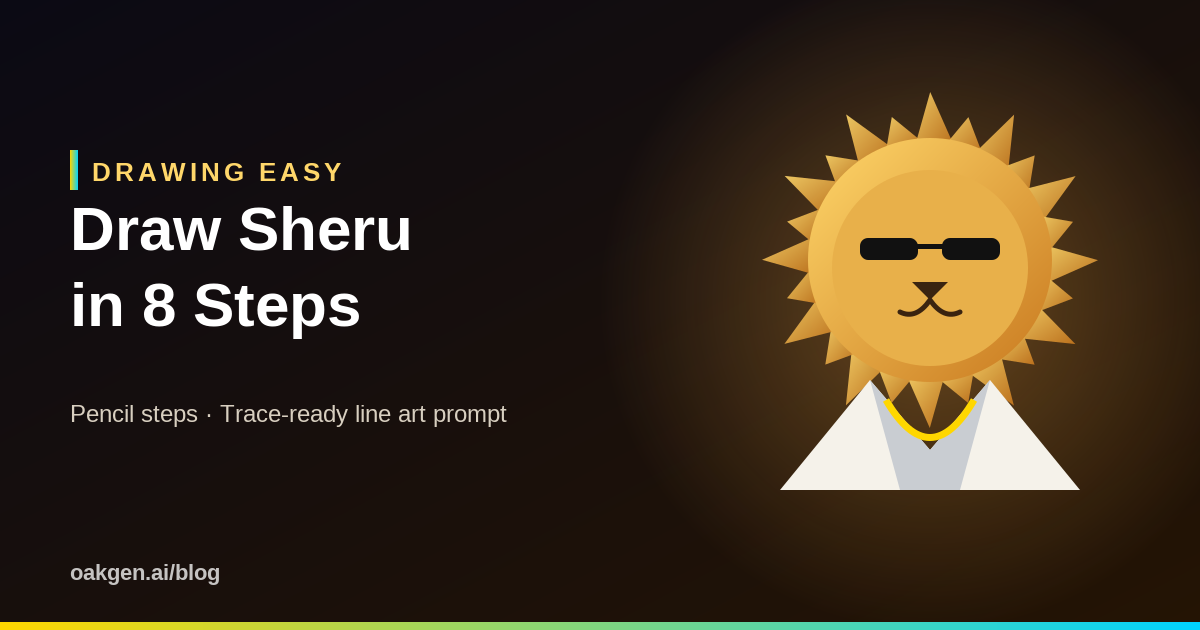
To draw Sheru Bhai easily, draw a circle for the head and an oval for the muzzle, wrap a wide spiky mane around it, add a centre line, sunglasses, nose and a calm closed smile, then sloping shoulders, a V-neck white jacket and a looping gold chain. With an HB pencil it takes about 10 to 15 minutes. If you want a clean outline to trace or colour instead, generate one with the line art prompt below for 20 credits at 2K on Oakgen (price as of 2026-11-28).
Sheru Bhai is the AI-made lion boss of Indian short videos: white mane, white suit, gold chain, dark sunglasses (CopyThatVideo). Those four things are what make a drawing read as Sheru, so they matter more than a realistic lion face.
What do you need?
| Item | Use |
|---|---|
| HB pencil | Light guide lines and the first outline |
| 2B pencil | Final lines and shadows in the suit folds |
| Eraser | Removing guides at the end |
| Plain A4 paper | The drawing, or tracing over a print |
| Yellow, orange, black colours | Chain, highlights and sunglasses (optional) |
How do you draw Sheru Bhai in 8 steps?
Keep every line light until step 8.
- Head and muzzle. Draw a large circle for the head. Under its centre, draw a smaller flat oval for the muzzle, overlapping the bottom of the circle.
- The mane. Around the circle draw a wide, spiky cloud, thicker at the sides than on top. Make it wider than feels right; a small mane makes him look like a cat.
- Face guides. One vertical line down the middle, one horizontal line a third of the way down for the eyes. Two small round ears poke out of the top of the mane.
- Sunglasses. On the eye line, two dark rounded rectangles with a thin bridge between them. Fill them in with the 2B and leave one tiny white gleam.
- Nose and mouth. A rounded upside-down triangle for the nose at the top of the muzzle. Below it, a short line down and a calm, closed curve for the mouth. No teeth; Sheru doesn't need to snarl.
- Shoulders and suit. Two sloping shoulder lines out from under the mane. Draw a V-neck jacket opening with a shirt collar inside and one lapel line on each side.
- The gold chain. A row of thick oval links hanging from the neck in a U, curving with the chest. Draw links, not one straight line.
- Final lines. Go over the lines you want with the 2B, erase the guides, and add a few strands inside the mane so it isn't one flat shape.
These are the same basic shapes most lion tutorials start from: a circle for the skull, a muzzle shape, and a much bigger outer shape for the mane (Crafting Step by Step). Sheru Bhai AI's Hindi drawing page uses a similar 8-step order ending with the chain and the clean-up (Sheru Bhai AI).
Which mistakes make a Sheru drawing look wrong?
| Mistake | What it looks like | Fix |
|---|---|---|
| Even, identical mane spikes | A saw blade around his head | Vary length and curve; let some tufts overlap |
| Mane too small | A house cat in a suit | Make the outer mane about twice the head circle |
| Hair drawn inward | A flat, squashed head | Draw strokes growing outward from the face |
| Flat jacket | A paper cut-out | Add two or three small folds at the elbow and under the lapel |
| Chain as a single line | A string, not gold | Draw separate oval links that follow the chest |
| Pressing hard early | Grey smudges on the white suit | Stay light until step 8 |
Crafting Step by Step makes the same point about lions in general: the outer mane circle "is the only guide you get for how far the hair travels. Draw it bigger than you think" (Crafting Step by Step).
What image prompt gives clean line art to trace?
If freehand is hard, make your own outline first and trace it. Don't trace a frame from another creator's reel. Generate your own:
Clean black-and-white line art for a colouring page, portrait 3:4.
An original cartoon anthropomorphic lion boss, not based on any film,
cartoon or social-media character: big friendly head with a wide spiky
mane, dark rounded sunglasses, calm closed smile, white three-piece suit
with a V-neck jacket and shirt collar, a chunky chain of oval links on
his chest. Upper body only, facing the viewer, centred.
STYLE: thick even black outlines, closed shapes, no shading, no grey, no
fill, pure white background, simple enough for a child to colour.
No text, no logo, no watermark, no border.
Then make variations by changing one line:
| Want | Change |
|---|---|
| Full body | "Upper body only" to "full body standing, hands in pockets" |
| Easier for small kids | Add "very simple shapes, fewer mane spikes, extra thick lines" |
| Sketch style to post | Replace the STYLE line with "soft graphite pencil sketch on cream paper with light shading" |
| With his son | Add "a small lion cub in a tiny white suit standing beside him" |
On Oakgen, Nano Banana 2.1 cost 14 credits at 1K, 20 at 2K and 46 at 4K per image on 2026-11-28. Choose 2K for an A4 print. If the result has grey shading, regenerate with "no shading, no grey" moved to the start of the prompt.
Make your Sheru line art
Paste the line art prompt, pick 3:4 and 2K, and see the price before you generate.
How do you trace and colour it?
- Print the line art at 100% size on A4.
- Tape it to a bright window (or a phone screen at full brightness for a small one) and tape a blank sheet on top.
- Trace lightly with the HB: outline first, then the mane, sunglasses and chain.
- Go over the main lines with the 2B and leave inner lines lighter.
- Colour in layers, lightest first.
| Part | Colour idea |
|---|---|
| White suit | Leave the paper white; very light grey in the folds |
| Mane | White with a little blue-grey in the shadows, or golden if you prefer the early look |
| Gold chain | Yellow, orange on the edges, a white dot for shine |
| Sunglasses | Black or dark grey with one small white gleam |
| Background | Gold or deep red, so the white suit stands out |
The white-or-golden choice is real: the earliest named Sheru episode CopyThatVideo found had a golden-brown mane, while most posts now show a white lion (CopyThatVideo).
What else can you do with your Sheru drawing?
Scan or photograph it and use it as a DP, or as a reference look for your own Sheru photos. Size guides for phone wallpapers and DPs are in Sheru Bhai photo 4K wallpaper and DP, and full-colour photo prompts are in Sheru Bhai AI photo prompts. For a picture of you with the lion boss, see the group photo prompt.
How we checked this
On 2026-11-28 we read Oakgen's pricing config for Nano Banana 2.1 (14, 20 and 46 credits at 1K, 2K and 4K), Sheru Bhai AI's Hindi drawing page and Crafting Step by Step's lion tutorial. The 8 steps, the mistake table and the prompt are written by us for this page. We did not generate the line art prompt for this article, so try one image and adjust. Prices can change; the exact credit cost shows before you generate.
Frequently asked questions
How do I draw Sheru Bhai easily?
Start with a circle for the head and a small oval for the muzzle. Add a wide spiky mane, a centre guide line, sunglasses, nose and a closed smile, then sloping shoulders with a V-neck white jacket and a looping gold chain. Keep lines light until the last step.
Which pencil should I use for a Sheru Bhai drawing?
An HB for the light guide lines and a 2B for the final outline and the shadows in the folds. Press lightly at first; heavy early lines don't erase cleanly from the white suit area.
Can I trace a Sheru Bhai drawing?
Yes, trace art you made or have permission to use. Generate your own line art with the prompt on this page, print it at 100% on A4, tape it to a bright window with a blank sheet on top, and trace with an HB pencil.
What colours does Sheru Bhai use?
Leave the suit and mane paper-white with light grey in the shadows, colour the chain yellow with orange edges and a white highlight dot, and make the sunglasses black or dark grey. A gold or deep red background makes the white stand out.
How much does the line art prompt cost on Oakgen?
On 2026-11-28 one Nano Banana 2.1 image cost 14 credits at 1K, 20 at 2K and 46 at 4K. For an A4 print, 2K is enough.