ChatGPT
 Claude
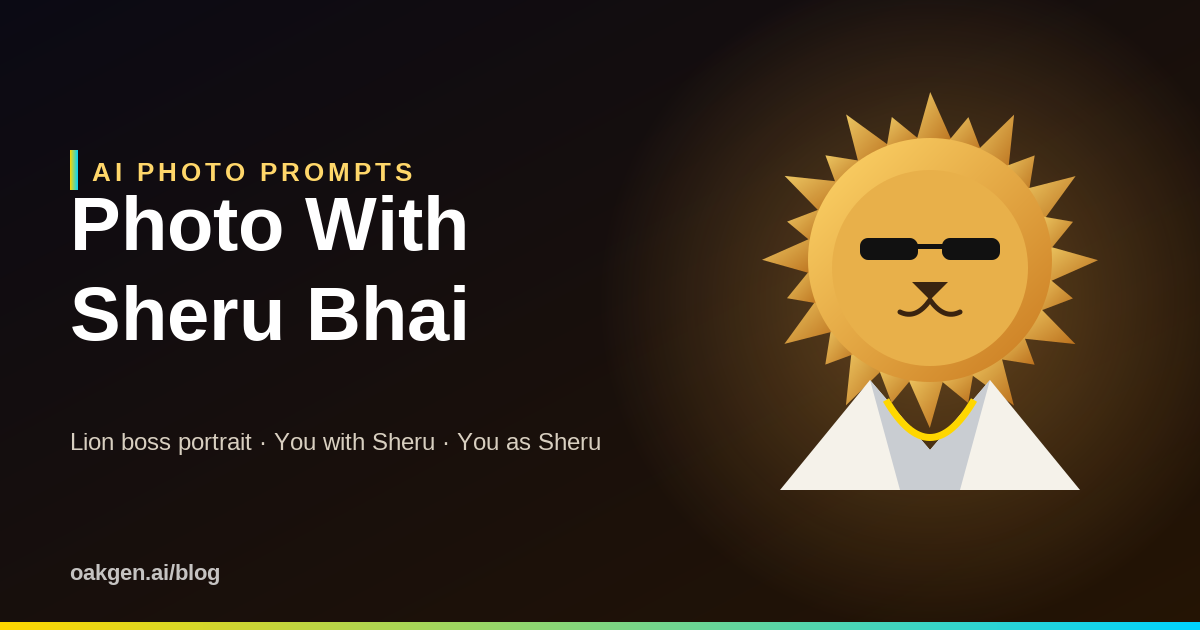
The Sheru Bhai trend started with videos, but many of the newest searches are for photos: the lion boss on his own, a photo of you standing with Sheru Bhai like an old friend, or you turned into him. All three come from the same two steps: make one lion portrait, then reuse it as the reference for everything else.
Every prompt below is 9:16 for Reels, Shorts and Stories. They work in any image model that takes reference images. On Oakgen, Nano Banana 2.1 starts at 14 credits and GPT Image 2.5 at 21 credits per image as of 2026-11-26.
Make your Sheru Bhai photo
Upload your photo, paste a prompt from this page and see the price before you generate.
1. The lion boss portrait (no photo needed)
Make this first and keep it. It is the reference for every other photo here and for your Sheru videos.
Photorealistic full-body portrait, vertical 9:16. An original
anthropomorphic lion boss, not based on any existing film, cartoon or
game character. Realistic golden lion head with a thick golden-orange
mane, amber eyes, calm confident half-smile. Human body standing upright,
fur-covered hands clasped in front. Crisp white three-piece suit, light
grey waistcoat, heavy gold chain over the waistcoat, gold wristwatch,
white leather shoes, dark aviator sunglasses pushed down his nose so his
eyes show. Behind him: the marble entrance of a lavish Indian mansion at
golden hour, a white luxury car with no badge, two bodyguards in black
suits out of focus. Low angle, head to knees, warm cinematic light,
realistic fur and fabric. No text, no logo, no watermark.
Why it works: each item of the outfit is named, so the model can't drift into a generic cartoon lion. "No badge" keeps real car logos out, and "original, not based on" keeps it away from famous lions.
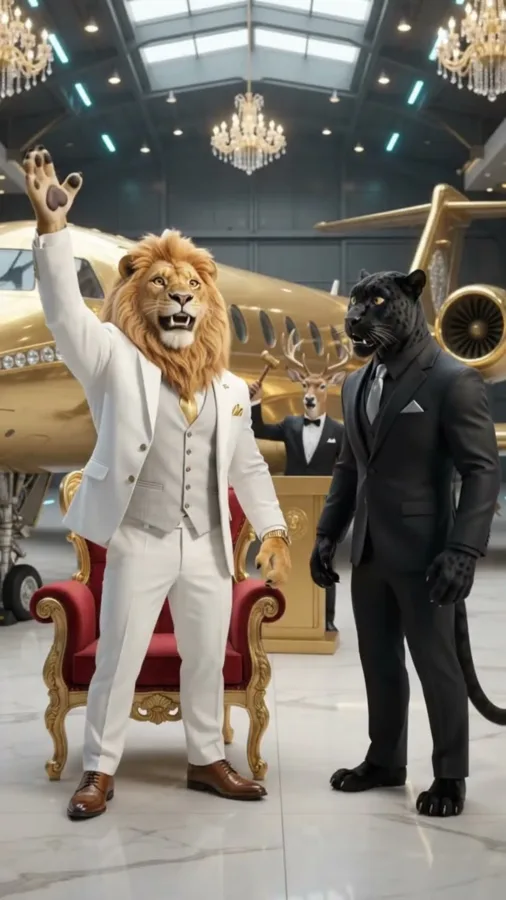
2. A photo with Sheru Bhai
The trend's signature picture. Attach two images: your photo first, the lion portrait second.
Photorealistic candid photo, vertical 9:16, the "photo with Sheru Bhai"
trend.
IMAGE 1 is me: keep my face, hair, skin tone, body and clothes exactly.
IMAGE 2 is Sheru Bhai: keep his lion head, mane, sunglasses, white
three-piece suit, grey waistcoat, gold chain, gold watch and white shoes
exactly.
Scene: we stand side by side on the steps of a grand Indian palace hotel
at sunset, a white luxury car with no badge behind us. Sheru rests one
fur-covered hand on my shoulder like an old friend; I smile at the
camera; he gives a cool half-smile over his sunglasses.
Full body of both, eye level, as if shot on a phone by a friend. Warm
natural light, realistic skin and fur.
No text, no logo, no watermark, no frame. Do not change my face.
Change only the scene line to put the two of you anywhere: "in the back seat of his white limousine at night, Mumbai lights outside", "at a wedding stage with marigold decorations", "at a cricket stadium VIP box". Keep "both faces clearly visible" for tight spaces such as a car, or the model will turn one of you away from the camera.
3. You as Sheru Bhai
This turns your photo into a lion-headed boss. Give the lion portrait the outfit job only; the lion's features come from yours.
Photorealistic transformation portrait, vertical 9:16.
IMAGE 1 is me. Turn me into a lion-headed boss that still reads as me:
my hair colour becomes streaks in the mane, my beard or moustache becomes
the same shape in the lion's muzzle fur, my eye colour and my expression
stay, my pose stays.
IMAGE 2 is the outfit reference only: white three-piece suit, light grey
waistcoat, gold chain, gold watch, aviator sunglasses.
Scene: seated on a gold throne in a marble palace hall, chandeliers,
one hand on the armrest, looking into the camera with a smug grin.
Waist up, eye level, warm cinematic light, realistic fur and fabric.
No text, no logo, no watermark.
The face will be a lion's, so friends will recognise the details (beard, hair, grin) rather than the face. If you want to stay fully recognisable, use prompt 2 instead.
4. Sheru Bhai with your family (group photo)
Attach a group photo and the lion portrait.
Photorealistic family photo, vertical 9:16.
IMAGE 1 is my family: keep every person's face, hair, skin tone and
clothes exactly, and the same number of people.
IMAGE 2 is Sheru Bhai: keep his lion head, mane, sunglasses, white suit,
gold chain and watch exactly.
Scene: a festive Indian living room with diyas and marigold garlands.
Sheru Bhai stands in the middle of the group, arms around the two people
beside him, everyone smiling at the camera.
Eye level, everyone's full face visible, warm festive light.
No text, no logo, no watermark. Do not change anyone's face.
What goes wrong and how to fix it
| Problem | Fix |
|---|---|
| Your face changed | Use a sharp photo with your face large in frame; say "keep my face exactly" first and "do not change my face" last |
| Sheru looks different each time | Always attach the same portrait from prompt 1 |
| Shoes, chain or glasses changed | Name every item you care about; the model changes what you leave out |
| A real car logo appears | Write "with no badge or logo" and never name the car brand |
| Garbled writing on signs | Ask for "no text anywhere" |
| One person faces away | Add "both faces clearly visible" |
Use photos you have the right to use
Your own photo is fine. Ask before you use a friend's photo, and don't use celebrities, strangers or children. If you post a realistic AI image, label it as AI-made.
Next: turn your portrait into a talking clip with the Sheru Bhai video prompts, or read who Sheru Bhai is and why he went viral.
Frequently asked questions
How do I make a photo with Sheru Bhai?
Make the lion boss portrait first, then use an image editing model with two images attached: your photo and the lion. Tell the model which image is which, and say 'do not change my face'. The prompt is on this page.
Which AI makes Sheru Bhai photos?
Any image model that takes reference images. Tutorials mostly use ChatGPT or Gemini. On Oakgen you can use Nano Banana 2.1 Edit or GPT Image 2.5; the price shows before you generate.
Why does my face change in the Sheru photo?
The model is redrawing the whole picture. Use a sharp, well-lit photo where your face is large in the frame, give your photo one job ('this is me, keep my face exactly'), and repeat 'do not change my face' at the end of the prompt.
Can I use a friend's or a celebrity's photo?
Only with their permission. Don't put a celebrity, a stranger or a child into a Sheru photo, and label realistic AI images when you post them.