ChatGPT
 Claude
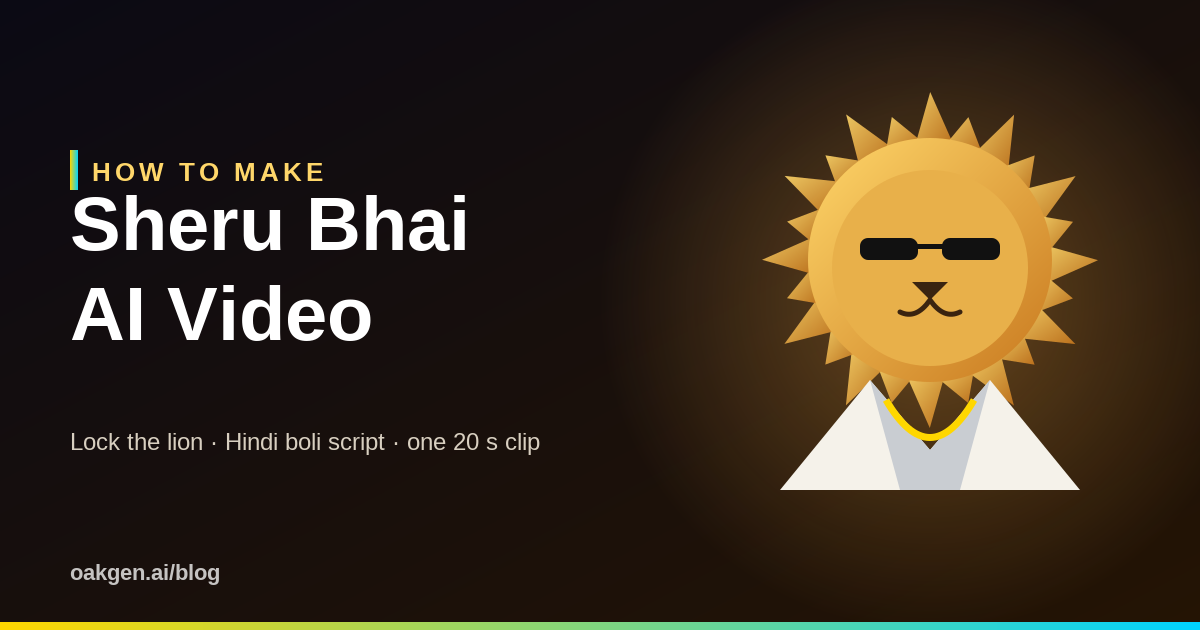
A Sheru Bhai video is a 15 to 30 second vertical AI clip about a lion-headed boss in a white three-piece suit who outbids, outranks or out-cools everyone in the room, in Hindi. To make one you lock a single lion design, write a short Hindi script with one escalation and one punchline, generate it in 9:16 with sound, and post it as the next episode in a series.
This guide covers the method that works in any tool, the free Google Flow route that YouTube tutorials teach, and the shorter route on Oakgen, where Seedance 2.5 makes the whole 20-second episode, dialogue included, in one generation.
Make your first Sheru episode
Paste a Sheru prompt, pick 9:16 and turn on audio. The credit price shows before you generate.
What a Sheru Bhai video actually is
Sheru Bhai is a made-up AI character, not a real person, and no studio owns him. The name is Hindi slang: sher is lion, bhai is brother, so "Lion Bro" or "the boss". Lion-boss clips were on YouTube by July 2026; the format took off in October, when India saw about 22,200 Google searches for "sheru bhai", up from about 1,300 in September (Renoise, citing Google Ads data). Hindi tutorials followed, and one from Manoj Dey passed 178,000 views in its first days (YouTube).
Every clip uses the same parts:
| Part | What it looks like |
|---|---|
| The hero | Realistic golden lion head, thick mane, amber eyes, human body |
| The costume | White three-piece suit, light grey waistcoat, gold chain, gold watch, often aviator sunglasses |
| The world | Marble halls, chandeliers, white luxury cars with no badge, bodyguards |
| The voice | Deep, calm, funny male Hindi voice |
| The story | Someone underestimates him, he tops them, the room goes silent |
| The length | 15 to 30 seconds, 9:16, often "Part 1 / Part 2" |
The most-copied stories are the boli (auction), where Sheru outbids a nervous rival with silly made-up numbers such as "ek arban tarban", the boss entry at a police station or college gate, and short family dramas told in three 10-second scenes: the hidden heir, the rich son, the old friend rewarded. In the dramas, Sheru often shares the screen with other animal-headed characters, such as an elderly elephant in a navy suit who turns out to be his late father's most trusted man. For why the format works and where it came from, read Sheru Bhai explained.

Step 1: Lock one lion before you make any video
Drift is the problem that kills most Sheru reels: the mane, suit or face changes between clips. Fix it before you start by making one portrait and reusing it.
Generate a single still, full body, 9:16, with every detail named:
Photorealistic full-body portrait of an original anthropomorphic lion boss,
not based on any existing film or cartoon character. Realistic golden lion
head, thick golden-orange mane, amber eyes, calm half-smile. Human body,
standing upright, fur-covered hands clasped in front. Crisp white three-piece
suit, light grey waistcoat, heavy gold chain over the waistcoat, gold
wristwatch, white leather shoes, dark aviator sunglasses pushed down his
nose. Marble mansion entrance at golden hour, a white luxury car with no
badge behind him. Warm cinematic light, realistic fur and fabric. No text,
no logo, no watermark.
Keep this image. Attach it to every clip you make from now on and paste the same description into every prompt. Naming the shoes, the chain and the sunglasses matters: whatever you leave out, the model will change. The Sheru Bhai photo prompts post has variants, including a photo of you standing next to him.
On Oakgen you can make the portrait with Nano Banana 2.1 (from 14 credits) or GPT Image 2.5 (from 21 credits) as of 2026-11-26.
Step 2: Write the script: one escalation, one punchline
A Sheru script is 6 to 8 short lines of Roman Hinglish (Hindi typed in English letters) that are spoken in Hindi. Keep each line under ten words, because long lines get mumbled and the lip-sync breaks.
The boli pattern for 20 seconds:
| Seconds | Line | Who |
|---|---|---|
| 0 to 3 | Host opens the bid on a prize | Host |
| 3 to 6 | Sheru enters with swagger and a silly number | Sheru |
| 6 to 9 | Rival counters, nervous | Rival |
| 9 to 10 | Sheru raises; cliffhanger | Sheru |
| 10 to 14 | Rival's desperate last bid | Rival |
| 14 to 17 | Sheru's absurd final bid; hammer: SOLD | Sheru, host |
| 17 to 20 | Sheru's winner line, slow push-in | Sheru |
An example you can use as it is:
- Host (a deer in a tuxedo): "Golden helicopter ki boli shuru! Pachaas crore!"
- Sheru: "Pachaas crore? Itna toh main tip deta hoon."
- Rival (a crocodile in sunglasses): "Sau crore... aur ek bada sa hug!"
- Sheru: "Meri boli: do jhakaas-arab, teen dhinchak-kharab!"
- Rival: "Paanch... paanch dhinchak-kharab!"
- Sheru: "Pura aasmaan. Helicopter udne ki jagah bhi meri."
- Host: "Going once, going twice... SOLD! Sheru Bhai ko!"
- Sheru: "Boli mein jeetna aadat hai, shauk nahi."
You can also have a chat AI write the scripts for you. The Sheru Bhai video prompts post has a master prompt that gives you 12 story ideas and then writes the full prompts for the one you pick.
Two rules keep the trend family-friendly and keep your account safe: the rival loses in a harmless, funny way, and the rival is a generic animal (a crocodile, cheetah or bear), never a copyrighted cartoon character.
Step 3: Turn the script into a video prompt
A good Sheru video prompt has five blocks, in this order:
- Format: 9:16 vertical, length, "realistic cinematic 3D, premium viral comedy".
- Characters: the full Sheru description from step 1, word for word, then the rival described just as fully.
- Setting: one location that matches the prize, with its light: "marble auction hall, chandeliers, gold and neon-blue light".
- Timeline: second by second, with each line of dialogue in quotes and "spoken in Hindi".
- Sound and rules: "crowd murmur, gavel bang, bass hit on the final bid", then "perfect Hindi lip-sync, no subtitles, no on-screen text, no logos, no watermark".
Putting the dialogue in quotes, in the language you want spoken, is what gets you clear Hindi instead of mumbling. Full copy-paste prompts for the boli, the boss entry and a story episode are in the prompts post.

Step 4: Generate the clip
The free route: Google Flow (what the tutorials show)
We watched the most-viewed Hindi tutorial frame by frame (Manoj Dey). Its settings, as shown on screen:
- Open Google Flow at flow.google.com and start a new project.
- Paste the Scene 1 prompt. Settings: Video, Ingredients, 9:16, Omni 1.2 Flash, 720p, 10 seconds, x1.
- Generate, then do the same for Scene 2 and Scene 3 for a 30-second story. The model writes the Hindi voices, music and sound effects in the same pass.
- Long-press each finished clip and download it.
- Join the clips in VN or CapCut with plain cuts. The tutorial exports at 1080p, 50 fps and about 20 Mbps (the voice-over says "15 fps", but the screen shows 50).
It isn't quite free: each 10-second run used 20 Flow credits in the tutorial, and a "running low on Google Flow credits" banner was already showing. The finished video also shows the format's weak spots. The office changes style between scenes, a parchment turns into a white certificate from one clip to the next, and the mouths flap more than they shape Hindi words. To keep the scene the same, start each new part from the last frame of the one before it (image to video) and repeat every detail of the setting in each prompt.
The one-clip route on Oakgen
Oakgen's Seedance 2.5 makes clips from 4 to 30 seconds, in 9:16, with a Generate audio switch that speaks the Hindi lines and adds the sound effects in the same pass. A 20-second boli fits in one generation, so there's no Part 1 / Part 2 seam to hide.
- Open the video generator and pick Seedance 2.5 (Reference mode if you want to attach the lion portrait from step 1).
- Paste the prompt, set 9:16 and 20 seconds, turn on Generate audio.
- Test at 480p first, then make the keeper at 720p or 1080p.
Prices as of 2026-11-26, shown in the app before you generate:
| Model on Oakgen | Clip | Sound | Credits |
|---|---|---|---|
| Seedance 2.5 | 20 s, 9:16, 480p | Dialogue and sound on | 1,491 |
| Seedance 2.5 | 20 s, 9:16, 720p | Dialogue and sound on | 3,198 |
| Gemini Omni Flash | 10 s, 9:16, 720p | Add sound separately | 338 |
| Kling V4 | Up to 30 s | Add sound separately | from 266 |
Gemini Omni Flash on Oakgen is the cheaper way to test a scene and its framing; you then add the Hindi voice in Oakgen Audio or in your editor. Seedance 2.5 costs more because it does the voice, lip-sync and sound for you. See Gemini Omni Flash vs Kling 4 vs Seedance 2.5 for a wider comparison.
Step 5: Check the take and fix what broke
Watch every take with the sound on before you post it. These are the usual faults and their fixes:
| What went wrong | Fix |
|---|---|
| Sheru's suit, mane or face changed | Attach the step 1 portrait; paste the full description again, don't shorten it |
| Mumbled or wrong Hindi | Shorter lines, simple spellings, "clear Hindi pronunciation, perfect lip-sync" in the prompt |
| Garbled text on paddles, signs or number plates | Ask for "blank paddles, no text anywhere"; AI video still writes small text badly |
| A real car badge or brand appears | Write "luxury car with no badge or logo" and never name the brand |
| Rival looks like Sheru | Give the rival a different animal, colour of suit and voice |
| Seam between Part 1 and Part 2 | Start Part 2 from Part 1's last frame, or make one longer clip |
| Slow, dead opening | Cut to the loudest bid or the rival's shocked face in the first two seconds |
For more on drift, see character consistency across cuts and diagnosing lip-sync problems.
Step 6: Post it as a series
- Hook in two seconds. Open on the biggest bid, not on a wide shot of the hall.
- Number your episodes. "Sheru Boli #7" or "Sheru ki Kahani, Part 3" gives people a reason to follow for the next one.
- Ask a question in the caption. "Kya koi kabhi Sheru ko hara payega?" pulls comments.
- Keep the voice on top. If you add trending music, keep it under the dialogue; the lines are the joke.
- Post in the evening. Most Indian Reels audiences are online from evening to late night.
- Label it as AI. YouTube and Instagram ask creators to disclose realistic AI content (YouTube Help).
Reach is not the same as income. YouTube can treat mass-produced, near-identical template clips as reused or repetitious content (YouTube Help). Even the tutorials call monetization "50-50". Your own stories, your own voice work and a running series give you the best chance.
Keep reading
- Sheru Bhai AI video prompts: master prompt, boli, boss entry and story episodes
- Sheru Bhai AI photo prompts: the lion portrait, a photo with Sheru, you as Sheru
- Sheru Bhai AI video kaise banaye (Hinglish guide)
- Sheru Bhai explained: who he is, where he came from and why the format spreads
Frequently asked questions
Which AI is used to make Sheru Bhai videos?
Most tutorials use ChatGPT to write the story and prompts, Google Flow with Gemini Omni Flash to make two 10-second 9:16 clips, and VN or CapCut to join them. Any video model that follows a long prompt works. On Oakgen, Seedance 2.5 makes one clip of up to 30 seconds with the Hindi dialogue and sound in it.
Can I make a Sheru Bhai video for free?
The free route is ChatGPT, Google Flow's daily free credits and a free editor. Flow's free limits change often, so check them before you plan a series. On Oakgen every model shows its credit price before you generate.
How do I keep Sheru looking the same in every clip?
Make one lion portrait first and attach it as the reference to every clip. Repeat the full description (mane, white three-piece suit, grey waistcoat, gold chain, gold watch, aviators) in every prompt, word for word. For a second part, start from the last frame of the first.
How long should a Sheru Bhai video be?
Most run 15 to 30 seconds in 9:16. The auction format is usually 20 seconds: a 10-second build-up that ends on a cliffhanger and a 10-second payoff where Sheru wins.
Will a Sheru Bhai channel get monetized on YouTube?
Not reliably. YouTube's policy on inauthentic and repetitious content applies to mass-produced template videos. Creators in the trend say themselves the chance is about 50-50. Original stories, your own voice work and a running series help more than reposting near-identical clips.
Sources
- Manoj Dey, Viral Sheru Bhai AI Video Kaise Banaye (YouTube, 2026-11-24)
- Renoise, Sheru Bhai AI Trend: Who He Is + Photo & Video Prompts (2026-11-15)
- Daily Trending Prompts, Sheru Bhai AI Video Prompt 2026 (2026-11-09)
- Kapwing, How to Make Sheru Bhai AI Videos (2026-11-16)
- YouTube Help, Disclosing use of altered or synthetic content
- YouTube Help, channel monetization policies