

 ChatGPT
 Claude
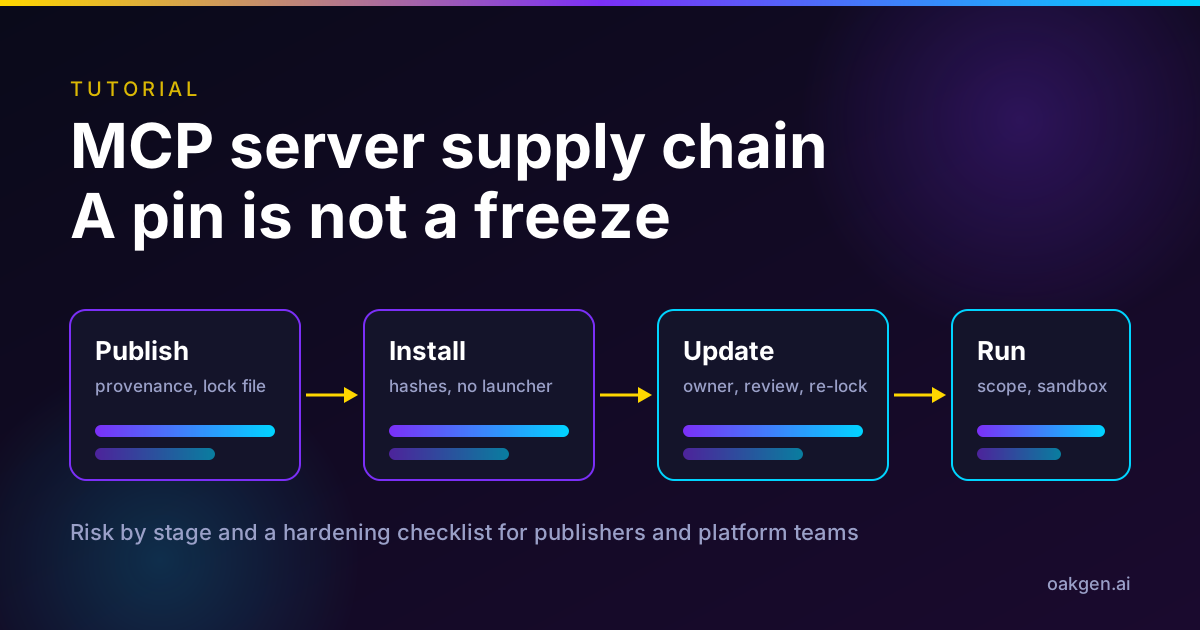
MCP server supply chain risk is mostly a question of what code runs when your agent starts a server, and who can change it without telling you. Corelight's research of November 10, 2026 showed one concrete version of that. A server pinned to one release and one commit ran with 15 different sets of dependencies over five weeks, because the launcher re-resolved them from public registries. Nothing was compromised. The finding is that a pin is not a freeze.
This post explains what Corelight showed and did not show, then gives server publishers and platform teams a stage-by-stage hardening checklist. The risk-by-stage table is the part to bookmark.
See what a hosted MCP server exposes before you connect it
Oakgen MCP is a remote endpoint for image, video and voice generation. Read the tools, scopes and limits it exposes, then decide what your agent should be allowed to call.
The short version
| Stage | The risk in one line | The control that matters most |
|---|---|---|
| Publish | A maintainer account or release pipeline is abused to ship a bad release | Build from a protected pipeline with provenance, and publish a hash-pinned lock file per release |
| Install | A one-step launcher resolves dependencies fresh on every rebuild | Install once into a dedicated environment with hashes enforced, launch the program directly |
| Update | The code you run drifts away from the code you reviewed | A named owner re-locks on a schedule, reviews the diff and re-approves changed tool definitions |
| Run | Every dependency inherits the server's credentials and reach | One scoped credential per server, read-only where possible, sandbox and egress allowlist |
Disclosure: Oakgen is our product. This is an infrastructure post, and Oakgen appears in one short section and in the call-to-action boxes.
Who this is for
You publish an MCP server, or you run the platform that lets teams connect them, and you want to know which claims are evidenced, which are advice, and what to change this week.
If you are the person who connects servers to a creative workflow rather than the person who ships them, start with our MCP security checklist for creative teams. It covers trust, credentials, approvals and audit logs from the user side, so this post does not repeat it. For the protocol background, see the MCP 2026-07-28 spec explainer.
How we checked this
On November 12, 2026 we opened Corelight's original post, the GitHub release pages for modelcontextprotocol/servers v2.3.0 and v2.4.0, the fetch server README at the v2.3.0 tag, the MCP specification and security best practices pages for revision 2026-07-28, and the package manager documentation cited below.
We did not reproduce Corelight's lab, run any server, or audit any package. Every figure carries its publisher and date and links the original. Corelight's numbers are its own measurements in its own environment, not independent measurements. Corelight sells network detection, and its hunting walkthrough uses its own product, so read that section as a vendor's method.
The controls in the risk table are of two kinds. Where a source states the control, the table names it. Where the control is our recommendation, built from the evidence, we label it as ours.
What Corelight actually showed
The post is by James Lagermann, Director of Technical Alliances, and it follows an earlier Corelight post about using an AI agent to map the blast radius of a compromise. In that work the agent noticed AI coding assistants on an administrator's workstation running MCP servers that held privileged credentials for security tools. Corelight then asked where those servers' code comes from and how it updates.
Here is what Corelight's post of November 10, 2026 reports.
| Finding | Number |
|---|---|
| One community server, configured for one release built from one commit | 15 different dependency sets over five weeks |
| Packages that changed versions beneath it | 23 of 69, including the cryptography library, the JWT library (four versions) and the MCP SDK itself |
| Builds of that same release and commit in the launcher's cache | 19 builds, producing 15 distinct environments |
| Times the assistant started that server in one week | 162, most of them reusing a cached environment |
| Servers reviewed, from two vendor catalogs and Corelight's lab | 35, of which 23 had a recommended install that would resolve dependencies fresh from a public registry |
| Frozen servers started over the following two weeks | 457 starts, and each server's installed package list matched its install day |
The mechanism is simple. The workstation's assistants started servers through uvx, a one-step launcher. The community server's author had pinned seven direct dependencies exactly and published a hash-pinned lock file. But the launcher installed from the package's declared dependencies, not from that lock file, so roughly 60 packages underneath resolved fresh within whatever ranges the tree allowed. Nobody changed any configuration, and the server's own version number never moved.
Corelight also reviewed vendors' setup instructions for hosted servers. Several start a small local proxy with npx <proxy>@latest, so the npm registry is asked for the newest version on every start. Corelight reports that one such proxy released six versions in one recent month, four of them within 14 hours. In an example from another vendor, setup also turned off TLS certificate checking for the whole proxy process.
What the research did not show
Be precise about the limits, because the finding is narrower than a headline like "MCP servers can rewrite themselves" suggests.
- No compromise. Corelight says nothing on the workstation was compromised. It did not find a malicious package, and it does not claim one was delivered.
- Not a server changing its own code. The code that changed was the dependencies, replaced by the launcher on a rebuild. The server did not modify itself.
- Not a flaw in MCP. The post says so directly. Each case was a choice in the setup instructions or configuration, and some servers it reviewed avoid the problem entirely.
- A small, non-random sample. Thirty-five servers from two catalogs and a lab, on one organization's workstation. It does not measure how many servers in the wild behave this way.
- Launcher behavior, not an ecosystem rate. The
npx @latestpattern comes from setup instructions Corelight reviewed, not from servers it watched drift in its lab.
What it does show is a gap between "looks pinned" and "is frozen", on a class of software that is started automatically and trusted with credentials. Corelight's own comparison puts it well. Managed updates have a build, review and release process you chose to trust. An environment that re-resolves at launch has none of that, and you would not know, because the server's version number does not change.
Corelight is explicit that a host contacting GitHub or PyPI does not prove code changed, since a cached launcher may only be checking a tag. To know whether code changed, look at what is installed. The post's own test of its fix was an identical installed package list across restarts.
Why a pin is not a freeze
Corelight's examples came from a lab, but the same pattern shows up in the project's own documentation. The fetch server README at the v2.3.0 tag says Readability.js's dependencies are installed with npm on first use, which reaches the npm registry. It adds that the JavaScript that runs is resolved from readabilipy's unpinned version ranges, so pinning mcp-server-fetch does not pin it.
The README also offers two ways out. Install the packages ahead of time, or pass --no-readability-js so the server never starts Node.js or npm. For a deployment that restricts outbound traffic, the README says registry.npmjs.org belongs in the egress allowlist unless one of those is done.
The same repository shows the freeze direction. The v2.4.0 release notes of November 11, 2026 list changes to build the filesystem, memory and sequential-thinking Docker images from the workspace lockfile, and to run every server image as its non-root user. Those are the habits Corelight asks maintainers to adopt, applied by the project that publishes the reference servers.
Two other package manager facts help here, both from the vendors' own documentation.
- Hash checking. The uv documentation says to use
--require-hashesto check runtime dependencies withuv pip installoruv pip sync. - Date cutoffs. uv supports
--exclude-newer, which limits resolution to distributions uploaded before a date and treats newer ones as if they do not exist. Corelight describes the community advice as waiting a few days before accepting new packages. Note that uv's flag takes a date, not an age, so a rolling cooldown means you move that date forward on purpose.
The risk-by-stage table
This is the original asset. Each row names a risk at one stage of an MCP server's life, the evidence for it, a control, and who owns the control. A control marked "ours" is our recommendation, not a requirement from the source.
| Stage | Risk | Evidence | Control | Owner |
|---|---|---|---|---|
| Publish | A bad release is shipped through a hijacked maintainer account, a weak release secret or a new maintainer | Corelight (Nov 10, 2026) lists xz Utils, Ultralytics, Nx and Shai-Hulud as recent cases and says a malicious release may be live for only minutes or hours | Release from a protected pipeline with provenance. npm's docs say provenance links a package to its source and build instructions, but does not guarantee it has no malicious code, so it is a check, not a verdict | Publisher |
| Publish | The README teaches a floating install | Corelight (Nov 10, 2026) found 23 of 35 reviewed servers had a recommended install that resolves fresh | Attach a hash-pinned requirements file per release and per platform, make the frozen install the default example, pin examples to a commit or image digest | Publisher |
| Publish | Dependency ranges let a major version arrive unannounced | Corelight (Nov 10, 2026) reports one security vendor's official server declared its direct dependencies with no upper limit | Bound ranges, and lock container builds and base image digests too | Publisher |
| Install | A one-step launcher resolves dependencies again on rebuild | Corelight (Nov 10, 2026) counted 19 builds, 15 environments and 23 of 69 packages changed | Install once into a dedicated environment with hash checking, install the server without dependency resolution, launch the program directly. Pin to a commit, not a tag, because tags can be moved | Platform team |
| Install | A server or proxy is added with a command nobody reviewed | MCP security best practices, 2026-07-28, section on local server compromise | Show the exact command without truncation and require approval. Keep an allowlist of approved servers and exact launch commands (ours) | Platform team |
| Update | An approved entry changes and runs without a new prompt | Cursor advisory GHSA-24mc-g4xr-4395 (CVE-2025-54136), Aug 1 2025, CVSS 7.2. Patched in Cursor 1.3, which asks for approval every time an entry is modified | Re-approve on any change to command, arguments or version. Alert on config changes (ours) | Platform team |
| Update | Tool descriptions change after approval | Invariant Labs (Apr 1, 2025) calls this a rug pull and advises pinning versions and hashing tool descriptions | Store a hash of each approved tool definition and re-review when it changes, and treat a list-changed notification as a review trigger (ours, following Invariant's advice) | Platform team |
| Update | Freezing turns drift into stale code | Corelight (Nov 10, 2026) found 40 of the community server's packages were older than what the launcher would have pulled that day | A named owner re-locks on a schedule, reviews the diff and checks pins for known vulnerabilities | Platform team and publisher |
| Run | Every dependency inherits the server's credentials and reach | Corelight (Nov 10, 2026) notes dependencies load into the server's process, with its tokens, files and network paths | One scoped credential per server, short-lived tokens, read-only where supported, no passthrough of client tokens | Platform team |
| Run | The server reaches hosts or files it should not | Fetch README, v2.3.0, and the v2.3.0 release notes | Use the host allowlist, the filesystem read-only mode and root confinement, a sandbox with minimal privileges and an egress allowlist | Platform team |
Two cells deserve a note. The spec adds a rule that helps with tool definitions. In revision 2026-07-28, a server's tool list may change over time but must not vary per connection or as a side effect of other requests, and it may vary by the authorization presented. That limits one kind of surprise, but it does not stop a changed definition, so the hash check is still useful.
The same page says clients must consider tool annotations untrusted unless they come from trusted servers. A readOnlyHint from a server you have not vetted is a claim, not a guarantee.
Hardening checklist for server publishers
You control the install path your users copy. Make the safe path the easy one.
- Ship a lock file and say how to use it. Corelight's maintainer note is blunt that the missing piece in a well-run project was an install path that used the lock file, not the lock file itself.
- Attach a hash-pinned requirements file to every release, generated from your lock file for each platform you support.
- Make the frozen install the default example. Show a dedicated environment installed with hash checking, then the server without dependency resolution, then a config that launches that program directly. Label the one-step launcher as a quick trial.
- Pin examples to a release commit or image digest, never a branch, tag or
latest. - Bound your dependency ranges and lock your Dockerfile installs and base image digest.
- Document startup network behavior. If the server checks for updates, downloads models or runs
npm installon first use, say so and say how to turn it off. Corelight found a frozen server still made one HTTPS call to PyPI on first launch because its framework checked for a newer version. - Document the least access the server needs, and ship a read-only mode where it makes sense.
- Pin the local proxy for a hosted server. Give an exact proxy version or a one-time install, and show how to trust your certificate authority instead of telling users to disable TLS verification.
- Release with provenance where your registry supports it, and describe in the release notes what changed in tool definitions.
- Publish a setup prompt. Corelight notes many people now install servers by asking their coding assistant to do it, so give the assistant the frozen steps and ask it to show versions and the exact config change before editing anything.
Hardening checklist for platform teams
You decide what an agent is allowed to start. These steps assume a team that runs several servers on developer or admin machines.
- Inventory every MCP entry and local proxy. Record the launch command, version, source and credentials it holds.
- Search configs for one-step runners and
latest. Any entry started by a package runner, or taggedlatest, can resolve new code from a public registry. Pin or freeze it. - Freeze every server that holds credentials. Commit-pinned, hash-verified, installed once, launched directly, update checks off.
- Verify the freeze by what is installed. Corelight's check was an identical package list across restarts. Fewer registry connections in your logs support that but do not prove it.
- Name an owner and a cadence. Someone re-locks on a schedule, reads the diff and checks known vulnerabilities, or the environment simply ages.
- Give each server its own credential. The MCP security guidance warns against omnibus scopes, and the authorization specification says servers must only accept tokens issued for themselves and must not pass a client's token through to an upstream API.
- Prefer short-lived tokens. The authorization security page says authorization servers should issue short-lived access tokens to reduce the impact of leaks.
- Sandbox and restrict egress. The security best practices call for running local servers with minimal default privileges and restricted file system and network access, using containers or application sandboxes. For servers that must reach the network, allowlist the hosts.
- Put an approval step in front of write actions. The tools specification says there should always be a human in the loop with the ability to deny tool invocations. See our post on human approval for creative AI agents.
- Consider a gateway or proxy that enforces the allowlist. This is our recommendation, not a requirement. Revision 2026-07-28 lets servers mirror chosen tool parameters into HTTP headers for intermediaries, and notes that aggregators may hit tool name collisions and should disambiguate. A gateway is one place to enforce the server allowlist, log calls and block unapproved destinations.
What the v2.3.0 flags do and do not do
Here is what the GitHub release page for modelcontextprotocol/servers actually lists. Tag v2.3.0 was published on November 4, 2026. It bundles per-package versions, so the version numbers in the table belong to the packages, not to the tag. It adds controls in the filesystem and fetch servers.
| Control | Where | What the release page says |
|---|---|---|
--read-only | @modelcontextprotocol/server-filesystem 2.2.0, in tag v2.3.0 | A mode that serves only read tools |
--confine-roots | Same package and release | Keeps client Roots inside the command-line directories |
--allowed-hosts | mcp-server-fetch 2026.11.4, in tag v2.3.0 | An operator host allowlist. The README says it is checked before every request, including redirect hops, and is separate from the default private-address guard |
| Configurable timeout | Same fetch package | The README says the default is 30 seconds, adjustable by argument, environment variable or per call |
git_merge tool, read-only git_remote | mcp-server-git 2026.11.4 | A new tool that can change a repository, and a read-only one that lists remotes |
Two cautions follow.
First, a new capability is also a new thing to allowlist. The git server gained a merge tool in the same release. If your policy was "the git server is read-only in practice", check that it still is.
Second, read-only is not the same as safe. The v2.4.0 release of November 11, 2026 says it fixes six vulnerabilities in three servers. In mcp-server-git, a read-only call such as git_status on an untrusted repository used to run a command named in its .git/config with the server's privileges. In the filesystem server, a directory swapped for a symlink between the access check and a read could return a file from outside the allowed directories on Linux and macOS, and the release says on Windows the fix narrows the race without closing it. The release also adds --read-only-dir for per-directory read-only access.
The upgrade note matters for pinning as well. The TypeScript servers moved from date versions to semantic versions, and package managers rank 2.3.0 below every date version, so the release page says to install @modelcontextprotocol/[email protected] explicitly. A pin that was correct before that change can silently refuse a security fix.
Start from an endpoint you do not have to run locally
Connect Oakgen MCP to your agent client and keep generation behind scoped, revocable credentials. Review the setup and limits first.
How a creative team would apply this
Oakgen is our product, so weigh this accordingly. Oakgen MCP is a remote endpoint, which means connecting your agent to it does not start our server code on your machine, and the launcher drift Corelight measured does not occur on your workstation for that endpoint. You are trusting us instead, which is why our MCP security checklist asks about credentials, scopes, revocation and audit trail.
The Corelight finding still applies to everything else an agent on that machine starts. A creative team often adds a filesystem server for briefs, a fetch server for references and a local proxy for another vendor. Those are the entries to freeze. For the wider pipeline, see agentic creative pipelines and our guide to an AI image generation MCP server.
Common mistakes
Treating a tag as a pin. Corelight says tags can be moved. Pin to a commit.
Pinning the server and ignoring what it installs. A seven-dependency pin did not stop about 60 packages underneath from moving.
Freezing and forgetting. When Corelight froze the community server, 40 of its packages were older than what the launcher would have pulled that day, including security-sensitive ones. A freeze without an owner is a slow leak.
Reading registry traffic as proof. A cached launcher that is quiet between rebuilds looks like a clean one. Check installed versions.
Trusting readOnlyHint or a read-only flag as a boundary. The spec treats annotations from untrusted servers as untrusted, and v2.4.0 shows read-only paths had their own bugs.
Telling users to follow latest for speed. Following latest gets a fix to users fast. Corelight notes it would deliver a hijacked release just as fast.
Decision framework
Use this order, and stop at the first yes.
- Does the server hold credentials that reach a management plane, production data or paid generation? Freeze it, scope the credential, and name an owner.
- Is it started by a package runner or
latest? Pin it to a commit or digest and install it with hashes. - Does it reach the network or file system? Apply the allowlist, read-only and confinement flags that exist, and sandbox it.
- Is it a hosted server behind a local proxy? Pin the proxy, and confirm TLS verification is on.
- Is it a publisher problem, meaning your README teaches a floating install? Fix the README before you fix anything else.
What I would do
If I ran a platform team tomorrow, I would spend the first hour on a search, not a policy. I would grep every developer and admin config for uvx, npx and latest, list what each entry can reach, and freeze the three that hold the most powerful credentials. That is a day of work and it closes the specific gap Corelight measured.
Then I would put an owner and a monthly re-lock on the calendar, because a freeze without that is the common failure. I would add hashed tool-definition review next, since it covers the rug-pull case that package pinning cannot.
If I published a server, I would fix the README before the code. Attach the hash-pinned file, show the frozen install first, and document what the server does on the network at startup. It is the cheapest change and the one Corelight explicitly asks maintainers to make.
I would not buy a scanner first. Corelight's own check is to look at what is installed, and a package list and a diff do that.
Keep an approval step in front of paid generation
Let an agent plan a creative brief and quote the cost, then approve before anything is generated. Try the flow in Oakgen Agent Chat.
Where to go next
Supply chain controls are one layer. For the identity layer, see Agent Name Service explained. For governance, read the Agentic AI Foundation explainer. If your servers also ship Skills, Agent Skills versus MCP says to audit every bundled file. For tool overhead rather than risk, see code execution with MCP.
Turn a safe connection into finished creative
Once your agent is connected and scoped, generate images, video and voice from one workspace.
Frequently asked questions
Did Corelight find a malicious MCP server?
No. Corelight's post of November 10, 2026 says nothing on the administrator's workstation was compromised. It found that MCP servers started through one-step launchers re-resolved their dependencies from public registries, so a server pinned to one release and one commit ran with 15 different sets of dependencies over five weeks. That is a drift finding, not an incident. It also says none of this is a flaw in MCP itself.
Does pinning an MCP server version protect me?
Only partly. A pin names the server's release, tag or commit, but the packages underneath it can still be resolved fresh whenever the environment is rebuilt. In Corelight's lab, 23 of one server's 69 packages changed versions beneath a release that looked pinned. Pin to a commit, install from a hash-pinned lock file, and launch the installed program directly.
What is the difference between pinning and freezing an MCP server?
Pinning fixes the name of the thing you ask for, such as a version or tag. Freezing fixes what actually gets installed and run, including every transitive dependency, and stops rebuilding it at launch. Corelight's method installs once into a dedicated environment with hash checking enforced, installs the server without dependency resolution, launches it directly and turns off startup update checks. Freezing then needs an owner who re-locks on a schedule.
Does the --read-only flag make the filesystem MCP server safe?
It removes write tools, which is a real reduction in blast radius, but it does not make the server safe to point at anything. The modelcontextprotocol/servers v2.4.0 release of November 11, 2026 fixed six vulnerabilities in three reference servers, including one where a read-only git_status call on an untrusted repository could run a command named in its .git/config. Treat read-only as one layer, and keep credentials, directories and network reach narrow as well.
What should an MCP server publisher put in the README?
Corelight's list for maintainers is a good start. Publish a hash-pinned requirements file with each release, make the frozen install the default example, pin examples to a release commit or image digest, bound dependency ranges, document what the server does on the network at startup, document the least access it needs and support a read-only mode where it makes sense, and pin any local proxy rather than telling users to follow latest.
Is a remote MCP server safer than a local one for supply chain risk?
It changes who carries the risk. With a remote server, you do not run the vendor's dependencies on your machine, so launcher drift on your workstation does not apply, but you now trust the vendor's build, update and access controls instead. With a local server you can freeze and sandbox it yourself, but you must own updates. Neither is automatically safer, and a local proxy for a remote server is local code you still have to pin.
Does this apply to Oakgen's MCP server?
Oakgen is our product. Oakgen MCP is a remote endpoint, so connecting to it does not launch our server code on your machine. The Corelight finding still applies to anything else your agent starts locally, such as another server or a proxy. We have not published an audit of our own build pipeline in this post, so ask any vendor, us included, how releases are built and who can change them.
Sources
- Corelight, The supply-chain risk hiding in your MCP servers, James Lagermann, Nov 10 2026 (read 2026-11-12)
- modelcontextprotocol/servers, release v2.3.0, Nov 4 2026 (read 2026-11-12)
- modelcontextprotocol/servers, release v2.4.0, Nov 11 2026 (read 2026-11-12)
- modelcontextprotocol/servers, fetch server README at v2.3.0 (read 2026-11-12)
- Model Context Protocol, Tools, specification 2026-07-28 (read 2026-11-12)
- Model Context Protocol, Security Best Practices, 2026-07-28 docs (read 2026-11-12)
- Model Context Protocol, Authorization Security Considerations, specification 2026-07-28 (read 2026-11-12)
- Invariant Labs, MCP security notification, tool poisoning attacks, Apr 1 2025 (read 2026-11-12)
- Cursor security advisory GHSA-24mc-g4xr-4395, CVE-2025-54136, Aug 1 2025 (read 2026-11-12)
- npm Docs, Generating provenance statements (read 2026-11-12)
- uv docs, Resolution, reproducible resolutions and --exclude-newer (read 2026-11-12)
- uv docs, pip compile, --require-hashes (read 2026-11-12)

