
 ChatGPT
 Claude
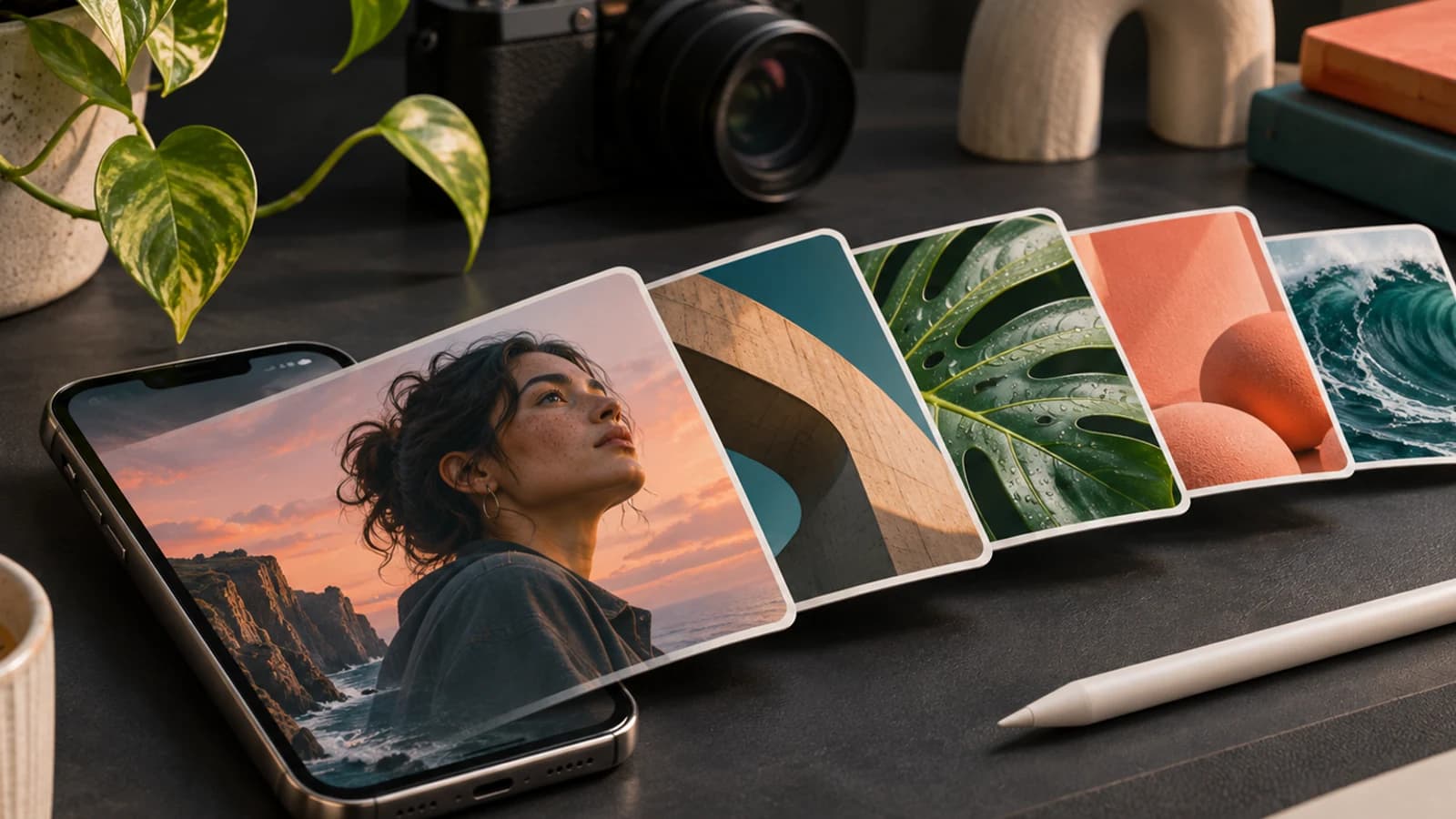
The Edits app carousel editor lets you build an Instagram carousel inside Edits, Instagram's free video editing app. Instagram launched it on October 7, 2026 for iOS. To turn it on, update Edits, open the Projects tab, tap + and choose Carousel. If Carousel is missing, switch on Carousel editor in Labs, which sits at the bottom of the menu behind your profile picture. Android started getting it in late October 2026.
It is a strong editor for carousels built from your own photos and clips. It does not write slides for you, and it does not know your brand until you set one up by hand. So the real decision is which part of the carousel you build in Edits and which part you generate first.
Oakgen makes an AI carousel maker, so we have a stake in that second option. This guide covers both honestly, including when Edits alone is the better choice.
Draft the slides before you open Edits
Paste your website, get three carousel drafts in your colours and fonts, then download the PNG slides and finish them wherever you like.
Edits carousel editor vs an AI carousel generator at a glance
Every Edits row below comes from Instagram's own posts, read on November 4, 2026, unless it says otherwise. The Oakgen rows come from the live carousels page and the studio code.
| Job | Edits carousel editor | Oakgen Carousels | What it means for you |
|---|---|---|---|
| Price | Free app | Paid plans. Writing slides uses no credits, slide images do | Edits wins if budget is zero |
| Writes the slide copy | No | Yes, from your brand and an idea | Text-heavy posts are faster to generate |
| Photos and videos on slides | Both, mixed on one canvas | Images only, no video slides | Clips belong in Edits |
| Images that cross slide edges | Yes, a photo can run into the next slide | Yes, in the One Line layout series | Both can make a swipe that continues |
| Brand look | Your saved Edits presets, fonts and text styles | Read from your website: colours, fonts, logo, tone | Oakgen starts from your site, Edits from your presets |
| Audio | Yes | No | Music is an Edits job |
| Cutout stickers | Yes | No | Product cutouts are an Edits job |
| Slide count | Instagram has not stated an Edits limit | 2 to 10 slides, 7 by default | Long photo dumps go in Edits |
| Sizes | Instagram has not documented the ratio options | 1080 x 1350, 1080 x 1920, 1080 x 1080 and a LinkedIn PDF | Oakgen covers other platforms from one design |
| Gets it onto Instagram | Share straight to Instagram, or download | Download PNG slides plus the caption | Finish in Edits, then share from there |
Neither tool does everything. Edits is a media editor. An AI carousel generator is a writer and designer for slides that carry words. The hybrid workflow later in this guide uses each for what it does well.
Who this guide is for
- Creators who already cut reels in Edits and want carousels from the same shoot without another app.
- Social media managers deciding whether Edits replaces Canva or a carousel tool for client posts.
- Small brands that post tips, product explainers and how-tos, where most of each slide is words.
- Agencies that need one look across many carousels and want to know where Edits fits in that pipeline.
If you only want the toggle, the next section is all you need.
How we checked this
We read Instagram's Edits blog post announcing the carousel editor (October 7, 2026), Instagram's @creators posts on Instagram and Threads, and the Edits blog post on the Edits assistant (September 30, 2026), all on November 4, 2026. We used Social Media Today, PetaPixel and Net Influencer for launch coverage. For the Labs toggle and the editor's toolbar, which Instagram's launch post does not describe, we used Leslie M Lyon's September 9, 2026 walkthrough and a YouTube walkthrough by Simply Create.
For Oakgen we read the live AI carousel maker page and the carousel studio code on the same day. We did not run timed tests of either tool, and nothing here reports a result we did not observe. Where a detail comes from a creator walkthrough rather than Instagram, we say so.
How to turn on the carousel editor in Edits
There are two routes, and which one you need depends on whether the rollout has reached your account.
The official route on iOS
These are Instagram's steps from the October 7 announcement:
- Update Edits from the App Store.
- Open Edits and go to the Projects tab.
- Tap + and choose Carousel.
- Pick one or more photos and videos.
- Lay out your media on the canvas.
- Edit with audio, text, filters, adjustments and cutouts.
- Share the carousel straight to Instagram, or download it.
The Edits Labs carousel toggle
Before the launch, the carousel editor was a test inside Labs, the area of Edits for experimental features. Leslie M Lyon documented the toggle on September 9, 2026, a month before the official announcement. If Carousel is not in your + menu, check Labs:
- In Edits, tap your profile picture in the top right.
- Scroll to the bottom and tap Labs.
- Switch on Carousel editor. Lyon reports its description as "Create and edit posts with multiple photos and videos."
- Go back to Projects, tap +, and Carousel should now be in the menu.
If neither route shows it, force-close Edits after updating and look again. Instagram rolls features out in waves, so two accounts can see different menus in the same week.
What about Android?
Instagram's launch post said "Android coming soon." Later, a post from Instagram's @creators account on Threads, dated October 27, 2026, said the "Carousel editor is now rolling out on Android devices, and you can find it on your projects pages or in the Labs tab." So on Android, check both places. As of November 4, 2026, Instagram has not said when the Android rollout will reach everyone.
Instagram's steps are for the Edits mobile app, and the Labs toggle is in the mobile app's menu.
What the Edits carousel editor does well
Instagram describes the editor as "a natural extension of Edits," and that is accurate. If you already use Edits for reels, the interface and your saved presets carry over: adjustments, colours, audio and text styles.
The features Instagram lists:
- Photos, videos and text on one canvas. A carousel can mix stills and clips.
- Images and headlines across slides. In Instagram's words, "A photo can bleed from one slide into the next, and a headline can carry across them." This is the panorama-style swipe that used to need a desktop design tool.
- Layouts. A layout tool places several photos in preset grids, with adjustable padding and spacing, and you can edit each photo inside the layout.
- Cutouts. You can cut a subject out of a photo and use it as a sticker on any slide.
- Precise placement. Colour grading, scale and rotation line elements up across slide edges.
- Slide management. Tap + in the editor to add a blank slide. Tap "..." on a slide to duplicate it, insert a slide on either side, or reorder.
- Direct posting. Share from Edits to Instagram, or download the carousel to post anywhere.
The Simply Create walkthrough also shows a toolbar with audio, media, sticker, text, background, ratio, layers, layout, cutout and reorder, plus a lock that pins an element in place. Instagram's post does not list all of those, so treat that set as what one creator saw in October, not a spec.
For a photographer, a product shoot or a day-in-the-life post, that is most of what you need. A product cutout that floats across three slides with music under it is easy in Edits and hard in most carousel tools.
What the Edits carousel editor can't do yet
Here is where it breaks for text-heavy posts.
It does not write the slides. Instagram's announcement describes editing tools, not writing. The Edits assistant, which rolled out to US users on September 30, 2026, is built for analysis. Instagram's post says it reads your Instagram metrics and suggests "video concepts, hooks, captions, and scripts." It does not say the assistant writes carousel slides or lays them out. Instagram's own framing is that "creators want a tool that handles the analysis, not one that does the creative work for them." If your carousel is seven slides of tips, you still write every line.
It does not know your brand until you build presets. Your fonts, colours and text styles carry over once you have saved them in Edits. Nothing reads your website or product list for you.
It is one canvas at a time. There is no feature in Instagram's description for making the same carousel in other sizes for TikTok or a LinkedIn PDF. The carousel size and slide limits guide covers what each platform accepts if you post beyond Instagram.
Some details are not documented. Instagram has not published a slide limit for Edits carousels or the exact ratio options. One creator walkthrough shows a picker that says "select up to 20 items," which matches Instagram's 20-item carousel limit, and the Simply Create walkthrough shows portrait 3:4, square, stories and landscape ratios. Both are unconfirmed by Instagram. Check the ratio setting before you import slides made at another size, or the edges may be cropped or padded.
Android is still rolling out. If your team is split between iPhone and Android, not everyone may have it yet.
None of these are flaws for a photo carousel. They matter when the carousel is mostly words, which on Instagram is a lot of carousels.
Skip the blank first slide
Pick an idea, recreate a format that already works, or turn an article into slides. Oakgen writes and lays out every slide in your brand.
When an AI carousel generator beats building by hand
This is the decision table we would use. It is our judgment from what each tool documents, not a test result.
| Your carousel is mostly | Build it in | Why |
|---|---|---|
| Your own photos from one shoot | Edits | Layouts, filters and cutouts are the whole job. There is little copy to write |
| A mix of clips and photos with music | Edits | Oakgen carousels have no video slides and no audio |
| A product floating across slides | Edits | Cutouts and cross-slide placement are what Edits added |
| Tips, steps, a list or a breakdown | AI carousel generator, then optional Edits | The work is writing and laying out 7 slides of text |
| A remake of a format that worked for someone else | AI carousel generator | Oakgen rebuilds the structure from screenshots or its library in your words |
| A blog post or newsletter turned into slides | AI carousel generator | Oakgen can turn an article into a carousel. See turning a blog post into a carousel |
| The same post for Instagram, TikTok and LinkedIn | AI carousel generator | One design downloads at 4:5, 9:16, 1:1 and as a LinkedIn PDF |
| Text slides plus one product clip | Both | Generate the text slides, add the clip and audio in Edits |
The pattern is simple. If the hard part is the media, Edits is enough. If the hard part is the words and the design around them, generating first saves the blank-slide stage. The AI carousel generator comparison covers how Oakgen compares with PostNitro, Contentdrips, Taplio and others if you want options beyond ours.
Generate in Oakgen, finish in Edits
This workflow combines both tools for a text-led carousel with some of your own media. Every Oakgen step below is on the live carousels page or in the studio code as of November 4, 2026.
- Set up your brand once. Paste your website in the carousel studio. Oakgen reads your colours, fonts, logo, products and tone of voice, and you review the brand kit before anything is made. No website works too, with a sentence or two about the brand.
- Pick an idea. Start from a suggested post, recreate a carousel from up to 10 screenshots or from the built-in library, or turn an article into slides. The guide to recreating a carousel explains how it keeps the structure and drops the original's words.
- Edit every slide. Change the text, layout and colours, drag text boxes, reorder or duplicate slides, upload your own picture, or regenerate an image with a new prompt. Slides stay between 2 and 10.
- Write a first slide that earns the swipe. The first-slide hooks guide has patterns to test.
- Download the Instagram format. You get a ZIP of 1080 x 1350 PNG slides, numbered in order, with the caption in a text file.
- Import into Edits. Save the PNGs to your phone, open Edits, tap + and Carousel, and select them in order. Add your clips as extra slides where they fit.
- Add what only Edits does. Audio, a cutout sticker of your product, a filter that matches your reels.
- Paste the caption and share. Copy the caption from the text file, then share from Edits to Instagram.
Two things to know before you try it.
First, the slides arrive in Edits as flat pictures. Edits cannot edit the words on an Oakgen slide. If a line is wrong, fix it in Oakgen and download again. Add Edits text only for overlays you want on top, and keep it clear of the text already on the slide.
Second, pick one source for cross-slide art. Oakgen's One Line series draws a single wide canvas behind the slides, with a line, a horizon and a sun crossing the edges. Edits can also run a photo across slides. Doing both on one carousel makes the edges busy. Use Oakgen's version for a text post and Edits' version for a photo post.
Download slides Edits can take straight in
Get 1080 x 1350 PNG slides and the caption in one ZIP, then add clips, audio and cutouts in Edits.
A pre-share checklist for Edits carousels
Run this before you tap share, whichever tool made the slides.
- Every slide is the same ratio. Instagram crops the rest of a carousel to the first slide's shape.
- The ratio setting in Edits matches the slides you imported.
- The first slide works as a standalone post, with a readable headline at phone size.
- Text sits away from the left and right edges of the cover, where the profile grid crops.
- Anything that crosses a slide edge lines up when you swipe in the preview, not only on the canvas.
- Clips are trimmed short. A carousel is a swipe, not a reel.
- The audio choice fits every slide, since it plays across the whole carousel.
- If any slide shows a photorealistic AI-generated person, check whether your account needs Instagram's labels. Our guide to the Instagram AI-generated profile label explains which label applies.
- The caption carries any link, because text on a slide is not clickable.
The carousel quality checklist has a longer version with copy and claim checks.
Common mistakes with the Edits carousel editor
- Looking for it in the Instagram app. The editor lives in Edits, a separate app. Same login, different app.
- Assuming it is gone because the + menu does not show it. Check Labs before you give up.
- Writing seven slides of text on a phone. It works, but it is slow, and typos are hard to spot on a small screen. Draft the copy somewhere you can read it at full size.
- Mixing ratios. A 4:5 slide in a 3:4 or square carousel gets cropped or padded. Pick one ratio before you import.
- Stacking text on text. Adding an Edits headline on top of a slide that already has a headline makes both hard to read.
- Treating Edits presets as a brand system. Presets keep one person consistent. If a team or an agency shares a look, write the colours, fonts and rules down somewhere everyone can read. For agencies testing many variants, our piece on Meta's creative diversity score covers why near-identical creative is its own problem.
- Forgetting AI content rules on other platforms. If you repost the same slides to TikTok Shop, its rules differ. See the TikTok Shop AI content policy.
When another tool fits better
Be honest about the job before you pick.
- Edits alone is better for photo dumps, travel and event recaps, outfit posts and anything built from your camera roll. It is free, it shares straight to Instagram, and its cutout and cross-slide tools are good.
- Canva or another canvas tool is better when you need free-form design with your own uploaded typeface, more than 10 slides, or print and presentation formats as well. Our post on when Canva is still the right call goes through those cases.
- A LinkedIn-first tool is better if LinkedIn is your only channel and you want to publish there from the same tool. Oakgen exports a LinkedIn PDF of the carousel.
- Oakgen is the better start when the slides are mostly words, when you want to rebuild a proven format in your brand, or when one carousel needs to ship at several sizes. It is not a video editor, and Oakgen carousels have no video slides or audio.
If you also make the photos you put in Edits with AI, the AI image generator can produce product scenes and backgrounds to import as slides. Check the pricing page for what your plan includes before you start.
The bottom line
Turn the Edits carousel editor on today. It is free, and for carousels built from your own photos and clips it is the fastest route from camera roll to Instagram. If the + menu does not show Carousel, the Labs toggle usually does.
Where it stops is the words. Edits will not write seven slides of tips, and its assistant is built to analyse your account, not to lay out a carousel. For those posts, generate the slides first, then bring them into Edits for clips, music and cutouts.
To try that on your next post, generate a branded carousel from your website and import the PNG slides into Edits.
Start your next carousel with the words done
Oakgen writes and designs the slides in your brand. Download them and finish the swipe in Edits.
Frequently asked questions
How do I turn on the carousel editor in Edits?
Update Edits, open the Projects tab, tap + and choose Carousel. That is Instagram's official path for iOS. If Carousel is not in the + menu, tap your profile picture in Edits, scroll to Labs at the bottom and switch on Carousel editor, then go back to Projects. Instagram's creators account says Android users can find it on the Projects page or in the Labs tab.
Is the Edits carousel editor available on Android?
It is rolling out. Instagram's launch post of October 7, 2026 said iOS first with Android coming soon. A later post from Instagram's creators account on Threads, dated October 27, 2026, says the carousel editor is now rolling out on Android devices. Rollouts reach accounts at different times, so update the app and check Labs if you do not see it yet.
Is the Edits app free?
Yes. Edits is a free app on iOS and Android, and the carousel editor costs nothing extra. The Edits assistant inside the app is also free with a daily prompt limit, and Instagram says heavier users will be able to buy more usage through a Meta One subscription.
Can the Edits assistant write my carousel slides?
Not as Instagram describes it. Instagram's September 30, 2026 post says the assistant analyses your Instagram insights and suggests video concepts, hooks, captions and scripts. It does not say the assistant writes or lays out carousel slides, so plan to write slide copy yourself or in another tool.
Can I put videos in an Edits carousel?
Yes. Instagram's announcement says you can mix photos and videos on the canvas and edit them with audio, text, filters, adjustments and cutouts. A photo can also run from one slide into the next, and a headline can carry across slides.
Should I use an AI carousel generator or build the carousel in Edits?
Build in Edits when the carousel is mostly your own photos and clips and the words are short. Use an AI carousel generator when the carousel is mostly text, such as tips, steps or a breakdown, or when you need the same post in several sizes. You can also do both: generate the slides, download them, and add your clips, audio and cutouts in Edits.
Can I edit Oakgen slide text after I import the slides into Edits?
No. Oakgen downloads each slide as a flat PNG, so Edits sees a picture, not editable text. Fix wording in Oakgen and download again, then add Edits text only for overlays you want to animate or carry across slides.
Sources
- Edits App blog, New to Edits: An editor for your carousels, October 7, 2026 (read 2026-11-04)
- Instagram's @creators on Threads, New to Edits post on the Android rollout of the carousel editor, October 27, 2026 (read 2026-11-04)
- Instagram's @creators on Instagram, carousel posts in Edits announcement, October 2026 (read 2026-11-04)
- Edits App blog, Meet the Edits assistant, the one that knows your Instagram, September 30, 2026 (read 2026-11-04)
- Social Media Today, Edits app gets carousel editing tools, October 7, 2026 (read 2026-11-04)
- PetaPixel, Instagram Edits Now Lets You Make Custom Photo and Video Carousels, October 7, 2026 (read 2026-11-04)
- Net Influencer, Instagram Adds Carousel Editor to Its Edits App, October 8, 2026 (read 2026-11-04)
- Leslie M Lyon, How to Turn On the Carousel Editor in Instagram's Edits App, September 9, 2026 (read 2026-11-04)
- Simply Create on YouTube, How to Make Instagram Carousels in Edits, creator walkthrough (transcript read 2026-11-04)
- Oakgen, AI carousel maker for Instagram, LinkedIn and TikTok (read 2026-11-04)