ChatGPT
 Claude
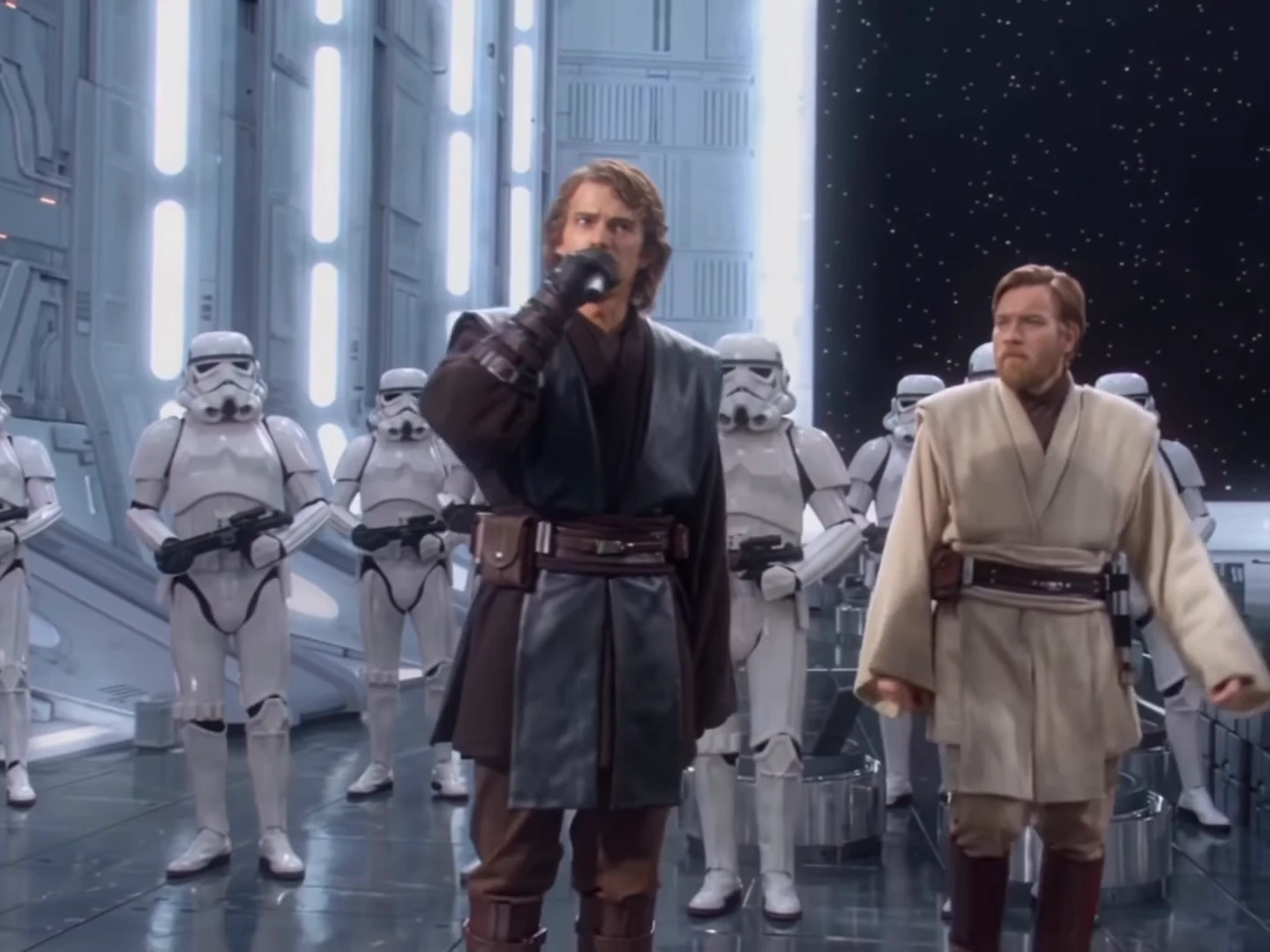
The Gangsta's Paradise AI trend is a 30-second music performance in a white sci-fi hangar: one performer raps the verse of the 1995 Coolio song into a handheld microphone in front of rows of armoured troopers, a second performer walks past without a word, and at the end the troopers raise microphones as a choir while the second performer steps in to sing the chorus. Oakgen's template puts your own two people in it. This guide walks through the photos, the quote and the checks that matter for a video this long.
Put your two performers in the hangar
Add a Rapper and a Singer photo, review your credit quote and make the 30-second Gangsta's Paradise video with the original song.
What the template gives you
One 4:3 landscape clip, 30 seconds long, with the original recording. You replace both performers. The hangar, the troopers, the camera moves and all six cuts stay as they are.
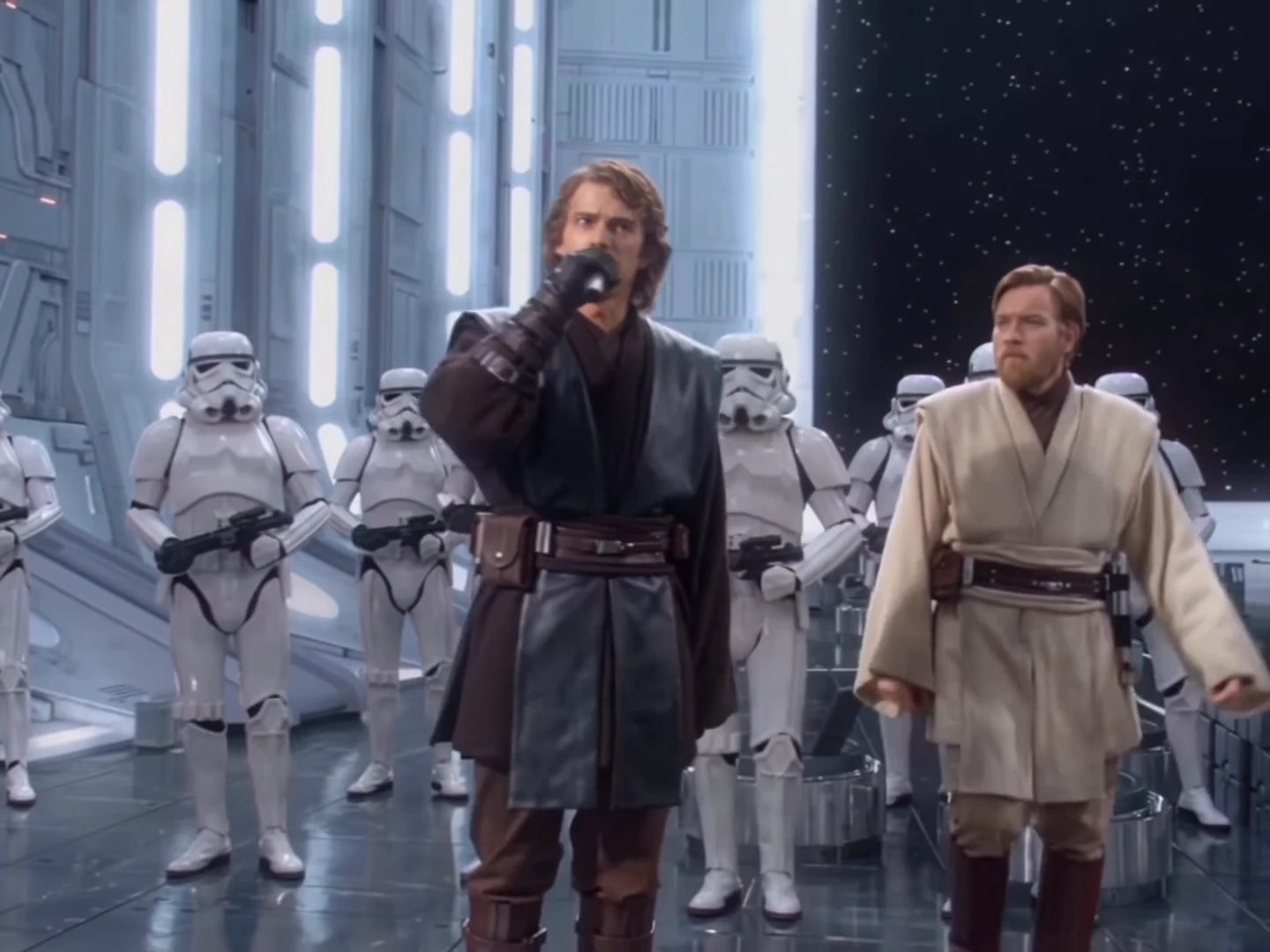
A frame from the AI reference clip, not an Oakgen output. Your Rapper takes the place of the performer in dark robes and your Singer takes the place of the one in beige.
| Time (about) | What happens |
|---|---|
| 0 to 5.8 s | The Rapper alone at the microphone, close-up then full body |
| 5.8 to 11.8 s | The Singer walks past on the left; the camera closes in on the Rapper |
| 11.8 to 15 s | Both walk side by side towards the camera |
| 15 to 18.1 s | The Rapper alone, pointing at the lens |
| 18.1 to 23.1 s | A wide shot down the hangar, the Rapper's raised arm |
| 23.1 to 24.2 s | A close shot of the Rapper with the Singer behind |
| 24.2 to 30 s | The trooper choir, the Rapper rising into frame, the Singer's chorus from about 27 s |
The shot-by-shot detail is on Gangsta's Paradise AI trend, shot by shot.
Step 1: Pick the Rapper's photo
The Rapper is in almost every shot and fills the frame in three close-ups. Choose a sharp, front-facing photo with the whole head visible and even light. Avoid sunglasses, a hand over the mouth or heavy filters: the mouth carries the verse.
The outfit in the photo is the outfit in the video. There is no costume, and the reference performer's robes are not kept, so a jacket, a suit or a team shirt reads as clearly as anything else.
Step 2: Pick the Singer's photo
The Singer is mostly seen walking in wide shots, then sings at the end. A full-body or waist-up photo helps the outfit and build come through; the face still needs to be clear for the chorus. If you are unsure who should take which role, AI rap music video with a friend has casting ideas.
Pick two people who look different. Different hair, skin tone or clothing colours keep them apart when they walk side by side at 12 seconds.
Step 3: Choose the quality and read the quote
Open the Gangsta's Paradise trend, add both photos and choose 480p, 720p or 1080p. The quote covers the full 30-second video and the preparation of both photos. Higher resolutions cost more credits, so a 480p or 720p test run is a sensible first step before a 1080p final.
Step 4: Generate and check
A longer video with six cuts gives the model more chances to drift than a short one-shot trend. Watch the result once with sound and once muted:
- After every cut (about 6, 12, 15, 18, 23 and 24 seconds), check that both performers still look like their photos and have not swapped places.
- The Rapper's close-ups at the start, around 9 seconds and around 16 seconds: the mouth should move with the verse. The song is not sent to the model, so the mouth follows the motion tracked from the reference; small timing slips are normal.
- The Singer should stay quiet until the chorus at the end.
- Microphones and hands: one black handheld microphone per performer, five fingers per hand, especially when the Rapper points.
The full checklist is on How to check your Gangsta's Paradise AI video. If a face drifts badly, generate again rather than posting.
Step 5: Post it responsibly
Label the video as AI-made, use only photos of people who agreed to appear, and never upload photos of actors or celebrities. The soundtrack is a commercial recording, so each platform's music rules apply to where you post it.
Related trends
If you like two-person performances, How to Make the Brick by Brick AI Video recasts a car speech and How to Make the Island Boy AI Trend recasts a pool performance. For a quieter film-scene duo with spoken lines instead of a song, the I Love the Smiths AI trend recasts the (500) Days of Summer elevator scene from two photos. For the story of this clip and why it works, read The Star Wars Gangsta's Paradise AI parody explained.
Frequently asked questions
How many photos do I need for the Gangsta's Paradise AI video?
Two, and both are required: one for the Rapper, who performs the verse, and one for the Singer, who walks past and sings the chorus at the end.
Do I have to record my voice?
No. The video keeps the original recording of "Gangsta's Paradise" by Coolio featuring L.V. Your photos set the faces and outfits, not the voice.
Is the song sent to the AI model?
No. Well-known recordings are refused by the video model, so the mouths follow the movement tracked from the reference performance and the song is put back on the finished video.
How long is the video?
30 seconds in 4:3 landscape, in seven shots, ending on a trooper choir and the Singer's chorus.
Is the preview video made by Oakgen?
No. It is the AI reference clip the template is built from. Nothing in this guide is an Oakgen result.