
 ChatGPT
 Claude
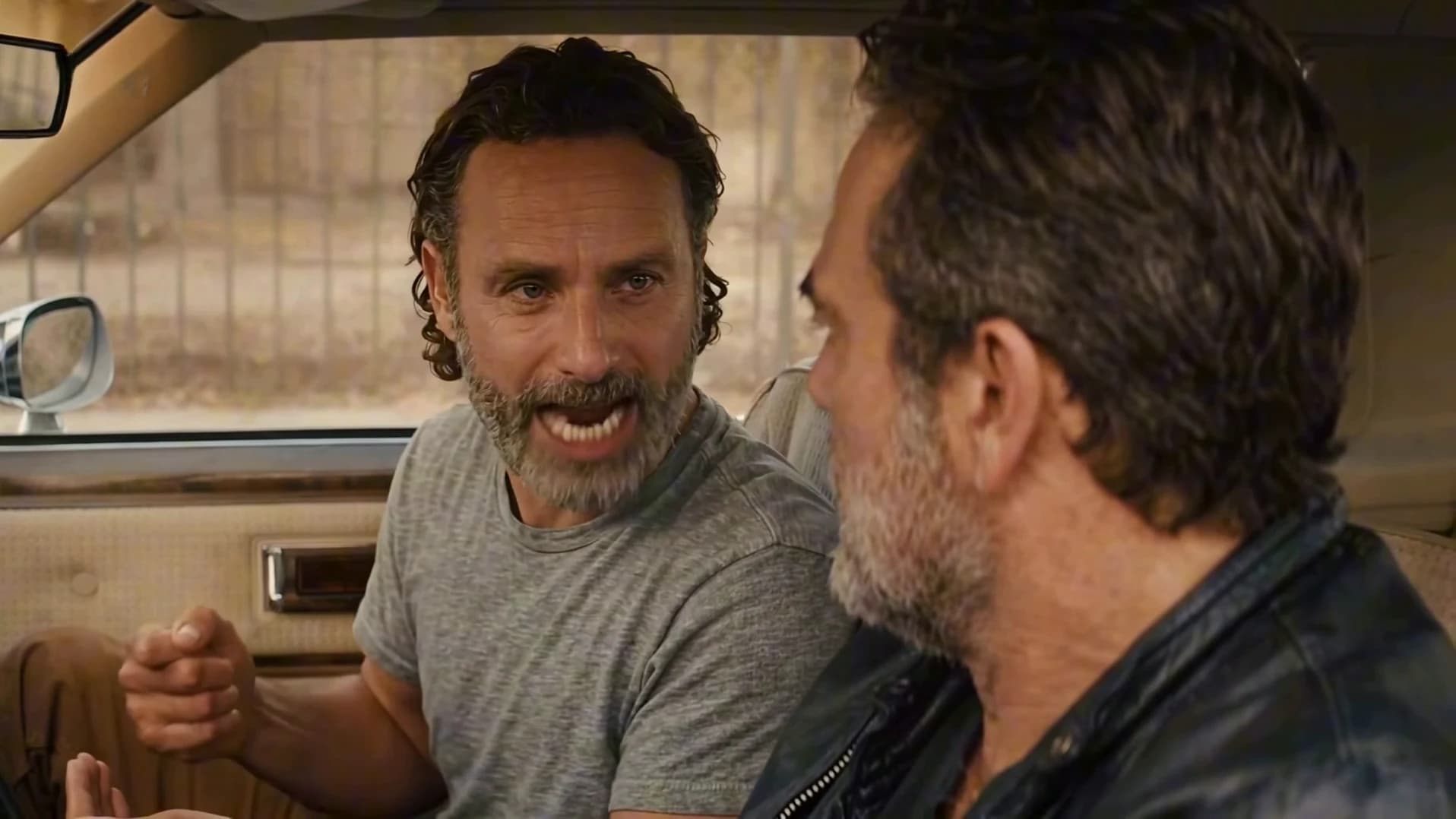
The Brick by Brick AI trend is a 14-second car scene: one person in the passenger seat turns to the driver and delivers the heated "I built this brick by brick" speech, the driver keeps looking at the road, and the camera cuts to a wide shot through the windshield. Oakgen's template puts your own two people in those seats from two photos and keeps the original audio. This guide goes from picking the photos to posting, in order. If you are still deciding whether to post it at all, read the I built this brick by brick meme explained first: the audio is explicit.
Put your two people in the car
Add a Speaker and a Driver photo, review your credit quote and make the 14-second Brick by Brick video with the original speech.
What the template gives you
One 16:9 clip, 14 seconds long, with the original speech. You replace both people. The car, the street, the camera positions, the timing of every gesture and the single cut stay as they are.
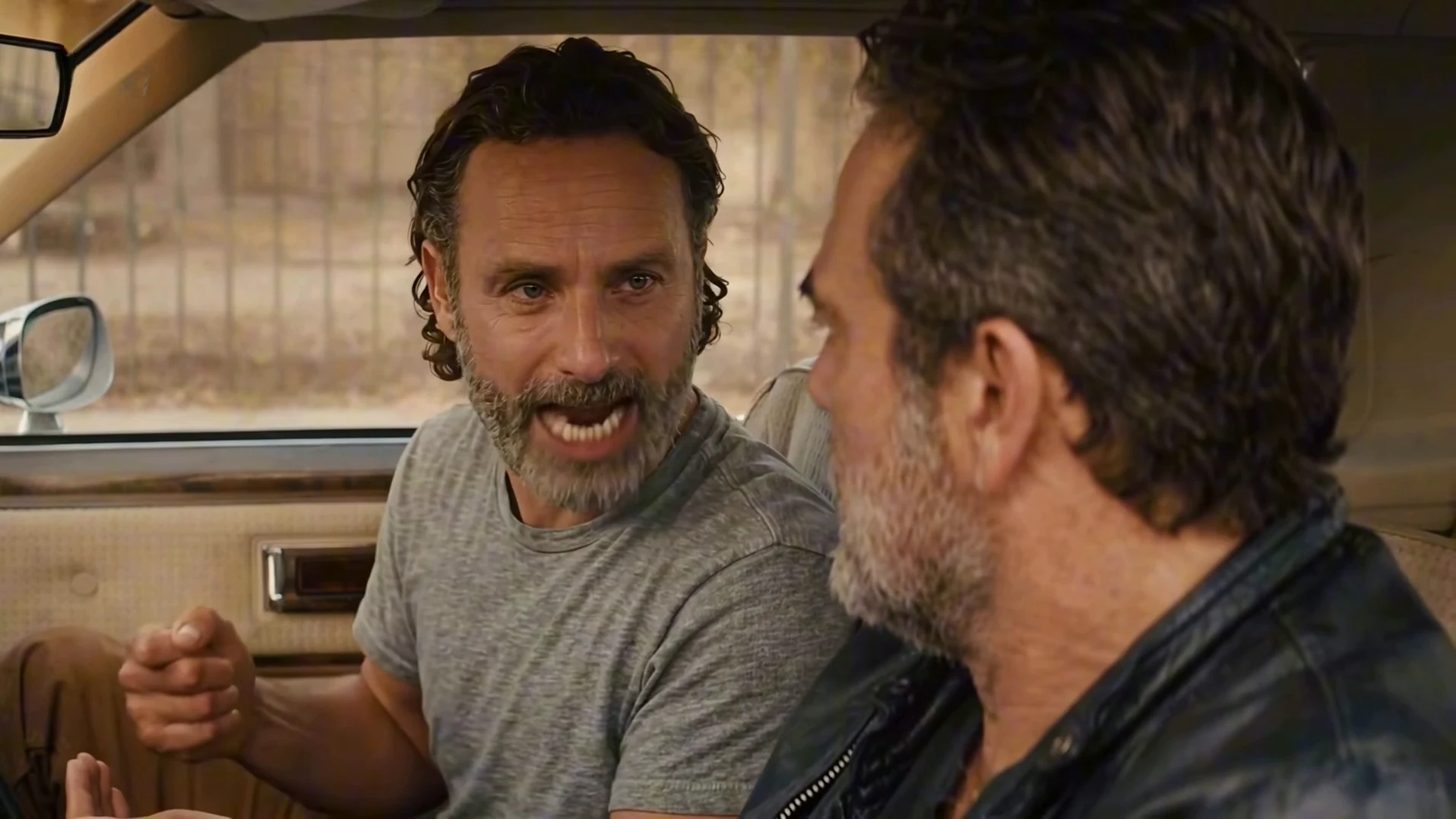
A frame from the AI reference clip, not an Oakgen output. Your Speaker takes the passenger seat on the left and your Driver takes the wheel on the right.
| Time (about) | What happens |
|---|---|
| 0 to 1.2 s | The speaker turns on the driver and opens the argument |
| 1.2 to 2.6 s | A short pause |
| 2.6 to 6 s | "I built this", a quick glance down, then "brick by brick" with open-handed gestures |
| 6 to 10.7 s | The speaker leans in for the rest of the speech; the driver starts to turn their head |
| 10.7 to 12 s | Silence: the speaker holds a stare |
| 12 s | Cut to a wide shot through the windshield |
| 12 to 14 s | Both sit in silence, the speaker looking at the driver |
Step 1: Pick the Speaker's photo
The Speaker is the person in the passenger seat who talks. They face the camera for most of the close shot, so this is the photo that matters most.
- A sharp face, roughly towards the camera. The mouth is the whole performance.
- The whole head and hair in frame, in even light with no heavy filter.
- One person, wearing what they should wear in the car. There is no costume: their own top replaces the reference's t-shirt.
Step 2: Pick the Driver's photo
The Driver is seen in three-quarter profile, large in the right foreground, hands on the wheel, and never speaks. A side-on or three-quarter photo is a good fit; a clear front-facing photo also works. Choose someone who looks clearly different from the Speaker in hair or clothing, so the two stay in their own seats where the driver's shoulder overlaps the passenger. AI TV scene with friends has casting ideas for both seats.
Both slots are required. The template will not start until both have a photo, because the motion guide replaces both reference men with grey silhouettes and an empty slot would have nobody to draw.
Step 3: Read the quote
Open the Brick by Brick template, add the two photos and choose a quality: 480p, 720p or 1080p. The studio shows the credit price before you generate. It includes both photo preparations and the complete 14-second video. A 480p run is the cheaper way to test a new pair of faces before paying for 1080p. There is no prompt to write: the generator page explains what each input controls.
Step 4: Check the result
Watch it once with sound and once muted.
- The speaker's mouth. Lips should move on the loud words, around 3.5, 4.6 and 8 seconds, and close for the stare after 10.7 seconds. How the lip timing is matched explains where that timing comes from.
- The driver's mouth. It stays closed for the whole clip.
- Faces at the cut. At 12 seconds, check that both people are still in the same seats with the same faces and clothes.
- Hands. The speaker gestures a lot; look for extra or merged fingers, and for the driver's hands staying on the wheel.
If the lips clearly drift or the faces swap, run it again rather than posting.
Step 5: Post it, carefully
The speech contains strong swearing and a racial slur, and your video keeps it word for word. Say that the video is AI-made, use photos only of people who agreed to appear, and keep it away from accounts aimed at younger audiences. If you show the reference next to your version, label which clip is yours.
Related reading
- Whether to post it, and what the line actually is: the I built this brick by brick meme explained.
- The scene shot by shot: AI car scene video.
- The speech and what the template keeps: I built this brick by brick AI video.
- Another one-speech template, with a single photo: The One Who Knocks.
Frequently asked questions
How many photos do I need for the Brick by Brick AI video?
Two, and both are required: one for the Speaker in the passenger seat, who gives the speech, and one for the Driver, who listens at the wheel.
Do I have to record my voice?
No. The video keeps the original speech audio unchanged. Your photos set the faces and outfits, not the voice.
Is the audio safe for every audience?
No. The original speech contains strong swearing and a racial slur, and the template keeps it exactly as it is. Think about where you post it.
How long is the video?
14 seconds in landscape 16:9: a close two-shot with the speech for about 12 seconds, then a wide shot through the windshield.
Is the preview video made by Oakgen?
No. It is the AI reference clip the template is built from. Nothing in this guide is an Oakgen result.