
 ChatGPT
 Claude
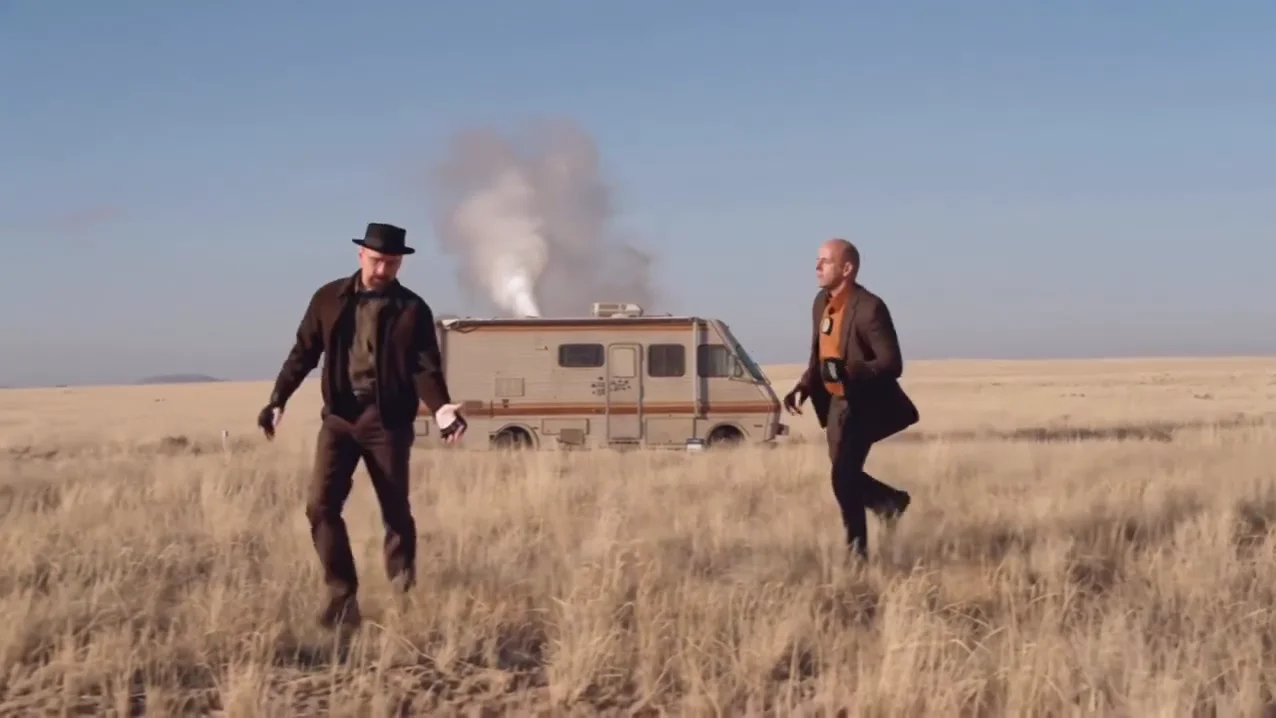
The Holloway vs Gaethje AI trend is an 11-second fight clip: two fighters bounce in an open field, trade punches and clinch, then one lands the finish and the other ends face down on the ground, with a fight-broadcast call over the top. Oakgen's template recasts both fighters from two photos of your choosing and, if you want, moves the fight to a different place. This guide goes from choosing the photos to posting, in order. If you are still deciding who should take the knockout, the companion article on UFC-style AI fight video ideas and captions goes through the pairings.
Pick a side and make the fight
Add a left and a right fighter photo, optionally a new background, review your credit quote and make the 11-second Holloway vs Gaethje video with the original sound.
What the template gives you
One 16:9 clip, 11 seconds long, with the reference's original sound. You replace both fighters. The camera moves, the timing of every punch and the two cuts stay as they are.
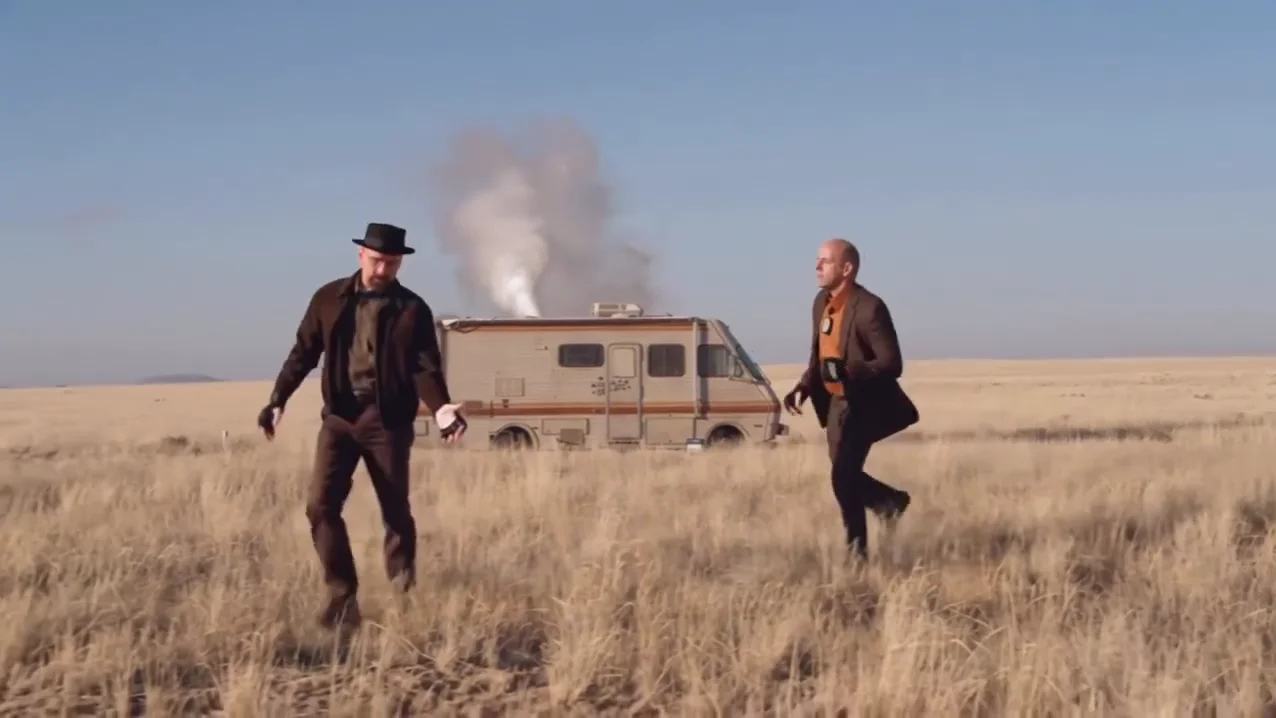
The opening stand-off from the AI reference clip, not an Oakgen output. Your left and right fighters take these two places.
| Time (about) | What happens |
|---|---|
| 0 to 1.5 s | Wide stand-off: both fighters bounce and step in |
| 1.5 to 5 s | They trade punches at close range, slipping and ducking |
| 5 to 6.9 s | The camera drifts as they tangle and clinch |
| 6.9 s | Cut to a closer medium shot |
| 7 to 9.4 s | The right fighter lands the finish; the left fighter staggers and drops |
| 9.4 to 11 s | Cut to ground level: the left fighter lies face down while the winner walks past |
The same beats, written as a prompt-style list, are in the AI fight video prompt guide.
Step 1: Pick the left fighter's photo
The left fighter is on screen the whole clip and ends on the ground, so whoever you put here takes the knockout. What matters, in order:
- The whole body, in the outfit you want. The clothes in the photo are the clothes in the video, and the clip shows the legs through the stand-off and the fall.
- A sharp, front-facing face. The close shots after 6.9 seconds are where the face is biggest.
- One person. No second person in frame, no heavy filter.
Step 2: Pick the right fighter's photo
The right fighter throws the finishing punch and walks past at the end. The same rules apply. Choose someone who looks clearly different from the left fighter in hair and clothes: the two spend a lot of frames in a clinch, and similar photos are hard to tell apart. More on pairings is in AI fight video with friends.
Both slots are required. The template will not start until both have a photo, and an empty slot does not keep a reference fighter.
Step 3: Keep the field or change the background
The background slot is optional. Leave it empty to keep the dry grass plain, the camper van and the smoke. Add a photo of a wide, evenly lit place with a visible floor, such as a gym, a street or a cage, and the template tries to rebuild the whole setting from it. Changing the background lists what to use and what to check. A background photo adds no preparation charge.
Step 4: Read the quote
Open the Holloway vs Gaethje template, add the photos and pick a quality: 480p, 720p or 1080p. The studio shows the credit price before you generate. It includes both fighter preparations and the complete video. A 480p run is a cheaper way to test a new pair of photos before paying for 1080p.
Step 5: Check the result
Watch it once with sound and once muted. Look for the two fighters keeping their own face and outfit through the clinch, the black gloves and nothing else added to the clothes, a punch that lands before the fall, and the knocked-out fighter ending on the floor. If you changed the background, check that the floor stays level and nothing from the original field is left. The result check guide goes through each of these.
Step 6: Post it
Say that the video is AI-made, use photos only of people who agreed to appear, and keep the caption playful: the clip shows one person being knocked out. Do not post it as a real fight. If you show the reference next to your version, label which clip is yours.
Related reading
- Who should take the fall and how to caption it: UFC-style AI fight video ideas and captions.
- The generator in one page: UFC AI video generator.
- The moment behind the sound: Holloway AI video.
- Another one-on-one template: 1v1 Dunk, which also lets you swap the court.
Frequently asked questions
How many photos do I need for the Holloway vs Gaethje AI video?
Two are required: one for the left fighter, who takes the knockout, and one for the right fighter, who lands it. A third photo, of a place, is optional and replaces the background.
Do my clothes change in the video?
Yes. Each fighter wears the outfit in their own photo. Nothing of the reference clothing is kept, and both wear plain black fight gloves with no logos.
Is there a song?
No. Your video keeps the reference's original sound: fight-broadcast commentary and crowd noise, identified from the audio as the call of the Holloway vs Gaethje finish at UFC 300.
Is this a video of the real fighters?
No. Oakgen is not affiliated with the UFC, Max Holloway or Justin Gaethje, and neither appears. Both fighters come from your photos.
Is the preview video made by Oakgen?
No. It is the AI reference clip the template is built from. Nothing in this guide is an Oakgen result.