Write one short hook that sings your brand name, wrap it in a verse that states one benefit, and end on the hook again plus a call to action. That's the whole recipe for a jingle. Then produce it one of three ways: hire a musician, record it yourself in a DAW, or use an AI jingle generator and trim the result to 15, 30, or 60 seconds. The words and the hook do most of the work. Production quality matters less than people think, but a mumbled brand name will sink the whole thing.
Earworm research, model specs, and legal points all trace back to primary sources, listed at the end. Oakgen features are described as configured in September 2026.
Jingle structure for 15, 30 and 60 seconds
Start with the slot you are buying. These lengths are my writing recommendation, based on the common ad durations for radio, streaming audio, and social video. They are not an industry rule.
| Length | Sections | Brand name mentions | What to cut |
|---|---|---|---|
| 15 seconds | Hook, one line, hook plus CTA | 2 | The verse. Keep only the hook and one benefit line |
| 30 seconds | Intro (2s), verse (8 lines max), hook, CTA | 3 | Second verse, bridges, anything clever |
| 60 seconds | Intro, verse, hook, spoken middle or second verse, hook, CTA | 4 | Long instrumental intros |
| Sonic logo tag | The last 1-3 seconds of the hook | 1 (or none) | Everything else |
Whatever the length, keep the hook identical in every version (same words, same melody) so people hear one thing repeated. Put the brand name on the strongest beat of the hook, where it can't get lost mid-line.
Plan for the last row from the start. A good jingle hook often becomes your sonic logo, the short tag at the end of every ad.
What makes a jingle stick (what the research says)
The best evidence here comes from earworm research. In 2016, the American Psychological Association publicized a study by Kelly Jakubowski, then at Durham University (the research was done at Goldsmiths, University of London), published in Psychology of Aesthetics, Creativity and the Arts. About 3,000 people named the songs that got stuck in their heads most often, and researchers compared those tunes with similar songs that did not stick.
Compared with the songs that didn't stick, the earworms tended to have:
- Faster tempo. Sticky songs tended to be quicker.
- A common melodic shape. Many follow a familiar contour, like the rise-then-fall of "Twinkle, Twinkle, Little Star."
- One unusual interval. Something unexpected, like a surprising leap or more repeated notes than you would expect.
The APA release even named the obvious application: the findings could help songwriters and advertisers write a jingle everyone remembers.
My read, as a practical rule: familiar shape, one surprise. Keep the melody simple enough to hum, then add a single leap or a repeated-note stutter on the brand name. The surprise is what makes the name stand out.
I'd add a pair of craft rules from writing ad copy. These come from experience, and the study doesn't test them:
- Say it, then sing it. A voiceover saying the brand name before the hook sings it doubles the exposure. Our sound branding psychology guide covers why repetition builds recognition.
- One benefit only. Jingles that list four features become word salad. Pick the one thing you want remembered.
A fill-in jingle lyric template
Copy this, fill in the brackets, and read it aloud with a metronome clapping at a quick pace. If any line makes you stumble, cut syllables.
[INTRO - 2 seconds, instruments only, or a one-word shout]

[VERSE - 4 short lines]
Line 1: the problem, in plain words ([customer pain])
Line 2: the moment it gets worse ([specific situation])
Line 3: the turn: "Then call / try / visit [BRAND]"
Line 4: the one benefit ([benefit in 6 words or fewer])

[HOOK - repeat twice]
[BRAND NAME] + [3-5 word promise]
[BRAND NAME] + [same promise, or rhyme]

[CTA - spoken or sung]
[Where to go: web address, street, or app name]
Worked example: a fictional local plumber
Here it is filled in for Brightside Plumbing, a made-up plumbing company in a made-up town. The hook uses the "familiar shape, one surprise" rule: a simple rising phrase, with a leap on "Bright."
[INTRO]
(Two ukulele strums and a hand clap)

[VERSE]
Drip, drip, drip at 2 a.m.
Water on the floor again
Don't you panic, call a friend
Brightside fixes it today

[HOOK x2]
Brightside, Brightside, we'll be there on time
Brightside Plumbing, keep your pipes just fine

[CTA - spoken]
Brightside Plumbing. Book online at brightsideplumbing dot com.
There's no list of services and no "family owned since," just one problem, one promise, and the name four times. The 15-second cut is just the hook plus the spoken CTA.
3 ways to make a jingle: musician, DIY, or AI jingle generator
There is no single best route. It depends on budget, timeline, and how much the jingle will carry your brand. I've left out prices because I couldn't find a reliable published source and rates vary widely. Ask for three quotes and a clear licensing statement.
| Hire a musician or jingle house | DIY in a DAW | AI jingle generator | |
|---|---|---|---|
| Best for | A long-term brand anthem, broadcast campaigns | Musicians and hobbyists with gear | Fast drafts, local ads, social, testing many ideas |
| Skill needed | Briefing and feedback | Songwriting, recording, mixing | Writing prompts and lyrics, basic editing |
| Turnaround | Usually days to weeks | As long as you take | Minutes per draft |
| Control over melody | High, through revisions | Total | Medium. You steer it with words, not notes |
| Vocal quality | Real singers | Your voice or hired vocalist | Varies. Diction on brand names can slip |
| Rights | Negotiated in the contract | You own your own work | Depends on platform and provider terms |
| Main risk | Cost and a slow revision cycle | Time and amateur-sounding mix | Generic results if the prompt is vague |
For a local business or a first campaign, I'd start with AI drafts to find the hook. If one tests well, you can either polish it yourself or take the winning lyric and melody idea to a musician. That is a much better brief than "make us something catchy."
Using a musician? Get the rights in writing: who owns the composition, who owns the recording, and whether you can edit it into shorter cuts.
How to make a jingle with AI on Oakgen, step by step
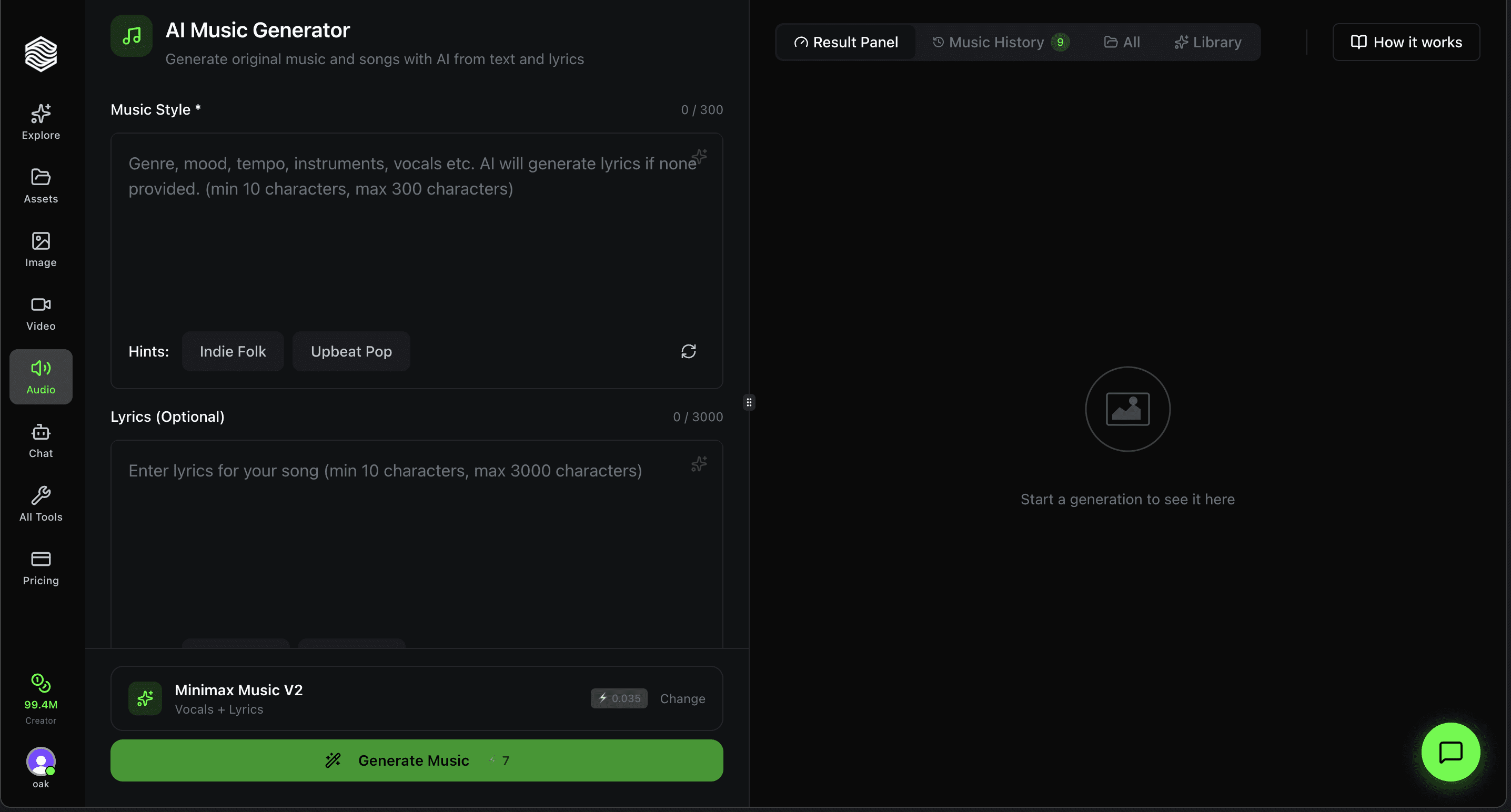
Oakgen's AI music generator currently offers two models that can sing: Lyria 3 Pro and Eleven Music. Here is how I would use them as a jingle maker.
Make Your Jingle
Paste your lyrics and style into Lyria 3 Pro or Eleven Music and generate sung drafts in minutes.
Step 1: Finish the lyrics first
Use the template above. Do not ask the AI to write the lyrics and the music at the same time on your first pass. Your brand name and promise are the part you should control. Keep it short. Short lyrics give the model room to repeat the hook.
Step 2: Pick the model for the job
| Lyria 3 Pro | Eleven Music | |
|---|---|---|
| Prompt limit on Oakgen | 1,500 characters | 4,100 characters |
| Length control on Oakgen | None. You trim the output | Duration slider, 3 to 400 seconds in 10-second steps (3, 13, 23, 33...) |
| Vocals | Yes (per Google's docs) | Yes (per ElevenLabs' docs) |
| Extra input | Up to 10 reference images | None |
| Use it for | Fuller, song-like drafts, and mood from your brand visuals | Getting close to a 15, 30, or 60-second slot: generate slightly long, then trim |
Oakgen's music page suggests marking lyrics with [Verse] and [Chorus] tags for sung vocals. Leave the lyrics out for an instrumental bed.
Step 3: Write the prompt
Put the style description first, then the lyrics. Here is the Brightside example as a full prompt:
Upbeat radio jingle, 30 seconds, bright ukulele, hand claps, bass,
light drums, quick tempo, warm friendly female lead vocal with a
small group answering on the hook, clear diction, sing the brand
name "Brightside" clearly.

[Verse]
Drip, drip, drip at 2 a.m.
Water on the floor again
Don't you panic, call a friend
Brightside fixes it today

[Chorus]
Brightside, Brightside, we'll be there on time
Brightside Plumbing, keep your pipes just fine
On Eleven Music, the slider moves in 10-second steps, so set it to the first stop above your slot length (23 for a 15-second spot, 33 for 30, 63 for 60) and trim the end. On Lyria 3 Pro, which has no length control on Oakgen, expect to trim.
A few style lines that work well as swaps:
- Retro radio: "1960s radio jingle, close-harmony vocal group, brushed drums, walking bass, bright horns."
- Modern social: "Upbeat pop jingle, punchy synth bass, finger snaps, confident solo vocal, catchy chant on the hook."
- Country local: "Acoustic country jingle, banjo and fiddle, stomp and clap, warm male vocal."
- Kids brand: "Playful jingle, glockenspiel and xylophone, children's choir on the hook, bouncy tempo."
- Premium: "Smooth soul jingle, Rhodes piano, soft brushed kit, silky vocal, restrained and elegant."
Step 4: Generate in batches and judge by the name
Generate several takes of the same prompt. Listen to each one only for the brand name first. Is it sung clearly on the strong beat? If not, discard it, whatever else it gets right. Then judge the hook melody against the "familiar shape, one surprise" rule.
If the model keeps garbling the name, spell it phonetically in the lyrics (for example "Bright-side"), or put it at the start of a line where it gets more emphasis.
Step 5: Make the instrumental bed
Run your best prompt again without lyrics, or add "instrumental, no vocals." You need this bed for ads where a voiceover talks over the music. It also gives you the 60-second version's spoken middle section.
AI vocals are the weak link. Brand names, unusual words, and fast lyrics can come out slurred, and you cannot fix a single word inside a generated take. You regenerate the whole take instead. Lyria 3 Pro on Oakgen also has no duration or tempo control, so you will trim in an editor. Oakgen displays the credit cost of each generation before it runs.
How to mix a voiceover over a jingle bed
Most 30 and 60-second ads use the jingle for the open and close, with a voiceover over the instrumental bed in the middle. Here is a simple approach that works in any editor:
- Generate or record the voiceover. Oakgen's AI voiceover generator works for this, or use text-to-speech in the audio studio. Write the read to fit the gap in the bed. If you need versions in other languages, see multilingual ad campaigns with AI voice.
- Lay out the timeline. Sung hook at the top, bed under the voiceover, sung hook plus CTA at the end.
- Duck the bed. Lower the music under the voice so the words are easy to follow. Many editors can do this automatically (often called ducking or sidechain). Adjust by ear until every word is clear on a phone speaker.
- Keep the voice in the middle. Voice centered, music can spread wider.
- Leave the brand name exposed. When the voice says the brand name, pull the music down slightly more, or pause it.
- Check on a phone and in a car. That is where people will hear it.
If you want a ready structure for the spoken parts, our radio ad script template covers 15, 30, and 60-second reads.
Where to use your jingle
- Radio and streaming audio ads. The full-length version. Put the hook at the top and the bottom. Check broadcast rights first if the music came from Eleven Music (see the rights section below).
- Podcast ads and sponsorship reads. Use the instrumental bed under a host read and the hook as the outro. For show branding, see podcast intro music.
- Reels, Shorts, and TikTok. Cut the hook to a few seconds and use it as a recurring audio tag. Our guide to royalty-free AI music for Reels and TikTok covers formats and pitfalls.
- In-store and on hold. Use the instrumental bed here. The sung version wears thin fast when customers hear it on a loop.
- Video end cards. The last 1-3 seconds of the hook becomes your sonic logo.
Rights and commercial use for AI jingles
Treat this section as background reading. For legal advice on a real campaign, ask a lawyer.
Oakgen's Terms. Oakgen doesn't take ownership of your inputs or eligible outputs. Commercial use is still conditional: you need to follow Oakgen's Terms, the model provider's terms, and the law, and you need rights to whatever you put in. There is no guarantee that an output is original, non-infringing, or protectable. Read the full Terms and your plan details on the pricing page.
Provider terms. ElevenLabs' Eleven Music model-specific terms permit online and offline commercial use on its self-serve plans, but they exclude film, TV, radio, and studio games; those uses need an enterprise music license. So an Eleven Music jingle for social, web, or streaming ads is a different case from one for a radio or TV buy. Before a broadcast campaign, check the provider's current terms or confirm broadcast rights with Oakgen first, or produce the broadcast version with a licensed library track or a composer. ElevenLabs also says two users can receive the same or similar output, so a generated jingle is not guaranteed to be unique.
Do not copy. Never prompt for "in the style of" a famous jingle or put someone else's lyrics or slogan in your prompt. That is the fastest way to create a legal problem.
Copyright. The U.S. Copyright Office's January 2025 report says AI-generated material is protected only where a human author determined enough of the expressive elements. Prompts alone are not enough. Your own lyrics are your writing, and human editing and arranging can count. Save your lyric drafts and edit files.
Trademark. If the hook becomes central to your brand, you can look into registering it as a sound mark. Our sonic logo guide explains the basics.
Sources
- American Psychological Association, "Psychologists Identify Key Characteristics of Earworms" press release (Nov 2016): https://www.apa.org/news/press/releases/2016/11/earworms (accessed 2026-09-26)
- ElevenLabs, Music capability docs: https://elevenlabs.io/docs/overview/capabilities/music (accessed 2026-09-26)
- Google Cloud, Lyria 3 model docs: https://docs.cloud.google.com/vertex-ai/generative-ai/docs/models/lyria/lyria-3 (accessed 2026-09-26)
- U.S. Copyright Office, Copyright and Artificial Intelligence: https://www.copyright.gov/ai/ and NewsNet 1060: https://www.copyright.gov/newsnet/2025/1060.html (accessed 2026-09-26)
- ElevenLabs, Eleven Music model-specific terms: https://elevenlabs.io/eleven-music-model-specific-terms (accessed 2026-09-26)
- ElevenLabs, Terms of Use: https://elevenlabs.io/terms-of-use (accessed 2026-09-26)
- Oakgen Terms of Service, section 4.4: https://oakgen.ai/terms (accessed 2026-09-26)
Write the hook today
Fill in the template, read it aloud, and cut every syllable that trips you up. Then generate five sung takes and keep the one where the brand name is clearest. If you are new to the music generator, the Oakgen music generator walkthrough covers the interface.
Turn Your Lyrics Into a Jingle
Generate sung drafts and an instrumental bed, then add a voiceover in the audio studio.