 ChatGPT
 Claude
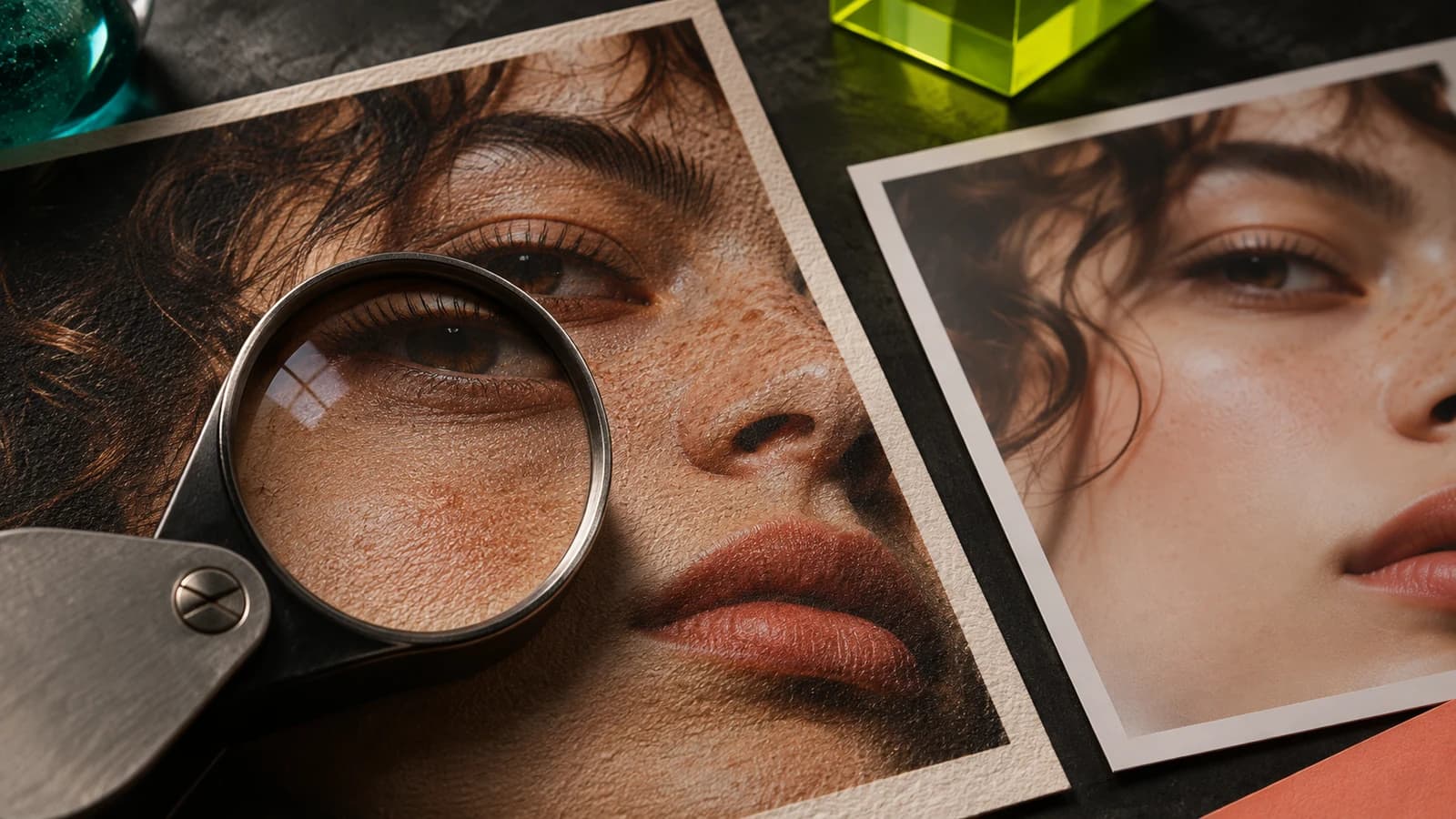
The best Enhancor AI alternatives for realistic skin on AI influencer photos are Magnific's Skin Enhancer if you only need to fix finished portraits, Oakgen if you want to build the influencer and fix skin in one place, Upsampler if you want to pay per job, and Topaz Gigapixel if you want faithful upscaling on your own computer. Before you switch, check two things. Enhancor's own pricing pages disagree with each other, and a lookalike site at enhancorai.com lists different prices. Both are covered below.
Disclosure: Oakgen is our product. We include it because it fits the AI influencer workflow, and this comparison also says where Enhancor and the other tools are better. We did not run the same portrait through every tool, so nothing below ranks image quality.
Build an AI influencer with consistent skin
Create a character once, keep up to 16 reference images, and bring the same face into reference-based image and video models by typing @ and its name.
How do the Enhancor AI alternatives compare?
Prices come from each vendor's own pricing page, read on November 4, 2026. "Not stated" means the page we read did not say.
| Tool | Best for | Skin controls | Max output | Entry price (Nov 2026) | Where it falls short |
|---|---|---|---|---|---|
| Enhancor | Dedicated skin fixing on portraits | Skin Fix models, freckle control, texture level, selective areas | Up to 8K, per its site | $12 a month on www.enhancor.ai | Two official price lists disagree, weak Trustpilot score |
| Oakgen | Building the influencer and fixing skin in the same studio | No skin slider. Prompt, Image Editor, masked edit, Topaz face enhancement | Topaz Upscale up to 4x | Basic $9 a month, 2,000 credits | No dedicated skin model, no NSFW |
| Magnific Skin Enhancer | Closest match to Enhancor's core job | Creative, Faithful and Flexible modes, sharpen, smart grain, skin detail | Not stated for this tool | Premium $20 a month, or $14.50 billed yearly | Skin Enhancer cost per image not stated on the pricing page |
| Upsampler | Pay-per-job upscaling with a skin pass | Creative upscaling with face preservation, per its own guide | Set by the upscale model | Pay as you go at 4 cents a credit, no monthly fee | Its skin claims come from its own comparison page |
| Topaz Gigapixel | Faithful upscaling on your own computer | Face Recovery model | Up to 16x pixels, per Topaz | $29 a month | Not built to add new skin texture |
In short, Enhancor and Magnific are skin tools first. Oakgen, Upsampler and Topaz are broader tools where skin is one step.
Who this comparison is for
This is for three kinds of reader:
- A creator running one AI influencer who keeps getting waxy, airbrushed faces and is deciding whether a skin tool is worth a subscription.
- An agency running several personas, where the skin fix has to happen on every post without slowing the calendar. Our guide to running an AI influencer agency covers the rest of that operation.
- Anyone who has already paid Enhancor, is unhappy, and wants to know what else does the same job.
If you have not built your persona yet, start with how to create an AI influencer that stays the same person. Skin is a finishing problem. Face consistency comes first.
How we checked this
On November 4, 2026 we read Enhancor's pricing page at www.enhancor.ai and the pricing page inside its app, its homepage, and its Trustpilot page. We read the pricing and homepage of enhancorai.com and looked up both domains in the public RDAP registration records. We read Magnific's Skin Enhancer documentation and pricing page, Upsampler's pricing page and its Enhancor comparison page, and Topaz Labs' pricing page. For Oakgen, we read the Image Upscaler, Image Editor and AI Influencers code in our repository and the live pricing page the same day.
We did not run a skin-quality test across tools. Any cost figure below is arithmetic on published list prices, labelled as such.
Enhancor AI review and where reviewers push back
Enhancor sells itself on one problem, the plastic look of AI-generated skin. Its homepage, read on November 4, 2026, describes three models: Skin Fix, which "reconstructs realistic pores, texture, and natural skin detail", a Realistic Upscaler that enlarges images "up to 8K", and a Human Generator for new digital humans. The current skin model is V4 Base, with controls for freckles and texture intensity in light, medium and heavy settings.
The pricing page lists a lot more than skin. Under every plan it names upscalers, image models such as Flux 2 Pro, Nano Banana and Nano Banana 2, video models such as Google Veo 3.1 and Sora 2, lip sync, character consistency and an API. The scraped page text did not show which rows each plan includes, so check the ticks on the live page.
Reviews split hard. A hands-on review at TechPilot in 2025 called its skin enhancement the best part of the product. A LinkedIn post by a creator in August 2026 said V4 was strong on close portraits but "kinda falls short" on full-body shots with other elements in frame. Trustpilot is much harsher. On November 4, 2026, Enhancor had a 1.5 TrustScore from 26 reviews, all 1-star, citing results that did not match the promotion, slow support and trouble cancelling. Trustpilot itself notes that Enhancor "hasn't invited their customers, so reviews may not be representative". Small, unhappy samples skew negative, but the cancelling complaints are worth taking seriously before you subscribe.
What Enhancor does better than most of the alternatives here is depth of skin control. A freckle slider, a texture level and selective area editing are things Oakgen and Topaz do not offer as dedicated controls.
Enhancor AI pricing as of November 2026
Enhancor publishes two different price lists, and both are on domains it controls.
| Plan | www.enhancor.ai/pricing | app.enhancor.ai/pricing |
|---|---|---|
| Basic | $12 a month, 12,000 credits, about 120 images | Not listed |
| Creator | $45 a month, 50,000 credits, about 500 images | $24 a month, 26,400 credits, about 264 images |
| Professional | $147 a month, 170,000 credits, about 1,700 images | $45 a month, 51,075 credits, about 510 images |
| Enterprise | $299 a month, 360,000 credits, about 3,600 images | $99 a month, 115,731 credits, about 1,157 images |
Both pages were read on November 4, 2026. The image counts are Enhancor's own estimates. Both pages show percentage-off badges, and the app page has a monthly and yearly toggle, so the difference may be a promotion or a billing period. We could not tell which. The price that counts is the one on the checkout screen.
The resolution rows on the pricing page run from "HD resolution only (1080p)" to "Up to 8k". Upsampler's comparison page says Enhancor's entry tier caps output at 1080p. We could not confirm which plan gets which resolution from the page text, so check this before buying the cheapest plan for influencer photos you plan to crop.
Watch out for the lookalike domain enhancorai.com
Search results for Enhancor also surface enhancorai.com, which calls itself "Enhancor ai". Here is what we found on November 4, 2026:
- Registration. RDAP records show enhancorai.com was registered on January 20, 2026. Enhancor's own domain, enhancor.ai, was registered on March 19, 2025.
- Prices. Its pricing page lists Basic at $6, Creator at $22.50, Professional at $73.50 and Enterprise at $149.50 a month, with the same credit amounts as enhancor.ai. Its own FAQ on the homepage gives a third answer, "a free trial with watermarks" and a "Pro plan" from $19 a month.
- Contact. It lists [email protected]. Its homepage says files are processed on Replicate.
- Links. Neither homepage links to the other in the HTML we fetched.
We could not establish who runs enhancorai.com, so we do not call it a scam. We can say it is not the domain Enhancor's app, Product Hunt listing or Trustpilot page point to. If you want Enhancor, type www.enhancor.ai yourself and confirm the checkout page sits on enhancor.ai before you enter a card.
A price that looks half off may be a different site. Enhancor's app lives at app.enhancor.ai. If your checkout page is on any other domain, stop and check who you are paying.
The Enhancor alternatives, one by one
Oakgen, to build the influencer and fix skin in one studio
Oakgen is our product, so weigh this section with that in mind. It does not have a skin model like Enhancor's. What it has is the rest of the AI influencer workflow, with several ways to get realistic AI skin texture along the way.
- Consistent face first. In the AI Influencers library, you create a character once. It gets a 12-shot photoshoot from the approved portrait and can hold up to 16 reference images. You type @ and the name in any image, video or voiceover and the references go in with the prompt.
- Model choice. The AI image generator runs several models, including Nano Banana Pro, which Oakgen's model page prices at about 51 credits per image. Different models render skin differently, so trying the same prompt on two is the cheapest fix.
- Texture edit. The AI Image Editor takes a written instruction such as "add natural skin texture and fine pores to the face, keep everything else the same". It has no brush or mask.
- One face only. GPT Image 2 Edit in the image generator accepts an optional mask, so you can fix one waxy face in a group shot.
- Upscaling. The AI Image Upscaler runs Topaz Upscale from 1x to 4x with eight enhancement modes. Face enhancement can be turned off or lowered, which matters because strong face enhancement can smooth skin again.
The full step-by-step for those fixes is in our guide to fixing plastic skin in AI portraits, so we will not repeat it here.
Oakgen is weaker in four places. It has no freckle slider and no skin texture level, its upscaler stops at 4x where Enhancor advertises 8K, and its Acceptable Use Policy bans sexual content and face swaps of real people. If your persona posts adult content, Oakgen is the wrong tool. Plans start at $9 a month for 2,000 credits on the Oakgen pricing page, as of November 4, 2026.
Fix skin without leaving your influencer studio
Generate, edit and upscale your persona's photos with the same reference set, and see the credit price before each run.
Magnific Skin Enhancer, the closest like-for-like swap
If what you liked about Enhancor was a dedicated skin pass on a finished portrait, Magnific is the nearest match. Its Skin Enhancer lives inside the Magnific Image Upscaler. Magnific's API documentation, read on November 4, 2026, lists three modes:
- Creative for more stylised results.
- Faithful, which "preserves original appearance" and has a skin detail control from 0 to 100.
- Flexible, with presets including enhance_skin, improve_lighting, transform_to_real and no_make_up.
All modes have sharpen and smart grain controls from 0 to 100. Smart grain is there to keep photographic texture and avoid smoothing.
On the pricing page, Premium is $20 a month or $14.50 a month billed yearly, with 240,000 credits a year and the Magnific image and video upscalers included. Premium+ is $45 a month or $33.75 billed yearly. The pricing page did not list a credit cost for a Skin Enhancer run, so check that in the app. Magnific also carries a large stock library and many generators, which is useful if you want them and noise if you do not. Our roundup of Magnific AI alternatives covers its upscaler in more depth.
Upsampler, to pay per job with no subscription
Upsampler is the pick if you fix skin in bursts and hate monthly fees. On its pricing page, pay as you go has no monthly fee and charges 4 cents a credit. Image upscales cost 0.25 to 1 credit per megapixel of output, and Pro is $15 a month for 1,000 credits. Every plan includes API access and a commercial use license, per the same page.
Its skin approach is creative upscaling with face preservation, according to its own "best Enhancor alternative" page. That page is marketing from a competitor. It is fair in places, saying Enhancor's skin controls are more granular than a general tool's, but read its claims as claims.
Topaz Gigapixel, for faithful upscaling on your own computer
Topaz Gigapixel is $29 a month on Topaz Labs' pricing page, with unlimited local rendering and a Face Recovery model among its image models. Commercial use is limited to organisations under $1 million in annual revenue.
Topaz is the opposite of Enhancor in intent. It aims to keep what is in the image rather than invent pores. That makes it a good last step after a skin fix and a poor first step on a waxy face. Oakgen's Image Upscaler also runs Topaz Upscale in the browser if you would rather not install software.
Can you get realistic AI skin texture without a skin tool?
Often, yes. Most plastic skin starts in the prompt. "Portrait, studio lighting, beautiful" leaves skin to the model's defaults, and many models default to retouched. Adding "unretouched editorial photograph, visible pores, fine lines, no beauty retouch, 85mm" changes the output on many models, and costs only one regeneration.
Try that before you subscribe to anything. If the face is right and only the skin is wrong, a written texture edit is the next step. A dedicated skin tool earns its fee when you need precise control over freckles or texture strength across hundreds of images, which is where Enhancor and Magnific are stronger than a general studio.
Test a texture prompt on two models
Run the same unretouched portrait prompt on two image models and compare the faces at full size before you pay for a skin tool.
A skin realism check to run on any tool
Use this on any Enhancor alternative before you commit, and on every batch after. Compare the original and the result at the same size, then at 100% zoom.
| Check | Pass | Fail |
|---|---|---|
| Identity | Eye spacing, nose, jaw and hairline match your persona's reference shots | The face reads as a cousin of your persona |
| Pores | Visible but uneven, finer on the nose and cheeks | The same pore pattern repeats like a stamp |
| Freckles and marks | Your persona's fixed marks stay put | Marks vanish, multiply or move |
| Light | Texture follows the light direction | Texture looks pasted on top of flat shading |
| Edges | Hair, eyelashes and lips stay crisp and natural | Halos or crunchy sharpening around edges |
| Body skin | Neck, hands and arms match the face's texture | A detailed face on a plastic neck |
| Scale | Holds up at the size you will post or print | Looks good only as a thumbnail |
| Consistency | Five images in a row look like the same skin | Each image has a different skin "filter" |
The body skin row catches more failures than people expect. Many skin tools concentrate on the face. If your persona posts full-body outfits, test full-body shots specifically, which is the gap the August 2026 LinkedIn review described for Enhancor.
For a longer consistency check across 20 images, run the AI influencer drift test on your persona after you settle on a skin workflow.
What does a finished image cost with each tool?
This is an illustrative worked example using each vendor's published list prices on November 4, 2026, not a measured result.
| Tool | Published numbers | Cost per image, by our arithmetic |
|---|---|---|
| Enhancor Basic | $12 for about 120 images, Enhancor's estimate | About $0.10 |
| Enhancor Enterprise | $299 for about 3,600 images | About $0.08 |
| Upsampler pay as you go | 0.25 credits per megapixel at 4 cents a credit, cheapest upscale model | About 4 cents for a 2048 by 2048 output, about 1 credit |
| Oakgen | About 51 credits per Nano Banana Pro image, about $0.20 per Oakgen's model page | About $0.20 for a new image, plus any edit or upscale |
| Magnific | Skin Enhancer cost not stated on the pricing page | Not calculable from public numbers |
| Topaz Gigapixel | $29 a month, unlimited local rendering | Falls with volume, plus your own hardware |
These are not like-for-like. The Oakgen number buys a new generated image. The Enhancor and Upsampler numbers buy a pass on an image you already have. The useful comparison is your whole pipeline, from generating to fixing skin to upscaling. Count the tools and subscriptions it takes. Our post on AI influencer cost per post shows how to add team time to that sum.
Common mistakes when switching skin tools
- Paying on a lookalike site. Check the domain on the checkout page every time.
- Buying the top plan first. Given the review record, start on the smallest plan or pay as you go, and cancel test subscriptions in writing with a date.
- Fixing skin before the face is locked. A skin pass on an inconsistent face gives you realistic skin on the wrong person. Lock the reference set first.
- Maxing every slider. Heavy texture settings make demos look impressive and posts look strange. Start low and raise it.
- Upscaling with face enhancement at full strength. It can smooth the skin you just fixed. Lower it or turn it off and compare.
- Checking only faces. Test hands, necks and full-body shots too.
- Using a real person's face. No skin tool fixes a consent problem. Oakgen's Terms prohibit using someone's likeness to impersonate or deceive.
When Enhancor is still the better pick
Enhancor fits better than Oakgen if skin is your main problem and you want fine control over it. A freckle slider, a texture level and selective area editing are precise tools that a general studio does not offer. It also advertises 8K output where Oakgen's upscaler stops at 4x. If you already generate elsewhere and only need a skin pass, Enhancor or Magnific will be faster to learn than a full studio.
Oakgen is also not the right choice if your personas post adult content, or if you only need to fix skin on images made in another tool.
If you run several personas and want the faces, photos, videos and voices in one place, see how this fits with the alternatives covered in our sibling posts on Foxy AI alternatives and Glambase alternatives. If you are ready to build, you can create a consistent AI influencer in Oakgen and test the skin fixes above on your own persona.
Start your AI influencer with realistic skin
Cast a face, run the 12-shot photoshoot, then generate, edit and upscale every post from the same references.
Frequently asked questions
How much does Enhancor AI cost?
As of November 4, 2026, Enhancor's pricing page at www.enhancor.ai/pricing lists Basic at $12 a month for 12,000 credits, Creator at $45 for 50,000, Professional at $147 for 170,000 and Enterprise at $299 for 360,000. The pricing page inside its app, app.enhancor.ai/pricing, showed different plans the same day: $24, $45 and $99 a month. Check the price on the checkout screen before you pay.
Is enhancorai.com the official Enhancor website?
We could not confirm that it is. Enhancor's own site is www.enhancor.ai, with the app at app.enhancor.ai. The domain enhancorai.com was registered on January 20, 2026, uses a different support email, and lists prices exactly half of those on enhancor.ai. Neither homepage links to the other. Treat it as a separate site until Enhancor says otherwise, and type www.enhancor.ai yourself.
Is Enhancor AI legit?
Enhancor is a working product with published plans, a web app and a refund on failed generations listed on its pricing page. Its Trustpilot page showed a 1.5 TrustScore from 26 reviews on November 4, 2026, with complaints about results, support and cancelling. Trustpilot also notes Enhancor has not invited customers to review, so the sample may not be representative. Try the smallest plan before a bigger one.
What is the best Enhancor AI alternative for AI influencers?
It depends on the job. If you only need to fix skin on finished portraits, Magnific's Skin Enhancer is the closest match to Enhancor. If you want to build the influencer, keep the face consistent and fix skin in the same place, Oakgen is our pick, though it has no dedicated skin model. For pay-as-you-go upscaling, look at Upsampler. For local, faithful upscaling, Topaz Gigapixel.
Can Oakgen fix plastic skin the way Enhancor does?
Not with a skin slider. Oakgen has no dedicated skin model or freckle control. You fix skin by changing the model or prompt, by asking the Image Editor for natural skin texture in plain words, or with a masked GPT Image 2 edit for one face. The Image Upscaler runs Topaz Upscale up to 4x with face enhancement you can lower or turn off.
Is there a free Enhancor alternative?
The cheapest route is fixing skin in the prompt, which costs only a regeneration on whatever generator you already pay for. Upsampler has a pay-as-you-go option with no monthly fee, at 4 cents a credit as of November 2026, and its image upscales start at 0.25 credits per megapixel. None of the tools in this guide is fully free for this job.
Sources
- Enhancor, pricing page at www.enhancor.ai (read 2026-11-04)
- Enhancor, in-app pricing page at app.enhancor.ai (read 2026-11-04)
- Enhancor, homepage and model descriptions (read 2026-11-04)
- enhancorai.com, pricing page of the lookalike domain (read 2026-11-04)
- Verisign RDAP, registration record for enhancorai.com (read 2026-11-04)
- RDAP, registration record for enhancor.ai (read 2026-11-04)
- Trustpilot, Enhancor reviews (read 2026-11-04)
- TechPilot.ai, Enhancor AI review, August 2025 (read 2026-11-04)
- LinkedIn, Oliver Moertl post on Enhancor V4, August 2026 (read 2026-11-04)
- Upsampler, Best Enhancor AI alternative page (read 2026-11-04)
- Magnific API docs, Skin Enhancer overview (read 2026-11-04)
- Magnific, pricing plans (read 2026-11-04)
- Upsampler, pricing (read 2026-11-04)
- Topaz Labs, pricing (read 2026-11-04)
- Oakgen, pricing (read 2026-11-04)