

 ChatGPT
 Claude
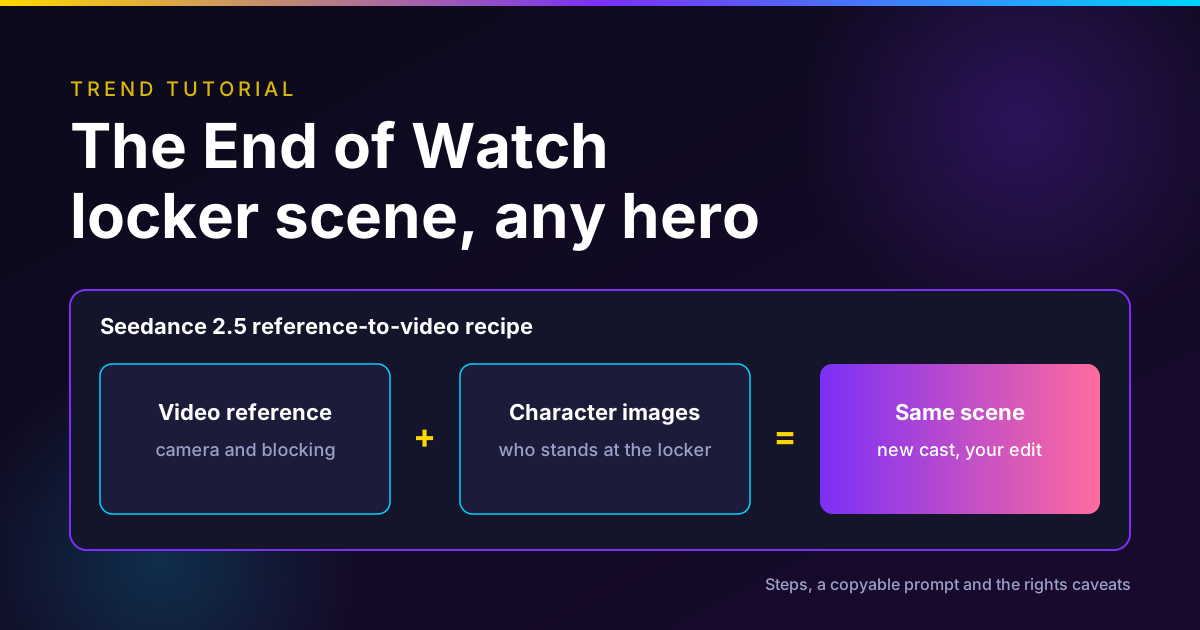
The End of Watch AI trend takes one short locker-room moment from End of Watch, the 2012 police film starring Jake Gyllenhaal and Michael Peña, and recasts the two officers as other characters: LEGO figures, Ninja Turtles, Disney princesses. The usual method is Seedance 2.5's reference-to-video mode, with the scene as a video reference, two character images and a prompt that tells the model to keep the moves and the camera.
There is a catch most tutorials skip. As of November 13, 2026, ByteDance's own documentation says Seedance 2.5 does not accept reference videos that contain real human faces, and the film clip is full of them. It is also a copyrighted film. So this guide shows the version you can actually run: rebuild the blocking with stand-ins, add your own characters, and post it with the right label.
Build the locker scene in Seedance 2.5
Reference mode takes up to 30 images, 10 video clips and 10 audio clips, with the credit estimate shown before you generate.
The End of Watch trend at a glance
| What | Short answer |
|---|---|
| Source | End of Watch (2012), written and directed by David Ayer, distributed by Open Road Films |
| The format | Same scene and moves, two new characters in the officers' roles |
| Where we found it | Instagram (film clip, January 2025), TikTok (AI versions, October 2026), YouTube (tutorials, November 2026) |
| Common model | Seedance 2.5 in reference-to-video mode |
| Inputs | One motion reference, one image per character, one prompt |
| Biggest blocker | Seedance rejects references with real faces unless the person is verified and has authorized use |
| Rights risk | Film footage, film audio, owned characters, actors' likeness |
| Safe route | Stand-in or clay render reference, original characters, your own sound, an AI label |
| Oakgen fit | Seedance 2.5 Reference is available; there is no End of Watch template |
What the End of Watch trend is
End of Watch is a 2012 American action thriller written and directed by David Ayer. It stars Jake Gyllenhaal as Officer Brian Taylor and Michael Peña as Officer Mike Zavala, two Los Angeles partners, and much of it is shot in a found-footage style (Wikipedia, read November 13, 2026).
The trend uses a short locker-room moment between the two partners. The joke is the swap: the energy and the camera of a gritty cop film, with Rapunzel or a LEGO minifigure in the uniform.
Where it is spreading
We found three stages, each on a different platform.
- The source clip on Instagram. The account @wasted posted the film scene as a reel on January 14, 2025. On November 13, 2026, the page showed about 526,400 likes (Instagram). This is the film itself, not AI.
- AI versions on TikTok. The account @almostcaptured posted "Tangled x End Of Watch" on October 29, 2026. On November 13 it showed 870,185 plays and 151,831 likes (TikTok). The same account also posted a Tiana version.
- Tutorials on YouTube. BrunoMC published "Viral AI Video Tutorial: End of Watch Trend (Seedance 2.5)" on November 7, 2026. Its chapters show a LEGO version and a Ninja Turtles version made with "one clip, pictures of your heroes and one prompt" (YouTube). The full prompt sits behind a Telegram link, so we have not seen it.
That is a normal shape for an AI trend: a film clip circulates for months, an AI version breaks out, and tutorials follow within a couple of weeks.
How we checked this
We read the pages listed in the sources on November 13, 2026: the film's Wikipedia entry, the Instagram, TikTok and YouTube posts above, ByteDance's Seedance 2.5 launch post, BytePlus's documentation on portrait assets, and the copyright and labeling policies of the U.S. Copyright Office, TikTok, YouTube and Meta. We pulled Oakgen's credit quotes from the generator the same day, which spends nothing.
We did not generate an End of Watch video for this article, and we did not test whether any tool accepts the film clip. The prompt below is a starting template, not a tested result. This is not legal advice.
Disclosure: Oakgen is our product. We cover it because it runs Seedance 2.5, and we say plainly where it falls short for this trend.
Why uploading the film clip is likely to fail
Most tutorials tell you to drop the film clip in as the video reference. With Seedance, that runs into a written rule.
BytePlus, ByteDance's cloud for business customers, says: "Seedance 2.5 and Seedance 2.0 series models do not support directly uploading reference images/videos that contain real human faces." It offers three alternatives: preset digital characters, reusing face-containing outputs the same account generated within 30 days, and real-person assets that go through verification and the person's authorization (BytePlus ModelArk, read November 13, 2026).
Dreamina, ByteDance's consumer app, said the same thing on X in March 2026: uploads "containing realistic human faces" are blocked, and "video content cannot be generated after uploading" (Dreamina AI on X, March 26, 2026).
Third-party sites that resell Seedance may filter differently, and some creators report it working. We are not going to tell you how to get a real actor's face past a filter. That filter exists to stop exactly this use, and the actors have not agreed to it. Build the reference another way.
Step-by-step: the End of Watch trend in Seedance 2.5
The plan is simple. Keep the idea of the scene, the two-person locker-room blocking and the handheld camera, and replace everything that belongs to someone else.
Step 1: Pick characters you are allowed to use
The safest cast is two characters you designed. A pair of original clay cops, two cartoon animals in uniform, or your own mascot and its sidekick all carry the joke.
LEGO and the Ninja Turtles are owned characters. Posting them is a copyright and trademark question, not a technical one. Seedance has also tightened here: after Disney sent ByteDance a cease-and-desist letter in February 2026, ByteDance said it would act to prevent unauthorized IP use on Seedance (Reuters, February 16, 2026). In August it signed an agreement with the Motion Picture Association covering Seedance and Seedream (Reuters, August 17, 2026). Expect prompts that name franchises to be refused more often.
Step 2: Make one clean image per character
Each character needs one clear image. Two is better: front and three-quarter.
- Plain background, even light, full body visible.
- Character already in a police-style uniform, so the model does not have to invent one.
- Same aspect ratio as your final video.
- No text, logos or badges with real department names.
If you generate these, do it in an image model and keep them stylized. A photoreal invented person can still trip a face filter. Fuser reported Seedance 2.5 declining two generated portraits of an invented woman because they "may contain likenesses of real people" (Fuser, test run October 23, 2026).
Step 3: Build the motion reference without the film
You have three allowed options. Pick by how much effort you want to spend.
| Option | How | Best when |
|---|---|---|
| Clay render | Block two gray figures and the camera move in any 3D tool, render a few seconds | You want the closest match to the original framing |
| Stylized stand-in clip | Generate the blocking first with cartoon or clay stand-ins, then reuse that clip | You do not use 3D tools |
| Text beats only | Describe each second of action in the prompt, no video reference | You want the fastest try and can accept a looser match |
ByteDance lists clay render referencing as a Seedance 2.5 feature: you can build "a scene's spatial structure, character poses, motion paths, and camera angles using textureless 3D models" and the model follows it (ByteDance Seed, July 31, 2026). That is the cleanest way to copy blocking without copying footage.
For the Blender route, see the batch guide on blocking camera moves with Blender, Claude and Seedance.
Step 4: Set up Seedance 2.5 reference mode
Upload in a fixed order, because the prompt refers to inputs by position.
- @Video1: your clay render or stand-in clip. On Oakgen, reference clips must be MP4 or MOV, 1.8 to 30.2 seconds, 24 to 60 fps.
- @Image1: the character on the left of frame.
- @Image2: the character on the right.
- Aspect ratio: 16:9 matches the film look. 9:16 suits Reels and TikTok but crops one character.
- Duration: match your reference clip. Seedance 2.5 takes 4 to 30 seconds.
- Audio: on, so Seedance makes locker-room ambience. Do not upload the film soundtrack as an audio reference.
Step 5: Paste the prompt
Swap the bracketed parts. Keep the structure.
16:9, handheld documentary-style camera, one continuous shot, no cuts, no subtitles, no text on screen.
@Image1 is the officer on the left. @Image2 is the officer on the right. Keep their faces, colors, proportions and uniforms exactly as in the references.
Follow the blocking, positions and camera movement of @Video1 exactly. Do not copy any person, face, clothing or room details from @Video1, only the movement.
Setting: a cramped police station locker room, dented metal lockers, a wooden bench, flickering fluorescent light, early morning.
0-3s: the camera is held at chest height by one of them. Both characters stand at their open lockers, buttoning their uniforms.
3-7s: @Image1 turns to the camera with a half smile and says "[your line, under ten words]". @Image2 shakes their head and laughs.
7-[end]s: both close their lockers, step toward the camera and walk past it out of frame.
Style: [clay stop-motion / LEGO-like brick figures / 2D cartoon], consistent across every frame.
Sound: locker doors, keys, room tone, the spoken line only. No music.
Write your own dialogue. The film's lines are part of the copyrighted script, and an original line is funnier with an unexpected cast anyway.
Step 6: Review, fix and retry
Watch it with sound on, on a phone, at full screen. Check four things:
- Both characters stay on their own side and do not swap faces.
- No real-looking person appears from the reference.
- The camera move roughly matches your blocking.
- The spoken line is the one you wrote.
If the characters swap, add "@Image1 stays on the left for the whole shot" and re-run. If the model cuts mid-scene, repeat "one continuous shot, no cuts" at the end of the prompt. Our Seedance 2.5 multimodal reference guide covers more ways to stop references from bleeding into each other.
Draft cheap, then finish
Run the first takes at 480p in Seedance 2.5 and move only the winner to 720p or 1080p.
Copyright and platform rules, in plain words
This is the part that decides whether your video stays up. It is general information, not legal advice.
The film clip and its audio
End of Watch is a commercial film. Its footage, script and soundtrack are protected by copyright. In the U.S., the fair use test weighs four factors: the purpose of your use, the nature of the work, how much you take, and the effect on the market for the original. The Copyright Office notes that using "a more creative or imaginative work (such as a novel, movie, or song) is less likely to support a claim of a fair use", and that there is "no formula" for a safe amount (U.S. Copyright Office, read November 13, 2026).
In practice: do not post the original clip inside your video, do not use the film's audio, and do not reuse its lines. A rebuilt scene with your own characters, sound and dialogue is in a much better position than a face swap on the actual footage.
Owned characters
LEGO figures, Ninja Turtles and Disney characters belong to their owners. Fan content gets tolerated until it does not. If you plan to monetize the account or run the video as an ad, use original characters.
The actors
Gyllenhaal and Peña did not agree to appear in your video. Seedance's face rule, described above, reflects that. TikTok also prohibits AI content that shows public figures in certain contexts, such as making an endorsement (TikTok Support, read November 13, 2026). Keep the actors out entirely.
Platform rules
| Platform | Rule that applies | What to do |
|---|---|---|
| TikTok | Requires a label on AI content with realistic images, audio or video. Removes content that infringes copyright, and bans repeat infringers | Turn on the AI-generated content setting. Leave the film footage and audio out |
| YouTube | Creators must disclose realistic content made or altered with AI. Repeated non-disclosure can lead to removal or suspension from the Partner Program | Select "Yes" under AI use in YouTube Studio for realistic versions |
| Instagram and Facebook | Meta adds an "AI info" label when it detects industry AI signals or you self-disclose | Self-disclose when you upload |
Sources: TikTok Intellectual Property Policy, YouTube Help and Meta, all read November 13, 2026. Our post on labels, music and consent for AI trend videos goes deeper on posting.
Doing the End of Watch trend in Oakgen
Here is what Oakgen supports for this trend as of November 13, 2026, and what it does not.
What works. Seedance 2.5 Reference is in Oakgen's AI video generator. It takes up to 30 reference images, 10 reference videos and 10 audio clips, makes 4 to 30 second clips at 480p, 720p or 1080p, and generates sound by default. You refer to uploads as @Image1, @Video1 and @Audio1 in the prompt, which matches the template above.
What it costs. For a 10-second, 9:16 text-to-video clip with audio, Oakgen's generator quoted 746 credits at 480p, 1,599 at 720p and 3,935 at 1080p on November 13, 2026. Adding reference video clips changes how the provider bills the job, so the reference-mode estimate will differ. The generator shows it before you press generate.
What it does not do.
- There is no End of Watch template in Oakgen's video trends library. You build it yourself.
- Oakgen runs Seedance 2.5 through a model provider, and we have not tested whether that route accepts realistic faces. Plan as if the face rule applies.
- Oakgen does not have Seedance 2.5 Flash, the cheaper version ByteDance announced on November 12, 2026.
An alternative. Kling 4.0 Reference is also on Oakgen, at 531 credits for 10 seconds at 720p or 1080p. It takes up to 10 images, 5 videos and 7 elements, but on Oakgen it returns silent video, so you add the sound in your editor. For a side-by-side, read our Kling 4.0 vs Seedance 2.5 comparison.
If you want to star in the scene yourself rather than a cartoon cast, that is a different workflow with different consent rules. See how to put yourself in an AI video.
Mistakes to avoid
- Uploading the film clip and retrying when it fails. The refusal is the rule working. Switch to a stand-in reference.
- Using the film's audio. It is the easiest thing for a copyright system to match.
- Naming the franchise in the prompt. Describe the look ("brick-built toy figure with a C-shaped hand") rather than the brand, and expect refusals either way.
- Photoreal invented officers. They can trip face filters and invite "is this real?" comments. Stylized wins here.
- Skipping the label. Platforms can remove unlabeled realistic AI content.
- Testing at 1080p. Draft at 480p. On Oakgen's quotes, a 10-second 1080p take costs about five times a 480p take.
FAQ
What is the End of Watch AI trend?
Creators take a short locker-room moment from End of Watch, the 2012 police film written and directed by David Ayer with Jake Gyllenhaal and Michael Peña, and remake it with other characters in the two roles. Examples we found include a Tangled version on TikTok and LEGO and Ninja Turtles versions in a YouTube tutorial from November 7, 2026.
Can I upload the original film clip to Seedance 2.5 as the video reference?
Expect it to be refused. BytePlus documentation says Seedance 2.5 and Seedance 2.0 do not support reference images or videos that contain real human faces unless the person has been verified and has authorized their use. The film clip shows two real actors. The clip is also copyrighted, so reusing it carries risk even if a tool accepts it.
How do I make the trend without the film clip?
Rebuild the blocking yourself. Use a stylized or AI-made stand-in reference, a simple clay render of the two figures and the camera move, or timestamped text beats in the prompt. Then add your own character images. You keep the idea of the scene without uploading the actors or the footage.
Can I use LEGO figures or Ninja Turtles?
They are owned characters, so you take on copyright and trademark risk when you post them, and ByteDance agreed in August 2026 to add IP guardrails to Seedance after studio complaints, so prompts that name franchises may be refused. Original characters you designed are the safe choice.
How much does the End of Watch trend cost on Oakgen?
On November 13, 2026, Oakgen quoted 746 credits for a 10-second Seedance 2.5 text-to-video clip at 480p, 1,599 at 720p and 3,935 at 1080p. Reference video clips change how the provider bills the job, so read the estimate in the generator after you add your references.
Does Oakgen have an End of Watch trend template?
No. As of November 13, 2026, Oakgen's video trends library does not include End of Watch. You can build it yourself with Seedance 2.5 Reference in the AI video generator, or use one of the ready trend templates instead.
Do I need to label an End of Watch AI video?
Usually yes. TikTok requires a label on AI-generated content with realistic images, audio or video. YouTube requires disclosure when realistic content was made or altered with AI. Meta adds an AI info label when it detects AI signals or you self-disclose. A clearly cartoon LEGO version may not need YouTube's disclosure, but labeling is the safer default.
Related reading
- Browse ready video trends: templates where the scene, cuts and sound are already set up.
Make your own locker-room scene
Upload your stand-in reference and two character images, paste the prompt and check the price before you generate.
Sources
- Wikipedia, End of Watch (2012 film) (read 2026-11-13)
- Instagram, @wasted End of Watch reel (2025-01-14, read 2026-11-13)
- TikTok, @almostcaptured Tangled x End Of Watch (2026-10-29, read 2026-11-13)
- YouTube, BrunoMC, Viral AI Video Tutorial: End of Watch Trend (Seedance 2.5) (2026-11-07, read 2026-11-13)
- ByteDance Seed, Introducing Seedance 2.5 (2026-07-31, read 2026-11-13)
- BytePlus ModelArk, Create portrait videos with Dreamina Seedance models (read 2026-11-13)
- Fuser, Kling 4.0 vs Seedance 2.5: Same-Prompt Test (2026-10-23 test, read 2026-11-13)
- Dreamina AI on X, realistic human faces not supported in uploads (2026-03-26, read 2026-11-13)
- Reuters, ByteDance pledges to prevent unauthorised IP use after Disney threat (2026-02-16, read 2026-11-13)
- Reuters, ByteDance signs AI copyright pact with Hollywood trade group (2026-08-17, read 2026-11-13)
- U.S. Copyright Office, Fair Use Index (read 2026-11-13)
- TikTok, Intellectual Property Policy (read 2026-11-13)
- TikTok Support, AI-generated content (read 2026-11-13)
- YouTube Help, Disclosing use of altered or synthetic content (read 2026-11-13)
- Meta, Our approach to labeling AI-generated content and manipulated media (updated 2025-10-23, read 2026-11-13)

