ChatGPT
 Claude
What logo is this? For most well-known brands, the fastest answer is free: open Google Lens (or Bing Visual Search), upload the photo, drag the selection box tight around the mark, and check the results. If that fails, the logo is usually partial, local, old or generic. Then you need a crop, some context and a tool that describes the mark instead of just matching pixels.
That second case is where an AI logo identifier earns its place. Oakgen's version reads the symbol, wordmark, layout, color and typography cues, gives a likely match with the evidence, and lists alternatives or search terms when it cannot be sure. It is not a trademark search, and it can be wrong. Treat every answer as a lead you confirm.
The quick answer: which logo finder to use
| Method | Best for | Strength | Weakness | Cost note |
|---|---|---|---|---|
| Google Lens | Clear logo on a product, sign or screenshot | Huge index, shows shopping and web results | Struggles with partial, local or redesigned marks | Free |
| Bing Visual Search | Second opinion when Lens misses | Different index, finds similar images and products | Same weakness on obscure marks | Free |
| TinEye | A logo file or screenshot that already exists online | Finds exact and edited copies of the same image | Does not recognize the same logo in a new photo | Free for web searches |
| Search the visible text | Any logo with readable letters | Often the fastest route of all | Useless for symbol-only marks | Free |
| Oakgen AI Logo Identifier | Partial, unfamiliar or unindexed marks; design research | Explains evidence, gives alternatives and search terms | Can be wrong; not a trademark or authenticity check | 5 credits (GPT-4o) or 3 (GPT-4o mini) |
My order: visible text first, then Lens, then Bing, then TinEye if you have a clean digital copy. I reach for an AI analyzer only when those come back empty or when I need to know why a mark looks the way it does.
How each method actually works
Google Lens: the default reverse image search for logos
On a computer, go to google.com, click Search by image, then Upload a file, or drag the image into the search box. In Chrome you can right-click any web image and choose Search with Google Lens. Google's help page says results can include AI Overviews, results for objects in the image, similar images and websites containing the image (Google Search Help, read 2026-11-16).
The trick most people miss: after upload, drag the corners of the selection box so only the logo is selected. A full photo of a storefront makes Lens search the storefront.
Bing Visual Search
Go to Bing Images and click the camera icon. Microsoft says Visual Search finds similar images, products and pages that include an image (Microsoft Support, read 2026-11-16). It is worth the extra 20 seconds because its index and ranking differ from Google's.
TinEye: reverse image search for exact copies
TinEye is a different kind of tool. Its own FAQ says it finds exact and altered copies of an image, including cropped or resized versions, but "does not commonly return similar matches" and "cannot recognize the contents of any image" (TinEye FAQ, read 2026-11-16). So it is great when you found a logo PNG on a forum and want its source. It is the wrong tool for a photo of a logo on a mug.
An AI logo identifier
A vision model looks at the mark itself. Oakgen's logo identifier is instructed to describe the symbol, letters, layout, colors and typography class before naming any brand, and to return up to three alternatives when the mark is partial, generic, old, regional, modified or low resolution. When it cannot identify the logo reliably, it is told to describe it and give search terms rather than invent a brand. That fallback is the useful part: it turns "some bird in a circle" into words you can actually search.
A worked example with a fictional logo
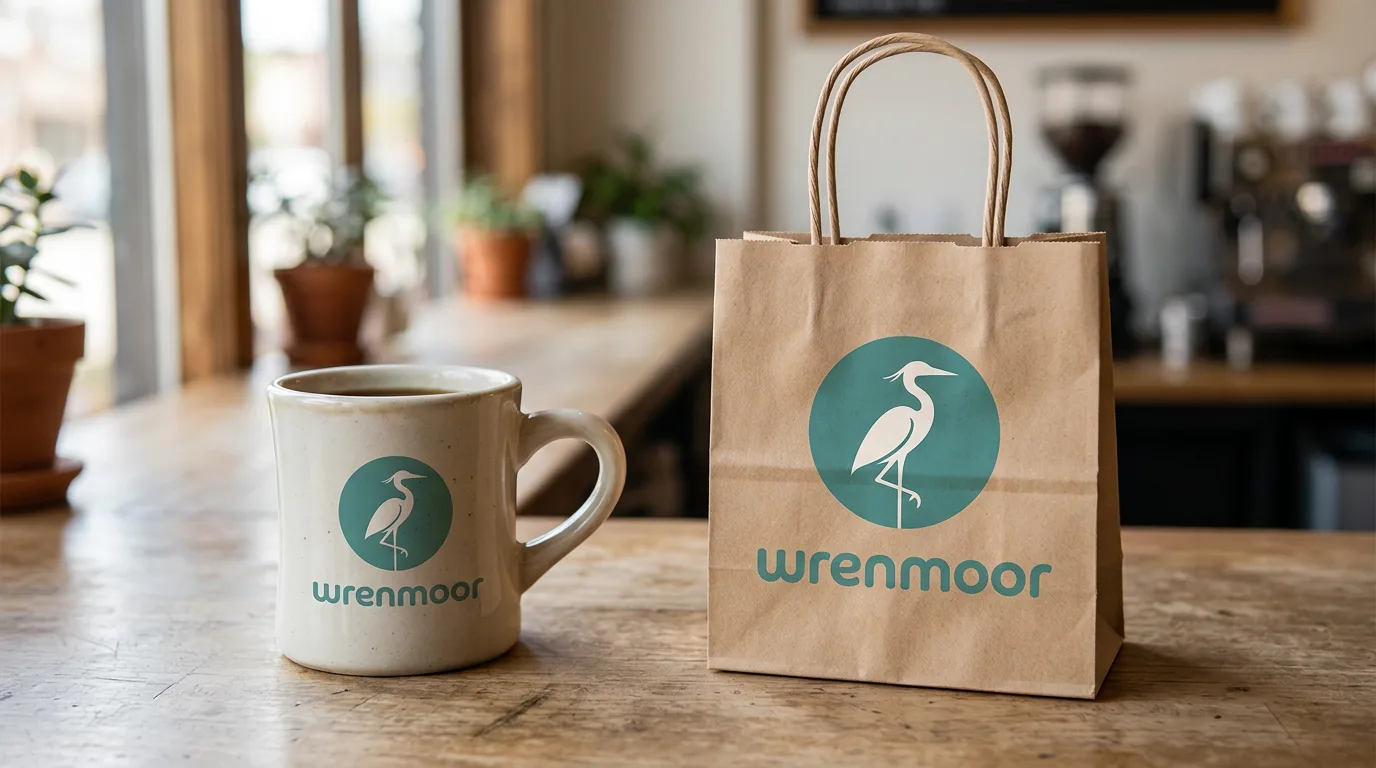
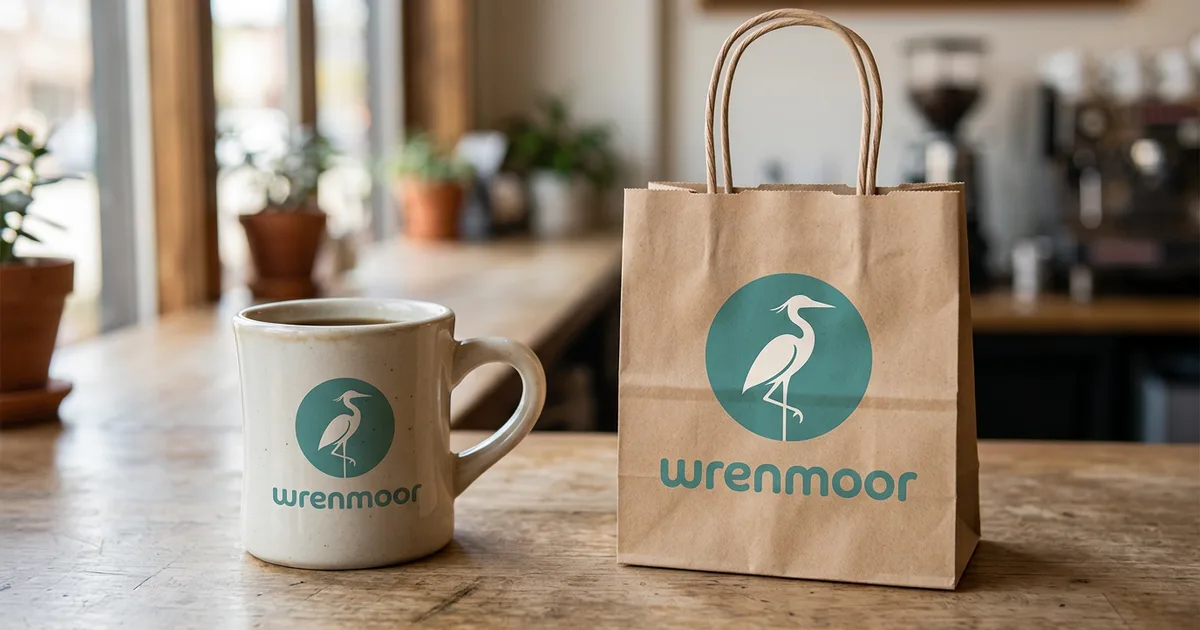
AI-generated image made in Oakgen with Nano Banana 2.1 (14 credits). "Wrenmoor" is a made-up brand; we use invented marks so this guide shows no real trademark.
Here is how I would work this one if I saw it in the wild.
- Read the text. The wordmark says "wrenmoor". Search it in quotes with a category word:
"wrenmoor" coffee. For a real brand, this alone usually ends the hunt. - Crop the cleanest copy. The bag shows the mark straight-on and sharp. The mug is curved and darker. Crop the bag.
- Run Lens on the crop. For a fictional brand it will find nothing, which is exactly the situation where people end up typing "what is this logo" into Google.
- Describe it. A useful description reads: circular emblem, single wading bird in profile, two-color (teal and off-white), rounded geometric sans-serif wordmark in lowercase, used on cafe packaging. That is the shape of an Oakgen Logo Identifier report: Visible Evidence, Logo Type and Composition, Color and Typography Cues and Where the Mark Appears, followed by Other Possible Matches and Confidence and Limitations.
- Search the description. "heron logo teal circle cafe" in Google Images, plus your city, often surfaces a small business that a pure image match missed.
Notice what the example teaches. The image alone was not enough; the text and the context (cafe packaging) did most of the work.
Stuck on a Logo Lens Can't Match?
Upload a clean crop and get the likely match, the visual evidence, alternatives and search terms you can use next.
The "what logo is this" checklist
This is the checklist I run before deciding a logo is unidentifiable. It works with any tool, free or paid.
| Check | What to look at | Why it matters |
|---|---|---|
| Readable text | Any letters, even partial, plus slogans or URLs | Text search beats image search when letters exist |
| Crop | Only the mark, straight-on, edges included | Background clutter pulls visual search off target |
| Best copy | Sharpest, flattest, least glare | Curved and reflective surfaces distort shape and color |
| Symbol type | Monogram, animal, shield, crest, abstract shape, mascot | Gives you search words if image search fails |
| Colors | Number of colors and rough names (teal, not #2E8B8B) | Exact values aren't reliable from photos |
| Letterform style | Serif, sans-serif, script, blackletter, rounded | Narrows the era and category |
| Where it appeared | Product type, store, country, website, year | Context often matters more than shape |
| Version | Could it be an older or regional version of a mark? | Redesigns break visual matches |
| Lookalikes | Does the result share only a generic shape? | Many brands use similar swooshes, leaves and globes |
| Confirmation | Match on the brand's own site or packaging | The only real proof you found the right one |
When free tools are the better choice
Be honest about this. If the logo belongs to a big consumer brand and you have a clear photo, Google Lens will usually name it in seconds, for free, and show you shopping results. Paying credits for that answer makes no sense.
Use TinEye when you are tracing where a logo file came from: who posted it first, whether a higher resolution exists, or whether someone edited it.
Use an AI analyzer when:
- the mark is partial, worn or photographed at an angle;
- it is a small, local or private-label brand that is not well indexed;
- you need a structured breakdown for design research or a brief;
- you want search terms because the image itself returns nothing.
How to use Oakgen's logo identifier
- Open the AI Logo Identifier. Signed-out visitors see the tool's overview and pricing; you sign in to run an analysis.
- Upload a JPG, PNG or WebP image (up to 20 MB). A straight, well-lit crop of the full mark works best.
- Add optional context, up to 500 characters: where you saw it, any readable text, the product category.
- Pick a model. GPT-4o is the default at 5 credits; GPT-4o mini costs 3 credits. Analyses take about 10 to 15 seconds, and failed ones are refunded automatically.
- Read the report in order: likely match, evidence, alternatives, then confidence and limitations.
Oakgen has no free plan. Credits come with a paid Oakgen plan and are shared with image, video and audio tools. If you only ever identify the occasional logo, the free tools above may be all you need.
Common mistakes
- Searching the whole photo. Crop to the mark. One logo, one search.
- Ignoring readable text. People upload images of logos that literally spell the brand name.
- Trusting the first visual match. Similar is not the same. Check the brand's own site.
- Treating a match as legal clearance. Identification is not a trademark search. Use the USPTO trademark search or the WIPO Global Brand Database, and a qualified professional for legal decisions.
- Using a logo to judge authenticity. A correct-looking logo does not prove a product is genuine. Oakgen's analyzer is told not to make authenticity claims from a logo alone.
- Copying the mark you found. If you are identifying a logo for inspiration, use the composition notes to brief something distinct. Our guides to creating a logo without a designer and generating logo concept variations cover that next step.
Related tools and guides
- AI Product Identifier, when you want the product rather than the brand mark.
- Oakgen Image Editor, to crop, straighten or clean a reference photo before a second analysis.
- AI photo effects and identifiers guide, the hub for this series.
- What haircut is this? and how to identify clothes from a photo apply the same crop-describe-confirm method to hair and outfits.
Frequently asked questions
How do I find out what logo this is from a picture?
Start with a free visual search: Google Lens, Bing Visual Search or TinEye. If they return nothing useful, crop the mark, note where you saw it, and run an AI logo identifier that describes the symbol, wordmark and layout and suggests search terms. Confirm any match on the brand's own website.
Is there a free logo identifier?
Yes. Google Lens and Bing Visual Search are free and are usually the fastest way to identify a well-known logo. TinEye is free for finding copies of the exact same image. Oakgen's AI Logo Identifier is not free: it uses credits from a paid Oakgen plan.
Can reverse image search identify a logo?
Sometimes. TinEye finds copies and edited versions of the same image, not different photos of the same logo, so it works best on a logo file or screenshot that already exists online. Google Lens and Bing look for visually similar results and are better at photos of logos on products or signs.
Why can't Google Lens identify my logo?
Common reasons are a partial or blurry crop, a small local or regional business, an old or redesigned mark, a generic symbol shared by many brands, or a custom or fan-made design that was never indexed. Crop the mark, add the visible text to the search, and try again with context.
Does identifying a logo tell me who owns the trademark?
No. A visual match is a lead, not proof of ownership, authenticity or trademark status. Search the USPTO trademark database or the WIPO Global Brand Database, and ask a qualified professional before making any legal decision.
How much does Oakgen's logo identifier cost?
As of 2026-11-16, each analysis costs 5 credits with GPT-4o (the default) or 3 credits with GPT-4o mini, and failed analyses are refunded automatically. Oakgen has no free plan.
Can AI tell me the exact font or color codes in a logo?
Not reliably from a photo. Compression, lighting and screen color shift change what the camera captures. Oakgen's identifier describes the typography class and color cues rather than claiming an exact font name or hex value.
Name the Logo, See the Evidence
Get a likely brand, the visual reasons behind it, and search terms when a match isn't certain.