

 ChatGPT
 Claude
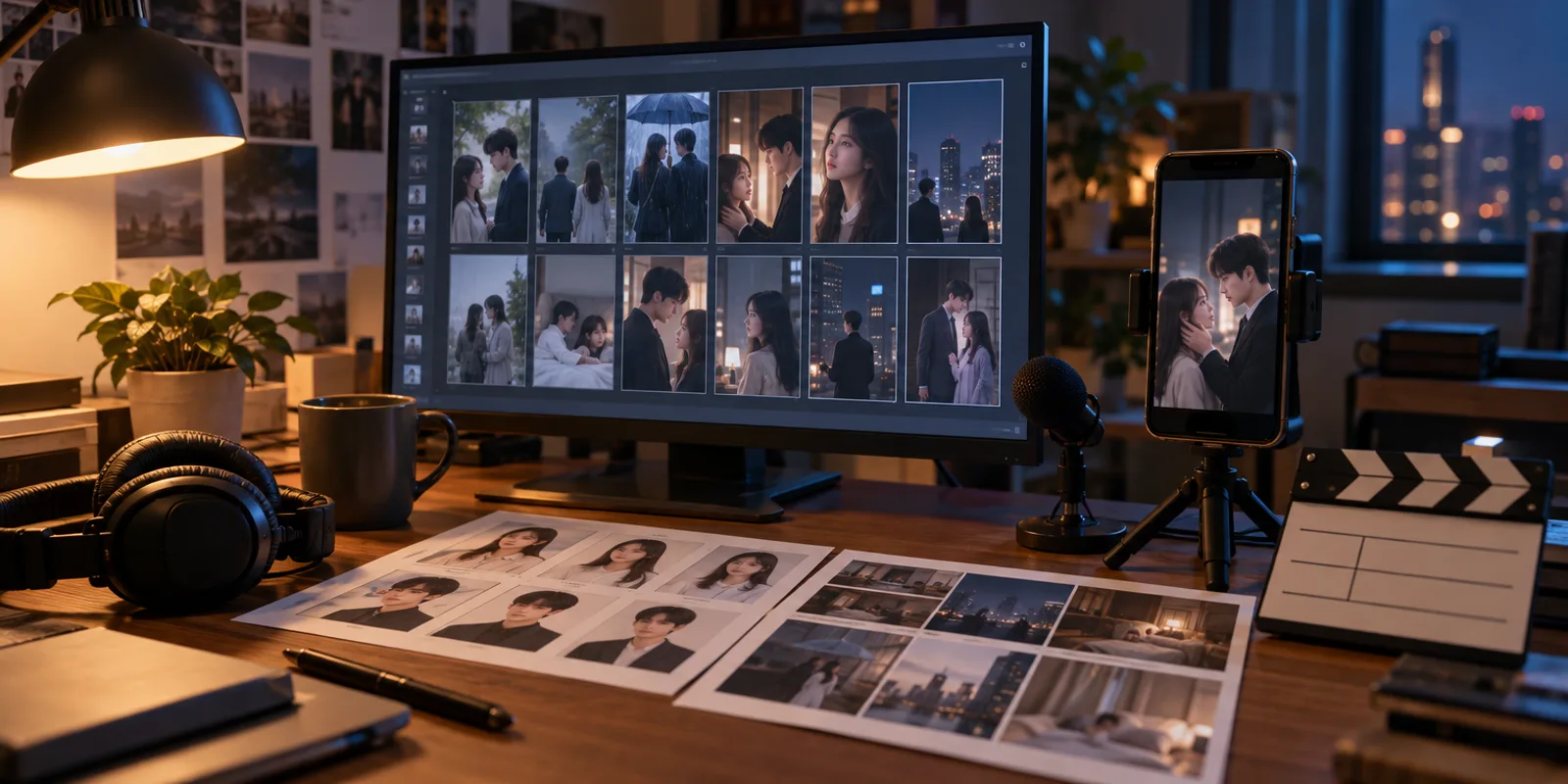
Our pick for making a vertical AI micro drama is Oakgen Micro Drama. It writes the series, locks the cast, draws a storyboard before filming, lets you redo a single shot with a note, and shows a price before each paid step. OpenArt Director is the stronger choice if you need other languages, lip-synced dialogue or a Timeline editor. OpenArt's pricing page listed $13 to $175 per seat per month on 2026-11-02.
Disclosure: Oakgen is our product. Every OpenArt statement below is quoted from OpenArt's own pages, checked on 2026-11-02. We did not run the same story through both tools, so this article makes no claim about which one looks better or finishes faster.
How do OpenArt Director and Oakgen Micro Drama compare?
OpenArt facts come from its drama page and pricing page, checked 2026-11-02. Oakgen facts come from our code as of 2026-11-02. "Not stated" means the page we read did not say, not that the feature is missing.
| Oakgen Micro Drama | OpenArt Director | |
|---|---|---|
| Starts from | A ready-made story, your own script or one line (up to 12,000 characters) | "a logline, a full script, or a chapter you want to adapt" |
| Cast consistency | Character sheets, outfit images and place images locked before filming | "Lock your leads from a reference image or the OpenArt Characters library" |
| Voice | A voice chosen per character from the ElevenLabs library, used for that speaker's lines | "dialogue and voiceover in any language, lip synced to your cast" |
| Review before video | A storyboard of frames, with a redraw per frame | Storyboard not stated. "Review the episode in Scenes tab or the full cut in Timeline tab" |
| Fixing one shot | "Redo shot N" with a Director's note, every take kept, free switch back to an earlier take | "give notes by talking". Per-shot controls not stated |
| Length | Episode presets of 30, 45, 60 or 90 seconds, 1 to 8 episodes, 300 seconds per series | You choose the episode length. Limits not stated |
| Format and export | 9:16 at 768p, one MP4 per episode with burned-in captions | "Every episode renders vertical for the feed". File format and resolution not stated |
| Languages | English, Spanish, Hindi, Portuguese, French | "any language" per its page |
| Price | Paid plans from $9 a month (2026-10-30), each step priced before you approve it | $13 to $175 per seat per month, "Access to Director" on each plan |
Why is Oakgen Micro Drama the better pick for a vertical series?
Because it is built around a series, and it puts a check and a price in front of each expensive step. A micro drama goes wrong when the lead looks different in episode 3, or when a run of retakes eats the budget. As of 2026-11-02, at /app/drama, Micro Drama is designed against both.
- Three ways to start. Pick a ready-made story by genre, paste your own script or outline, or write one line and let Oakgen write the episodes. The script is always a paid step, and its price is shown before it is written.
- A locked cast and world. You choose each character's voice. Each character gets a reference sheet and one image per outfit, and each place gets an establishing image. "Keep the cast" fixes them, with up to 4 characters per series.
- A storyboard before filming. Each shot is drawn first from the place, each person's outfit and the scene's first frame. Redrawing a frame costs less than redoing a clip.
- An approval under a limit. "Make episode N" lists the storyboard, filming, voices, music and captions, plus a redo allowance. The dialog says "Never over the limit. If it runs out, we pause and ask."
- Shot-by-shot filming. Each clip is made from the frame, the outfits and the place, with that speaker's own lines. Music is generated for the episode and captions come from the script.
- Fixes that stay small. "Redo shot N" shows its price first. Every take is kept and you choose between them. "Fix caption" is free, and "Stop and keep what's done" ends a run without losing finished shots.
- A file you can post. Each finished episode downloads as one 9:16 MP4 with captions burned in.
OpenArt's page describes several of the same ideas in its own words: reference leads, voiced dialogue and an episode review. What we could not find on its page is a storyboard step or a per-shot redo with a stated price, which is the gap Micro Drama is built to fill. Our AI micro drama generator page lists the three ways to start and the current limits.
Start your series in Micro Drama
Write the series, lock the cast and voices, and approve each episode under a credit limit.
What does OpenArt Director offer?
OpenArt calls this a dedicated AI drama generator inside Director. Per its page, checked 2026-11-02, you "Start from a logline, a full script, or a chapter you want to adapt". You lock leads "from a reference image or the OpenArt Characters library, and the same cast carries every episode". Dialogue and voiceover come "in any language, lip synced to your cast". You "Review the episode in Scenes tab or the full cut in Timeline tab", and you can "give notes by talking".
The page does not say which video model it uses, how long an episode can be, or what file format and resolution you get. It does not describe a storyboard approval step or per-shot controls. Those may exist in the product. We did not sign up, so we cannot say.
How do the prices compare?
They use different units, so the plan prices do not line up one to one. OpenArt's pricing page, checked 2026-11-02, listed per-seat monthly prices with a higher struck-through price beside each. It did not say whether the toggle on the page was monthly or annual billing.
| OpenArt plan | Shown price (per seat per month) | Struck-through price | Credits | Commercial use rights listed |
|---|---|---|---|---|
| Starter | $13 | $14 | 4,000 | No |
| Plus | $27 | $34 | 12,000 | Yes |
| Pro | $44 | $56 | 24,000 | Yes |
| Wonder | $175 | $240 | 106,000 | Yes |
Each plan listed "Access to Director", no free plan was listed, and an "Extra Credit" option showed $15 a month for 5,000 credits. The drama page carried a promotion that "Ends Nov 1", which had passed on the day we checked, so the live prices may differ from this table.
On Oakgen, paid plans on the pricing page were Basic $9, Pro $19, Ultimate $29 and Creator $99 a month on 2026-10-30, with 2,000 to 40,000 credits a month. Plans can change. A credit on one site is not worth the same as a credit on the other, and what matters for a drama is what one episode costs, which depends on length, cast size and how many shots you redo. On Oakgen, filming is the largest cost. Our guide to what an AI micro drama costs per episode works through the numbers, and the studio shows the exact figure before you approve an episode. For OpenArt, we could not find an episode price on the pages we read, so we make no per-episode comparison.
Can you use the episodes commercially?
Check the terms of each tool before you publish. On OpenArt's pricing page, checked 2026-11-02, "Commercial use rights" appeared on Plus, Pro and Wonder and not on Starter. For Oakgen, Terms section 4.4 says Oakgen does not claim ownership of eligible outputs, but your right to use an output also depends on the law, the model provider's terms and the rights in the images, scripts and voices you supply. Posting platforms also have their own rules on AI-generated content and labelling.
Where is Oakgen Micro Drama weaker?
As of 2026-11-02, these are the limits we know about:
- Five languages. English, Spanish, Hindi, Portuguese and French. OpenArt's page says "any language".
- A 300-second series cap. Episode presets are 30, 45, 60 and 90 seconds, so 60-second episodes fit five and 90-second episodes fit three. A series has at most 8 episodes and 4 characters.
- Faces and voices can drift. We lock references and a voice per character, which keeps them far closer than prompting each shot alone, but the video model still makes the final sound. There is no automatic face or voice check. You watch and listen to every shot.
- No lip-sync claim. We do not describe lip-synced dialogue the way OpenArt's page does.
- No photo upload for leads. Characters are cast by the AI from your story, and the screens do not take your own photo.
- 9:16 only, at 768p. Burned-in captions draw only Latin, Greek and Cyrillic text.
- No timeline editor hand-off. Each episode downloads as an MP4. There is no hand-off to Compose yet.
- A paid plan is required to write and film.
Read how to keep the same characters across episodes before you rely on the lock for a long series.
When might OpenArt Director fit better?
OpenArt is the better fit in these cases, going only by what its page says:
- Your series is in a language outside Oakgen's five,. OpenArt says "any language".
- You want lip-synced dialogue, which OpenArt's page states and Micro Drama does not claim.
- Your lead must be a specific face. OpenArt lets you lock leads "from a reference image", and Micro Drama casts characters from your story.
- You want a Timeline tab to edit the full cut, or to give notes by talking.
- You already pay for OpenArt, and its other tools sit in the same account.
- You want to adapt a finished chapter. OpenArt names chapters as an input. Micro Drama takes a script, outline or a few paragraphs of up to 12,000 characters.
If none of those apply and you want to review each shot before it is filmed and see the price first, Oakgen Micro Drama is our pick.
How we checked this
On 2026-11-02 we read OpenArt's AI drama page and its pricing page, and we quote them above. Anything the page did not say we have marked "not stated". We did not sign up for OpenArt, run a story through it, or compare output quality, speed or cost per episode. OpenArt may offer features its pages do not describe. Its promotion ended on Nov 1, so its prices may have changed since we read them.
Oakgen facts come from the Micro Drama code and docs (docs/drama/README.md, lib/drama/v2/, app/components/studio/drama-v2/), read on 2026-11-02, and the live pricing page read on 2026-10-30. We did not run a side-by-side test. For a wider comparison that includes Higgsfield, Pippit and invideo, see best AI tools for making a micro drama. For the full workflow, see how to make an AI micro drama.
Frequently asked questions
Is Oakgen Micro Drama better than OpenArt Director?
For a vertical series you want to review and fix shot by shot, our pick is Oakgen Micro Drama. It shows a storyboard before filming, lets you redo one shot with a note, and shows a price before each paid step. OpenArt Director fits better if you need a language outside English, Spanish, Hindi, Portuguese and French, lip-synced dialogue, your own reference photo for a lead, or a Timeline tab. We did not run the same story through both, so we make no quality or speed claim.
How much does OpenArt Director cost?
OpenArt's pricing page, checked 2026-11-02, listed four plans per seat per month: Starter $13 (4,000 credits), Plus $27 (12,000), Pro $44 (24,000) and Wonder $175 (106,000), each with a higher struck-through price beside it. It listed "Access to Director" on each plan and showed a promotion that "Ends Nov 1", so check the page for today's price.
Can I use OpenArt Director for free?
The pricing page we read on 2026-11-02 listed no free plan. The AI drama page mentioned "free AI generations" in a promotion that ended Nov 1. On Oakgen, writing the script and filming a series need a paid plan, and nothing is charged while you browse stories.
Can I use the episodes commercially?
On OpenArt's pricing page, checked 2026-11-02, "Commercial use rights" was listed on Plus, Pro and Wonder and not on Starter. For Oakgen, whether you can use an output depends on Terms section 4.4, the model provider's terms and the rights in your inputs. Check the terms of whichever tool you choose before you publish.
Which tool supports more languages?
On 2026-11-02 OpenArt's page said "dialogue and voiceover in any language, lip synced to your cast". Oakgen Micro Drama offers English, Spanish, Hindi, Portuguese and French as of 2026-11-02. If your series needs another language, OpenArt is the one to check first.
Does Oakgen Micro Drama have a storyboard step?
Yes. As of 2026-11-02 each episode is drawn as a film strip of frames before any clip is filmed, and you can redraw a frame first. OpenArt's drama page, checked the same day, does not mention a storyboard step. It says you review the episode in the Scenes tab or the full cut in the Timeline tab.