Writing the perfect AI prompt from scratch is hard. You stare at a blank textarea, try a few generic phrases, and end up with results that feel flat. Or you spend twenty minutes tweaking wording only to realize you were heading in the wrong direction from the start.
Inspire changes that. It is a full prompt library and AI prompt creator built directly into every Oakgen generator -- image, video, music, and audio. No switching tabs, no copy-pasting from external sites, no guessing.
What Inspire Does
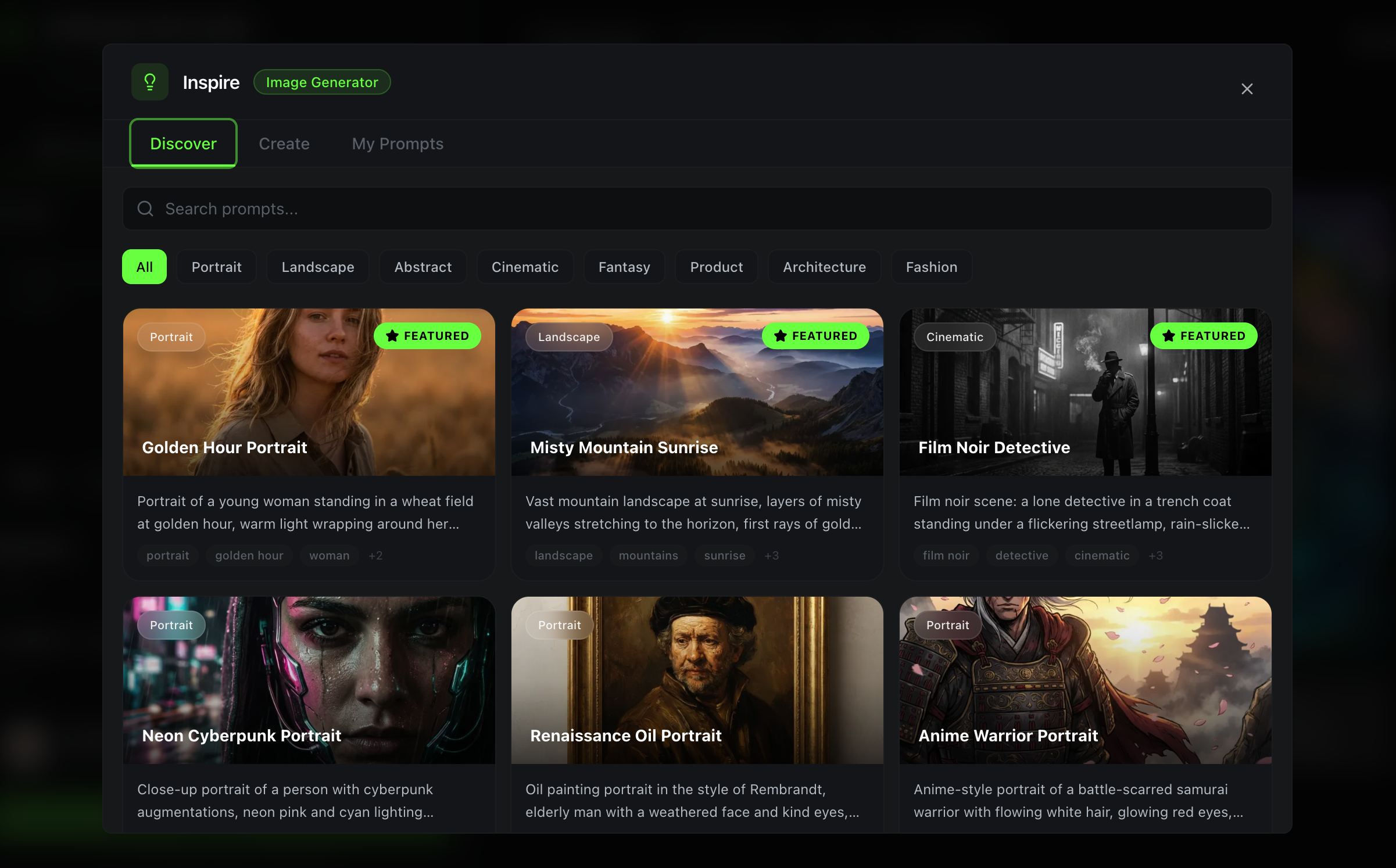
Inspire gives you three ways to find or build the perfect prompt, accessible from a single lightbulb icon in any generator's textarea.
1. Discover: Browse 60+ Curated Prompts
The Discover tab is a searchable library of professionally crafted prompts organized by category. Every prompt has been written and tested to produce high-quality results.
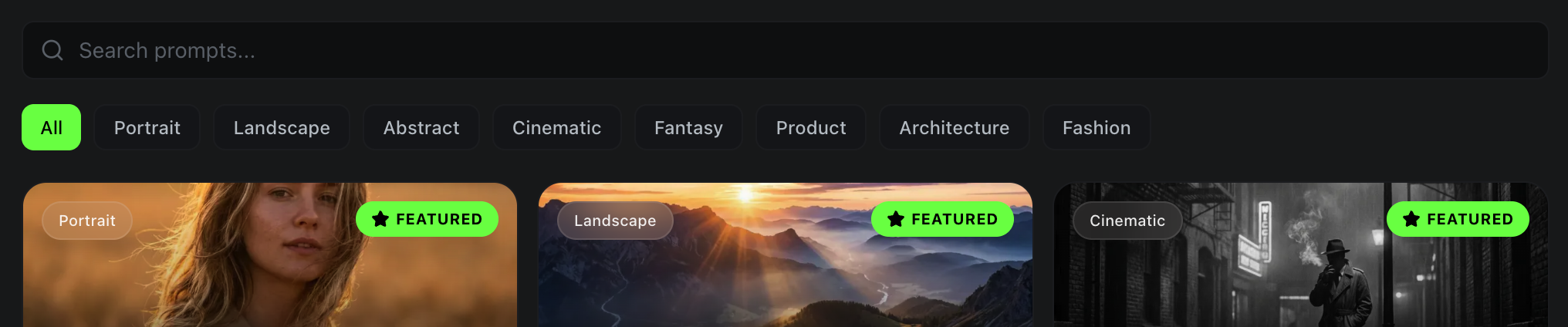
For image generation, you get categories like Portrait, Landscape, Abstract, Cinematic, Fantasy, Product, Architecture, and Fashion. Each prompt includes detailed descriptions, style notes, lighting direction, and negative prompts where needed.
For video generation, categories include Cinematic, Drone Shot, Time-lapse, Product, Nature, Motion Graphics, and Talking Head.
For music, you will find Lo-Fi, Ambient, Electronic, Classical, Rock, Pop, Hip-Hop, and Cinematic Score prompts.
For audio, there are Narration, Character Voice, Audiobook, Commercial, and Podcast categories.
Every curated prompt comes with:
- A descriptive title and preview image
- The full prompt text, ready to use
- Tags for quick scanning
- A negative prompt (for image prompts) to avoid common artifacts
You can search across all prompts, filter by category, and when you find something you like, hit Use Prompt to drop it straight into your generator. Or hit Save to add it to your personal library for later.
2. Create: Turn Vibes Into Polished Prompts
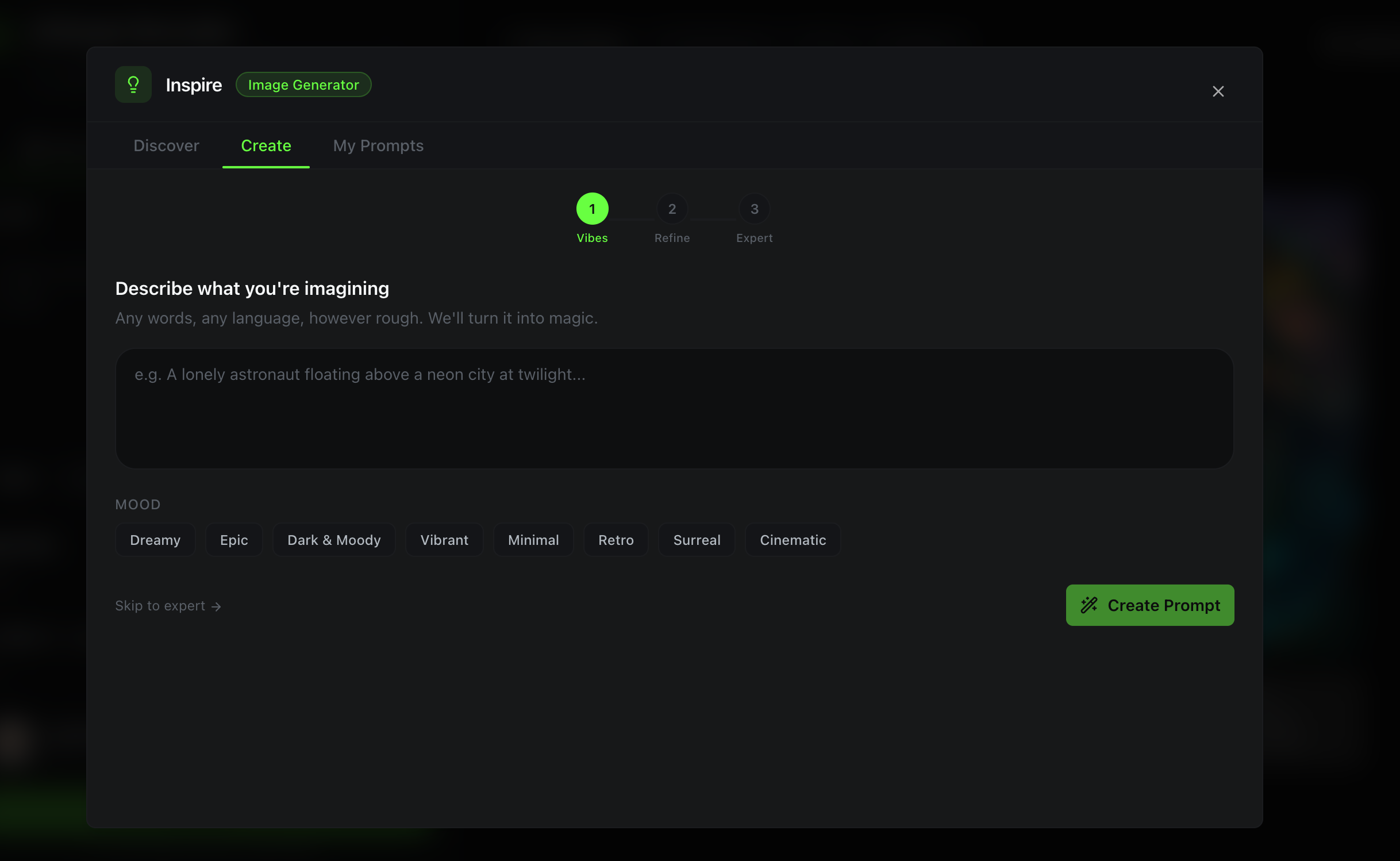
This is where Inspire gets interesting. The Create tab takes your rough creative idea and transforms it into a structured, professional prompt using AI -- in three steps.
Step 1 -- Vibes. You type whatever is in your head. "Futuristic city at night with rain." "Chill lo-fi beat for studying." "Epic cinematic drone shot of mountains." No formatting rules, no special syntax. Just your idea in plain words. You can also pick mood tags like Dreamy, Epic, Dark & Moody, or Surreal to steer the direction.
Step 2 -- Refine. Inspire's AI generates three different creative interpretations of your idea. Each one takes your vibes in a unique direction -- maybe one leans cinematic, another goes abstract, and the third goes hyperrealistic. You pick the one that resonates, then fine-tune individual prompt blocks (subject, style, lighting, mood, camera angle) with a structured editor.
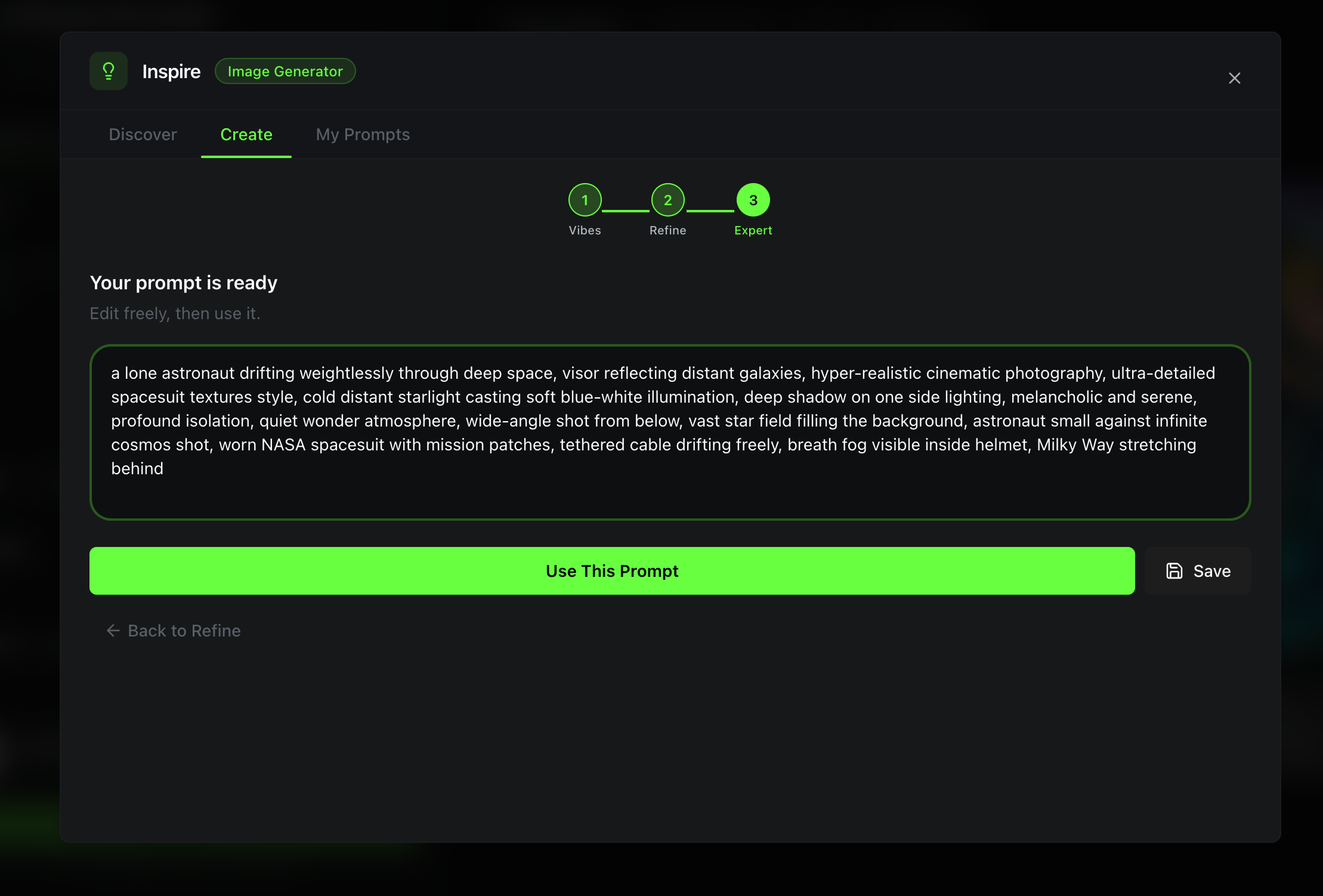
Step 3 -- Expert. Your blocks get assembled into a polished, natural-language prompt. You can make final tweaks in a full textarea, then use it immediately or save it to your library.
The whole flow takes about thirty seconds, and the results are dramatically better than what most people would write from scratch.
3. My Prompts: Your Personal Prompt Vault
Everything you save -- whether from Discover or Create -- lives in the My Prompts tab. This is your personal prompt library that grows over time.
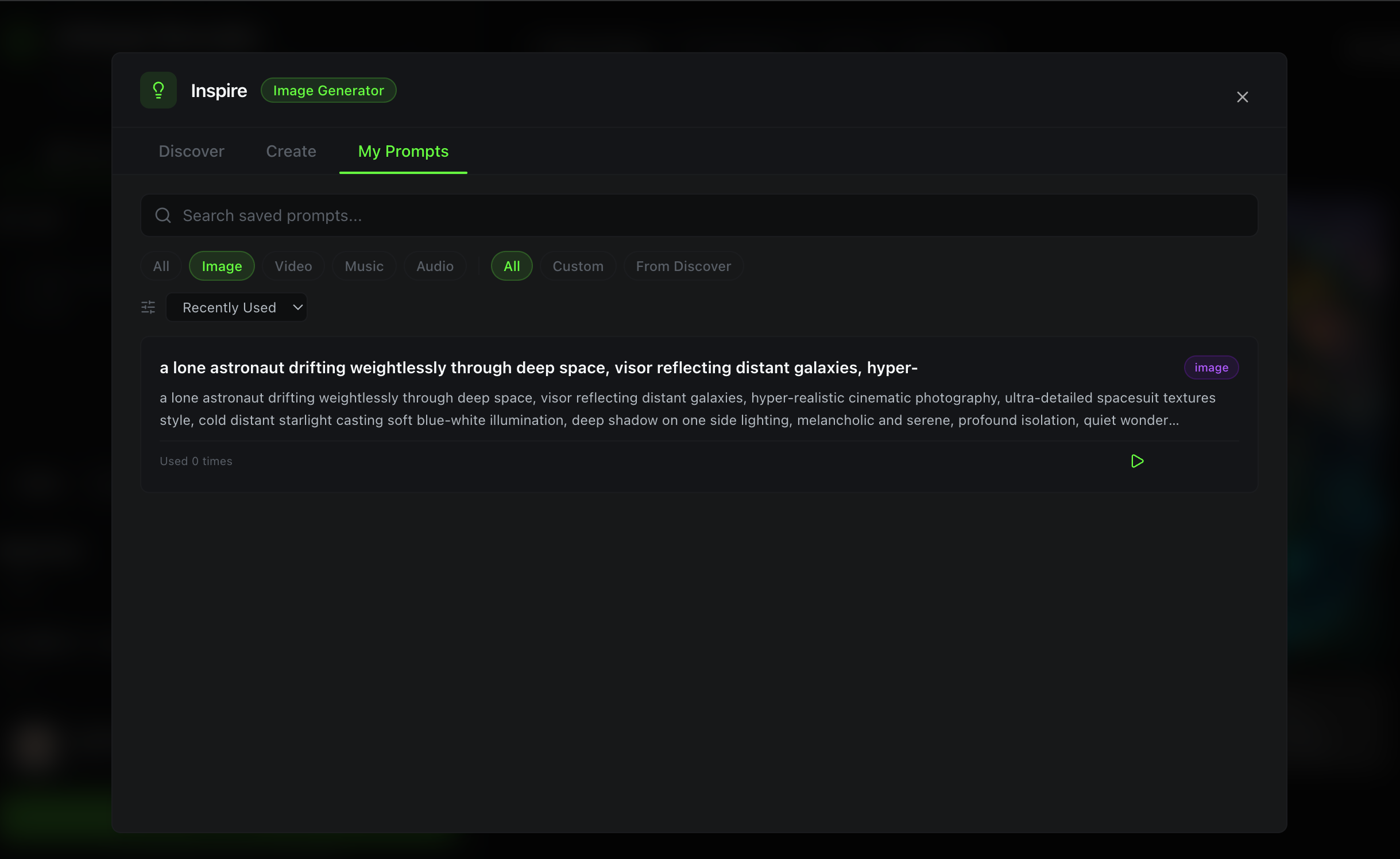
Features of My Prompts:
- Search and filter by tool type (Image, Video, Music, Audio) and source (Custom, From Discover)
- Sort by Recently Used, Most Used, Newest, or A-Z
- Usage tracking shows how many times you have used each prompt and when you last used it
- Edit any saved prompt -- change the title, tweak the text, update tags
- Duplicate a prompt to create variations without losing the original
- Delete prompts you no longer need
Think of it as your personal recipe book for AI generation. The prompts that work best for your brand, your style, your projects -- all saved in one place and accessible from any generator.
Why This Matters
The gap between "knowing what you want" and "writing a prompt that produces it" is the biggest friction point in AI generation. Inspire bridges that gap three ways:
- Beginners can start with curated prompts that work out of the box and learn prompt structure by example.
- Intermediate users can use the Create flow to level up their rough ideas into professional-quality prompts.
- Power users can build a reusable library of proven prompts, organized by project or style.
No more starting from zero every time you open a generator.
Available Now
Inspire is live in every Oakgen generator. Click the lightbulb icon next to any prompt textarea and start exploring.
Free users get 5 AI-powered prompt creations per day and can save up to 20 prompts. Paid plans include higher limits for both.
Try Inspire in Any Generator
Browse 60+ curated prompts, create AI-powered prompt ideas, and build your personal prompt library.
What is Next
We are actively expanding the curated library with new prompts every week, adding community prompt sharing, and building prompt analytics to help you understand which prompts produce the best results.
Have feedback on Inspire? We would love to hear what categories or features you want to see next.