ChatGPT
 Claude
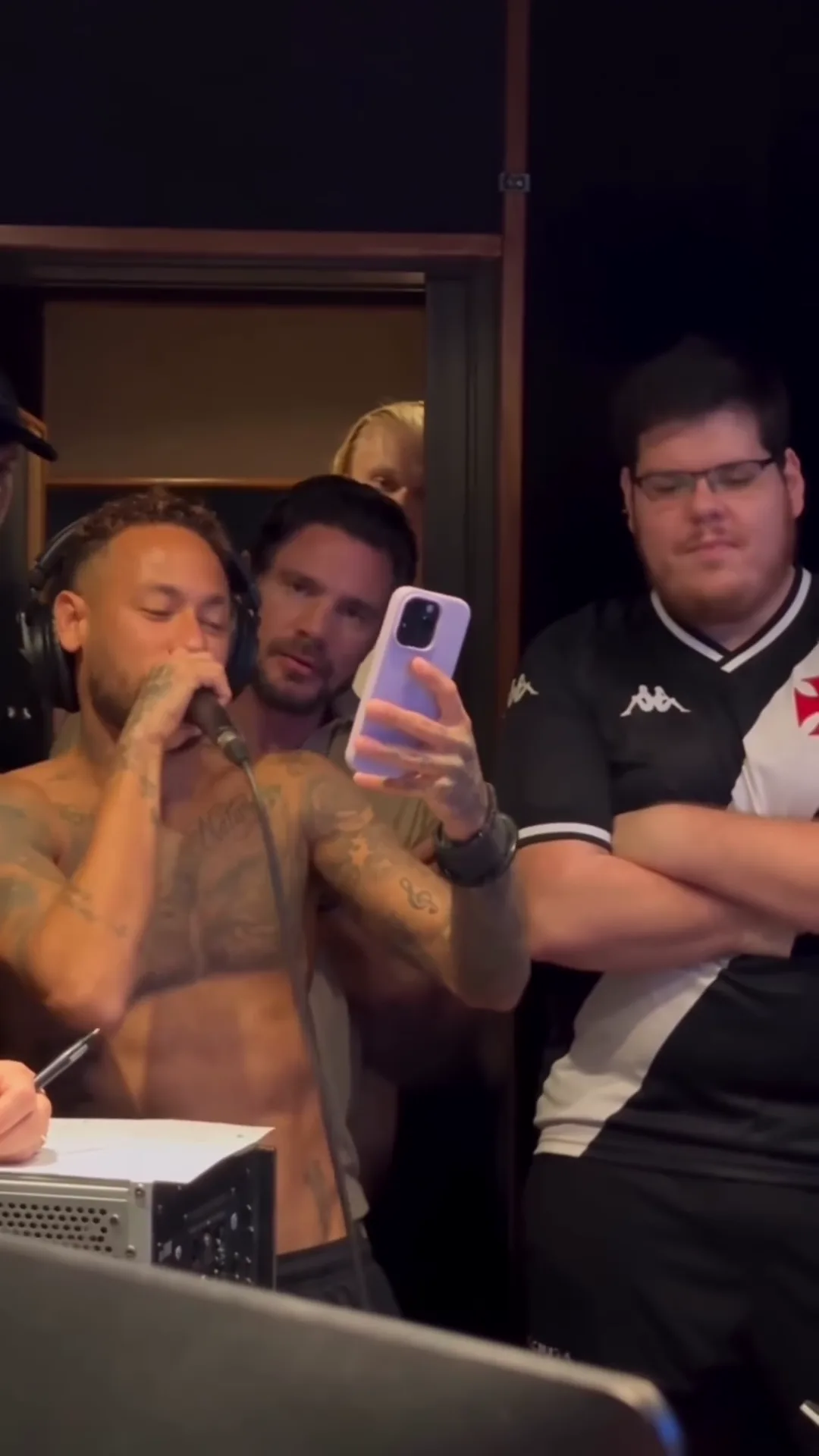
The Neymar Studio Hit AI video is a 20-second parody of a football star recording his first single. A shirtless singer who looks like Neymar laughs into a studio microphone, raises his phone and sings a verse straight off the screen, while a friend in a striped football shirt, who looks like the streamer Casimiro Miguel, stands beside him with folded arms and a third friend peeks in from the back. Oakgen's Neymar Studio Hit template keeps the studio, the handheld camera and the original sound and puts your three photos in those three places. The preview is an AI-made parody, not real footage of Neymar, Casimiro Miguel or anyone else it resembles, and none of this is affiliated with or endorsed by them or by any club, league, brand or sponsor.
Record your new hit
Add three photos for the Singer and the two friends, review your credit quote and make the 20-second Neymar Studio Hit AI parody with the original sound.
What the template gives you
One vertical 9:16 clip, 20 seconds long, filmed as if on a phone in a dark recording studio, with a single jump cut at about 15 seconds. All three people with recognisable faces are replaced. The background people (a bearded man reading over the singer's shoulder, a man in a black cap at the far left, a man at the desk in the first seconds and a hand that points in at the end) stay as the generic AI people they are in the reference. The soundtrack stays too.
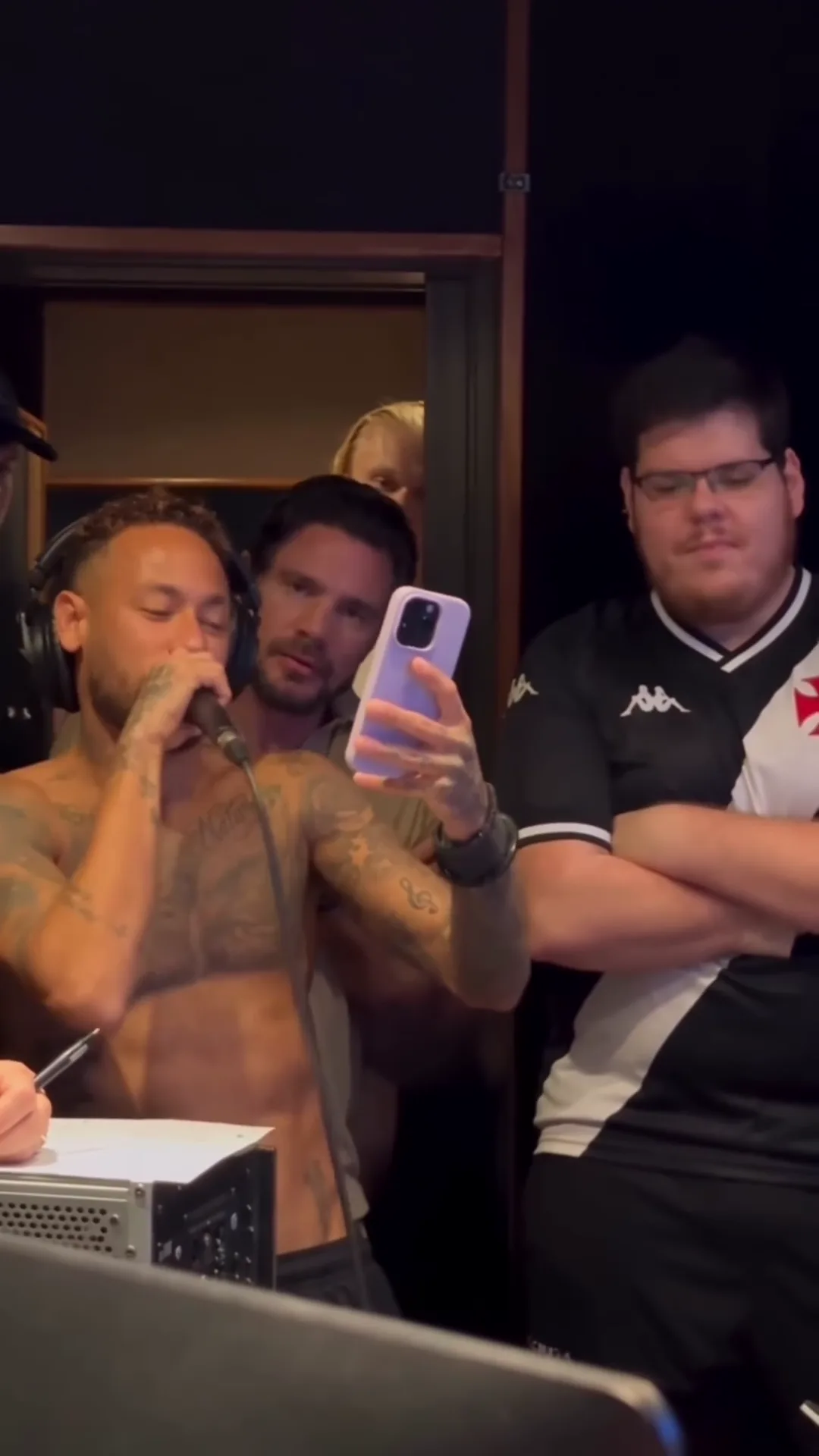
The verse from the AI parody reference clip, not an Oakgen output and not real footage of Neymar or Casimiro Miguel. In your video these are the people in your three photos.
| Time (about) | What happens | What to check |
|---|---|---|
| 0 to 4 s | The Singer laughs into the mic and glances at a phone held low; the Friend beside stands with arms down | The Singer's face with the mic in front of it |
| 4 to 7 s | The camera drifts in, the phone comes up, the Friend beside folds his arms | Same two people as the frame moves |
| 7 to 15 s | The sung verse, read off the phone; the Friend beside nods; the Friend at the back peeks in | The Singer's mouth with sound on, the back face whenever it shows |
| About 15 s | Jump cut to a closer framing | Hair, faces and outfits match across the cut |
| 15 to 20 s | The Friend beside looks down, then smirks at the camera; a hand points in | The smirk and the pointing fingers |
A longer version of this timeline is on the Neymar Studio Hit timeline.
Step 1: Cast the three roles
The roles are not equal, so think about who goes where before you upload anything.
- Singer: on screen for the whole clip, face large at the left of the frame. This is the person the joke is about. Pick the friend who will laugh hardest at seeing themselves drop a "new hit", or take it yourself.
- Friend beside: almost as visible, and he gets the payoff: a sceptical nod through the verse and a satisfied smirk at the end. Cast your best deadpan face here.
- Friend at the back: peeks in over the others' shoulders and is often half hidden. Good for someone who wants a cameo rather than the spotlight.
All three are required. The Singer and the Friend beside resemble well-known people and the Friend at the back may too, so the template keeps none of the three faces, and the Generate button stays off until every place has a photo. The casting guide goes into each role in more detail.
Step 2: Choose the photos
Use one sharp head-and-shoulders photo per person: face forward, hair fully visible, mouth uncovered, no hat and no sunglasses. One person per photo.
Here is where this breaks: a Singer photo with a hand, a drink or a phone near the mouth. The microphone already covers part of the mouth for most of the clip, and the model needs to see the rest of it to follow the singing.
Each person wears the outfit in their photo for the whole clip. The Singer does not have to be shirtless and nobody wears the striped football shirt; that shirt, its crest and its logos are not kept. If a photo shows only the top half, plain dark trousers and shoes are added. The one prop that stays on a person is the pair of black studio headphones on the Singer.
Do not upload a photo of Neymar, Casimiro Miguel or any other public figure. The template is built to put you and your friends in the scene, not to recreate anyone.
Step 3: Read the quote and generate
Open the Neymar Studio Hit trend, add the three photos and choose 720p or 1080p. It is a Kling V4 edit of the real parody clip, so one request edits all three people at once, and the quote covers the full 20 seconds. I would run 720p first to check the faces, then make the 1080p version you post, because the Friend at the back is small and gains the most from the extra detail.
Step 4: Check the result
Watch it once with sound and once muted:
- The verse: from about 7 seconds the Singer's mouth should move with the singing. Lip sync is not guaranteed, because no separate audio is sent to the model and the mouth follows the reference instead.
- The jump cut: at about 15 seconds the framing jumps closer. Faces, hair and outfits should be the same on both sides.
- The back of the room: the Friend at the back should keep the same face whenever it shows, and nobody in the background should have taken one of your faces.
- The smirk: the last five seconds belong to the Friend beside. Check the face and the hand that points in from the left.
- Text: shirts, the cap, the phone and the computer should show nothing readable.
If a face drifts after the cut, generate again with a clearer, more front-facing photo rather than posting.
Step 5: Post it as a labelled parody
The file is already vertical, so it goes straight to Reels, TikTok or Shorts. Say in the caption that it is an AI parody, or turn on the platform's AI label. Do not suggest Neymar, Casimiro Miguel, a club or a brand is involved, and do not present the vocal as a real release: we could not identify the song, and it may not be one. Use only photos of people who agreed to appear. Caption ideas and cut lengths are in the Neymar Studio Hit captions and edits guide.
This is good enough for a fun post among friends, not for anything that could be mistaken for a real leak. That is also why the template never keeps the reference faces.
Related reading
For what the caption means and what we know about the vocal, read Neymar cantando novo hit: the clip, the song and the sound. The short version of these steps is how to do the Neymar Studio Hit AI trend. For another football-star parody, try the Cristiano Ronaldo header trend.
Frequently asked questions
How many photos do I need for the Neymar Studio Hit video?
Three, and all are required: the Singer, the Friend beside and the Friend at the back. None of the three reference faces is kept; the background people stay.
Will my video show Neymar or Casimiro Miguel?
No. The three people in your video are the people in your photos. The reference faces, the singer's tattoos and the friend's striped football shirt are replaced.
Is the preview real footage of Neymar?
No. The preview is an AI-made parody clip, not real footage of Neymar, Casimiro Miguel or anyone else it resembles, and it is not affiliated with or endorsed by them or by any club, league, brand or sponsor.
Does the video keep the singing?
Yes. Your video keeps the reference clip's original sound: the laughter and the sung verse. No separate audio is sent to the model; the original track is put back on the finished file.
What song is it?
We could not identify it. It is a Portuguese-language vocal over a funk-style beat that does not match any release we found, so we do not name a song or an artist.
Can I upload a photo of Neymar to make it look like him?
No. Use your own photos or photos of people who agreed to appear. Do not upload photos of public figures or celebrities.