ChatGPT
 Claude
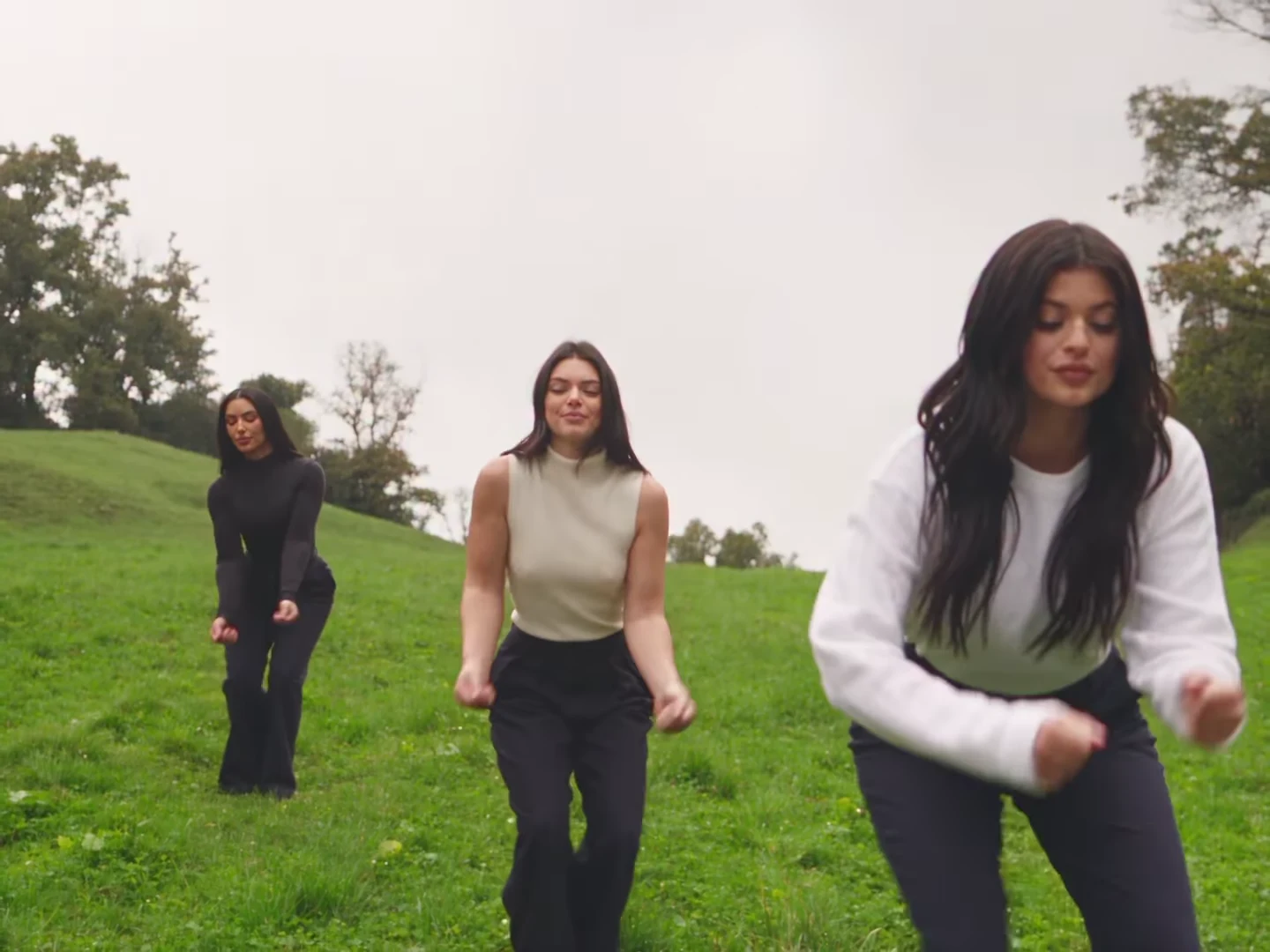
The Kardashian Jenner AI dance is a 15-second parody clip of three women dancing down a misty green meadow: a low-angle group dance, a thumbs-up close-up, a walk-in by a lake and a wide freestyle. It circulates as "Jenner sisters x Kim" because the AI dancers resemble Kendall Jenner, Kylie Jenner and Kim Kardashian. Oakgen's Kardashian Jenner Dance template keeps the shots, the cuts and the original beat and puts your photo and two friends' photos in the three places. The preview is an AI-made parody, not real footage of Kim Kardashian, Kendall Jenner or Kylie Jenner, and none of this is affiliated with or endorsed by them or by any brand.
Make your own meadow trio
Add three photos for the Left, Centre and Right dancer, review your credit quote and make the 15-second Kardashian Jenner AI dance with the original beat.
What the template gives you
One landscape 4:3 clip, 15 seconds long, with four shots. All three dancers are replaced; nobody else is in the clip. The meadow, the mist, the lake, the camera moves, the cuts and the soundtrack stay. The reference had no watermark or on-screen text, so the file has none either.
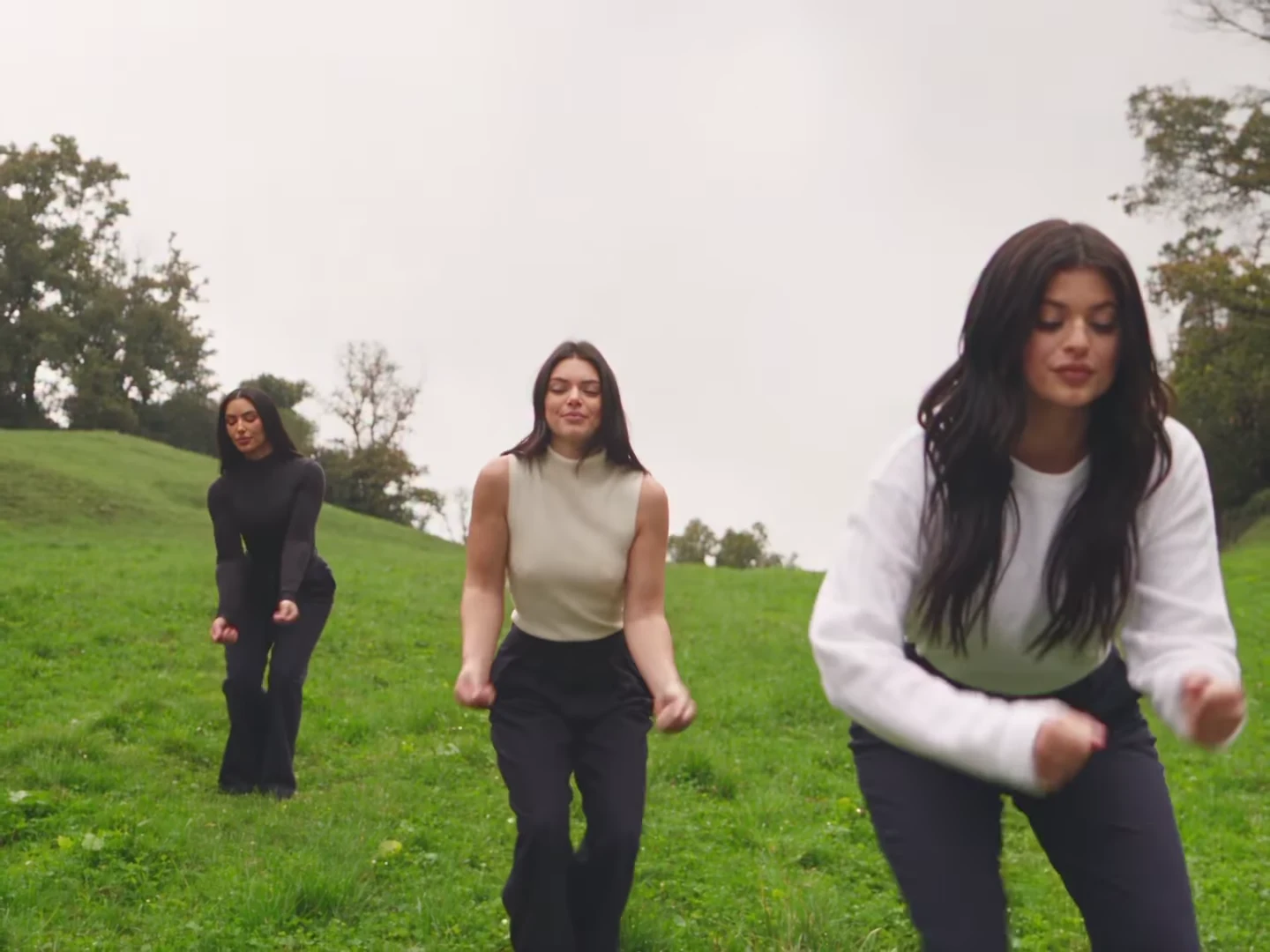
The opening group dance from the AI parody reference clip, not an Oakgen output and not real footage of Kim Kardashian, Kendall Jenner or Kylie Jenner. In your video these are the people in your three photos.
| Time (about) | What happens | What to check |
|---|---|---|
| 0 to 3.7 s | Low-angle group dance toward the camera: bouncy steps, then hands run up into the hair | All three faces, and the Right dancer's hair when her hands go into it |
| 3.7 to 7.3 s | Close-up of the Centre dancer: a grin, closed eyes, both thumbs to the lens | Face, hands and the number of thumbs |
| 7.3 to 10.8 s | Wide walk-in side by side in front of a misty lake, then bouncing together | Nobody swapped places; outfits match the photos |
| 10.8 to 15 s | Wide freestyle spread across a sloping meadow | Small faces still read as the same three people |
A longer version of this timeline, with notes for each shot, is on the Kardashian Jenner AI dance shot list.
Step 1: Cast the three places
The three dancers keep their places in every shot, and the places are not equal:
- Centre dancer: the only close-up, almost four seconds of face and thumbs to the lens. Give it to the most expressive person.
- Right dancer: the biggest face in the opening low-angle shot, then furthest up the slope at the end.
- Left dancer: the least screen time, always a little further back.
If you are unsure, read who plays which place before you upload.
Step 2: Choose the photos
Use one sharp head-and-shoulders photo per person: face forward, hair fully visible, no hat and no sunglasses. Photos taken in similar light look the most like one shoot.
Here is where this breaks: a group photo cropped down to one face. The crop is usually soft and turned to the side, and the close-up shows it immediately. Take a fresh photo of each person instead.
Each photo's outfit is worn in every shot. The reference trio wears black, cream and white tops with navy trousers; if you want that coordinated look, have everyone wear plain neutral tops in their photos. If a photo only shows the top, plain trousers and shoes are added for the full-body shots.
Do not upload photos of Kim Kardashian, Kendall Jenner, Kylie Jenner or any other public figure. The template is built to put you and your friends in the moves, not to recreate anyone.
Step 3: Read the quote and generate
Open the Kardashian Jenner Dance trend, add the three photos and choose 720p or 1080p. It is a Kling V4 edit of the real parody clip, and the quote covers the full 15 seconds with all three dancers replaced. I would run 720p first to check the faces, then make the 1080p version you post: the two wide shots gain the most from it.
Step 4: Check the result
Watch it once with sound and once muted:
- The close-up: the face should be clearly the Centre dancer's, with two normal hands and two thumbs.
- The opening: three different people, each with their own hair, even when hands go up into it.
- The walk-in: left, centre and right in the same order as your slots.
- The meadow: faces are small, so check they did not blur into one another.
- Clothes: no logos or lettering on any top, trousers or shoes.
If a face drifts after a cut, generate again with a clearer, more front-facing photo rather than posting.
Step 5: Post it as a labelled parody
Crop the 4:3 file to vertical around the centre, or place it on a vertical canvas, and say in the caption that it is AI-made, or turn on the platform's AI label. Do not suggest that any of the Kardashian or Jenner family is involved, and use only photos of people who agreed to appear. Caption and framing ideas are in the Kardashian Jenner AI dance trend explained.
This is good enough for a fun post with your sisters or friends, not for anything that could be mistaken for real footage of anyone. That is also why the template never keeps the reference dancers' likenesses.
Related reading
For the short version of these steps, see how to do the Kardashian Jenner AI dance trend. If you are making it with your own sisters, the sisters AI dance video guide covers matching photos and captions. For another group dance template, try the Nicole Kidman dance.
Frequently asked questions
How many photos do I need for the Kardashian Jenner AI dance?
Three, and all three are required: one each for the Left, Centre and Right dancer. None of the women from the reference clip is kept.
Will my video show Kim Kardashian, Kendall Jenner or Kylie Jenner?
No. The three dancers in your video are the people in your photos. The reference dancers' faces, hair and outfits are replaced in every shot.
Is the preview real footage of Kim Kardashian, Kendall Jenner or Kylie Jenner?
No. The preview is an AI-made parody clip, not real footage of Kim Kardashian, Kendall Jenner or Kylie Jenner, and it is not affiliated with or endorsed by them or by any brand.
Does the video keep the music?
Yes. Your video keeps the reference clip's original beat. No separate audio is sent to the model; the original soundtrack is put back on the finished file.
How long is the video and what shape is it?
15 seconds in landscape 4:3, with four shots. Crop it or place it on a vertical canvas for Reels, TikTok or Shorts.
Can I upload photos of the Kardashians to make it look like them?
No. Use your own photo and photos of people who agreed to appear. Do not upload photos of public figures or celebrities.
Is the preview video made by Oakgen?
No. It is the AI parody reference clip the template is built from. Nothing in this guide is an Oakgen result.