ChatGPT
 Claude
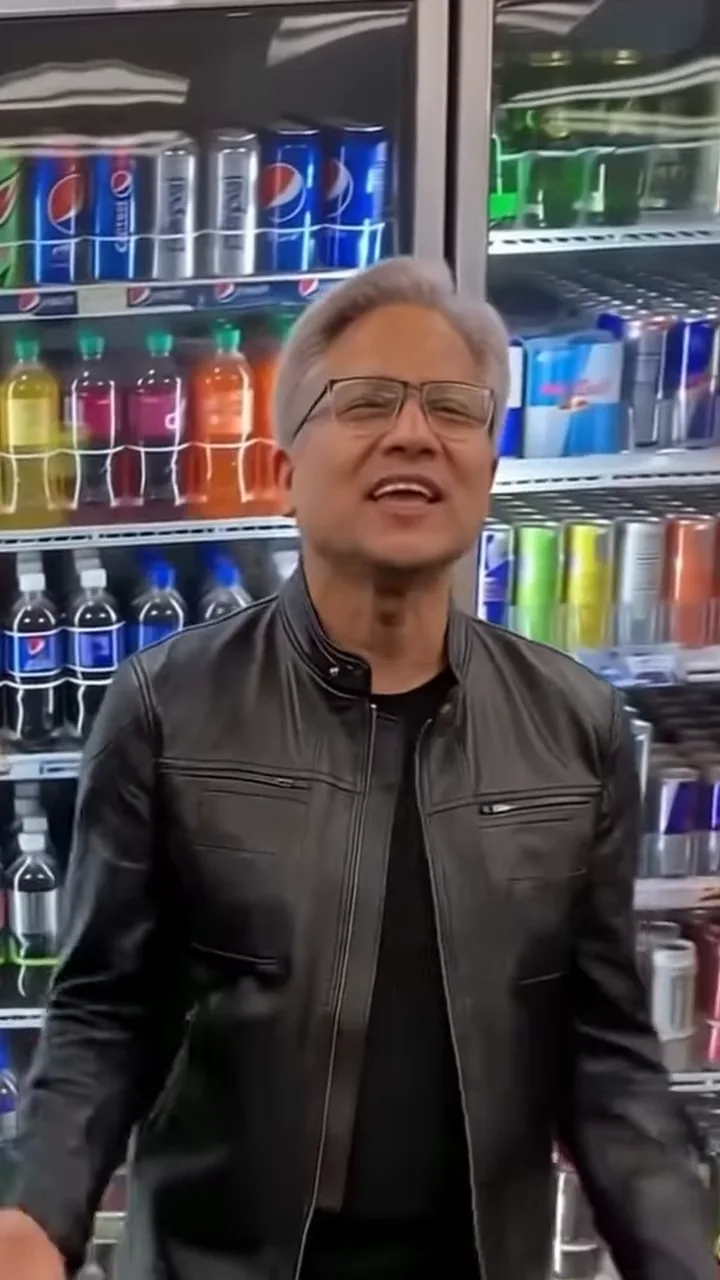
The Jensen Huang AI Worth It video is a 30-second parody clip: a singer in glasses and a black leather jacket sings and dances next to a ukulele player in a convenience store, to a ukulele version of Worth It by YK Osiris, in one handheld vertical shot. Oakgen's Jensen Huang Worth It template keeps the moves, the camera and the timing and puts your photo on the singer, with a friend on the ukulele. The preview is an AI-made parody, not real footage of Jensen Huang, and none of this is affiliated with or endorsed by NVIDIA, Jensen Huang or YK Osiris.
Sing lead in the Worth It parody
Add a photo for the Singer and the Ukulele player, review your credit quote and make the 30-second Jensen Huang AI Worth It video with the original sound.
The short answer
- Open the Jensen Huang Worth It trend.
- Drop a head-and-shoulders photo on Singer and another on Ukulele player.
- Pick 720p or 1080p and read the quote.
- Generate, then check the faces at the fridges and the hands on the ukulele in the aisle.
- Download the 9:16 MP4, label it as AI-made and post.
The rest of this guide covers the choices that make the result look good and the places where it can go wrong.
What you are making
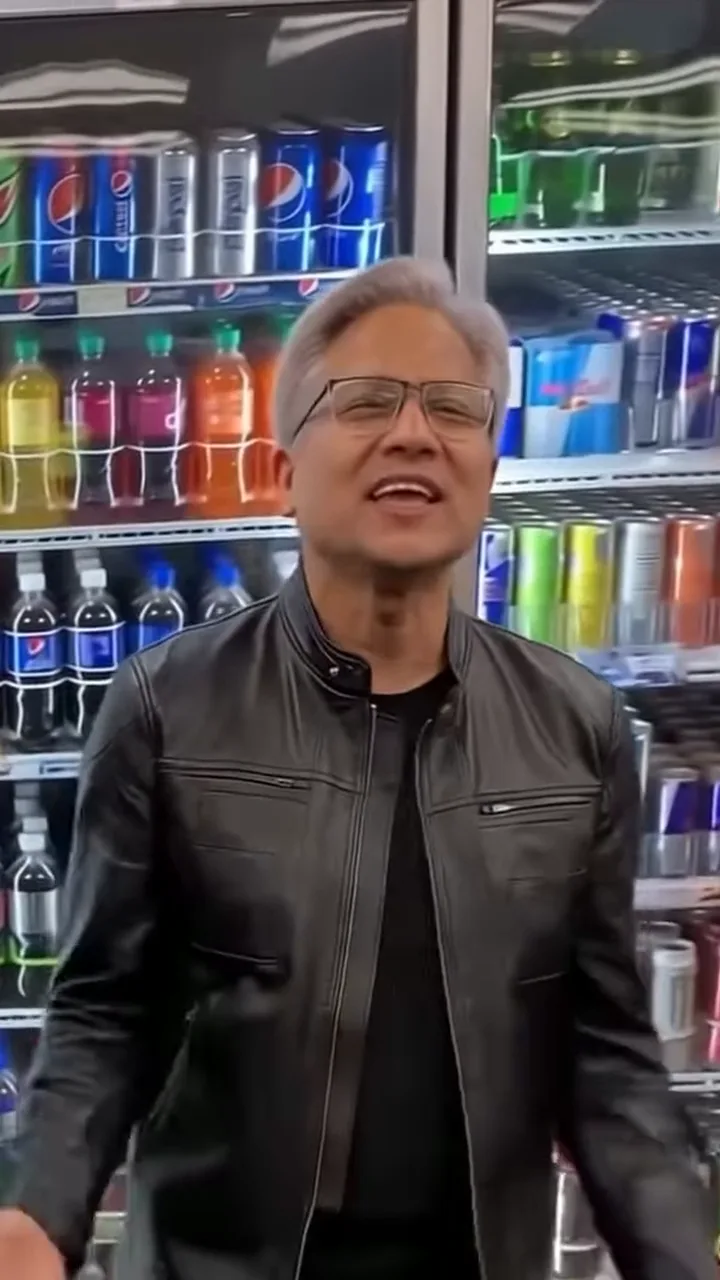
The singer from the AI parody reference clip, not an Oakgen output and not real footage of Jensen Huang.
| Detail | What the template does |
|---|---|
| Length | 30 seconds, all of it, no trimming |
| Shape | Vertical 9:16 |
| Camera | One handheld shot, no cuts, backing down the aisle in the second half |
| People | Two, both required: Singer (right) and Ukulele player (left) |
| Faces, hair, outfits | From your photos only |
| Sound | The reference clip's own soundtrack, put back at the end |
| Quality | 720p or 1080p |
| Price | Shown as a credit quote before you generate; one price for the full video |
The preview on the trend page is cropped to the singer. Your finished video is the full shot with both people, your ukulele player strumming on the left from the first second to the last.
Step 1: Decide who sings
The two roles are not equal, and this is the decision that changes the video most.
- Singer, on the right. The role the trend is named for. Sings every line to the camera, claps and rolls hands, crosses arms and bobs, leans in and bounces, then pumps a fist and dances down the aisle.
- Ukulele player, on the left. On screen the whole time, strumming, swaying at the fridges and walking along in the aisle. Steady rather than loud.
What I would do: give the singer role to the friend who will commit to the bit, and the ukulele to whoever is happy to be the calm one. If it is your video, you sing.
Step 2: Pick photos that survive the wide shots
The first sixteen seconds are full-length shots where faces are small, and the second half is closer. A photo has to work at both sizes.
- One person per photo, face forward, sharp and evenly lit.
- Hair fully visible and no hat, so the template knows the real hairline and length.
- No sunglasses. The model has to draw your eyes through the whole clip.
- A head-and-shoulders crop is enough. If the photo shows only the upper body, the template adds plain dark trousers and shoes for the full-length shots.
Each person keeps the outfit from their photo. There is no costume, so nobody ends up in a leather jacket unless their own photo shows one. Two clearly different outfits make the two of you easy to tell apart when you walk close together in the aisle.
Pets work too. A dog or cat photo keeps its species, coat and markings. As the player it holds the ukulele against its chest; as the singer it dances on its hind legs. Here is where this breaks: paws on strings are hard, so check the strumming before you post.
Step 3: Read the quote
Choose 720p or 1080p. The quote covers the full 30 seconds with both people replaced, and nothing is charged until you confirm. If you are testing photos, 720p is good enough to judge faces and hands; go to 1080p for the version you post.
Step 4: Generate and check the result
Watch the video twice: once for faces, once for hands.
Faces. The arms-crossed stretch from about 5 to 10 seconds is the frame people pause on, and the closer two-shot from about 20 to 24 seconds is where likeness is easiest to judge. Check that each face matches its photo and stays the same when the camera starts moving.
Hands. The claps and rolling hands in the first five seconds, and the strumming while you both walk towards the camera from about 16 seconds, are the busiest moments. Look for five fingers, hands attached to the right arms and a ukulele that stays one ukulele.
Roles. The singer stays on the right and the player on the left the whole time. If they look swapped, the photos went into the wrong drop zones.
If something is off, the fix is usually the photo: a sharper one, a straighter face, hair not hidden by a hat.
Step 5: Handle the music
Your download keeps the reference clip's soundtrack, a ukulele version of Worth It by YK Osiris with a male vocal. It is a commercial song and Oakgen does not license it for your posts. Before you share:
- Check the platform's music rules for uploaded audio.
- If the platform flags it, mute the clip and add Worth It or another sound from the platform's own library. The moves sit on a slow, swaying beat that fits most mid-tempo songs.
How the sound works inside the template: the song is never sent to the video model, which receives the clip without its audio track. The mouths follow the singing shown in the clip, and the original soundtrack is put back on the finished file.
Step 6: Post it as a parody
- Turn on the platform's AI-generated label, or write AI-made in the caption.
- Use only photos of people who agreed to appear. Never upload photos of Jensen Huang, other executives, musicians or celebrities.
- If you name the trend, make it clear the video shows you and a friend, not him, and is not connected to NVIDIA.
- If you post it next to the reference, say which clip is yours.
Common mistakes
| Mistake | What happens | Fix |
|---|---|---|
| Group photo in one role | The wrong face or a merged face | Crop to one person before uploading |
| Hat or hood | Hair is guessed and can change between frames | Use a photo with hair fully visible |
| Small or blurry face | The face drifts in the full-length opening | Use a sharp, face-forward photo |
| Photos in the wrong roles | The quiet friend ends up singing | Singer photo on the right |
| Posting without a label | Viewers think it is real | Use the AI label every time |
Why your video does not look like him
The template edits the parody clip in one pass and tells the video model to replace both people entirely: face, skin, age, build, hands, hair and clothes all come from your two photos, and neither reference performer may remain or be blended in, even for a frame. Both roles need a photo for exactly that reason, so the result shows the people in your photos and nobody from the reference. More on the clip itself is in The Jensen Huang AI Worth It video, explained.
Related guides
- Every move in the Worth It video, second by second
- Who sings and who plays: casting the duet
- The Jensen Huang AI trend, the wider meme wave
- Other templates from the same wave: Jensen Huang Car Dance, Jensen Huang No Scrubs, Jensen Huang Missed Train Dance and Jensen Huang Aircraft Carrier Dance
Your photo on vocals
Two photos, one convenience store, 30 seconds of singing and strumming. Not real footage of Jensen Huang and not affiliated with NVIDIA.
Frequently asked questions
How many photos do I need for the Jensen Huang Worth It video?
Two, and both are required: one for the Singer, on the right, and one for the Ukulele player, on the left. Neither of the people in the reference clip is kept.
Will my video show Jensen Huang?
No. The singer in your video is the person in your Singer photo. Both roles need a photo and the template replaces both reference performers completely, from head to toe, so neither of them is kept in your video.
Is the preview real footage of Jensen Huang?
No. The preview is an AI-made parody clip, not real footage of Jensen Huang, and it is not affiliated with or endorsed by NVIDIA or Jensen Huang.
What song is in it?
Worth It by YK Osiris. The reference clip's soundtrack is a ukulele version of the song with a male vocal, and your video keeps it. Oakgen does not license the song for your posts.
Do I have to add the music myself?
No. The song is never sent to the video model, but the original soundtrack is put back on the finished file, so your download already has it.
How long is the video and what shape is it?
30 seconds in vertical 9:16, one continuous handheld shot, ready for Reels, TikTok and Shorts without cropping.
Does my friend need to play the ukulele?
No. The ukulele is a prop. The template moves the hands of the person in the Ukulele player photo over the strings in time with the clip.
Can I upload a photo of Jensen Huang to make it look like him?
No. Use your own photo or photos of people who agreed to appear. Do not upload photos of public figures, executives, musicians or celebrities.