ChatGPT
 Claude
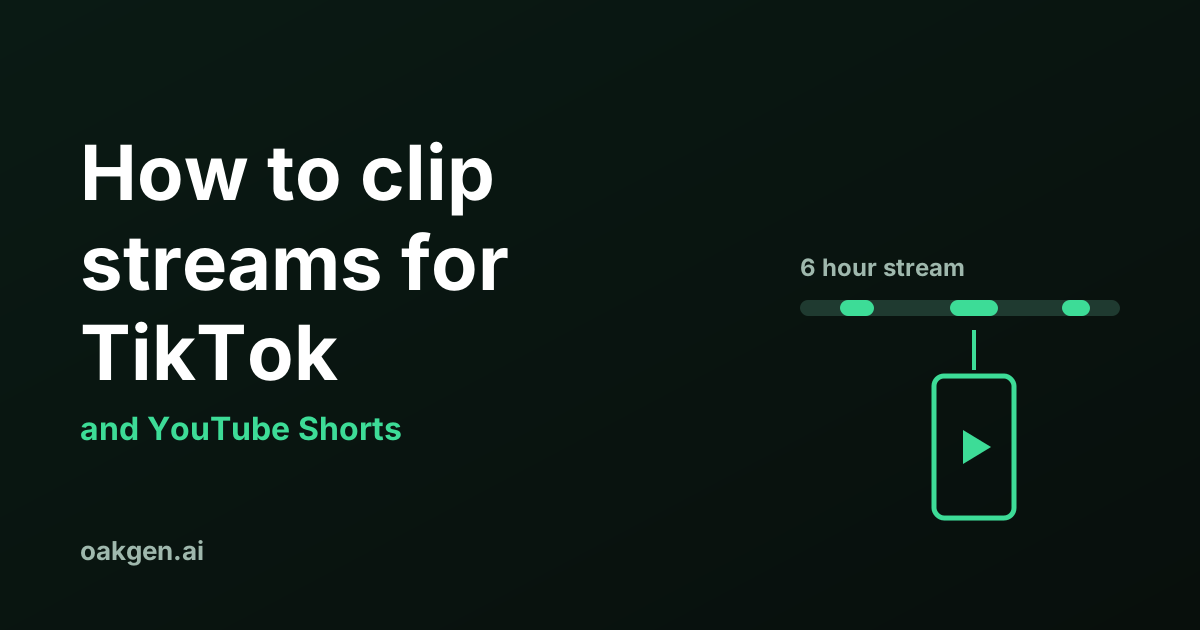
To clip streams for TikTok, do four things in order. Mark the moment while it happens, cut it down to one beat, reframe it to a vertical 1080 by 1920 frame with the facecam above the gameplay, and open on a one-line hook. Twitch's clip tool gives you up to 60 seconds to work with and Kick's gives you 180.
The limits and steps come from Twitch's, Kick's, TikTok's and YouTube's help pages, read on 19 November 2026. The editing advice is our own method. It is not a tested formula, and we give our reason for each rule so you can judge it.
Where does the footage come from?
You have three ways to get the raw moment out of a stream, and they differ in length and in who may use them.
| Source | Longest piece you get | Who can use it | Vertical version | What you end up with |
|---|---|---|---|---|
| Twitch clip tool | 60 seconds | Any logged-in viewer, unless the streamer restricts clips | Yes, a portrait version of every clip | A clip on Twitch. Download for clips of your channel or clips you made |
| Kick clip tool | 180 seconds (minimum 10) | Any logged-in viewer, unless the streamer turns clipping off | Not mentioned on the Kick pages we read | A clip on Kick, downloadable as an .mp4 |
| Kick VOD download | The whole stream | The channel owner only, from the Creator Dashboard on the web | No | The full recording, in a quality you choose |
All rows are from the platforms' help pages on 19 November 2026. We did not read Twitch's page on downloading full past broadcasts for this article, so it is not in the table.
Platform-by-platform steps are in how to clip on Kick and Twitch clips to TikTok. The rest of this guide is the part that is the same for any stream.
How do you find the moment in a long stream?
Mark it when it happens. Scrubbing back through six hours afterwards is the slowest way to clip, and the platform clip buttons work as bookmarks even if you plan to do the real edit later.
- On Twitch, click the clip icon. Streamers can say "Twitch, Clip That" out loud and Twitch makes the clip and puts it in the Clips Manager.
- On Kick, press C. Kick applies a 60-second cooldown after each clip, so you cannot mark two moments within the same minute.
- In any stream, write the time on the stream clock in a note. It costs two seconds and it survives a deleted clip.
Timing matters because recordings expire. Kick's VOD page says replays stay up for 7 days on non-verified channels and up to 30 days on verified ones. A streamer can also delete a clip of their channel on either platform.
If you did not watch live, look for the places where something changed. These are the signs we would check first, and they are judgement, not data.
- The streamer's voice jumps in volume or pitch.
- Chat speeds up or fills with the same word.
- The streamer stops talking mid-sentence. Silence after noise often means something went wrong on screen.
- A plan is announced. "Watch this" is a promise, and the next 30 seconds either keep it or break it.
- A retry. The third attempt at the same mission is funnier than the first.
A stream of a game with long quiet stretches, GTA 6 driving for example, has fewer spoken cues. There the cue is on screen: a crash, a chase, a character doing something unexpected.
How do you cut the clip down?
Keep one beat: the setup, the thing that happens and the reaction. Everything else goes. Our reasoning is simple. A viewer in a feed has no context and no patience for a clip that needs either.
Start as late as you can. Find the frame where the outcome is no longer avoidable, then back up only far enough for a stranger to follow. If the clip is a crash, the viewer needs to see the car and the wall. They do not need the previous two streets.
Cut the middle. Streams have pauses that work live and die in a clip: reading chat, a loading screen, a sip of water. Remove them with straight cuts. A jump in the gameplay picture is fine when the voice carries across it.
End on the reaction. Stop a beat after the laugh or the shout. A clip that trails into "anyway" has already lost the point.
Keep the streamer's own words. Do not rearrange speech to make a line the streamer did not say. That stops being editing.
On length, the platforms publish limits, not targets. TikTok's help page says uploads can be up to 60 minutes. YouTube says a Short is up to 3 minutes and must be square or vertical. No page we read names a best length, so we will not either. Cut until removing one more second would break the joke. How long should a GTA 6 clip be? looks at length on its own.
How do you frame it for a phone?
Export a 9:16 frame at 1080 by 1920 pixels and fill it. YouTube Help says Shorts upload at a maximum resolution of 1080p, and its page on aspect ratios advises against baking padding or black bars into a video.
A stream is wide and a phone is tall, so something has to give. You have two honest options.
- Stacked. Facecam in a panel on top, gameplay in a panel below. Use it when the reaction is half the clip.
- Full. Gameplay fills the frame, cropped from the middle of the picture. Use it when the action is the clip and the face adds nothing.
Twitch's Clip Editor offers both layouts under those names and suggests a crop automatically. For Kick clips, or for any downloaded file, you build the layout in an editor. The pixel sizes for each split, with the sums shown, are in facecam over gameplay: the layout for stream clips.
Then add captions of the spoken words. A clip has to make sense on a muted phone, and a caption is the only way a line of dialogue survives that.
How do you write the hook?
The hook is one line of text on screen in the first second that tells a stranger why to keep watching. Write it after the cut is finished, because it has to describe what the clip really delivers.
Two rules keep it honest. It names something that happens in the clip, and it does not give away the ending. "He bet chat he could lose the cops in one minute" does both. "You won't believe this" does neither.
For GTA 6 clips, 40 hook lines for GTA 6 Shorts and TikToks has openers sorted by clip type, with a section on where a hook turns into clickbait.
How do you post it to TikTok and Shorts?
Upload the finished file through each app. The steps are from the platforms' help pages.
TikTok. In the app, tap the Add post + button, tap Upload, choose the video and continue to add a description and hashtags, then tap Post. In a web browser, click Upload and select the file. TikTok notes that a web upload sends the entire video, and that you change the length by uploading in the app.
YouTube Shorts. In YouTube Studio on a computer, click Create, then Upload videos, and select a file that is up to 3 minutes long with a square or vertical shape. You can select up to 15 short videos at a time. In the YouTube app, tap Create, then Upload a video. Titles are limited to 100 characters.
From Twitch you can skip the file. For clips of your own channel, the clip's Share menu posts straight to TikTok, YouTube Shorts, Instagram and Snapchat.
What gets a clip account in trouble?
Reposting footage that is not yours, with nothing added, is the common cause. The platforms say so in their own policies.
YouTube's spam policy, read on 19 November 2026, lists "scraped content": re-posting material from other platforms or videos "without adding anything of your own; such as original commentary, educational value, or unique editing". Its example is a channel that re-uploads popular clips in their entirety. The same policy lists "detection evasion", meaning tricks such as speeding up audio, heavy filters or mirroring a video to dodge detection. Those tricks are themselves a violation.
YouTube's monetization policies add that reused content is judged across the whole channel, and that monetization can be removed from the entire channel. They list reaction videos with your commentary, and edited footage with an added storyline and commentary, among the things that can monetize.
Game publishers have their own rules. Rockstar's policy says Take-Two generally does not object to non-commercial fan use that does not intentionally spoil the plot, and that material can be taken down at any time. It names isolated cutscenes, story endings and in-game TV shows as content that gets removed.
For paid clipping, the permission comes from a campaign brief. How to make money clipping GTA 6 streams covers how briefs and pay rates work, and how to make money from GTA 6 covers the wider options.
When is doing it by hand the better choice?
For up to a handful of clips from a stream you watched, by hand is better. You already know where the moments are, the platform clip button gets the footage, and a phone editor does the crop and the captions. A tool that scans the whole recording spends its effort answering a question you have already answered.
By hand is also better when the moment is quiet. A dry one-liner or a slow visual gag has no shout and no chat spike to mark it. You noticed it because you were paying attention.
A scanning tool earns its place when the hours pile up: a streamer with five long streams a week, or a clipper covering several channels. Prices for the main ones are in best Opus Clip alternatives for streamers. We did not test any of them for this article.
Oakgen is building an AI clipping tool for streamers and clippers. It is not available yet.
For streamers who clip their own streams
Oakgen is building an AI clipping tool for streamers and clippers. See what Oakgen offers streamers today.
How we checked this
On 19 November 2026 we read Twitch's help article on clips, four Kick Help Center pages on clips and VODs, TikTok's help pages on video length and posting, YouTube Help pages on Shorts, YouTube's spam policy and channel monetization policies, and Rockstar's posting policy.
We did not clip, edit or post a stream for this article, and we did not test any clipping tool. The sections on finding the moment, cutting and hooks are our editorial method. They are not measured results, and we have no retention or view data behind them. The platform limits can change, and TikTok's can differ by account.
Frequently asked questions
How do you clip streams for TikTok?
Mark the moment while it happens with the platform's clip button, cut the clip down to a single beat, reframe it to a vertical 9:16 frame at 1080 by 1920 pixels, add captions and a one-line hook, then upload. Twitch's clip tool allows up to 60 seconds and Kick's allows 10 to 180 seconds, per their help pages read on 19 November 2026.
How long should a stream clip be for TikTok?
None of the TikTok, YouTube, Twitch or Kick help pages we read on 19 November 2026 publishes an ideal length. They publish limits only. TikTok says uploads can be up to 60 minutes, YouTube says a Short is up to 3 minutes, Twitch clips stop at 60 seconds and Kick clips at 180 seconds. Our advice is one moment per clip, cut as short as the moment still makes sense.
Can I clip someone else's stream and post it?
The clip button working is not permission to repost. Use your own streams, or footage a streamer or a paid campaign brief lets you use. YouTube's spam policy, read on 19 November 2026, lists re-posting material without adding anything of your own as scraped content, and its monetization policy can remove monetization from a whole channel for reused content.
How do you clip streams on Twitch?
Click the clip icon on a live stream or past broadcast, set the length with the slider up to 60 seconds, review the suggested portrait crop, add a title and click Publish. Twitch's help page, read on 19 November 2026, says streamers can also say 'Twitch, Clip That' during a live broadcast to make a clip by voice.
How do you clip streams on Kick?
Open a Kick livestream or VOD while logged in, click the Clip icon or press C, drag the slider to a length between 10 and 180 seconds, add a title and click Publish. Kick's help page, read on 19 November 2026, says there is a 60-second cooldown between clips and that every clip can be downloaded as an .mp4.
Do I need AI to clip streams?
No. For a handful of clips from a stream you watched, the platform's clip button and a phone editor are enough. A tool that scans a recording for you helps when you have many hours you did not watch. We did not test any clipping tool for this article, so we make no claim about which moments a tool finds.
Sources
- Twitch Help: How to Create, Edit, and Share Clips
- Kick Help Center: How to create clips on KICK
- Kick Help Center: KICK VODs (stream replays)
- Kick Help Center: How to download your KICK VOD
- TikTok Help Center: Camera tools (video length)
- TikTok Help Center: Making a post
- YouTube Help: Upload YouTube Shorts
- YouTube Help: Get started creating YouTube Shorts
- YouTube Help: Spam policy
- YouTube Help: YouTube channel monetization policies
- Rockstar Games: Policy on posting copyrighted Rockstar Games material