ChatGPT
 Claude
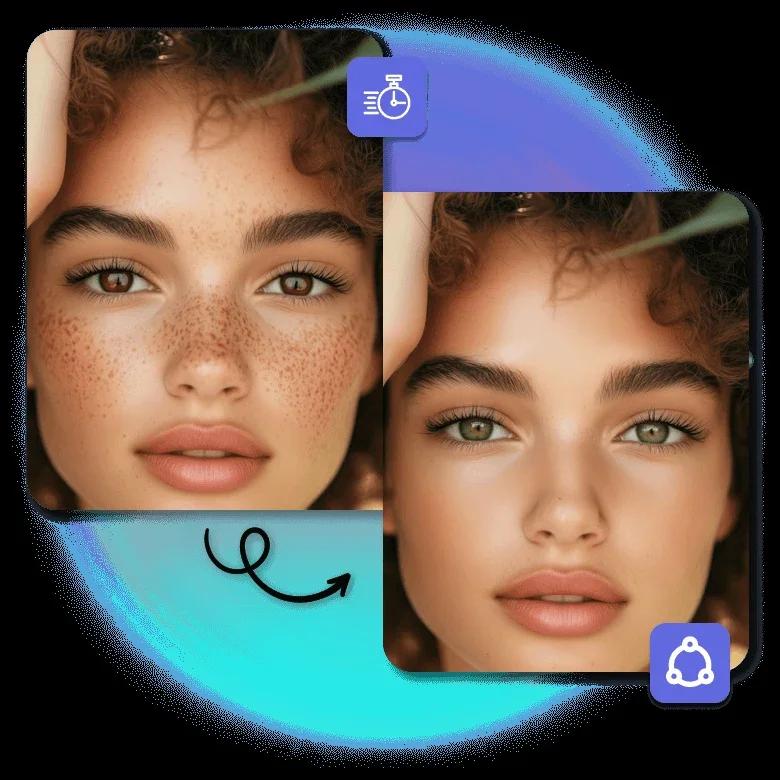
To change eye color in a photo, open the Eye Color Changer, upload your portrait and choose a shade under New Eye Color. The part you want to change is the iris, the colored ring around the pupil. Keep the original photo open so you can check what happens to the pupil, eyelid and reflections.
Pick a photo where you can see both irises
A head-and-shoulders picture near a window makes a useful starting point. Enlarge the original first. If the iris is only a few blurry pixels wide, a new color may look plausible from across the room and painted on when you zoom in.
Glasses can work when the iris is visible through each lens. If a reflected window covers one eye, choose another frame of the same person. Cropping closer enlarges the reflection along with the eye.
Try one shade and check it at two sizes
Choose Hazel, Gray, Blue or another single shade for a matching pair. Heterochromia requests a different color for each eye. A good first comparison is your usual shade next to the one you want to try, both viewed on the same screen.
At portrait size, ask whether you notice the person's expression or a bright patch of color first. Then look closer:
- The eyelid should still cover the top of the iris where it did in the source.
- The white reflection from a window or lamp should still sit where the light hit. A new blue rim painted over the reflection can make the eye look opaque.
- The shaded eye can be darker than the one facing the light. Perfectly identical brightness can look stranger than a small difference.
- Check the edge where lashes cross the iris. Color on the lashes or the white of the eye is a reason to try a different source.
Keep the rest of a beauty comparison readable
Suppose you are deciding between hazel and gray for a fictional character portrait. Start both versions from the same original. Leave the makeup alone while comparing them. Once you've chosen an iris color, the Makeup Try-On can help you preview how a Smoky Eye changes the contrast around it. For a lipstick-only comparison, open the lip color tool and try Rose and Berry on the same starting photo.
Save the source separately from the edited portrait. These previews illustrate color choices in this photo's lighting. They cannot tell you what a particular physical product will look like on your eyes or skin.
Frequently asked questions
How do I change both eyes to the same color?
Upload a photo with both irises visible, then choose a single shade in New Eye Color. Choose Heterochromia only if you want different eye colors. Compare the two eyes in their original lighting.
Why does a new eye color look like a flat disk?
Look for a missing pupil edge, a lost reflection or color spilling into the whites. Try a sharper original with fewer reflections on the glasses. A smaller, less dramatic color change may also read better at portrait size.