ChatGPT
 Claude
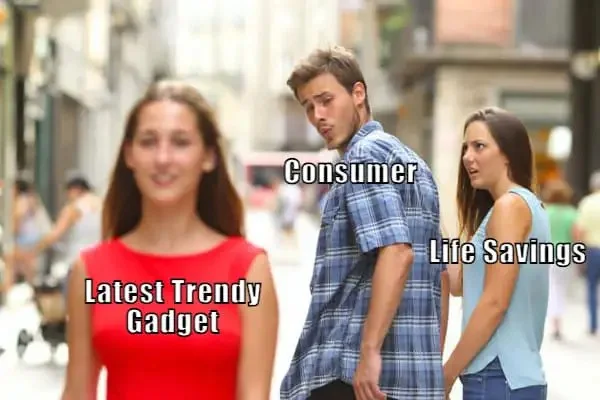
Take a picture of the office dog asleep in front of an empty coffee mug. The eyes and mug already tell most of the story. A short caption such as “First meeting at nine” gives it a setting. A paragraph explaining the dog was tired would cover the part people came to see.
Upload your picture to the meme generator and choose a Meme Format. The layout matters as much as the wording when the image is going to appear at phone width.
Pick a layout that leaves the joke visible
| Layout | When it works |
|---|---|
| Top/Bottom Text | There is open space above and below the subject for a setup and a short answer. |
| Side Panel Text | The face or object fills the frame, or the sentence needs its own area. |
| Speech Bubble | One person or pet seems to be speaking and it is clear whom the bubble belongs to. |
| Demotivational | A title and a smaller line under a framed photo make more sense than words over the scene. |
Try “First meeting at nine” in Top Text and “It’s nine” in Bottom Text. Then read the picture without the bottom line. If it is already funny, keep the shorter version. Each word has to earn the space it takes on a small screen.
Proof the generated version
Read every letter before looking at the layout. Zoom back out and see whether the caption covers the eyes, the hands or the object that explains the joke. If the source was a team photo, check the people at the edges as well as the person in the middle. A generated edit can alter details beyond the text.
When a name, date or venue must be exact, place the final text yourself in a layout editor after choosing the picture. For a decorative version to share at a party, the photo sticker tool can add birthday or party motifs. Keep them away from the punch line. If the joke would work better as a sign behind the sleeping dog, Neon Text lets you try a short “ON DUTY” sign on the office wall.
What to do with a credit line
A credit line belongs somewhere a viewer can find without reading it as part of the joke. Watermark Maker offers Subtle Corner, Diagonal Across and Tiled Pattern. For a quick preview, inspect the letters at phone size. For a finished publisher's mark that has to be identical across every post, use the approved graphic as a fixed layer in your layout editor.
Save the original without captions as well. It gives you a clean starting point if a different line works better tomorrow.
Frequently asked questions
How do I make a meme using my own picture?
Open Meme Template, upload the photo and choose a Meme Format. Enter a short caption in the text fields. Compare spelling and the subject’s expression with your original before sharing.
Which format should I use when there is no room above a face?
Try Side Panel Text to give the words their own space. A speech bubble can also work if it fits in an empty part of the frame without hiding the speaker or another important detail.