ChatGPT
 Claude
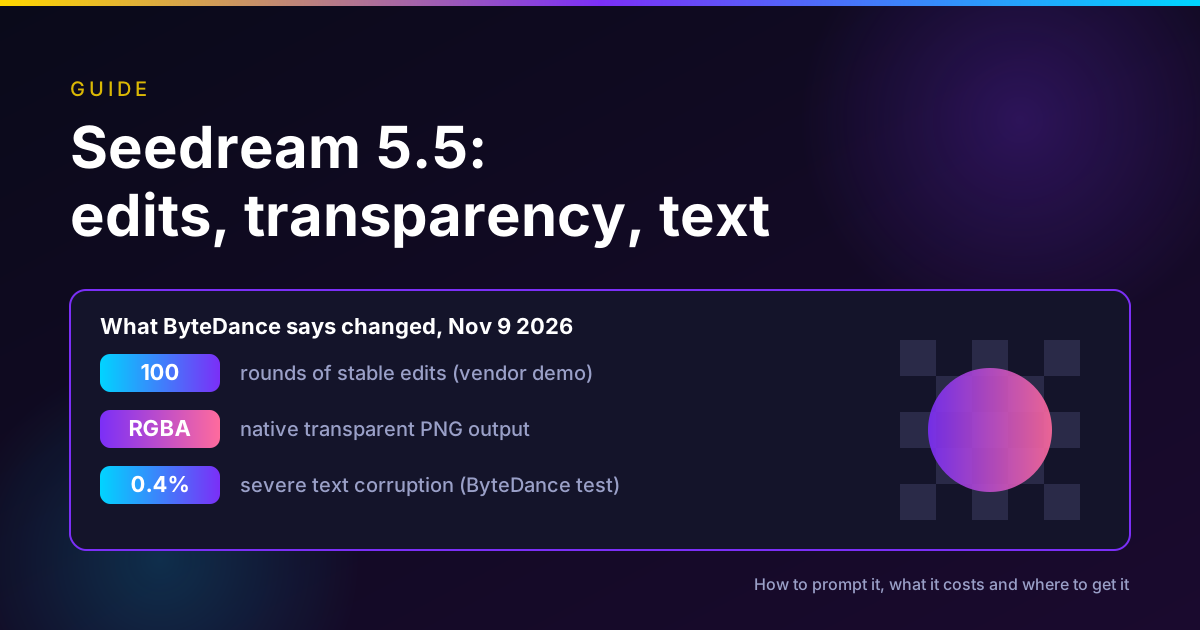
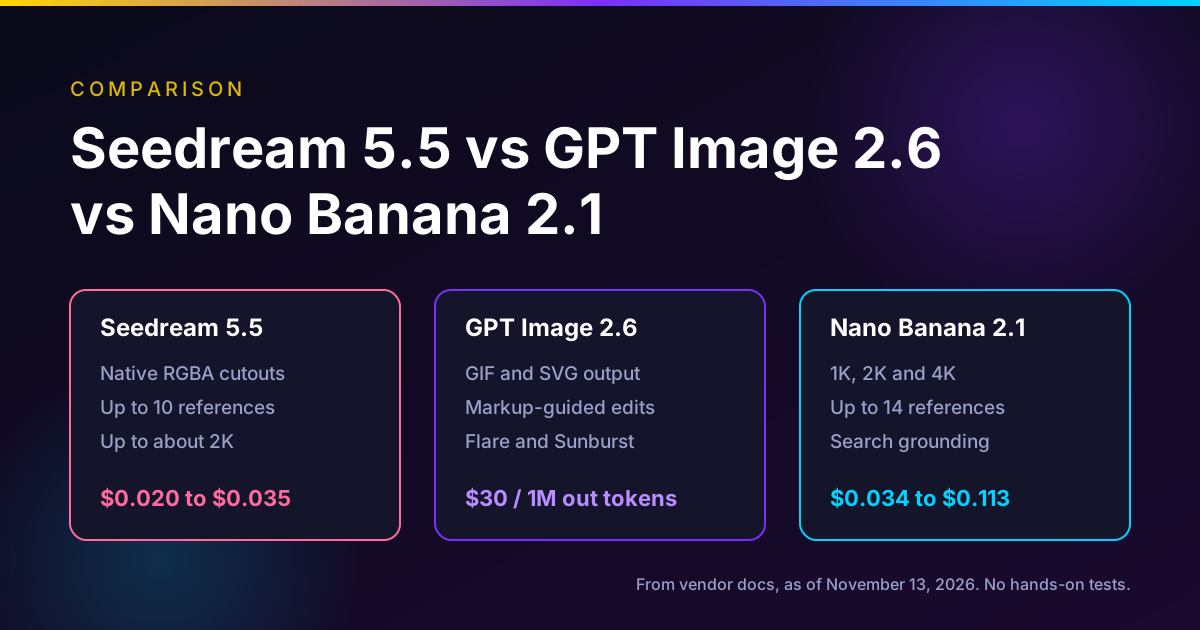
Seedream 5.5 is ByteDance Seed's image model released on November 9, 2026. It does three things better than Seedream 5.0, according to ByteDance. It keeps an image stable across many rounds of edits, with untouched regions preserved at the pixel level for up to 100 rounds. It outputs transparent RGBA images directly, so you skip background removal. And it renders more realistic skin and light and clearer small text. As of November 13, 2026 it is in ByteDance's own apps, on BytePlus ModelArk at $0.020 to $0.035 per output image, and on Higgsfield outside the US. Oakgen does not offer it.
Use it when you need many edits to one image, or cutout assets for layouts. To prompt it, say what to change and what to keep, every turn.
Need transparent cutouts today?
Oakgen does not have Seedream 5.5. GPT Image 2.5 in Oakgen can output a transparent PNG or WebP, with the credit price shown before you run.
Seedream 5.5 at a glance
| Item | What the primary sources say (as of Nov 13, 2026) |
|---|---|
| Maker and date | ByteDance Seed, November 9, 2026 |
| Modes | Text-to-image, single-image-to-image, multi-reference-to-image, interactive editing, layer decomposition |
| Multi-turn editing | Pixel-level preservation of unedited regions, demo of 100 rounds (vendor claim) |
| Transparency | Native RGBA, full and partial transparency, PNG only |
| Reference images | Up to 10 for image generation |
| Output size | 1K, 1.5K, 2K presets (default 2K), or 921,600 to about 4.62 million pixels |
| Aspect ratio range | 1:16 to 16:1 on the API |
| Layer decomposition | One base image plus up to 99 layers, OCR for regular text layers |
| API model ID | dola-seedream-5-5-261028 (BytePlus) |
| API price | $0.008 per input image, $0.020 or $0.035 per output image |
| Default watermark | On, "AI generated" in the lower right, can be turned off |
| Pro version | Announced as coming, no date |
| On Oakgen | No |
Who this is for
- A designer who edits one hero image 20 times as feedback arrives and is tired of faces and colors drifting.
- An ecommerce team that needs product and sticker cutouts on transparent backgrounds for many layouts.
- A localization or packaging team that needs dense small text to come out legible.
- Anyone choosing between this week's image launches. For the head-to-head, see Seedream 5.5 vs GPT Image 2.6 vs Nano Banana 2.1.
How we checked
On November 13, 2026 we read ByteDance Seed's English and Chinese launch posts (both dated November 9, 2026), the Seedream 5.5 model page, BytePlus ModelArk's Seedream 5.5 tutorial and its pricing page (stamped "Last updated: November 13, 2026"), and Higgsfield's changelog. We also checked Oakgen's image model list.
We did not generate any Seedream 5.5 images. The 100-round demo, the evaluation scores and the text error rates are ByteDance's own numbers from ByteDance's own evaluations. The prompt templates below are ours, built from BytePlus's documented rules, and we have not run them on the model.
Disclosure: Oakgen is our product. Oakgen does not offer Seedream 5.5, and this guide is written for people who will use it elsewhere.
Multi-turn editing: what is new and how to use it
Image editors usually wear an image down. Each output becomes the next input, small errors stack, and by round ten the face has shifted and the colors have drifted. ByteDance says Seedream 5.5 was trained to "preserve unedited regions at the pixel level and eliminate color shifts in those areas" (ByteDance Seed, Nov 9, 2026).
The demo: 100 successive edits on one portrait, each built on the last output, changing clothing, accessories and tabletop objects, while the model "can still make precise edits to small objects such as rings and eyeglass frames." The model page shows similar runs on a room, a still life, a snake game screen and a smartwatch face.
How the API does it is plain. BytePlus's tutorial says to "use the image generated in the preceding turn as the next input, and state clearly what to change and preserve" (BytePlus, Seedream 5.5 tutorial). There is no session object. You pass the last image back in with a new prompt.
Two rules from the tutorial that are easy to miss:
- Edit in RGB. "For more consistent multi-turn editing, we recommend using an image without an alpha channel (an RGB image) as the input and setting background to opaque while editing." Do the edits first, then make the transparent version.
- Save every round. Output URLs are valid for 24 hours. If you are on round 40 of a project that spans two days, the early rounds are gone unless you saved them.
An edit loop that shows where drift starts
- Generate the base image at the size you will deliver.
- Write a "keep" list once: identity, face, hairstyle, outfit, pose, background, composition, lighting, style.
- Each round, change one thing and paste the same keep list.
- Save the output with the round number.
- Every five rounds, put round 0 and the current round side by side at full size and look at the face, hands and edges.
- If drift appears, go back to the last good round instead of fixing forward.
Native RGBA transparent output
Seedream 5.5 can return an image with an alpha channel, including full and partial transparency, from text or from references. ByteDance shows a snowy owl with separated wingtip feathers and gaps between them, rendered "without the need for subsequent background removal and edge cleanup." Partial transparency is the part a background remover cannot do well. Glass, smoke, veils and soft shadows need semi-transparent pixels, not a hard cut.
The API settings, from BytePlus's tutorial:
| Setting | Value for a transparent asset | Notes |
|---|---|---|
| background | transparent | auto (default) lets the model decide; opaque forces RGB |
| output_format | png | jpeg with transparent returns an error |
| image | none, or 1 to 10 references | Text-to-RGBA or image-to-RGBA |
| prompt | Describe the subject and say the background must be transparent | The tutorial asks for both |
The tutorial's own example extracts stickers from two images and places them in one transparent image. ByteDance also shows reusing a set of transparent character assets as references to make a series of scenes, which is the workflow I would copy for a brand mascot pack.
On Higgsfield, the same feature is a Background setting. Its changelog says to pick it "and get a PNG with nothing behind the subject" (Higgsfield changelog).
Realism and small text
ByteDance says Seedream 5.5 renders lighting, materials and skin "more naturally" and reduces "excessive gloss, overexposure, and blotchy textures." It also says text rendering improved, with "more accurate rendering of complex character shapes and densely arranged small text."
The numbers behind it are ByteDance's own, from human raters on its MagicArena platform:
- Against Seedream 5.0 Pro, quality scores and usability rates rose in all six use cases tested (ecommerce, marketing, film and TV, gaming, office and fashion), and usability more than doubled in film and TV and in office work.
- In pairwise preference tests against the previous version, the best result was +55.62% for realism in image-to-image tasks.
- Against GPT Image 2.5 Sunburst and Nano Banana 2.1, ByteDance says Seedream 5.5 leads in text structure and has "a substantial advantage in text-to-image realism."
- In Chinese and English text tests including dense small text, the severe text corruption rate was 0.4% and the minor rate 1.7%.
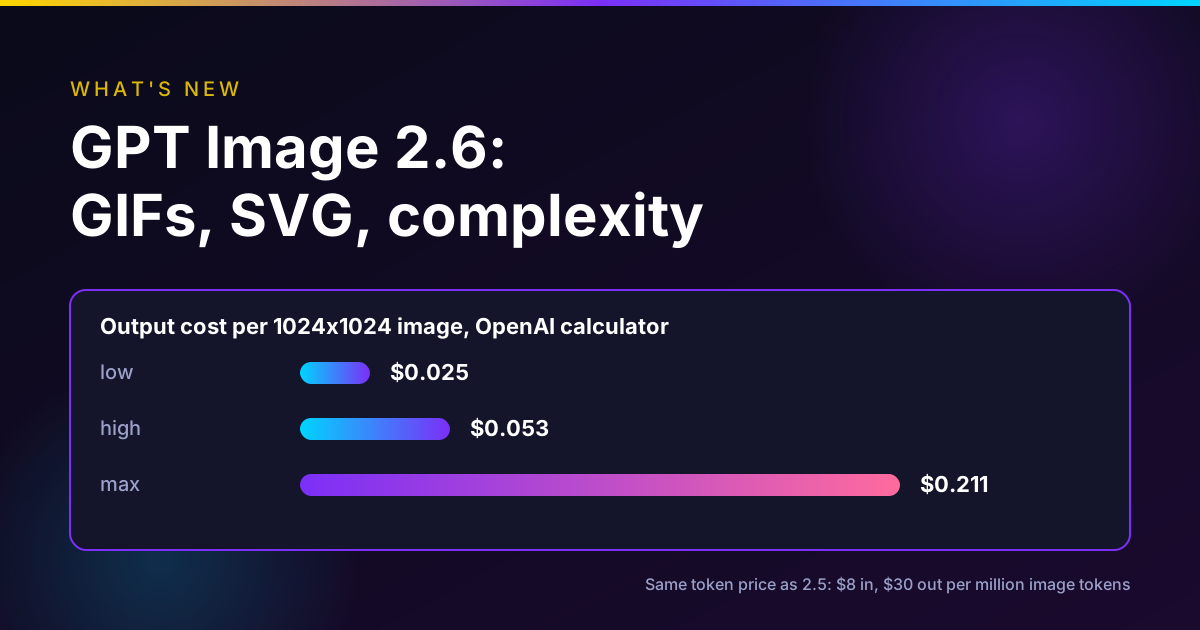
Read these as claims until someone outside ByteDance repeats them. Note that the comparison is with GPT Image 2.5, not 2.6, which OpenAI released five days earlier. Our GPT Image 2.6 explainer covers that release.
Layer decomposition and text OCR
This is the least discussed feature and maybe the most useful for designers. Give Seedream 5.5 a finished image and it can return one base image plus up to 99 layers. The max_images setting runs from 2 to 100, default 30. In BytePlus's example, an illustration with animals comes back as one base image and 32 animal layers, with the empty areas filled.
For posters, it can also return OCR data for regular text layers: the text, line positions and approximate styles. BytePlus is careful about limits. Artistic and handwritten text return nothing, font matches are approximate, and the editing itself happens in your own tool. Layers always come back as PNG.
How to prompt Seedream 5.5
These templates are ours. They follow the rules in BytePlus's tutorial but we have not run them.
Multi-turn edit.
Change only the [object] to [new state]. Keep the person's identity, face, hairstyle, [accessories], clothing, pose, background, composition, lighting and visual style unchanged.
BytePlus's own edit example has the same shape: "Have the person blow a round, semi-transparent pink bubblegum bubble. Preserve the identity, facial features, gaze, hairstyle, pearl earrings, clothing, pose, blue background, composition, and visual style of the person."
Transparent product cutout from text.
A [product] in [material and color], [angle], soft studio light from the left, a soft contact shadow under it. Transparent background, no floor, no backdrop, no text.
Transparent assets from references.
Extract the [item] from Image 1 and the [item] from Image 2 and place each as a separate element in one transparent-background image. Keep their original colors, text and edges. Do not let them overlap.
Small text on packaging.
A front view of a [pack type]. The label reads exactly: "[line 1]" in large bold sans serif, "[line 2]" below it in small regular type, and "[ingredients line]" in small type at the bottom. Keep all text straight and legible.
Prompting tips that follow from the docs:
- Put the text in quotes and say "exactly." Small text is the claimed strength, so give it the exact words.
- Describe the aspect ratio in the prompt when you use a preset. BytePlus says that with a preset, the model picks the final dimensions from the prompt.
- Number your references. The tutorial refers to Image 1 and Image 2, so do the same.
- Turn off the watermark for client work. The API default adds "AI generated" in the lower right. Set watermark to false if your use allows it, and follow your platform's disclosure rules.
What it costs
BytePlus ModelArk lists these prices for dola-seedream-5-5-261028 as of November 13, 2026 (BytePlus pricing):
| Item | Price |
|---|---|
| Each input image | $0.008 |
| Output image, 921,600 to about 2.6 million pixels (about 1K to 1.5K) | $0.020 |
| Output image, about 2.6 to 4.62 million pixels (about 2K) | $0.035 |
The formula is the sum of input images times $0.008 plus output images at their tier. Images blocked by moderation are not billed. Using that formula, our arithmetic:
| Job | Cost |
|---|---|
| One 2K text-to-image | $0.035 |
| One 2K edit round (1 input, 1 output) | $0.043 |
| 10 edit rounds at 2K | $0.43 |
| 100 edit rounds at 2K | $4.30 |
| Transparent sticker sheet from 10 references at 2K | $0.115 |
Multi-turn editing is cheap per round. The real cost is your time reviewing each round.
Where Seedream 5.5 is available
ByteDance apps. The Chinese launch post says it is rolling out on Jimeng (Dreamina), Doubao, Doubao Work and Volcano Engine's Ark, and gives the paths: Jimeng web generate or canvas, Doubao image generation, Doubao Work skills, and the Ark experience center under Doubao-Seedream-5.5 (ByteDance Seed, Chinese post).
BytePlus ModelArk. The tutorial uses the model ID dola-seedream-5-5-261028, and the price page lists it.
Higgsfield. Added November 9, 2026 with a Background setting for transparency, 1K, 1.5K or 2K output and nine aspect ratios from 1:1 to 21:9. Higgsfield says it is available in "all regions except the US."
Oakgen. Not available. Oakgen retired its earlier Seedream models and has not announced Seedream 5.5.
If you are in the US and want it through an app, check each platform's region notes before you plan around it.
Compare image models side by side
Run one product brief across the image models Oakgen does carry and pick the one that holds your text and edges.
When to use Seedream 5.5, and when not to
| Job | Use Seedream 5.5? | Why |
|---|---|---|
| Long feedback loop on one hero image | Yes, test it | Stable multi-turn editing is the main claim |
| Product, sticker or mascot cutouts | Yes | Native RGBA, including partial transparency |
| Breaking a poster into editable layers | Yes | Layer decomposition with text OCR |
| Dense small text on packaging | Test against your current model | ByteDance's own numbers look strong, unverified |
| Output above about 4.6 million pixels | No | 2K is the ceiling on the API |
| Animated loops | No | Use GPT Image 2.6 GIFs or a video model |
| You are in the US and rely on Higgsfield | Not there | Higgsfield excludes the US |
Common mistakes
Editing in RGBA. BytePlus recommends RGB input and an opaque background while editing. Make the transparent version last.
Asking for transparency in JPEG. It errors. Use PNG.
Changing three things per turn. You will not know which change caused the drift.
Losing early rounds. Output links expire after 24 hours.
Shipping the watermark by accident. It is on by default in the API.
Treating ByteDance's evaluation as independent. It is ByteDance's platform and raters.
Where Oakgen fits
Oakgen does not have Seedream 5.5. If you want the two jobs Seedream 5.5 is best at inside Oakgen today, here is what exists, as of November 13, 2026:
- Transparent output. GPT Image 2.5 Flare and Sunburst accept a transparent background with PNG or WebP output in Oakgen.
- Editing. GPT Image 2.5 Edit and Nano Banana 2.1 Edit in the image editor and image generator.
- Comparison. Image Arena runs one prompt across several models.
We have not tested whether those models hold up over 100 rounds the way ByteDance says Seedream 5.5 does, so for a long edit chain, Seedream 5.5 on BytePlus or in ByteDance's apps is the one to test. For older Seedream background, see our Seedream vs Nano Banana 2 comparison. For this week's other launches, see AI creative news for the week of November 9.
Make a transparent product image
Generate a cutout with GPT Image 2.5 in Oakgen, then use it in your next ad or video.
FAQ
What is Seedream 5.5?
Seedream 5.5 is ByteDance Seed's image generation and editing model, announced on November 9, 2026. Seed lists three upgrades: more stable multi-turn editing that keeps unedited regions unchanged at the pixel level across up to 100 rounds, native RGBA output with full and partial transparency, and more realistic images with clearer small text. A Pro version is promised later.
Can Seedream 5.5 make transparent PNGs?
Yes. In the BytePlus API you set background to transparent and output_format to png. It works from text alone or from one to 10 reference images. JPEG output cannot be transparent, and BytePlus recommends switching back to an opaque background while you do multi-turn edits.
Does Seedream 5.5 really survive 100 edits?
ByteDance Seed says it performed 100 successive edits on one portrait in a demo, feeding each output back as the next input. That is the vendor's own demo. We did not run it, and we found no independent test of the 100-round claim as of November 13, 2026.
How much does Seedream 5.5 cost?
BytePlus ModelArk lists dola-seedream-5-5-261028 at $0.008 per input image, $0.020 per output image up to about 1.5K, and $0.035 per output image up to about 2K, as of November 13, 2026. One 2K edit round with one input image is $0.043 by that formula. Images blocked by moderation are not billed.
Where can I use Seedream 5.5?
ByteDance Seed's Chinese post lists Jimeng (Dreamina), Doubao, Doubao Work and Volcano Engine's Ark. BytePlus ModelArk has a Seedream 5.5 tutorial and a price row for the model ID dola-seedream-5-5-261028. Higgsfield added it on November 9, 2026 and says it is available in all regions except the US.
How should I prompt Seedream 5.5 for edits?
Use the previous output as the next input and say what to change and what to keep in every turn. BytePlus's example names the identity, features, hairstyle, earrings, clothing, pose, background, composition and style to preserve. Change one thing per turn so you can see where drift starts.
What resolution does Seedream 5.5 support?
BytePlus lists presets of 1K, 1.5K and 2K, default 2K, or explicit pixel sizes between 921,600 and about 4.62 million total pixels with aspect ratios from 1:16 to 16:1. Higgsfield offers 1K, 1.5K or 2K and nine aspect ratios from 1:1 to 21:9.
Is Seedream 5.5 available on Oakgen?
No. As of November 13, 2026 Oakgen does not offer any Seedream model and has not announced Seedream 5.5. For transparent cutouts in Oakgen, GPT Image 2.5 Flare and Sunburst support a transparent background with PNG or WebP output, and Nano Banana 2.1 Edit and GPT Image 2.5 Edit handle image edits.
Sources
- ByteDance Seed, More Realistic Images, More Stable Editing Across 100 Rounds, Introducing Seedream 5.5, Nov 9 2026 (read 2026-11-13)
- ByteDance Seed, Seedream 5.5 launch post in Chinese with availability list, Nov 9 2026 (read 2026-11-13)
- ByteDance Seed, Seedream 5.5 model page, undated (read 2026-11-13)
- BytePlus ModelArk, Dola Seedream 5.5 tutorial, undated (read 2026-11-13)
- BytePlus ModelArk, Pricing, last updated Nov 13 2026 (read 2026-11-13)
- Higgsfield, What's new changelog, entry of Nov 9 2026 (read 2026-11-13)