ChatGPT
 Claude
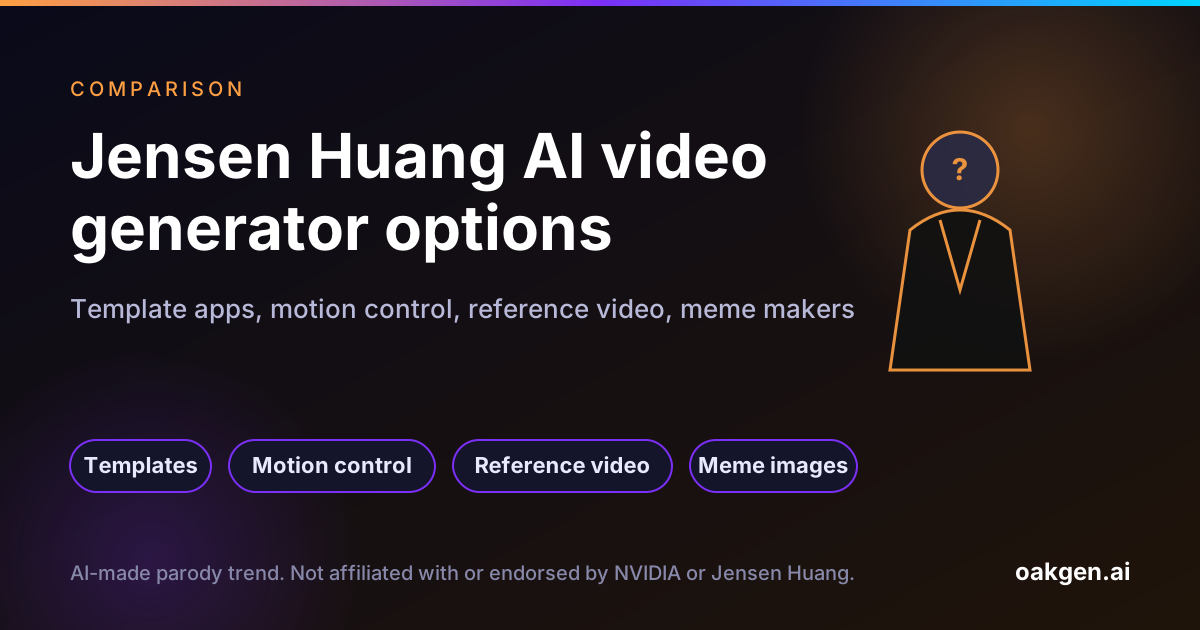
There is no single "Jensen Huang AI video generator." The viral clips come from five kinds of tools: trend templates, motion-control models, reference-to-video models, lip-sync models and meme image generators. Which one you need depends on whether you want a dance, a song, a custom scene or a still meme, and on one more question most comparison pages skip: whose face is in it.
Our recommendation is simple. Put yourself in the trend, not him. For the four viral dance and singing formats, a trend template that uses your photo is the fastest and the safest. Oakgen has four of them. They do not generate Jensen Huang and are not affiliated with or endorsed by NVIDIA or Jensen Huang.
Sing in the car, starring you
The car singalong from the Jensen Huang trend, rebuilt around your photo.
The quick comparison
| Tool type | Best for | Inputs | Strength | Weakness | Face rules |
|---|---|---|---|---|---|
| Trend template (Oakgen) | The four viral formats | One to three photos | Moves, framing and timing already set | Only the formats that exist | Your photos; every original performer replaced |
| Motion-control model | Any dance clip you can film | Photo plus a motion video | Follows a real performance closely | You must supply a clean motion clip | Depends on the tool |
| Reference-to-video model | Custom scenes and stories | Images, clips, prompt | Most creative control | More prompting, more retries | Some refuse real faces outright |
| Lip-sync or singing model | The car singing format | Photo plus song | Mouth matches the vocal | Usually 30 seconds or less per clip | Depends on the tool |
| Meme image generator | Still memes and captions | An existing template image | Free and instant | No motion | Template images of real people |
1. Trend templates
A trend template is a fixed recipe: the moves, the framing, the location and the length are copied from one viral clip. You add a photo and generate.
Where it fits: the four formats in this trend, the No Scrubs dance, the car singing clip, the missed train dance and the aircraft carrier dance.
How Oakgen's versions work: the model edits the reel itself and replaces every original performer with the people in your photos. The output shows the people in your photos. That is a design choice that follows Oakgen's Acceptable Use Policy, which does not allow one real person's likeness to be put onto another.
Where it falls short: you only get the formats that exist. If you want a new scene, you need one of the tools below.
Not every template site works this way. At least one template page ranking for "Jensen Huang AI video" on November 13, 2026 offered to put you next to an AI version of the Nvidia CEO. That is a different product, with different risks for whoever posts the result.
2. Motion-control models
Motion control means you give the model a character image and a reference video, and it transfers the movement from the video onto the character. Most viral AI dance videos of 2026 use some version of this.
Good for: any dance you can film yourself or have rights to use. Film yourself doing the move, then use your photo in a different outfit or setting.
Watch out for: clips with camera cuts, several people or bodies leaving the frame. The cleaner the motion clip, the cleaner the output. And do not use someone else's dance video or film footage you do not have rights to.
3. Reference-to-video models
These take several images, sometimes clips and audio, plus a prompt. They are the most flexible: you can write a whole new parody scene with your own character in a keynote hall, a train station or a car.
The face catch: some refuse real faces. BytePlus says Seedance 2.5 and Seedance 2.0 do not support directly uploading reference images or videos that contain real human faces, and offers verified, authorized portrait assets as the alternative (BytePlus ModelArk, read November 13, 2026). That rule exists to stop exactly the kind of non-consensual celebrity clip this trend is full of.
Other tools are looser. A looser filter is not permission. Fast Company noted that the Huang clips were made "without the consent of its stars" (Fast Company, November 10, 2026).
On Oakgen, the AI video generator gives you reference-to-video models for custom scenes. Use stylized characters or yourself.
4. Lip-sync and singing models
The car singing format is a lip-sync job: a face that moves its mouth to a song.
A public tutorial from October 21, 2026 shows one method in Kling 4.0: export the song as a video with a black picture, cut it into parts of 30 seconds or less, upload the photo and the black song video as references, put the lyrics in the prompt, then stitch the parts back together in an editor (Kirk Hunter on YouTube, October 21, 2026). We summarised that video in our YouTube guides.
Watch out for: music rights. A commercial song in your upload can get the post muted or blocked, and some tools should never receive commercial audio as a reference. Oakgen's AI lip sync video tool works best with your own voice or licensed music.
5. Meme image generators
For a still image with a caption, a meme generator is enough. Imgflip lists an "Nvidia Ceo Jensen Huang" template (Imgflip, read November 13, 2026). These use existing photos of the real person, so the same rules apply: no fake quotes presented as real, no fake endorsements. For your own still memes with your own face, use the AI image generator.
Take the No Scrubs moves
The fastest way into the trend: one template, your photo, a quote before you generate.
Decision guide
- "I want the exact viral dance, with me." Use a trend template.
- "I want a dance that is not in any template." Film the motion yourself and use a motion-control model with your photo.
- "I want a new parody scene." Use a reference-to-video model with yourself or an original character.
- "I want to sing in the car." Use a lip-sync tool, or the car template if you want the viral version.
- "I want a quick still meme." Use a meme image generator, and keep it obviously a joke.
- "I want a realistic video of Jensen Huang himself." We will not help with that, and neither will tools that follow their own face rules. Read is it legal to make AI videos of a real CEO before you try.
How we compared
We read the vendor pages, policy pages and the tutorial listed in the sources on November 13, 2026, and looked at which pages rank in Google for "jensen huang ai video" and "how to make jensen huang ai dance video" the same day. We did not run head-to-head generation tests, so this is a comparison of tool types and rules, not of output quality.
Disclosure: Oakgen is our product. We include it because it is relevant to this workflow, but the comparison also covers where standalone tools may be better.
Where standalone tools are better
- Brand-new choreography: a dedicated motion-control tool with your own reference clip beats any template.
- Long singing videos: a dedicated lip-sync workflow handles full songs in parts.
- Free still memes: a meme generator costs nothing.
Oakgen is strongest when you want the viral formats fast, with your face, and the option to move on to custom scenes in the same workspace. For the step-by-step, read how to make a Jensen Huang AI video with your own photo. For the bigger picture, start at the Jensen Huang AI trend explained.
FAQ
What is the best Jensen Huang AI video generator?
It depends on the job. For the four viral dance formats with your own face, a trend template is the fastest route. For a custom scene, a reference-to-video model gives more control. For a still meme, a meme image generator is enough. We do not recommend any tool for generating a realistic video of Jensen Huang himself.
Can AI video models generate Jensen Huang's face?
Some refuse. BytePlus documentation says Seedance 2.5 and 2.0 do not accept reference images or videos with real human faces unless the person is verified and has authorized their use. Policies differ by tool and change often, and a tool accepting a face does not make the use allowed.
Does Oakgen have a Jensen Huang AI video generator?
Oakgen has four Jensen Huang trend templates that recreate the viral dance and singing formats with the person in your photo. They do not generate Jensen Huang, and they are not affiliated with or endorsed by NVIDIA or Jensen Huang.
Is there a free Jensen Huang meme generator?
Imgflip lists an Nvidia CEO Jensen Huang template in its meme generator for still image memes. Video tools generally cost credits or a subscription.
How do people make the singing versions?
With lip sync. One public tutorial shows Kling 4.0 taking a photo and a black video that carries the song as the reference, in clips of 30 seconds or less, then stitching the parts in an editor.
Pick a Jensen Huang format
Missed train, car, carrier deck or No Scrubs. Your photo goes in, the viral moves come out.
Sources
- BytePlus ModelArk, Create portrait videos with Dreamina Seedance models (read 2026-11-13)
- YouTube, Kirk Hunter, How To Do AI Singing Lip Sync Videos! Tutorial, Kling 4.0 (2026-10-21, read 2026-11-13)
- Imgflip, Nvidia Ceo Jensen Huang Meme Generator (read 2026-11-13)
- Oakgen, Acceptable Use Policy (read 2026-11-13)
- TikTok Support, AI-generated content (read 2026-11-13)
- Fast Company, Jensen Huang's affair with an alleged spy is powering a new class of realistic memes (2026-11-10, read 2026-11-13)