ChatGPT
 Claude
To make a Jensen Huang AI dance video with your own face, pick one of the four viral formats, upload clear photos for the matching template (one for the solo dances, two for the car singalong, three for No Scrubs), read the credit quote and generate. The template copies the moves, framing and timing of the viral reel and puts the person in your photo into them. The finished video shows the people in your photos, not the original performers.
That last part matters. The viral reels are AI-made parodies of a real person, made without his consent. Oakgen's templates do not generate Jensen Huang, and they are not affiliated with or endorsed by NVIDIA or Jensen Huang. You are the dancer.
Start with the No Scrubs dance
Three photos, the viral choreography, a credit quote before you generate.
If you are new to the trend itself, start with the Jensen Huang AI trend explained.
What you need
| Item | Detail |
|---|---|
| A template | One of four: No Scrubs, car dance, missed train dance, aircraft carrier dance |
| A photo | One person, face forward, even light, no sunglasses or hat |
| Consent | Your own photo, or a photo of someone who said yes |
| Credits | The template shows a quote before you generate |
| A label | Turn on the AI label when you post |
Step 1: Pick the format that fits your joke
Each template follows one viral reel. Choose by the joke you want to tell, not by which one has the most views.
| Template | The joke | Works best for |
|---|---|---|
| Jensen Huang No Scrubs | A confident dance to a 90s R&B hit | Anyone who wants the full-body dance |
| Jensen Huang Car Dance | Singing and dancing in the driver's seat | Close-up faces, expressive people |
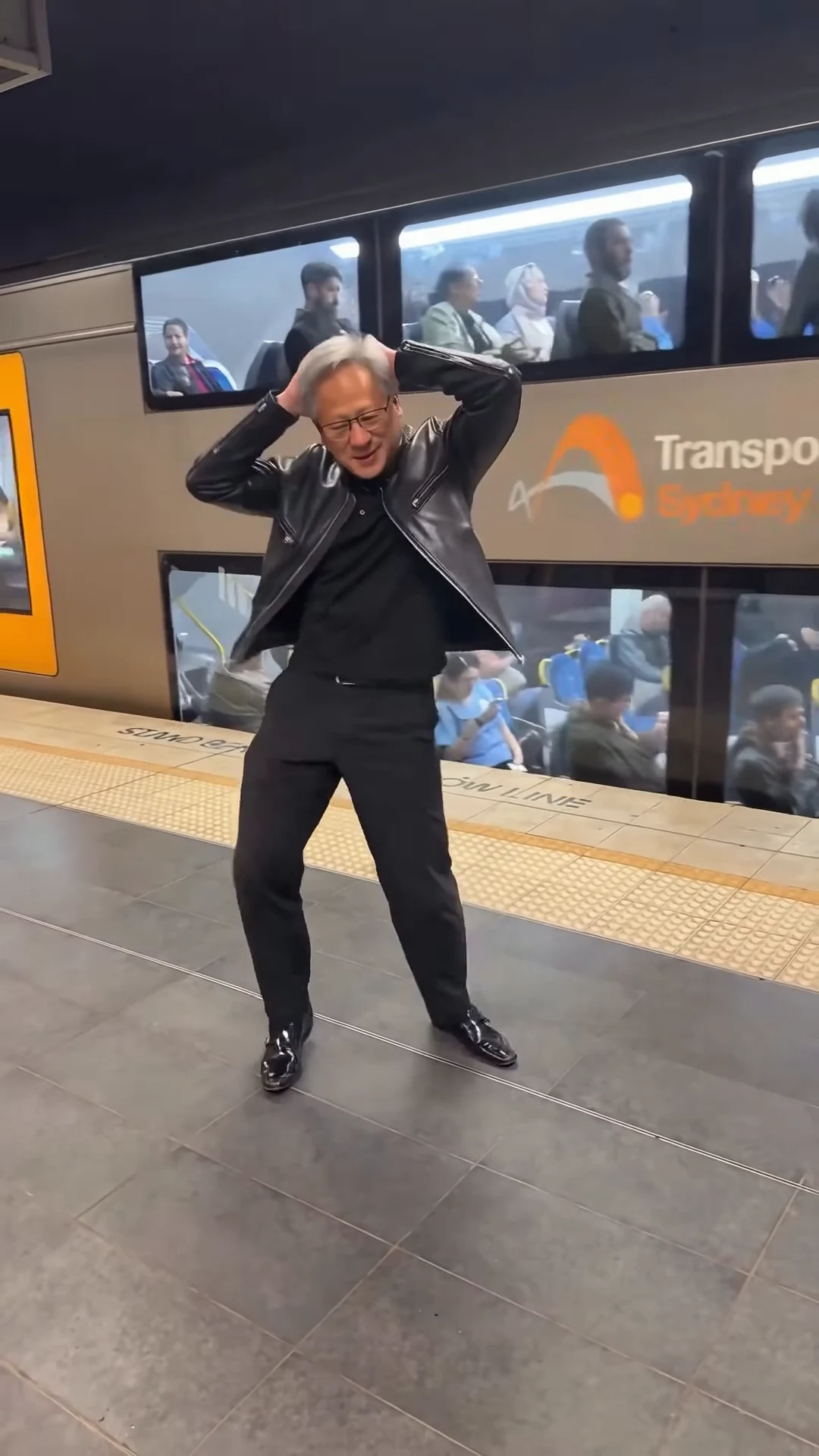
| Jensen Huang Missed Train Dance | "He missed the train but not the beat" | Commuters, students, bad-day jokes |
| Jensen Huang Aircraft Carrier Dance | Dancing somewhere absurd and enormous | Over-the-top flexing humour |
If you only make one, the missed train is the easiest joke to make your own. Everybody has missed a train.
Step 2: Choose the right photo
The photo decides most of the result. These rules come from how image-to-video models behave in general: they can only keep what they can see.
- One person. Group photos confuse the model about who should dance.
- Face forward, eyes visible. No sunglasses, masks or hands over the face.
- Even light. Daylight from a window beats a single harsh lamp.
- Head and shoulders, or waist up. Full body is fine if the face is still large and sharp.
- Hair visible, no hat. Hats tend to get redrawn.
- No beauty filter. Filters smear skin and change face shape in motion.
- Plain background. It helps the model separate you from the scene.
Do not upload a photo of Jensen Huang, his family or a celebrity. Oakgen's Acceptable Use Policy does not allow putting one real person's likeness onto another, and TikTok does not allow AI content that falsely shows public figures making or receiving an endorsement (TikTok Support, read November 13, 2026). Friends are fine if they agreed.
Step 3: Understand what the template changes
Here is what happens when you press generate:
- The template sends the model the viral reel itself, with any watermark removed.
- Your photos are sent as the characters, one per person in the reel.
- The model replaces each original performer with the person from your photo, keeping the moves, the setting and the camera framing.
So the moves, the location and the timing come from the reel, and your face and hair come from your photo. Each template page says what else it keeps from your photo, such as your outfit, so read it before you choose a picture. If you want the black leather jacket look and the template keeps your outfit, wear one in the photo. Our post on the leather jacket meme explains why that single item does so much work.
Miss the train, keep the beat
The most relatable of the four jokes. Upload your photo and generate the platform dance.
Step 4: Pick the quality and read the quote
Open the template, add your photo and choose the output quality. The credit quote appears before you generate and covers the whole clip. That quote is the only price that counts, so read it in the tool rather than trusting a number from a blog, including this one.
A practical approach: make your first try at the lower quality. If the face and the moves look right, generate the final at the higher quality.
Step 5: Check the result before you post
Watch it twice, once with sound and once muted, on a phone at full screen. Look for these:
- Your face stays yours through every turn, close-up and fast move.
- No extra limbs or merged bodies, especially in spins and when other dancers are close.
- Hands look like hands in the big gestures.
- No text, logos or watermarks have appeared in the frame.
- The clothes stay consistent from the first frame to the last.
- The ending lands. The last second is what people loop.
If one of these fails, generate again rather than posting a broken clip. A second take with a better photo usually fixes face drift.
Step 6: Post it the right way
Your clip is AI-made, so say so.
- TikTok: turn on the AI-generated content label.
- YouTube Shorts: answer "Yes" to the altered or synthetic content question in YouTube Studio when the clip is realistic (YouTube Help).
- Instagram and Facebook: use the AI disclosure option; Meta shows an AI info label (Meta, updated October 23, 2025).
Write "AI-made" in the caption too. The Straits Times noted that many viewers of the Huang memes still ask "Is this real?" (The Straits Times, November 13, 2026). A label answers that before the comments do. Caption ideas and hashtags are in our posting guide for the Jensen Huang AI trend.
How we wrote this
We wrote this guide from how Oakgen's four Jensen Huang templates are set up and from the platform policies listed in the sources, read on November 13, 2026. We did not generate test videos for this article, so we do not show results or claim success rates.
Disclosure: Oakgen is our product.
Mistakes to avoid
- Using his photo "for accuracy." That turns a parody of yourself into a deepfake of a real person. It breaks Oakgen's rules and platform rules.
- Adding fake quotes. A dance is a joke. A fake statement is misinformation.
- Posting the first take without checking. AI dance clips fail most often in spins and hand gestures.
- Skipping the label. Platforms can add labels themselves or limit unlabeled realistic content.
- Using a group photo. Crop to one person first.
- Copying the original caption word for word. Write your own version of the joke; it performs better and is yours.
If the rules question is still on your mind, read is it legal to make AI videos of a real CEO. If you are deciding between tools, see Jensen Huang AI video generator options compared.
FAQ
How do I make a Jensen Huang AI dance video?
Open one of the four Jensen Huang trend templates on Oakgen (No Scrubs, car dance, missed train or aircraft carrier), upload one clear photo of yourself, read the credit quote and generate. The template copies the moves and framing of the viral reel and puts the person in your photo into them.
Will the video show Jensen Huang?
No. Oakgen's templates replace every original performer with the people in your photos. The finished video shows you, not him.
Can I upload a photo of Jensen Huang?
Do not. Oakgen's Acceptable Use Policy does not allow putting one real person's likeness onto another, and TikTok does not allow AI content that falsely shows public figures in some contexts. Use your own photo or a photo of someone who agreed.
What photo works best?
One person, face forward, even light, head and shoulders or waist up, no sunglasses, no hat, no heavy filter and no group shots. A plain background helps the model separate you from the scene.
How much does it cost?
The template page shows a credit quote for your chosen quality before you generate. That quote is the price that counts, so read it in the tool.
Do I have to label it as AI?
Yes. TikTok requires labels on realistic AI-generated content, YouTube asks you to disclose realistic synthetic content, and Meta shows an AI info label when you disclose. Turn the label on in each app.
Dance on the carrier deck
Or sing in the car. Four Jensen Huang templates, your photo in every one.
Sources
- Oakgen, Acceptable Use Policy (read 2026-11-13)
- TikTok Support, AI-generated content (read 2026-11-13)
- YouTube Help, Disclosing use of altered or synthetic content (read 2026-11-13)
- Meta, Our approach to labeling AI-generated content and manipulated media (updated 2025-10-23, read 2026-11-13)
- The Straits Times, Nvidia CEO scandal sets off a blitz of AI memes (2026-11-13, read 2026-11-13)