ChatGPT
 Claude
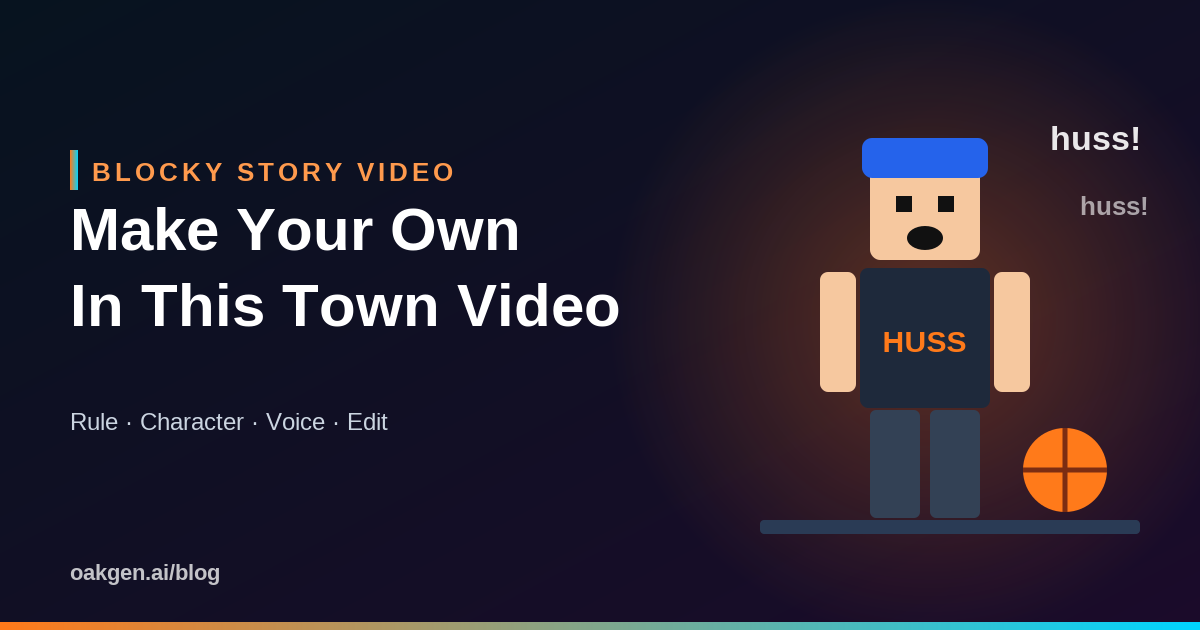
To make your own "In This Town" video, write one absurd town rule, design an original blocky character, generate three to five short shots of the town and your character in a toy-like 3D style, voice it in a flat deadpan, and cut it so the character's "huss" lands between lines. You do not need Roblox Studio, and you should not copy Roblox avatars, logos or game assets. An original blocky style works better anyway, because it is yours.
The format comes from the Huss Huss Huss clip a TikTok creator posted on 13 November 2026, a Roblox character dribbling a basketball while explaining that everyone in his town goes partying except him (Know Your Meme). Since then, "In this town..." has become an opening line for hundreds of original story clips. Oakgen is not affiliated with Roblox or the original creator.
Build your town
Generate blocky story shots with sound on Oakgen. One credit pool for images, video and voice.
The structure
Every good In This Town clip has the same four parts:
| Part | Length | What it does |
|---|---|---|
| The rule | 2 to 3 s | "In this town, everybody..." |
| The escalation | 6 to 12 s | Three examples, each more absurd than the last |
| The exception | 3 to 5 s | Cut to your character doing the opposite, with a "huss" |
| The last line | 2 to 4 s | Deadpan payoff |
The original lists the parties he is missing, each one sillier than the last. Keep that shape and change everything else. Need a premise? Take one from our 40 In This Town ideas.
Step 1: Write the script
Write it out loud first, then cut every word you can. Example:
In this town, everybody sleeps in on Sunday.
They sleep in at the bakery. They sleep in at the fire station.
The mayor slept through his own election.
Except me. (huss, huss, huss)
I've been awake since four. Nobody in this town has ever seen a sunrise.
Short sentences. No jokes that need explaining. The breaths go where a laugh would go.
Step 2: Design an original character
Make one character sheet with the image generator and reuse it in every shot:
Original 3D blocky character, toy-like proportions, square head,
simple painted face with dot eyes and a small mouth, blue knit beanie,
oversized grey hoodie with a big orange letter on the chest, black
shorts, white sneakers. Smooth plastic shading, bright game-like
lighting, plain light background, full body front view. No logos.
Change the hat, colours and letter to make it your own. Avoid anything that reads as a real Roblox avatar or item.
Step 3: Generate the shots
Use Seedance 2.5. For every shot your character appears in, use the character image (or a still of the character in that place) as the start frame. Three to five clips of 4 to 8 seconds each are enough. A town shot:
Vertical 9:16. Blocky toy-like 3D town at night, simple square houses,
string lights, a pool party in a back garden with blocky characters
dancing and splashing. Bright saturated game-engine look, slow camera
push-in. No text, no logos.
The exception shot:
Vertical 9:16. The character from the image alone on an empty outdoor
basketball court at night under one floodlight, dribbling and shooting,
breathing hard. Blocky toy-like 3D style, game-engine lighting, locked
camera. No text, no logos.
Keep the camera simple. Game-style videos read best with locked shots and slow push-ins.
Step 4: Voice it
Generate a flat, calm narrator voice in Oakgen Audio, or record your own. Leave a half-second gap where each "huss" goes and record the breaths yourself. Real breaths sound funnier than generated ones.
Step 5: Cut it
- Put the rule on the first frame. No intro.
- Cut on every new example, every 2 to 3 seconds.
- Hard cut to the exception on "except me".
- Add burned-in captions. Many people watch muted.
- End on the character's face, not on a fade.
Post at 9:16 with the caption "in this town..." plus your rule.
Keep it original
- No Roblox logos, game UI, avatars or item names in anything you sell or advertise.
- Write your own rule and your own escalation. The template is the shape, not the words.
- Use your own voiceover, not the original creator's audio.
Prefer to put a real face in the meme? See how to make a Huss Huss Huss AI video from one photo.
Make your In This Town episode
Character image, town shots and voice in one place. Price shown before every generation.
Frequently asked questions
Do I need Roblox Studio to make an In This Town video?
No. The original was animated inside Roblox, but you can make a blocky, toy-like story video with an AI video model from a text prompt and a character image. Do not copy Roblox logos, avatars or game assets.
How long should an In This Town video be?
15 to 30 seconds. One town rule, three or four escalating examples, one cut back to your character doing the opposite, and a last line.
How do I keep the character the same in every shot?
Make one character image first, attach it to every clip, and paste the same character description into every prompt.
What voice works best?
Flat and calm. The joke works because the narrator never sounds excited, whatever the town gets up to.
Can I use this for a brand?
Yes, with an original character, your own script and your own voiceover. Do not use the Roblox name or assets, or the original creator's audio, in an ad.