ChatGPT
 Claude
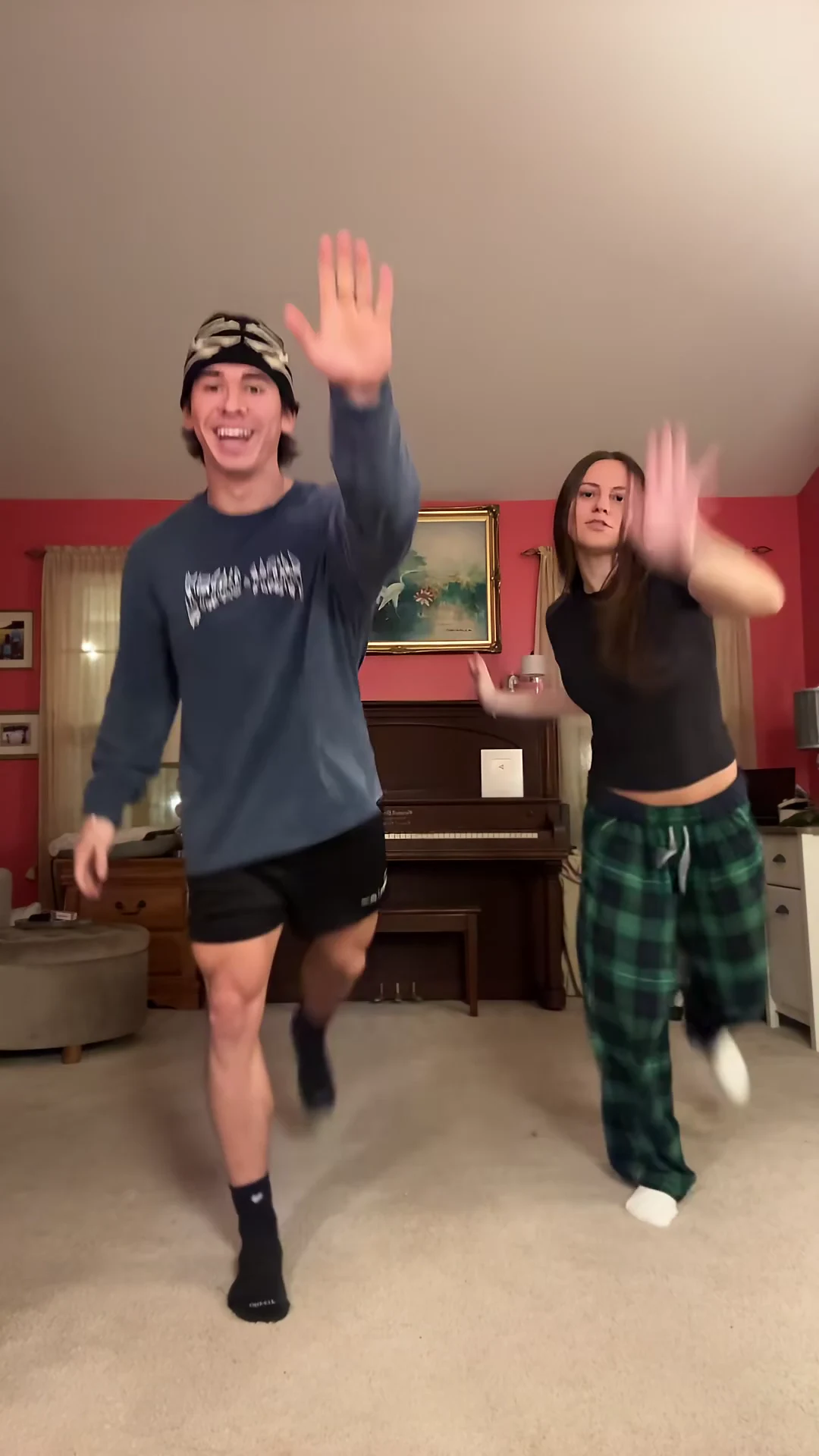
The quickest way to make a Huss Huss Huss AI video is the Huss Huss Huss template: add a photo for each of the two dancers and Oakgen returns the full 17-second two-person dance, backflip and all, with the original sound. For the solo gym lip-sync instead, pick one clear photo of yourself, film or trim a 10 to 15 second reference of the gym lip-sync (say the line, curl a weight, pant "huss" three times into the lens, finish the line), and run both through a motion-control model that keeps your face and copies the moves. On Oakgen that is Kling V3 Pro Motion Control. No reference clip? Build the scene from a prompt with Seedance 2.5 instead.
New to the meme? Start with Huss Huss Huss explained. Oakgen is not affiliated with the meme's creator, Roblox or any template site.
Do the Huss Huss Huss dance
Two photos, one 17-second dance with the original sound. The price shows before you generate.
Pick your route
| Route | Best for | You need | Oakgen tool |
|---|---|---|---|
| Template | The two-person dance, fastest | 2 photos | Huss Huss Huss template |
| A. Motion copy | The closest match to the viral gym clip | 1 photo + 1 reference clip | Kling V3 Pro Motion Control |
| B. Prompt build | No reference, you want sound generated too | 1 photo + a prompt | Seedance 2.5 |
| C. Close-up lip-sync | Just your face saying the line | 1 photo + your recorded line | Talking photo |
The template is the fastest and needs no prompt. Route A gives the most faithful copy of the gym clip. Route B needs no reference. Route C is the cheapest way to get the line itself.
The template: the two-person dance
Open the Huss Huss Huss template, add a photo for the Left dancer (who lip-syncs, backflips and leads the finish) and one for the Right dancer, choose 720p or 1080p and generate. One price covers the whole 17 seconds. Full-length photos work best, because both dancers are seen head to toe and turn their backs. The two-person dance guide walks through the moves and what to check.
Route A: copy the gym lip-sync with motion control
1. Pick the photo
The gym version is chest-up and close to the camera, so the face does most of the work:
- One person, front-facing, eyes and mouth clearly visible
- Even light, no sunglasses, no heavy filter
- Waist-up or chest-up, with the top you want to wear in the video. A hoodie or gym shirt fits the scene
The reference performer in many versions is shirtless. The clothes come from your photo, so pick the photo you want to be seen in.
2. Make the reference clip
You do not need someone else's video. Film your own on a phone in one take, front camera, held at arm's length:
- 0 to 2 s: face the camera and start the line, deadpan.
- 2 to 5 s: turn side-on and curl a dumbbell, a bag or a water bottle.
- 5 to 8 s: turn back and pant "huss, huss, huss" right into the lens.
- 8 to 15 s: finish the line, count on your fingers, open both palms, end on your face.
That beat map follows the widely copied gym take, which runs about 15 seconds. Do not move the camera. A locked shot copies more cleanly.
3. Generate
Open Kling V3 Pro Motion Control, upload the photo as the character and the clip as the motion reference. Set Character Orientation to Match Video, which allows a reference of up to 30 seconds and handles complex body motion. Add a short prompt:
The person from the photo performs the reference video. Keep the gym,
the lighting and the camera exactly as in the video. Face, hair and
clothes come from the photo. Keep every gesture and mouth shape in time.
No text, no logos, no extra people.
Motion control is billed per second of reference video, so trim the reference first. Our Kling motion control guide covers the settings in detail.
4. Add the sound
Post the clip and add the trending sound in TikTok or Instagram, or lay your own recorded line back over it in any editor. Check that the third "huss" lands on the open mouth.
Route B: build it from a prompt with Seedance 2.5
When you have no reference clip, give Seedance 2.5 your photo as the first frame and describe the beats. Turn on Generate audio so the model voices the line and the breaths.
Vertical 9:16, one locked front-camera shot in a big bright gym with
racks and a mirror wall. The person from the image faces the camera,
holding a dumbbell low, and says in a flat, serious voice: "In this town
everybody goes out partying except me." He turns side-on and curls the
dumbbell, then turns back and pants "huss, huss, huss" into the lens,
then keeps talking calmly. Realistic, handheld phone look. No text.
Swap "he" for "she" or "they" to match your photo. Seedance 2.5 makes up to 30 seconds in 9:16 on Oakgen, and the price shows before you generate. For more prompt variations, see the Huss Huss Huss prompt pack.
Route C: lip-sync your photo to your own line
Record yourself saying "In this town everybody goes out partying except me", with three loud breaths in the middle. Upload that audio and one close-up photo to the talking photo tool. You get a talking head that says the line in your voice. It is not the gym scene, but it is the line, and it is entirely your own audio.
Post it
- Caption: in this town everybody goes out partying except me
- Hashtags people search: #husshusshuss #inthistown #roblox (only if your clip actually nods to Roblox)
- Turn on the AI-generated label
- Only use photos of people who said yes
Something looks off? See Huss Huss Huss AI video mistakes and fixes. Want a friend in it? Try the two-person dance.
Make your Huss clip
One photo, one short reference, Kling motion control. The price shows on the button before you generate.
Frequently asked questions
What is the quickest way to make a Huss Huss Huss AI video?
The Huss Huss Huss template on Oakgen: add a photo for each of the two dancers and it returns the full 17-second two-person dance with the original sound. No prompt and no reference clip.
What do I need for the gym lip-sync version?
One clear, front-facing photo, and for the closest copy, a short reference clip of the moves. You can film the reference yourself on your phone: say the line, curl something heavy, pant three times into the lens, finish the line.
Which Oakgen model should I use?
Kling V3 Pro Motion Control when you have a reference clip and want the exact moves. Seedance 2.5 when you only have a photo and want the model to build the scene and the sound from a prompt. The talking photo tool when you only need a close-up lip-sync to your own recorded line.
How much does it cost?
Oakgen shows the exact credits on the Generate button before anything is charged. Kling V3 Pro Motion Control is billed per second of reference video, so trim the reference to the 10 to 15 seconds you need.
Can I use the original TikTok sound?
For a personal post, add the trending sound inside TikTok or Instagram when you publish. For anything commercial, record your own line. The original audio belongs to its creator.
Why does my video show the person from the reference instead of me?
The reference performer leaked through. Use a clearer, larger photo, keep the prompt short and say in one sentence that the person from the photo replaces the person in the video. See our fixes guide for more.