ChatGPT
 Claude
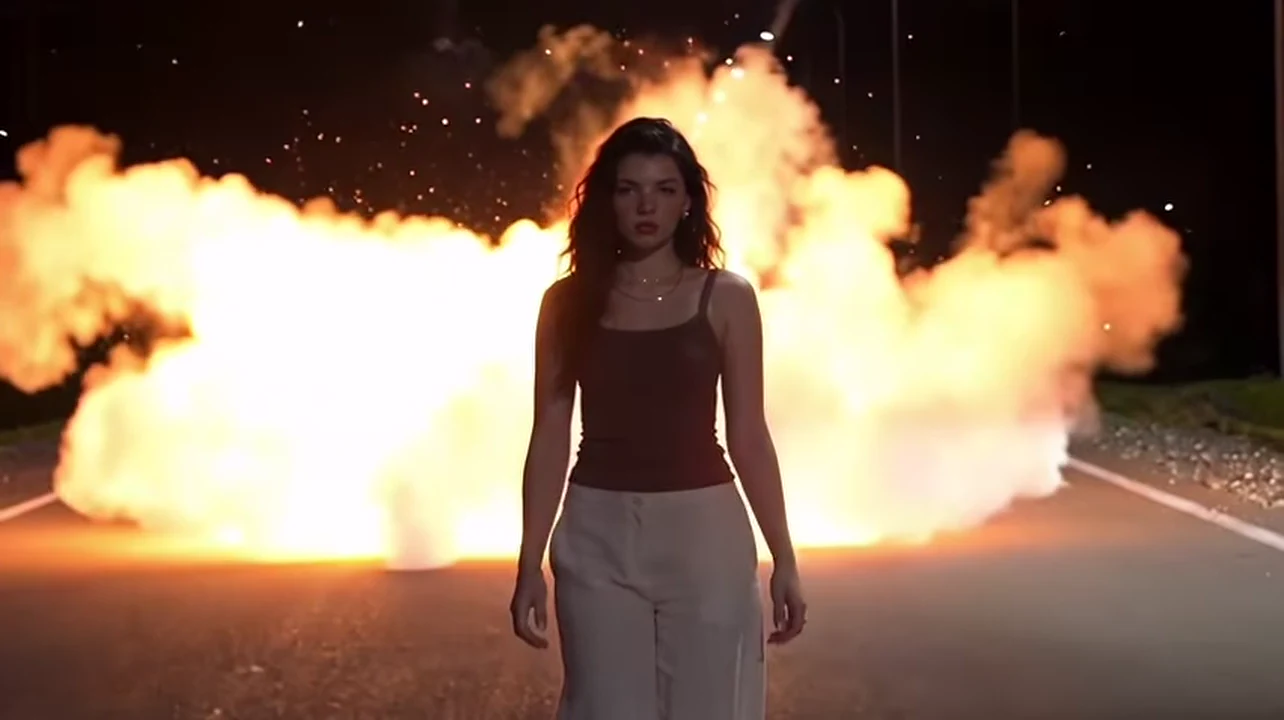
The Explosion Walk is the action-movie shot made personal: someone walks calmly toward the camera down an empty road at night while a huge fireball goes off behind them, and they never look back. Oakgen's template puts the person or pet from one photo in the walker's place. The finished clip is 10 seconds long, in 16:9 landscape, and silent. This guide goes from the photo to posting, and it is honest about what is fixed and what is yours.
Walk away from your own fireball
Add one photo, check the quote in the tool and make the 10-second night-road Explosion Walk.
What the template gives you
One 10-second video in one continuous take from a fixed, low camera at the front of an empty two-lane road at night. A white edge line runs along the tarmac, a row of street lamps recedes into the dark, dark trees stand on both sides and there is gravel at the verge. You choose 720p or 1080p. The road, the camera and the timing stay as they are; the walker is you.
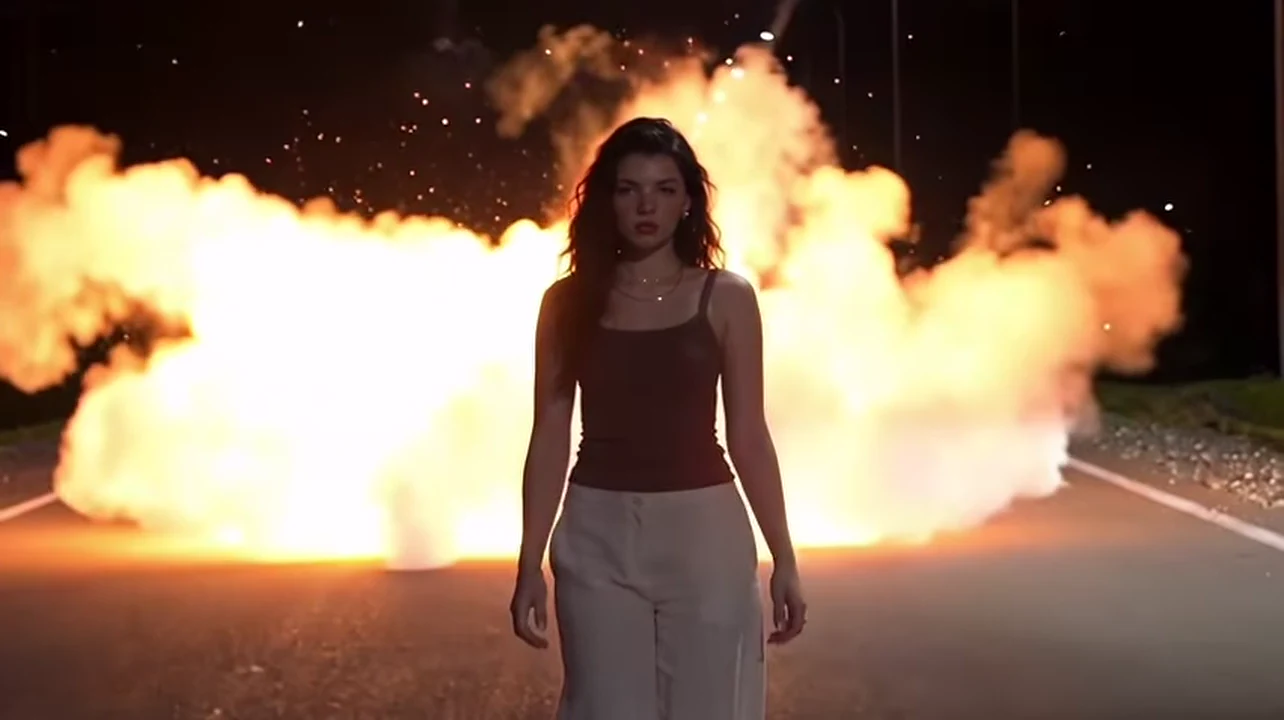
A frame from the reference clip the template follows, not an Oakgen output.
| Time (about) | What happens |
|---|---|
| 0 to 3 s | The walker comes toward the camera with a small glowing spark held near the lips; white smoke rises behind |
| 3.5 to 5.5 s | A hand goes up and flicks the spark back over the shoulder, then the hands relax |
| 6.5 s | A blinding flash turns into a huge fireball with sparks and rolling smoke behind the walker |
| 6.5 to 10 s | The walker, now a dark silhouette against the fire, keeps walking and never looks back |
The second-by-second detail is on Walking away from explosion AI: make it, second by second.
Step 1: Choose the photo
Use one photo of one person, facing the camera, in even light, with the hair fully visible and no hat, mask or sunglasses over the face. Most of the clip is dark, so a bright, sharp, front-lit photo helps more than a moody one. A knees-up or full-body photo gives the best proportions on the road, because you start far away and end close.
Only use photos of adults who agreed to appear: yourself, or a friend who said yes. Do not use celebrities, strangers or children.
Step 2: Know what your outfit does
There is no costume. The reference walker's dark maroon top, wide pale trousers, thin gold necklace and earrings are not kept. You wear what you wear in your photo. If the photo shows only your upper body, the walker gets plain neutral trousers and flat shoes. Mid-tone or pale clothing reads better against the dark road than black.
Step 3: Pick the quality and read the quote
Open the Explosion Walk template, add your photo and choose 720p or 1080p. The quote shown in the tool covers the complete 10-second video, so check it there rather than relying on any number you read elsewhere. A 720p first run is a cheap way to test a photo before a 1080p final.
Step 4: Generate and check
Watch the result once at full size and once more slowly:
- The face at the start, around the spark flick and just after the fireball appears. It must match your photo each time. The dark silhouette shots are the risk, as Night road explosion AI video: photo, outfit and face check explains.
- The fire must stay behind you. If the flames reach you, you look back or flinch, or a second blast appears, generate again.
- The hands during the flick should have five fingers and the arm should stay attached.
- The spark should be a small glowing point, not a recognisable lighter, flare or logo.
Step 5: Add sound and post it responsibly
The reference clip has no audio track, so your download is silent. Add your own sound in your editor and follow the music rules of the platform you post on. Label the video as AI-made, say it is an effect and do not present it as real footage of an event. Do not name a real, recognisable place in the caption, and never try to copy the shot with real fire, fireworks or explosives. A short caption such as "Me walking away from my problems" lets the fireball be the punchline; more ideas are on Cool guys don't look at explosions: the AI trend and captions.
Using a pet
The same template accepts a dog or cat. The animal keeps its own face and markings and walks toward the camera, though four-legged movement can look unusual on a road and the hand flick has no obvious equivalent. See Explosion Walk with your dog or cat for the photo and review checklist.
Related reading
For the names this clip travels under and what is and is not verified about it, read The Explosion Walk trend explained: cool guys don't look back. When you are ready, go straight to the Explosion Walk template.
Frequently asked questions
How many photos do I need for the Explosion Walk?
One. A single clear photo of one person or one pet replaces the walker.
How long is the video?
10 seconds in 16:9 landscape, 720p or 1080p, in one continuous take.
Is there sound?
No. The reference clip has no audio track, so your video is silent. Add your own sound when you post it.
Is the explosion real?
No. It is an AI effect. Never copy it with real fire, fireworks or explosives, and label the video as AI-made.
Is the preview video made by Oakgen?
No. It is the reference clip the template follows. Nothing in this guide is an Oakgen result.