ChatGPT
 Claude
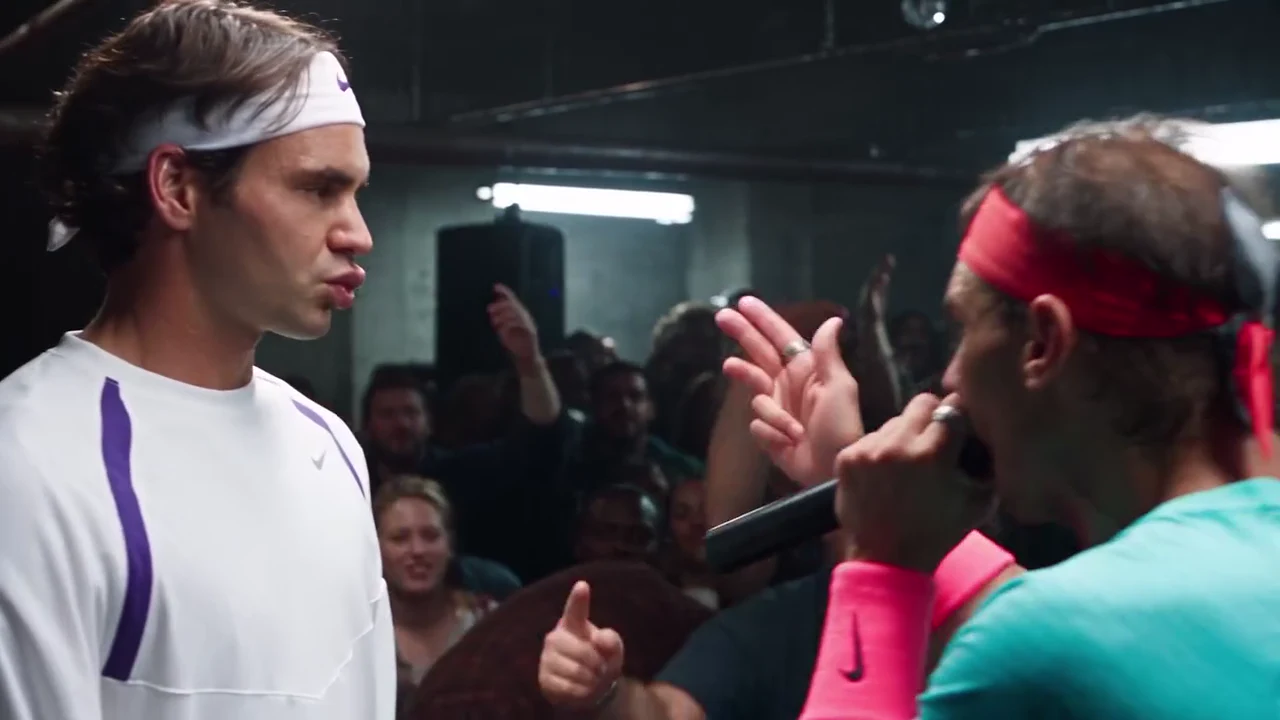
The 8 Mile Rap Battle AI video is a 24-second parody of the final battle in the 2002 film 8 Mile. A rapper in a headband works a packed warehouse crowd, raps into a black microphone and points at a rival who stands stone-faced across from him, and the verse opens with the call to "everybody from the 313". Oakgen's 8 Mile Rap Battle template keeps the shots, the cuts and the original soundtrack and puts your two photos in the two places. The preview is an AI-made parody, not footage from the film and not real footage of any real person, and Oakgen is not affiliated with or endorsed by Eminem, the makers of 8 Mile, any film studio, record label or artist, or by anyone the clip resembles.
Start the battle
Add one photo for the Rapper and one for the Rival, review your quote and make the 24-second 8 Mile Rap Battle AI parody with the original soundtrack.
What the template gives you
One landscape 16:9 clip, 24 seconds long, with seven shots in a dark industrial warehouse venue: strip lights, speakers and pipes overhead, and a crowd packed tight around the stage. Only the two performers are replaced. The crowd, the camera moves, the cuts and the soundtrack stay. The reference has no on-screen subtitles, so your file has none either.
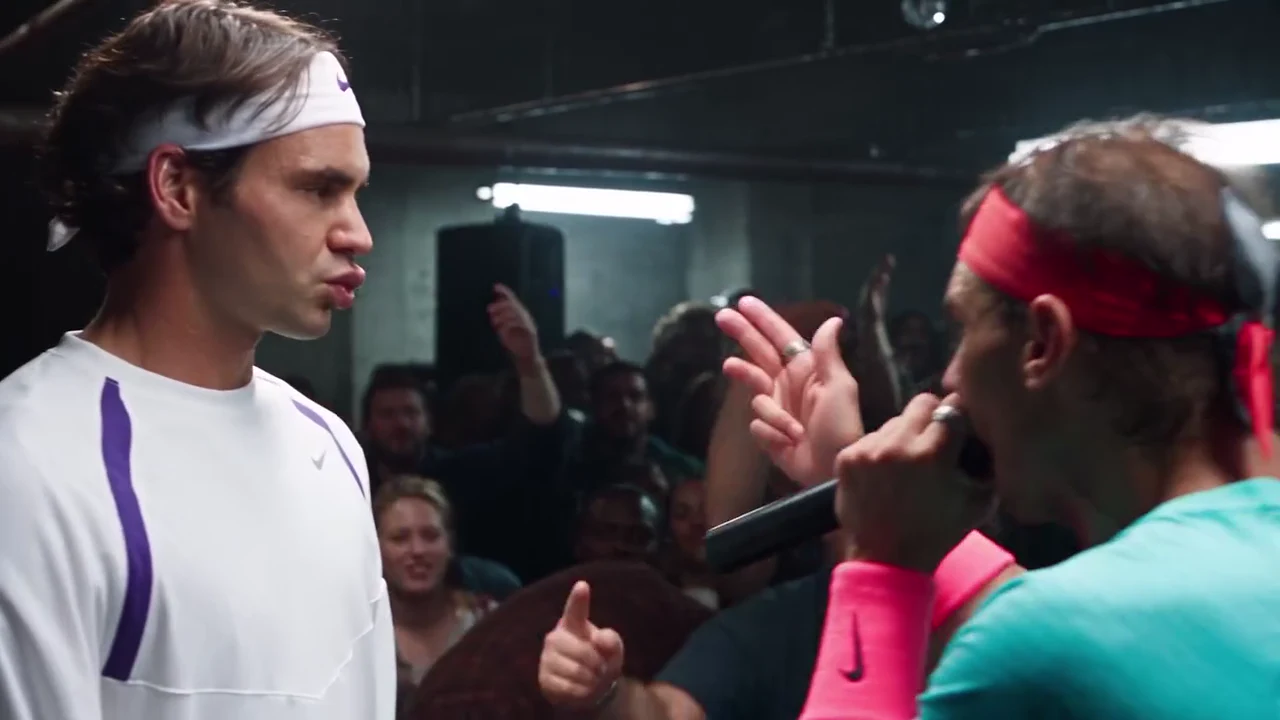
The two-shot from the AI parody reference clip, not an Oakgen output and not real footage of any real person. In your video these are the people in your Rapper and Rival photos.
| Time (about) | What happens | What to check |
|---|---|---|
| 0 to 6 s | Tight stage shots with the rival's back of head in the foreground; the rapper glares, then raises the microphone arm to hype the crowd | The Rapper's face, the mouth at the first call |
| 6 to 12 s | Wide shot of the stage and the packed crowd; the rival stands, the rapper paces | Both people still read as your photos at a distance |
| 12 to 15.6 s | Tight close-up of the rapper rapping into the microphone | The mouth, with the sound on |
| 15.6 to 18 s | The rapper from behind with an arm raised to the crowd | Hair and outfit match the earlier shots |
| 18 to 21.4 s | Two-shot: the rival's face in profile on the left, the rapper rapping and pointing on the right | Both faces, the pointing hand |
| 21.4 to 24 s | The rapper from behind facing the rival, then the two of them again | Same two people after the last cut |
A longer breakdown of who does what is on the B-Rabbit vs Papa Doc casting guide.
Step 1: Decide who plays which role
The Rapper does almost everything and is on screen in all seven shots. The Rival does less, and stands still. Give the Rapper to the friend with the more expressive face, or to whoever wants the spotlight, and the Rival to the one who can look unimpressed. Swapping the photos swaps the roles, so a rematch costs one more generation.
Step 2: Choose the photos
Use one sharp head-and-shoulders photo per person: face forward, hair fully visible, no hat, one person in the frame. For the Rapper, a clear mouth matters most, because the close-up is the biggest test of the video. Here is where this breaks: a hand, a cup or a microphone near the lips in the photo. The reference already has a microphone at the Rapper's mouth, and the model needs a clean mouth to start from.
Each person wears the outfit from their own photo in every shot. The reference's teal tee, red headband, wristband and the rival's white sportswear are not kept. If a photo shows only the upper body, plain neutral trousers and shoes are added for the shots that show the body. Use your own photos or photos of people who agreed to appear, and never a photo of a celebrity.
Step 3: Generate
Open the 8 Mile Rap Battle trend, add the Rapper first and the Rival second, and choose 720p or 1080p. It is a Kling V4 edit of the reference clip and the quote covers the full 24 seconds with both people replaced. I would run 720p first to check the faces, then make the 1080p version you post, because the wide crowd shot gains the most from it. The clip is edited in four parts of about six seconds that line up with cuts in the scene, and the original soundtrack is put back on the joined result.
Step 4: Check the result
Watch it once with the sound on and once muted:
- The close-up at about 12 to 15.6 s: the mouth should be moving with the rap. Lip sync is not guaranteed, because no separate audio is sent to the model and the mouth follows the reference instead.
- The two-shot at about 18 to 21.4 s: both faces should be clearly your photos, with nobody else in the crowd taking a face.
- The joins at about 6, 12 and 18 s: each person should look the same after the cut, with the same hair and outfit.
- Text: the performers' clothes and the props should show nothing readable.
If a face drifts after a cut, generate again with a clearer, more front-facing photo rather than posting.
Step 5: Post it as a labelled parody
The file is landscape 16:9. Post it as it is, or place it in the middle of a vertical canvas and put your caption above it. Say in the caption that it is an AI parody, or turn on the platform's AI label, and do not suggest that Eminem, a film studio, a label or any artist is involved. The soundtrack is a commercial recording that Oakgen does not license for your own posts, so check the platform's music rules before you share. Editing and posting ideas are in the 8 Mile final battle and the two-person AI video.
This is good enough for a fun post among friends, not for anything that could be mistaken for a real film clip. That is also why the template never keeps the reference performers.
Related reading
For the scene itself and the beat under it, read the 8 Mile final battle AI video explained. How the sound and the mouth are handled is covered in rap battle lip sync AI video, and the short version of these steps is how to do the 8 Mile rap battle trend with a friend.
Frequently asked questions
How many photos do I need for the 8 Mile Rap Battle video?
Two, and both are required: one for the Rapper and one for the Rival. The template replaces both performers in the reference clip completely.
Does my video show anyone from the film?
No. The preview is an AI-made parody clip, not footage from the film and not real footage of any real person. In your video the two people are the ones in your photos.
Does the video keep the rap battle sound?
Yes. Your video keeps the reference clip's original soundtrack: the final-battle verse over its beat, with the crowd. No separate audio is sent to the model; the original track is put back on the finished file.
How long is the video and what shape is it?
24 seconds in landscape 16:9, with seven shots. Post it as it is or place it on a vertical canvas for Reels, TikTok or Shorts.
Which quality should I pick?
720p is the default and is enough for a phone feed. 1080p keeps faces sharper in the wide shot of the crowd. One quote covers the full 24 seconds.
Can I use a photo of a celebrity?
No. Use your own photos or photos of people who agreed to appear. Do not upload photos of public figures or celebrities.
Is the preview video made by Oakgen?
No. It is the AI parody reference clip the template is built from. Nothing in this guide is an Oakgen result.