
 ChatGPT
 Claude
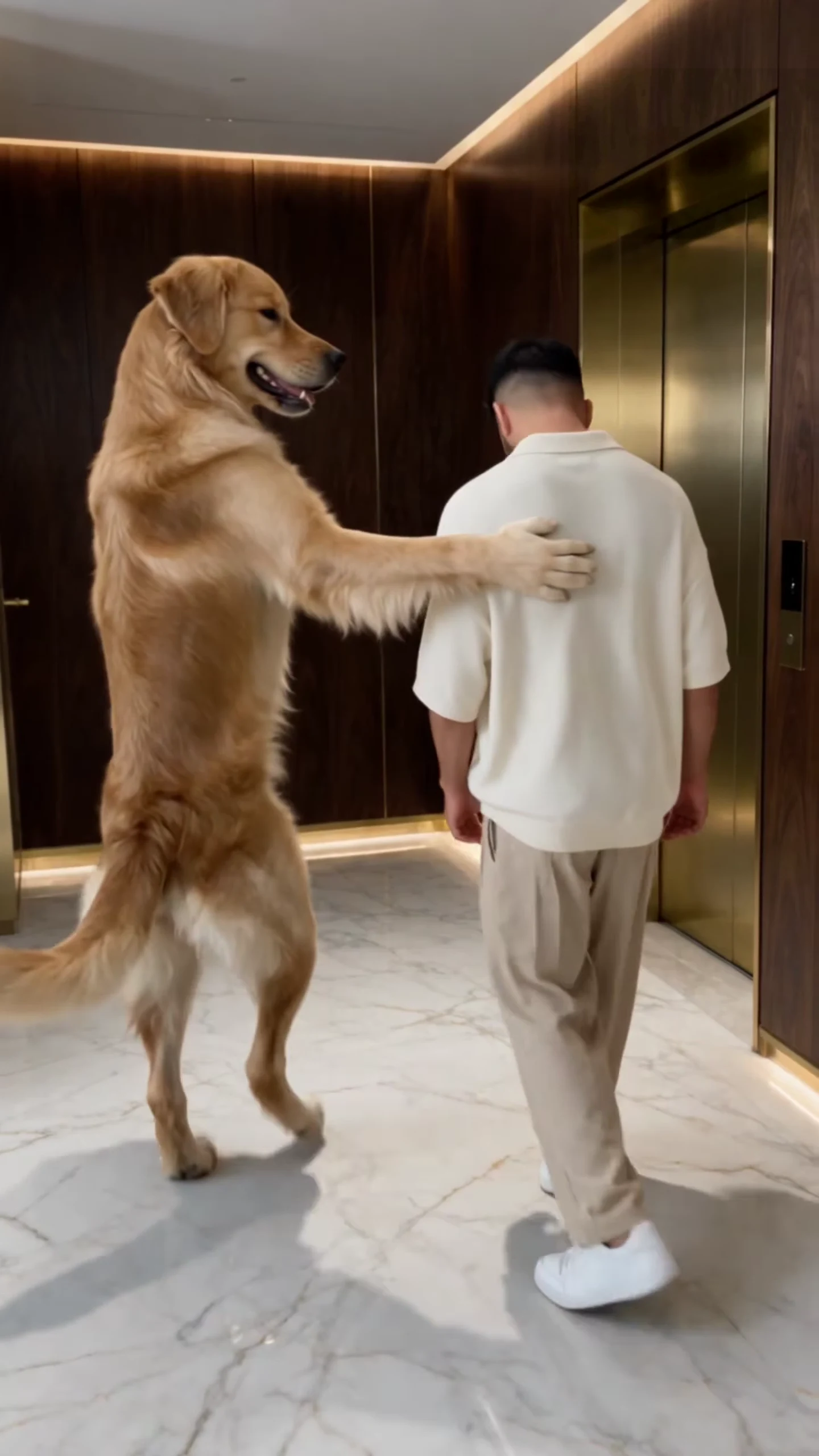
The Dog Elevator Prank has two parts and one joke: the Prankster is helpful right up to the moment it kicks the Victim into the lift and throws his sneakers in after him. Who you put in each part decides who the joke is on. This article goes through the castings that make sense, what each one changes and what to check afterwards. For the step-by-step workflow, read how to make the Dog Elevator Prank AI video.
Cast your Prankster and your Victim
Add two photos, a person, pet or character in each slot, review your credit quote and make the 17-second Dog Elevator Prank.
How the two roles work
Each role is a slot that takes one photo, and both are required. Whatever is in the photo keeps its species: a dog stays a dog and does the Prankster's routine on its hind legs with its front paws, a person does it with hands and feet. The lobby, the gold lift, the camera move, the beats and the original sound stay the same in every casting.
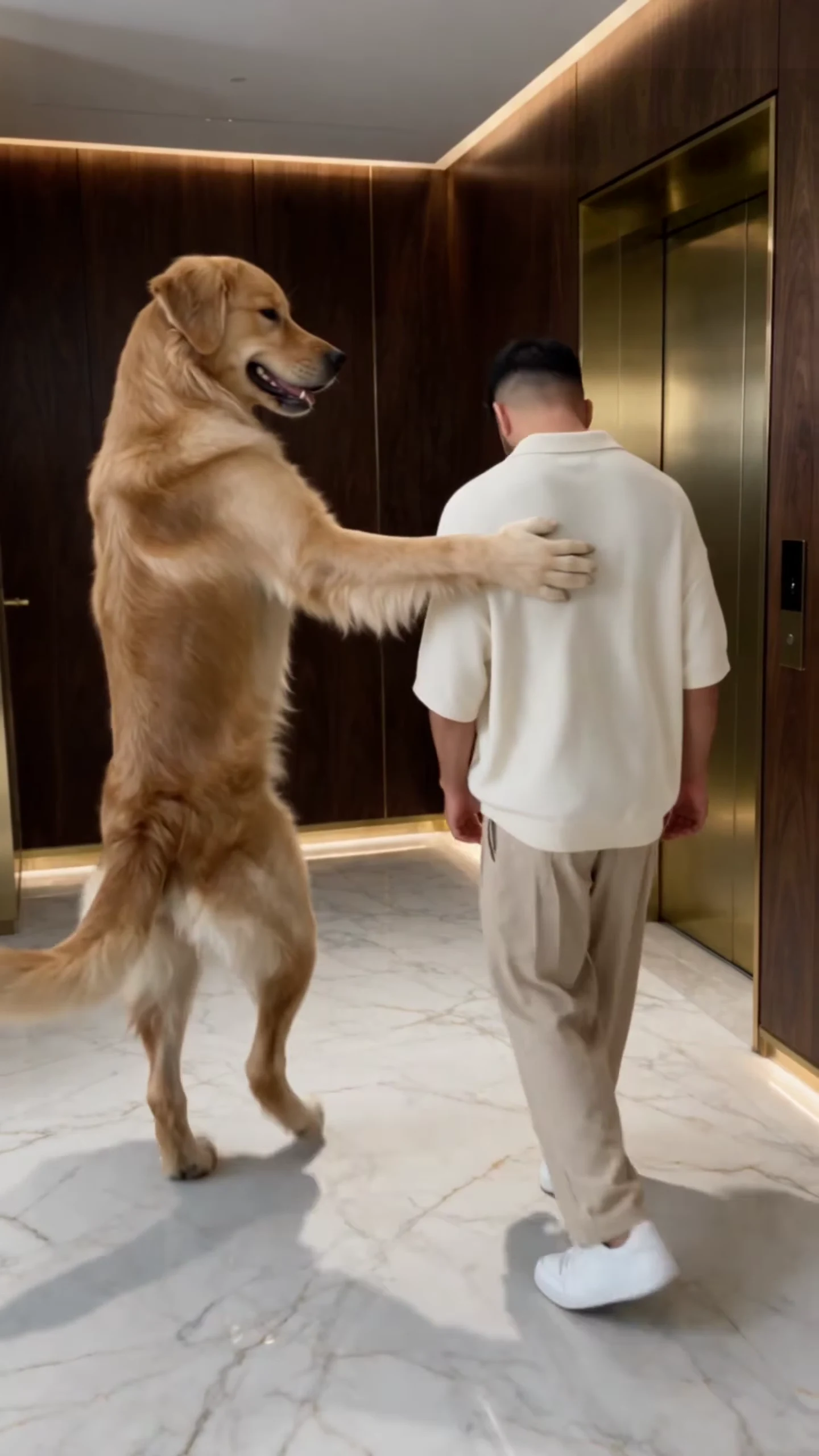
The two roles in the AI reference clip, not an Oakgen output: the Prankster on the left, the Victim on the right.
| Role | What it does | What its photo needs |
|---|---|---|
| Prankster | Walks upright, smacks, presses the button, kicks, throws the sneakers, walks past the camera | Full body and a sharp face for the close pass at the end |
| Victim | Walks, flinches, takes off his sneakers, falls into the lift, sits on the floor | Full length, because the legs and feet are on screen a lot |
1. Your dog kicks you in
The classic casting and the one the reference shows: your dog as the Prankster, you as the Victim. It reads as your dog's revenge, which gives you the caption for free ("payback for the bath"). Use a standing photo of your dog with the whole body visible, and a full-length photo of yourself. Check that your dog's paws stay paws when it presses the button and throws the shoes.
2. You kick your dog in
Swap the slots and you become the villain. Your dog gets walked to the lift with your hand on its shoulder, kicked in and pelted with sneakers. It is the same 17 seconds with the opposite joke. The sneakers are part of the scene, so your dog's role still has a pair of white sneakers come off at the lift door; that moment, around 9 to 11 seconds, is the one to check most carefully with a pet Victim.
3. You and a friend
Two people make it a revenge clip between friends, roommates or siblings. Use only photos of people who agreed to appear. Pick two photos with different hair or clothing colours, so it is obvious who is who when they walk shoulder to shoulder and when one stands right behind the other before the kick.
4. Two pets
A sibling rivalry: the older dog kicks the puppy into the lift, or the cat finally gets the dog. One pet per photo, both full body. The template scales the Prankster to stand about as tall as the man in the reference, so we expect very small animals in that slot to vary more between runs; that is an expectation, not a reviewed result. Pick two pets that look clearly different from each other.
5. Characters
A character photo works in either slot and keeps its own look, as long as it is a character you have the right to use. Avoid famous people and celebrity likenesses, which you should not upload in the first place.
What to check for any casting
- The two characters keep their own faces and outfits and never swap, especially at the lift door.
- Paws on the button around 5.5 to 7 seconds and in the throw around 14 to 15 seconds.
- The kick at about 11.4 seconds: limbs attached, the Victim lands inside the lift.
- One pair of sneakers that ends up in the lift.
- No grey patches or cyan lines left over from the motion guide.
The result checklist explains each check, and using your own dog in the golden retriever elevator trend covers breeds, cats and pets in the Victim slot.
Posting
Whatever the casting, say that the video is AI-made, and if you post the reference next to yours, say which one is yours. Captions and the best cover frame are in Dog Elevator Prank captions, casting and covers.
Related reading
- From photos to a finished clip: how to make the Dog Elevator Prank AI video.
- Another dog-meets-chaos template: the Dog Cake Smash trend.
- A solo pet routine: the Bad Times Dance template.
Frequently asked questions
Can my dog be the Victim instead of the Prankster?
Yes. Each slot takes a person, a pet or a character, so you can put yourself in the Prankster slot and your dog in the Victim slot. The white sneakers stay in the scene as a prop.
Can I use two pets?
Yes, one per slot. Pick two that look clearly different so the roles stay easy to tell apart when they are close together.
Can I leave one slot empty and keep the original dog or man?
No. Both photos are required, because the motion guide replaces both original characters.
Whose photos can I use?
Your own pets, yourself, or people who agreed to be in the video. Do not upload photos of celebrities, public figures or anyone who has not consented.
Is the preview video made by Oakgen?
No. It is the AI reference clip the template is built from, not an Oakgen result.