

 ChatGPT
 Claude
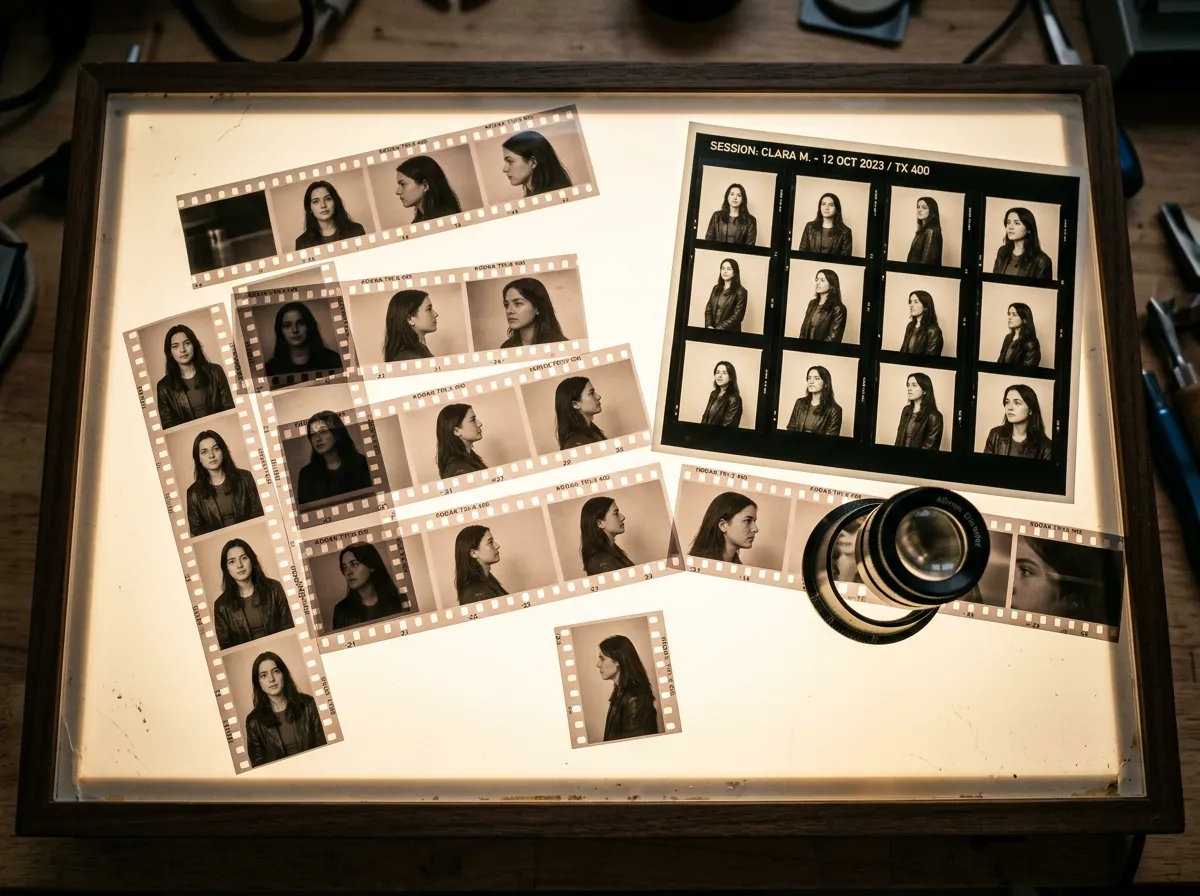
A character expression sheet collects several facial performances of the same character so an artist or production team can see how that character reacts. Start with a neutral reference, choose expressions your story actually needs, and compare them at a consistent scale. A useful sheet makes the acting clearer while keeping the person recognizable.
Use the template below for an illustrated character, an AI-assisted concept or a recurring digital presenter. It is a planning and review method, not a guarantee that a model will reproduce every expression correctly. The example character and prompts are illustrative; no images were generated or benchmarked for this guide.
Oakgen's Characters workspace lets you describe a character or start from a photo, then reuse a saved character in image, video and voice workflows. You can use that as a starting point for reference images. Review the current generation quote before running a request: this article does not promise a free expression-sheet generator or an automatic sheet-layout feature.
What belongs on an expression sheet?
The Toon Boom guide to character sheets distinguishes expression references from turnarounds, action poses and lip-sync sheets. Expression sheets describe a character's emotional range; the other sheets answer different production questions. Its guidance also distinguishes fixed-angle expressions for rigging from the varied head views often used in paperless animation.
For an initial comparison, keep the camera angle fixed. That is an editorial choice for this exercise: you want to see whether the expression changed, rather than compare a front-facing smile with a distant profile. Once the acting works, you can develop additional views that the production needs.
| Reference | Main question | Put it on this sheet? |
|---|---|---|
| Neutral face | What is the baseline? | Yes, as the comparison anchor |
| Emotion or reaction | How does this character respond? | Yes, choose reactions used in the story |
| Front, side and back views | What does the character look like around the head and body? | Keep in a separate turnaround |
| Running, lifting or sitting | How does the body perform an action? | Keep in an action-pose reference |
| Speech mouth positions | How should dialogue be animated? | Keep in a dedicated lip-sync reference if needed |
If the problem is keeping the same person across scenes, use the character consistency guide. Here the narrower job is to make a readable range of acting choices for an already chosen character.
Copy this six-panel expression matrix
Six panels are a manageable first draft, not a studio standard or a required number. Replace any emotion that does not serve your story. Label each with an expression, an intensity and a short situation so another person can understand the intended performance.
| Panel | Acting intention | Visible direction to explore | Review question |
|---|---|---|---|
| A: Neutral | Listening before reacting | Relaxed mouth, established resting face | Does this match the approved reference? |
| B: Quiet delight | A friend remembered something important | Small smile, attentive eyes | Is the pleasure readable without becoming a different face? |
| C: Surprise | An unexpected object appears | Changed brow and open mouth | Is it distinct from fear? |
| D: Frustration | A familiar problem happens again | Compressed mouth, more tension | Does it convey frustration rather than a generic angry mask? |
| E: Sadness | A personal disappointment | Reduced energy and a restrained mouth | Is the emotion still readable at thumbnail size? |
| F: Suspicion | A story does not quite add up | Asymmetric brow or a guarded look | Is it distinct from confusion? |
These are creative directions, not a claim that one facial configuration universally identifies someone's feelings. Context, style and individual expression matter. A restrained character may show delight differently from a broad cartoon performer.
For a comedy, change the matrix to include suppressed laughter, embarrassment and exaggerated disbelief. For a tutorial presenter, concentration, reassurance and mild concern may be more useful than extreme rage. Choose the acting vocabulary before spending time generating options.
Build the reference in five passes
1. Approve one neutral anchor
Choose a reference with clear facial features and enough detail for your intended output. Record identity features that should remain stable: face shape, hairline, eye color, distinctive marks and clothing details if the shoulders appear.
Separate these from performance variables. A mouth opening changes the visible jaw shape; that is not automatically identity drift. A new scar, different hairstyle or changed costume is an unintended change unless the brief asked for it.
Use only references you own or have permission to use. A fictional character developed for your project avoids many of the consent questions involved in depicting a real person.
2. Set one framing rule
For the first sheet, use head and shoulders, the same view, comparable lighting and a plain background. Leave room around the face so raised brows, ears or hair do not disappear at the panel edge.
Write the framing rule once and carry it through every panel. If the frame changes, note it and make a deliberate decision rather than silently accepting a different crop.
3. Request one controlled change at a time
A multi-panel request can be convenient, but it can also produce mismatched people or incorrect labels. If that happens, work on individual expressions and assemble the approved results afterward in a layout tool you already use. Oakgen's saved character can support reference reuse; it does not remove the need to inspect each result.
Illustrative prompt for an individual panel:
Use the supplied approved reference for the same fictional character.
Head-and-shoulders portrait, same front-facing view, lighting and plain background.
Expression: restrained delight after hearing good news.
Keep the hairstyle, eye color, clothing and distinctive facial mark unchanged.
No text, extra people or additional panels.
Then change only the expression and story situation for the next panel. Do not add a dramatic lighting change and a new camera angle to the same comparison. Those can be separate production experiments after the reference is approved.
4. Assemble and label the accepted panels
Arrange the six accepted images in two rows of three, with a neutral panel in the first position. Use the same panel dimensions and give each image a short label such as “Suspicion — restrained.” Add the character name and reference revision outside the image panels.
A written label explains intention, but it cannot rescue an unreadable face. Hide the labels briefly during review. If every panel reads as the same smile, return to the expression direction instead of inventing more elaborate emotion names.
5. Review as a production reference
Ask one reviewer to identify the expressions without reading the labels. Differences in interpretation are useful evidence for revision, not a reason to declare a person wrong about an ambiguous drawing. Record which panel needs clearer acting and what should remain unchanged.
Then review identity separately. Compare each face to the neutral anchor, particularly any features the story relies on. Accepting an expressive panel that changes the character's defining features creates a reference conflict for later work.
A compact approval record
Keep a short record beside the sheet so later revisions have a clear starting point:
Character: Mara, fictional station attendant
Sheet revision: expressions-03
Neutral reference: mara-neutral-approved-02
Intended use: illustrated short, close and medium shots
Accepted: A, B, C, E
Revise D: less exaggerated mouth; keep current brow direction
Revise F: make suspicion clearer without changing eye color
Not included: profile views, speech mouth shapes, full-body poses
Reviewer: production role or initials used by your team
This example describes a hypothetical review. It is not an Oakgen output or a tested production result. Keep approved references and rejected candidates separate so the next person does not accidentally use an earlier version.
Common problems and the next useful change
The expressions are different people. Return to the approved anchor and simplify the request. Recheck that the correct reference or saved character is selected. If identity still changes, retain the useful concepts as exploration rather than claiming an approved character sheet.
Every face is equally exaggerated. Specify the story situation and intensity. “Quiet disappointment after a missed train” gives a different acting goal from “broad comic despair.” Keep only the range your project needs.
The sheet looks polished but is hard to use. Improve the reference layout: larger faces, consistent crops, short labels and an obvious neutral anchor. Decorative backgrounds rarely help a facial comparison.
The mouth looks wrong in dialogue. An expression sheet is not a complete speech rig. Plan mouth-shape and lip-sync references separately rather than assuming a smiling portrait defines speech animation.
You need a character from several angles. That is turnaround work. Follow the existing reference and consistency workflow and keep its angle decisions separate from the expression approval record.
Use the sheet before making more scenes
Choose the accepted expression reference that matches a scene's intention, then describe the scene and action around it. Recheck the resulting image or video: a reference guides generation, it does not certify the finished performance.
To try the reference workflow, create an Oakgen account, open Characters and review plan and credit requirements before generating. Save the approved neutral reference and expression decisions first. That gives each later scene a clearer brief and gives a reviewer something concrete to compare.
