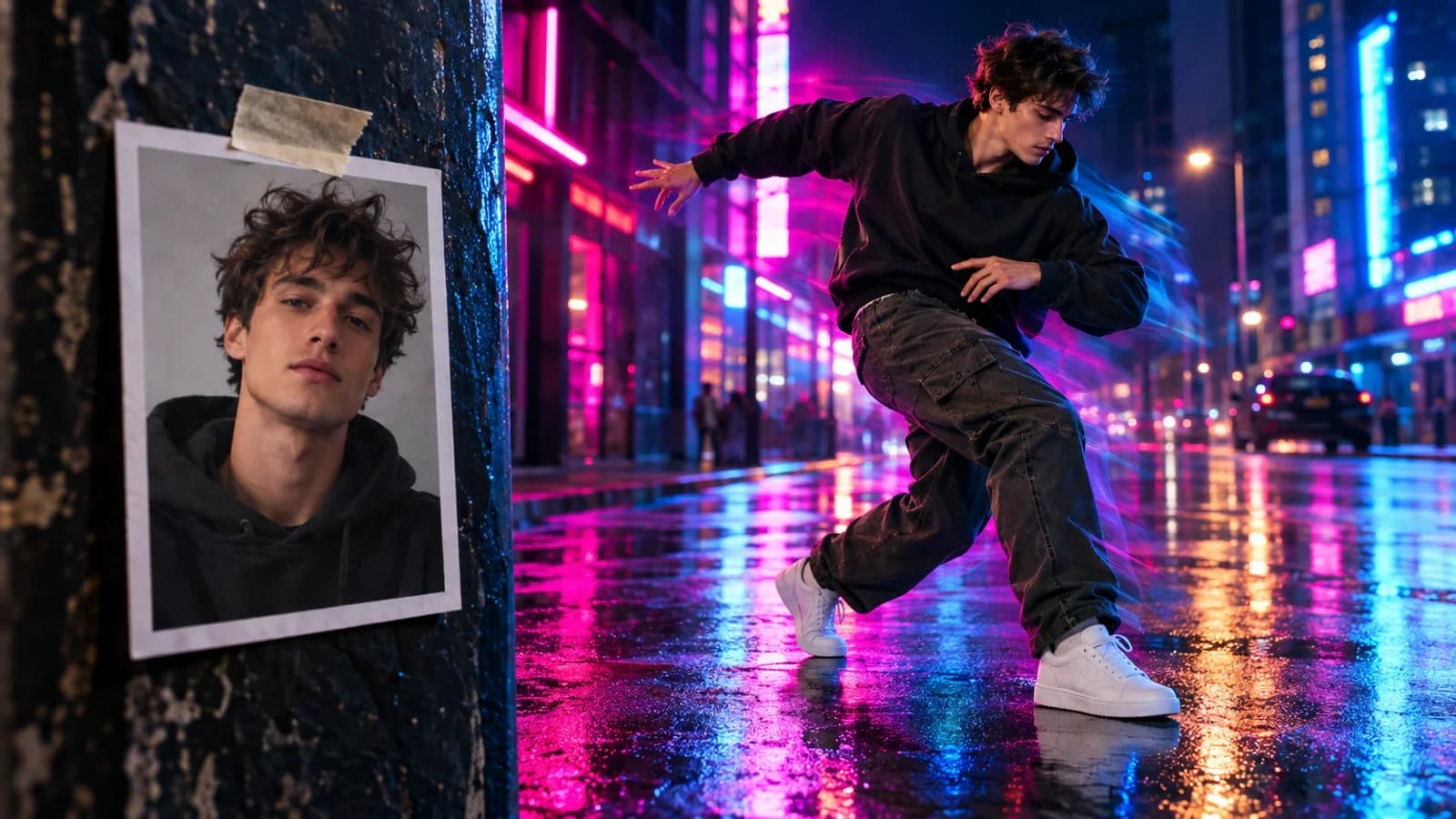
You generate a perfect character. Great design, exactly what you wanted. Then you try to generate that same character in a different scene and the AI gives you a completely different person. Different face shape, different hair, different everything.
Character consistency -- keeping the same character looking the same across multiple generations -- is one of the most asked-about challenges in AI image generation. This guide covers every method available in 2026, from simple prompt techniques to advanced multi-reference workflows.
Why Consistency Is Hard
AI image models generate each image independently. They do not "remember" what they generated before. Every generation is a fresh start from random noise, guided only by your text prompt. Even with identical prompts, small variations in the generation process produce different-looking characters.
The challenge is giving the model enough information to reproduce the same visual identity every time, despite generating from scratch.
Method 1: The Character Bible
The simplest technique. No special tools required -- just disciplined prompting.
A character bible is a detailed written description of every fixed visual detail about your character. You include it in every prompt, word for word, ensuring the model always has the same identity information.
Building Your Character Bible
Define these elements with surgical precision:
Core Identity:
- Age, ethnicity, facial structure
- Jawline shape, cheekbone prominence
- Distinct markers: scars, moles, birthmarks, freckles
Hair and Grooming:
- Exact length, texture, color
- Styling details, part direction
- Facial hair if applicable
Signature Wardrobe:
- Specific garments, not generic descriptions
- Fabric types, color palette
- Accessories that are always present
Artistic Medium:
- Photography style, lighting setup
- Or illustration technique, color treatment
Example Character Bible
Instead of: "A woman with dark hair and blue eyes"
Write: "Female, age 28, East Asian features, sharp jawline with soft cheekbones, long straight black hair with center part reaching mid-back, deep blue-gray eyes, slim athletic build, small mole above right lip, wearing fitted navy blazer over white crew-neck tee, silver stud earrings"
Prompt Structure
Every prompt follows this formula:
Identity anchor (unchanging) + Variation directive (what changes)
[Character bible text]. Standing in a sunlit kitchen, pouring coffee,
warm morning light from window, photorealistic, Canon R5 85mm f/1.4.
The identity anchor comes first -- before any scene description. This prevents atmospheric tokens from diluting the character description.
If your character bible says "blazer," always say "blazer." Never switch to "jacket" or "coat" or "outerwear." AI models treat synonyms as different concepts. Consistent terminology produces consistent characters.
Limitations
The character bible method works well for maintaining general appearance but struggles with exact facial features. You cannot describe a face precisely enough in text to guarantee perfect consistency. For pixel-accurate consistency, you need reference images.
Method 2: Reference-Based Generation
The most widely used approach in 2026. You provide one or more reference images, and the AI extracts visual features to reproduce across new scenes.
Best Practices for Reference Images
- Use a high-resolution image (minimum 1024x1024) with clear, front-facing lighting
- 2-3 images from different angles significantly improve consistency over a single reference
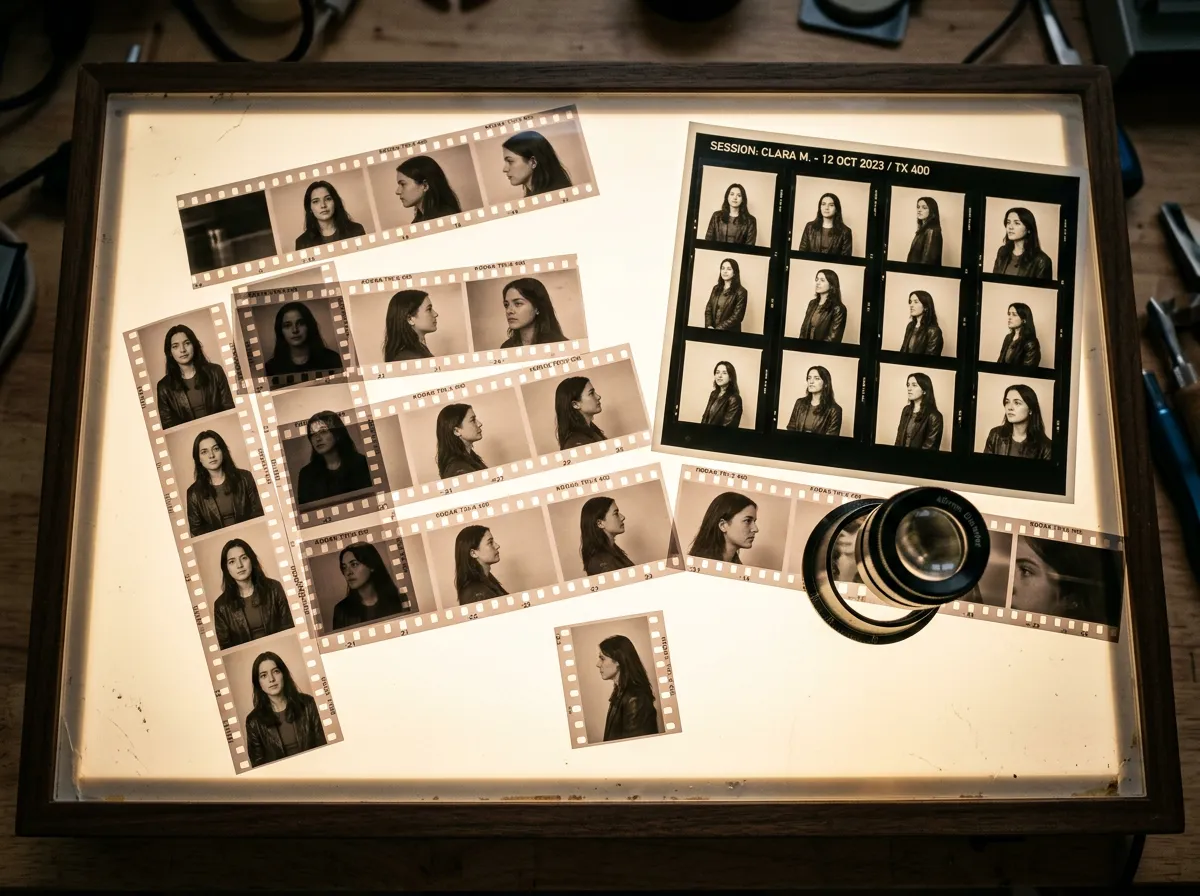
- Create a character turnaround sheet (front, 3/4, side, back views) composited into a single image -- this is the gold standard
- Avoid heavy makeup or extreme lighting unless that is permanent to the character
- Include one perfectly frontal, well-lit closeup as the primary anchor
The Turnaround Sheet Method
Generate your character in a neutral pose from multiple angles:
- Generate a front-facing portrait with neutral expression and lighting
- Generate 3/4 views from both sides
- Generate a full-body shot
- Composite all views into a single reference image
Use this composite as your reference for all future generations. It gives the model a complete "visual dictionary" of your character.
Method 3: Flux Kontext (Pro and Max)
Flux Kontext from Black Forest Labs is purpose-built for character consistency. It is a multimodal flow matching model that processes both text and image inputs simultaneously, allowing you to place the same character in completely different scenarios while maintaining identity.
How It Works
Unlike standard image-to-image that transforms an entire image, Kontext understands what to keep (identity) and what to change (context). Starting from a single reference photo:
- Upload your character reference
- Describe the new scene: "Same person standing on a beach at sunset, wearing a summer dress"
- Kontext changes the scene while preserving the face, body proportions, and distinctive features
Pro vs. Max
| Feature | Kontext Pro | Kontext Max |
|---|---|---|
| Speed | Faster iteration | Slower, higher quality |
| Best for | Multi-round editing, rapid iteration | Final production assets |
| Text rendering | Good | Superior |
| Character preservation | More reliable across multiple edits | Occasional subtle variations |
The Same Workflow on Oakgen
Flux Kontext is not offered on Oakgen. For the same reference-plus-instruction workflow there, use:
- FLUX 2 Pro Edit -- Upload a reference and describe the new scene; a good fit for iterative editing and client feedback loops.
- Nano Banana Pro Edit -- Another reference-based editing option worth testing on the same brief.
Find them in Oakgen's image tools (Image Generator and Image Editor).
Method 4: FLUX.2 Multi-Reference (Up to 10 References)
Released in late 2025, FLUX.2 takes reference-based consistency to the next level by supporting up to 10 simultaneous reference images. Built on a latent flow matching architecture paired with a vision-language model, it maintains character identity across hundreds of images in different contexts, lighting conditions, and poses.
When to Use Multi-Reference
- Marketing campaigns -- Generate 50+ ad variants with the same face
- Product mockups -- Same product in different contexts
- Character portfolios -- Dozens of poses and scenes with consistent identity
- Fashion editorials -- Dynamic character across many outfits and settings
How Many References Do You Need?
Four well-chosen references outperform ten mediocre ones. The ideal reference set includes:
- One perfectly frontal closeup with neutral lighting
- One 3/4 view showing face structure
- One full-body shot showing proportions
- One action/expression shot showing the character in motion
For FLUX.2 multi-reference, strategically selected references produce better results than flooding the model with similar images. Four distinct angles and expressions give the model more useful information than ten slightly different front-facing shots.
Method 5: Seed-Based Consistency
Seeds control the randomness in image generation. Same seed + same prompt + same model = identical output.
Workflow
- Generate your initial character image
- Note the seed number
- Reuse that exact seed for all subsequent images
- Change only scene/pose/expression elements
Limitations
Seed consistency is fragile. Changing anything in the prompt -- even minor wording -- can produce vastly different results. Seeds work differently across models and even across model versions.
Use seeds as a supplement, not a standalone method. Combine with reference images or a character bible for best results.
Method 6: LoRA Training
For maximum consistency, you can train a LoRA (Low-Rank Adaptation) -- a small, efficient model modification that captures a specific character's appearance.
When LoRA Makes Sense
- You need the same character across 50+ images (books, comics, long campaigns)
- You need pixel-perfect facial consistency
- You are building a brand mascot or recurring character
- Other methods produce inconsistencies you cannot tolerate
The Process
- Prepare your dataset: 15-30 high-quality images of your character from multiple angles, expressions, lighting conditions, and clothing
- Choose a trigger word: A unique activation word (e.g.,
ohwx_mia) that does not relate to anything in the model's training data - Train: 800-2000 steps, network dimension of 32, learning rate of 1e-4. Takes 15-30 minutes on consumer hardware
- Generate: Include the trigger word in your prompts and the model produces your character consistently
Trade-offs
LoRA training requires technical setup and 3-5 hours of preparation per character. But once trained, you generate unlimited variations with identical facial features, proportions, and design elements.
Step-by-Step Workflows
For Comics and Graphic Novels
- Pre-production: Write full script, identify every character
- Character design: Generate turnaround sheets (front, 3/4, side, back) for each character
- Character bible: Document identity anchors with forensic detail
- Panel generation: Use Flux Kontext with identity anchor text in every prompt
- Multi-character scenes: Generate characters separately against neutral backgrounds and composite in post-production
For Children's Book Illustration
- Create canonical images: Multiple views and expressions per character
- Train LoRAs (optional but recommended for 20+ page books)
- Build prompt templates: Character tokens + descriptions + scene + art style
- Gradual complexity: Start with "standing together" before complex interactions
- Quality validation: Compare each generation against your reference set
For Marketing Campaigns
- Define character DNA: Detailed visual specifications
- Generate pose packs: 3-4 images per key pose
- Lock style parameters: Same color palette, rendering style, lighting
- Use FLUX.2 multi-reference: Feed references to generate 50+ variants
- Platform adaptation: Adjust format while maintaining identity
For AI Filmmaking
- Character reference set: 8-10 images (4 closeups, 3 medium shots, 2-3 full-body)
- Document everything: Seed numbers, prompts, model versions, all parameters
- Keyframe generation: Generate key stills with maximum fidelity
- Image-to-video pipeline: Use keyframes as starting frames, constrain video model
- Chain short clips: 3-4 second clips with careful keyframe control. Do not attempt long sequences that accumulate drift.
Common Pitfalls and Fixes
| Problem | Cause | Fix |
|---|---|---|
| Face shape changes between scenes | Insufficient structural descriptors | Strengthen identity anchors, add bone-structure terms |
| Hair color drift | Conflicting color words in prompt | Remove extra color words, add explicit negative constraints |
| Clothing changes randomly | Vague clothing descriptions | Define exact outfit in every prompt |
| Skin tone varies | Lighting descriptions bleeding into skin rendering | Explicitly state skin tone in every prompt |
| Characters "age" between scenes | Inconsistent age descriptors | Include explicit age and skin texture in every prompt |
| Multi-character feature blending | AI averages features when characters appear together | Generate separately and composite |
| Gradual drift over many generations | Accumulated small changes | Periodically re-anchor to original reference |
Generate your character in 10 completely different environments using identical references and prompts. If the character is recognizable as the same person across all 10 at a glance, your workflow achieves production quality. If not, tighten your identity anchors.
Best Models for Consistency on Oakgen
| Model | Method | Best For |
|---|---|---|
| FLUX 2 Pro Edit | Reference + instruction editing | Iterative workflows, rapid scene changes |
| Nano Banana Pro Edit | Reference + instruction editing | Scene changes around a fixed character |
| FLUX.2 Pro | Multi-reference (up to 10 images) | Large campaigns, brand characters |
| Reve Reference | Single-reference generation | Photorealistic character variations |
| GPT Image 1.5 | Conversational multi-turn | Iterative character development |
All available through Oakgen's Image Generator and Image Editor with credit-based pricing.
Summary: Choosing Your Method
| Your Situation | Recommended Method |
|---|---|
| Quick social content (few images) | Character bible + reference image |
| Marketing campaign (50+ assets) | FLUX.2 multi-reference |
| Children's book (20+ pages) | LoRA training + reference pipeline |
| Comic or graphic novel | Turnaround sheet + Flux Kontext |
| AI film or video | Character reference set + keyframe pipeline |
| One-off exploration | Reference image + seed locking |
Character consistency in 2026 is a solved problem for most use cases. The methods above -- particularly reference-based generation with Flux Kontext and FLUX.2 -- produce reliable results without requiring deep technical expertise. The key is picking the right method for your scale and investing upfront in quality reference materials.