ChatGPT
 Claude
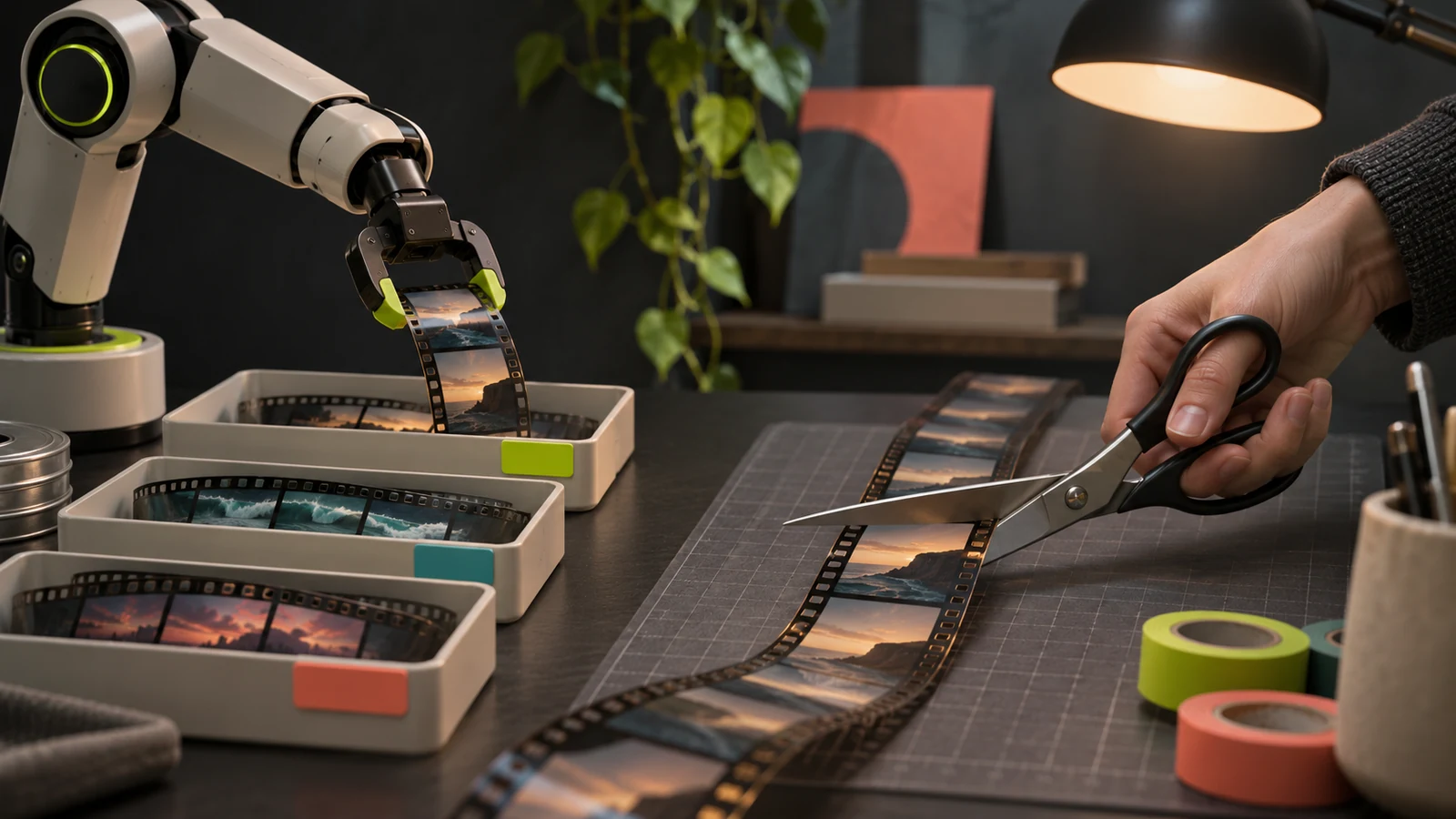
Can AI make videos going into 2027? Yes, in pieces. As of November 2026, AI can draft a script, generate shots with sound, read a voiceover in 90+ languages, caption and dub a finished video, and cut a rough edit from a recording. A single generated shot runs up to 30 seconds on Kling 4.0 or Seedance 2.5, and up to 10 seconds on Gemini Omni 1.2 Flash in Google Flow without a subscription or 15 seconds with a Google AI plan. Avatar and project tools go longer: HeyGen lists avatar videos of up to 30 minutes on its Creator and Pro plans, and OpenArt's Director mode assembles projects of up to 5 minutes. None of the vendor pages we read says the result can be published without review. Every stage still needs a person to check facts, faces, on-screen text and rights.
This post is the capability map. For the steps, read how to make a video with AI.
Start with one short clip
Pick a video model, see the credit cost before you generate, and build the rest of the video around a take that works.
What can AI do at each stage of making a video?
Each row names what the vendor documents for that stage, the limit or warning it publishes, and the check that stays with a person. Every row links the vendor's own page as of November 2026.
| Stage | What the vendor documents | Limit or warning it publishes | What a person still does |
|---|---|---|---|
| Script | Descript lists "write a script/outline" among Underlord's tools | Descript Help: its AI features "sometimes get things wrong" | Checks every fact, name and claim |
| Generated shots | Kling 4.0: 3 to 30 seconds. Seedance 2.5: up to 30 seconds. Gemini Omni 1.2 Flash: up to 15 seconds in Flow | ByteDance: complex motion and multi-subject scenes still have room to improve | Picks takes, checks faces and text, joins the clips |
| Presenter avatar | HeyGen: avatar videos up to 30 minutes on Creator and Pro | HeyGen: Free is 3 watermarked videos a month, 1 minute each | Gets consent for any real face or voice |
| Voiceover | ElevenLabs: Eleven v4 covers 90+ languages | ElevenLabs: 10,000 characters per request | Checks pronunciation, holds rights to the voice |
| Captions | Descript: transcription in 25 languages | YouTube Help: automatic captions "might misrepresent the spoken content" | Proofreads names, numbers and jargon |
| Dubbing | ElevenLabs: 90+ languages, up to 32 speakers | ElevenLabs: output is "a high-quality preview, not a production master" | Gets a native speaker to review it |
| Editing a recording | Descript: captions, clips, zooms and translation from typed prompts | Descript Help: Underlord "might overpromise" and needs "regular check-ins" | Decides pacing and story |
| Changing a detail in a shot | Runway Aleph 2.0: edits clips up to 30 seconds at 1080p | Runway pricing: 140 credits per 5 seconds | Confirms nothing else changed |
| Music | Suno: paid plans list commercial use rights and monthly downloads | Suno terms: commercial use needs a permitted download, with conditions (details) | Checks the track against the terms |
| Final cut and publishing | OpenArt: Director mode builds multi-scene projects up to 5 minutes | CapCut: AI video is "not yet a reliable one-prompt replacement for controlled, multi-shot production" | Assembles, reviews, discloses AI use |
On November 19, 2026 we read each vendor's own page for every limit, price and policy here, and each claim links to its page. No generations were run for this post, so nothing describes output quality as observed. Prices are list prices; Black Friday offers were live on several pricing pages and are left out. Oakgen is our product, and Oakgen statements come from our own product configuration, Terms and published failure-rate index.
Can AI make videos from a text prompt or a picture?
Yes, one shot at a time. Each model below sets its own length per generation and its own extension options.
- Kling 4.0. Kling's guide, dated September 30, 2026, says Kling 4.0 "supports native video generation from 3 to 30 seconds" (Kling).
- Seedance 2.5. ByteDance says Seedance 2.5 "can generate high-quality, 30-second audio-video clips in a single pass and supports multiple rounds of extension" (ByteDance Seed). Its product page puts it as "up to 30 seconds in a single generation, with the option to extend twice" (Seedance 2.5).
- Gemini Omni 1.2 Flash. Google launched it on November 5, 2026 with native 15-second clips (Google). In Google Flow the limit is 3 to 10 seconds without a subscription and 3 to 15 seconds with a Google AI plan, and only Google AI subscribers can extend a clip (Flow Help).
Sora is not on this list. OpenAI discontinued the Sora app on April 26, 2026 and the Sora API on September 24, 2026 (OpenAI Help Center).
Longer videos from these models are built from extensions where the model supports them, or from clips joined in an editor, and each one is another generation to pay for and check. Two other kinds of tool go further. HeyGen lists a maximum of 30 minutes per avatar video on its Creator and Pro plans, 60 minutes on Business and 1 minute on Free (HeyGen). OpenArt says its Director mode turns one brief into a multi-scene video of up to 5 minutes, with storyboard, voices and music (OpenArt). Neither page says the result can skip review.
The vendors name their own weak spots. ByteDance writes that Seedance 2.5 still has room to improve in "the physical plausibility of complex motions and the stability of scenes involving interactions among multiple subjects" (ByteDance Seed). Google says work continues on "fast sports action, rapid script changes and complex physics" (Google). CapCut's 2026 guide to AI video limits adds that "text rendering remains especially risky when the text is on a moving object" (CapCut).
Plan for failed attempts too. The Oakgen AI Video Index 2026 counted 4,069 video generations on Oakgen from January 10 to November 10, 2026 and found that 11.5% failed, with content or copyright filters behind 35.8% of the 467 failures (how often AI video generations fail).
Is there an AI video generator with voiceover built in?
Yes. ByteDance describes Seedance 2.5 as generating audio and video together, Kling says Kling 4.0 supports "two-channel stereo, alongside improved lip-sync accuracy", and Google says Omni 1.2 Flash produces "clearer lip-sync". For full narration, a separate voice track lets you fix one sentence without regenerating the shot.
Can AI write the script, the voiceover and the music?
Yes to all three, with one check each: facts for the script, rights for the voice, and the license for the music.
Script. Any chat assistant drafts a script, and editors do it too: Descript lists "write a script/outline" among Underlord's tools on its pricing page. Statistics, quotes, product claims and dates still need a source check by a person.
Voiceover. ElevenLabs documents Eleven v4 as supporting 90+ languages with a 10,000 character limit per request (ElevenLabs models). The Starter plan lists at $6 a month for 30,000 credits, which ElevenLabs estimates at about 30 minutes of speech (ElevenLabs pricing, list price as of November 2026). Mind the free plan: ElevenLabs says it "does not include a commercial license and cannot be used for any commercial purpose" (ElevenLabs Help Center).
Music. Suno Pro lists at $10 a month on monthly billing with commercial use rights and 20 song downloads a month (Suno pricing, list price as of November 2026). For commercial use, obtain a permitted download while subscribed, check the track against Suno's terms, and exclude remixes covered by its remix clause. Free has no downloads (Suno terms, Suno Help).
For a plan-by-plan view of rights, see which AI tools allow commercial use.
Add a voice track you can fix line by line
Generate narration, sound effects and a cloned version of your own voice in the same studio as your clips.
Do AI captions for video need checking?
Yes. AI captions save the typing but not the read-through, and the vendors say so themselves.
Descript's pricing page lists transcription in 25 languages and caption translation in 61 (Descript). CapCut's caption tool tells users to "review the detected language and the generated wording before export" (CapCut). YouTube Help says automatic captions "might misrepresent the spoken content due to mispronunciations, accents, dialects, or background noise" (YouTube Help).
Proofread names, numbers, brand terms and any line spoken over music.
Does AI video dubbing work?
It gives you a first version, and a native speaker should check it before it is published. ElevenLabs documents dubbing across 90+ languages with up to 32 speakers per file, with uploads of up to 1 GB and 180 minutes in the app (ElevenLabs dubbing).
The same page says the Dubbing v2 model is in alpha, and that "dubbed video is a high-quality preview, not a production master". Its advice is to download the dubbed audio and use it to replace the audio track on your original video.
Descript's Business plan card lists translation and dubbing "in 30+ languages with proofread" at $65 per person a month on monthly billing (Descript, list price as of November 2026). A dub can be fluent and still get an offer, a unit or a joke wrong.
For the review workflow, read our guides to AI video localization in 10 languages and multilingual voiceovers.
Can AI edit videos for me?
Yes, if "edit" means a rough cut, a set of clips or one changed detail. No, if it means the final judgment on pacing and story.
1. Cutting a recording by its words. Descript's Underlord takes typed instructions to remove filler words and retakes, add captions and split a recording into clips. Its help center says Underlord "might overpromise, make incorrect assumptions, or follow you into workflows it's not equipped to complete" (Descript Help Center). Descript Hobbyist lists at $24 a month on monthly billing with 10 media hours, and the Free plan gives 60 media minutes a month with a watermarked 720p export (Descript, list prices as of November 2026).
2. Turning one long video into many short ones. OpusClip finds highlights in a long recording, cuts them, reframes them to 9:16 and captions them. Its Free plan gives 60 processing minutes a month with a watermark and no editing; Starter lists at $15 a month and Pro at $29 (OpusClip pricing, help center, list prices as of November 2026).
3. Changing something inside a shot. Runway says Aleph 2.0 edits "clips up to 30 seconds long at 1080p" (Runway) at 140 credits per 5 seconds (Runway pricing). Kling says Kling 4.0 accepts up to five video inputs in an editing task, up to 30 seconds combined. When to edit instead of regenerating is covered in AI video editing vs generation.
None of these pages claims taste. Kapwing, which builds an editor, wrote on November 5, 2026 that "decisions about pacing, storytelling, and visual quality still benefit from human review" (Kapwing).
What can ChatGPT, Claude or Gemini do with a real video file?
A chat assistant can read, plan and write around a video. It changes the file only when it is connected to an editor or a generator. This route picker shows what each setup can touch, as of November 2026.
| Setup | What it can touch | Documented limit |
|---|---|---|
| ChatGPT on its own | Accepts a video attachment and may analyze it | OpenAI: the analysis "can be incomplete or inaccurate" and "may not analyze the entire video or accurately interpret its audio" (OpenAI Help Center) |
| Claude on its own | Scripts, transcripts, documents and images | The upload list, dated July 23, 2026, names document and image formats and no video formats (Claude Help Center) |
| Gemini app | Uploaded video for answers and summaries | Up to 2 GB per video and 5 minutes in total, or 1 hour on Google AI Pro or Ultra (Gemini Apps Help) |
| Assistant plus an editor connector | Real edits in a real project: cuts, captions, clips, reframing | Descript's MCP runs "anything you could ask Underlord for"; YouTube links "don't work yet". OpusClip's MCP exposes clip, caption, reframe, edit, repurpose and schedule |
| Coding agent with FFmpeg | Trims, joins, resizes and batch exports files on your computer | Kapwing: more setup, and "even successful automated edits can contain problems with pacing, audio, captions, or visual continuity" |
| Assistant plus a generation connector | New clips, images, voice and music made from the chat | The connected service renders the media and bills its own credits. Runway lists Runway MCP on its Pro and Max plans |
With no editor attached, give the assistant a transcript with timestamps and ask for a cut list.
Oakgen has a generation connector. Its MCP endpoint lets ChatGPT, Claude and similar clients search models, get a quote and generate on the same account and credits as the app. Generating through it needs a paid plan.
Can AI make videos for YouTube?
Yes, and YouTube has two rules that apply to them. First, disclosure. YouTube Help says: "We require creators to disclose AI-generated or altered content that seems realistic." Disclose AI-generated music when it is the main focus. YouTube also lists AI-generated music as a disclosure example, so select AI use for an AI-generated background track when in doubt. Its list of uses that need no disclosure includes AI help with a script or captions, and cloning your own voice for a voiceover. YouTube adds that creators who consistently do not disclose may face penalties "including removal of content or suspension from the YouTube Partner Program" (YouTube Help).
Second, monetization. YouTube's channel monetization policies say content should "not be mass-produced, generic, repetitive, or manipulative" (YouTube Help).
So use AI for shots, narration and captions, and keep the script, structure and point of view yours. AI tools for YouTubers matches a tool to each job, and the AI label rules for each platform cover the remaining YouTube cases and the rules on TikTok, Instagram and Facebook.
Which parts should you hand to AI, and which tool for each?
Hand AI the stages where a mistake is cheap to spot and cheap to redo. Keep the stages where a mistake reaches the audience.
- Use a video model (Kling 4.0, Seedance 2.5 or Gemini Omni 1.2 Flash) if you need shots that do not exist.
- Use Google Flow if your budget is zero. Every account gets 50 Flow credits a day, and Omni Flash 1.2 costs 3 credits per second at 720p, so one 10-second clip fits (Flow plans, Flow credits).
- Use Descript if you recorded yourself talking and need a tight cut.
- Use OpusClip if you have long podcasts or webinars and need shorts.
- Use Runway Aleph 2.0 if the take is right and one detail is wrong.
- Use ElevenLabs if voice or dubbing is the main job.
- Use HeyGen if you need a presenter avatar. Its Free plan lists 3 watermarked videos a month of up to 1 minute each (HeyGen).
- Use CapCut if you want to assemble the pieces by hand. Its Free plan lists "Basic editing tools" (CapCut).
- Use Oakgen if you need clips, voice, music and a talking photo from one account, on one timeline.
- Keep for yourself: the idea, the fact check, consent for any real face or voice, the final cut and the publish button.
A pre-publish check for any AI-made video
- Check every number, quote and claim in the script against a source.
- Watch each generated shot at full size. Check hands, faces, logos and text in the frame.
- Replace generated labels, screens and packaging with the real artwork, and never use a generated shot as proof. CapCut's guide says generated visuals "should not stand in for proof" (CapCut).
- Read the captions with the sound on. Fix names and numbers.
- If it is dubbed, have a speaker of that language watch it.
- Confirm commercial use of the voice and the music on the terms set out in the voiceover and music section.
- Confirm you have consent for every real face and voice.
- Set each platform's AI disclosure where its own rules require it (for YouTube, see the YouTube section).
Build the video on one timeline
Bring generated clips, images, narration, music and captions together in Compose.
Where does Oakgen fit, and where does it not?
Oakgen fits when you need to create the parts of a video, not when you need to cut footage you already shot.
Where it fits:
- Footage. The AI video generator runs Seedance 2.5, Kling 4.0 and Gemini Omni Flash, plus edit models such as Kling V4 Video Edit. The credit cost is shown before you generate, and credits for a failed generation are returned.
- Voice, music and presenters. ElevenLabs V4 speech and a voice cloning tool sit under audio, Eleven Music and Lyria 3.5 under the music generator, and lip-synced portraits under talking photo. Cloning is for your own voice, or another person's only with explicit permission.
- Assembly. Compose is a timeline editor for video, images, audio and captions. Agent chat drafts and creates in one conversation.
- One balance. All of it draws on the same credits. Eligible outputs can be used commercially under Oakgen's Terms and provider terms.
Where another tool is the better choice:
- Zero budget. Oakgen has no free plan, signup credits or trial. Start with Google Flow's 50 daily credits.
- Editing recorded footage. Descript's transcript editing and Runway's post-production tools do more with real footage than Compose does.
- Clipping long recordings. OpusClip is built for that single job.
- Dubbing and studio avatars. ElevenLabs and Descript go deeper on dubbing, and HeyGen on presenter avatars.
- Posting to YouTube or TikTok. Oakgen's posting and scheduling covers Instagram and Facebook only.
Oakgen runs on paid plans with monthly credits. Current plan prices are on the pricing page. For how a budget splits across tools, read AI creative tools by budget.
What to do next
Pick the stage that costs you the most time and hand only that to AI this week. Keep the fact check, the consent check and the final cut. No vendor page claims to do those for you.
Make the shots your video is missing
Text to video, image to video and clip edits from one credit balance, with the cost shown before each generation.
Frequently asked questions
Can AI make videos by itself?
Partly. AI can draft a script, generate short clips with sound, read a voiceover, add captions and cut a rough edit. One generated shot on Kling 4.0 or Seedance 2.5 runs up to 30 seconds, so longer videos use extensions where a model supports them, clips joined in an editor, or tools that assemble scenes. A person still checks facts, faces, on-screen text and rights.
Can ChatGPT edit a video file?
Not on its own. OpenAI says ChatGPT may analyze a video attachment, and that the analysis can be incomplete or inaccurate. To change a real file, connect the assistant to an editor such as Descript or OpusClip through their MCP connectors.
How long can an AI-generated video be?
It depends on the tool. Kling 4.0 and Seedance 2.5 generate up to 30 seconds in one shot. In Google Flow, Gemini Omni 1.2 Flash makes up to 10 seconds without a subscription or 15 seconds with a Google AI plan. HeyGen lists avatar videos of up to 30 minutes on its Creator and Pro plans, and OpenArt says its Director mode builds projects of up to 5 minutes from several scenes.
Can AI make videos for YouTube that still get monetized?
Yes, within YouTube's rules. YouTube requires creators to disclose AI-generated or altered content that seems realistic and AI-generated music that is the main focus, and it also lists AI-generated music as a disclosure example, so select AI use for an AI background track when in doubt. Its channel monetization policies say content should not be mass-produced, generic, repetitive or manipulative. Read YouTube's own pages, linked in the YouTube section of this post, before you publish.
Is AI video dubbing good enough to publish?
Treat it as a first version. ElevenLabs calls its dubbed video a high-quality preview, not a production master, and suggests putting the dubbed audio on your original video. Have a native speaker check it.
Are AI captions for video accurate?
Check them before you publish. YouTube says automatic captions might misrepresent what was said, and CapCut tells users to review the generated wording before export. Look hardest at names, numbers and brand terms.
Can I make and edit AI videos for free?
For a test, yes. Google Flow gives every account a daily credit allowance, and Descript and OpusClip have Free plans with watermarked exports. Oakgen has no free plan, signup credits or trial.
Sources
- Kling AI, Inside Kling 4.0: A Complete Guide to AI Video Creation, Sep 30 2026 (read 2026-11-19)
- ByteDance Seed, One-take Creation, Flexible Referencing: Introducing Seedance 2.5 (read 2026-11-19)
- Google, Gemini Omni 1.2 Flash: Fast and cost-effective with longer clips, Nov 5 2026 (read 2026-11-19)
- Google Flow Help, Learn about Google Flow models and supported features (read 2026-11-19)
- Google Flow Help, Manage your Google Flow credits (read 2026-11-19)
- Google, Flow plans and included features (read 2026-11-19)
- Runway, Pricing (read 2026-11-19)
- Runway, Aleph 2.0 product page (read 2026-11-19)
- ElevenLabs Documentation, Models (read 2026-11-19)
- ElevenLabs Documentation, Dubbing (read 2026-11-19)
- ElevenLabs, Pricing (read 2026-11-19)
- ElevenLabs Help Center, Can I publish the content I generate on the platform? (read 2026-11-19)
- Descript, Pricing (read 2026-11-19)
- Descript Help Center, Underlord (Beta): Your AI co-editor in Descript (read 2026-11-19)
- Descript, Video editing MCP (read 2026-11-19)
- OpusClip, Pricing (read 2026-11-19)
- OpusClip Help Center, What Kind of Plans Do You Offer? (read 2026-11-19)
- OpusClip, Video Editing and Clipping MCP Server (read 2026-11-19)
- CapCut, AI Video Generation Limitations: What You Can't Do Reliably Yet in 2026 (read 2026-11-19)
- CapCut, Auto Caption Generator (read 2026-11-19)
- CapCut, Pricing (read 2026-11-19)
- OpenAI Help Center, ChatGPT Image Inputs FAQ (read 2026-11-19)
- OpenAI Help Center, What to know about the Sora discontinuation (read 2026-11-19)
- Claude Help Center, Upload files to Claude, Jul 23 2026 (read 2026-11-19)
- Gemini Apps Help, Upload and analyze files in Gemini Apps (read 2026-11-19)
- Kapwing, 7 Video Editing Tasks You Can Automate With ChatGPT or Claude, Nov 5 2026 (read 2026-11-19)
- YouTube Help, Use automatic captioning (read 2026-11-19)
- YouTube Help, Disclosing use of GenAI content (read 2026-11-19)
- YouTube Help, YouTube channel monetization policies (read 2026-11-19)
- Suno, Pricing (read 2026-11-19)
- Suno, Terms of Service, September 2026 (read 2026-11-19)
- Suno Help Center, What rights do I have with a paid subscription? (read 2026-11-19)
- Suno Help Center, Upcoming Changes FAQ: Downloads, Models, and Terms of Service (read 2026-11-19)
- HeyGen, Pricing (read 2026-11-19)
- OpenArt, OpenArt vs Higgsfield: Pricing and Cost per Video (read 2026-11-19)
- ByteDance Seed, Seedance 2.5 product page (read 2026-11-19)